Page 1 of 4
Glamour Effects- Showcase your custom .fxs here
Posted: Sun Jul 08, 2007 8:36 pm
by VF501
Seeing as we had a Glamour units thread and have a Glamour Skins one, well effects seem to get no love. So here it is a Glamour effects thread.
Now I know since the PE is twitchy to say the least there won't be as much traffic as the skins thread. But never fear, you can edit effects in notepad (VERY CAREFULLY) especially if you know what you're doing.
Please show only effects you have created if possible. However if you see a cool effect in a map or side you want to share post a screen shot and credit the maker of it.
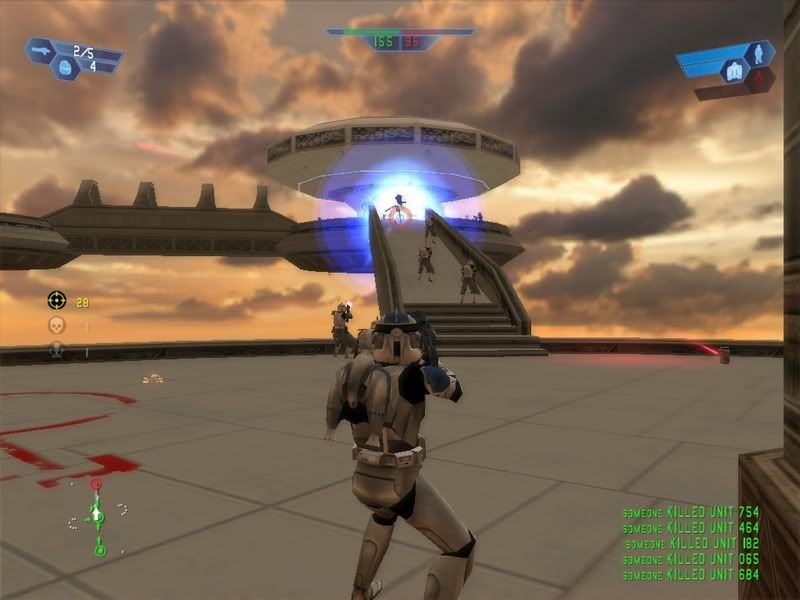
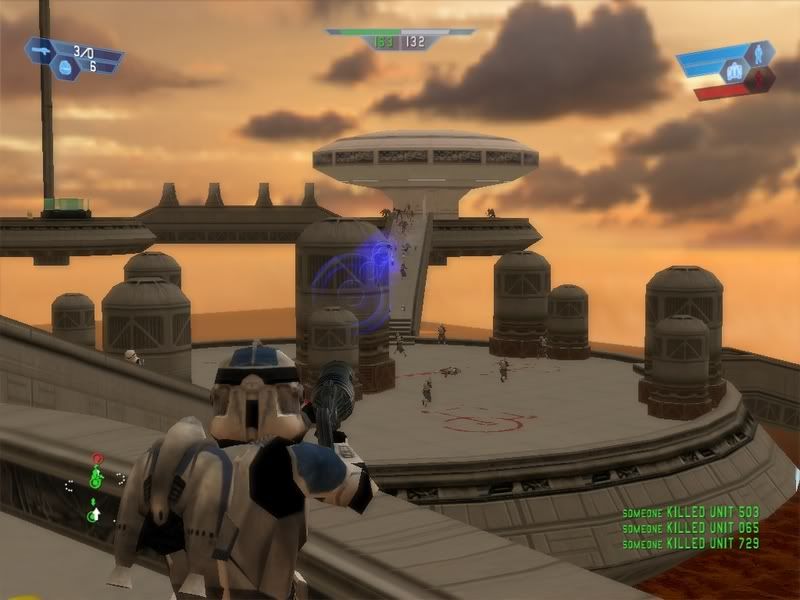
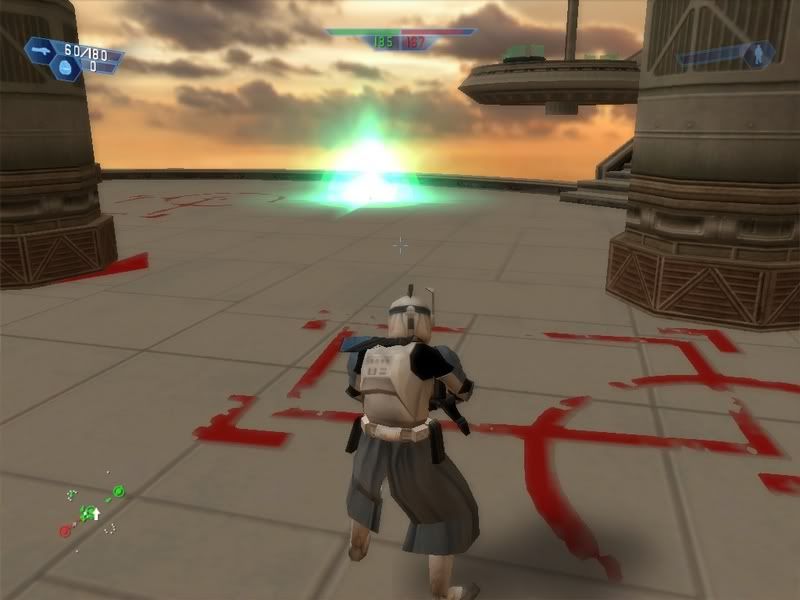
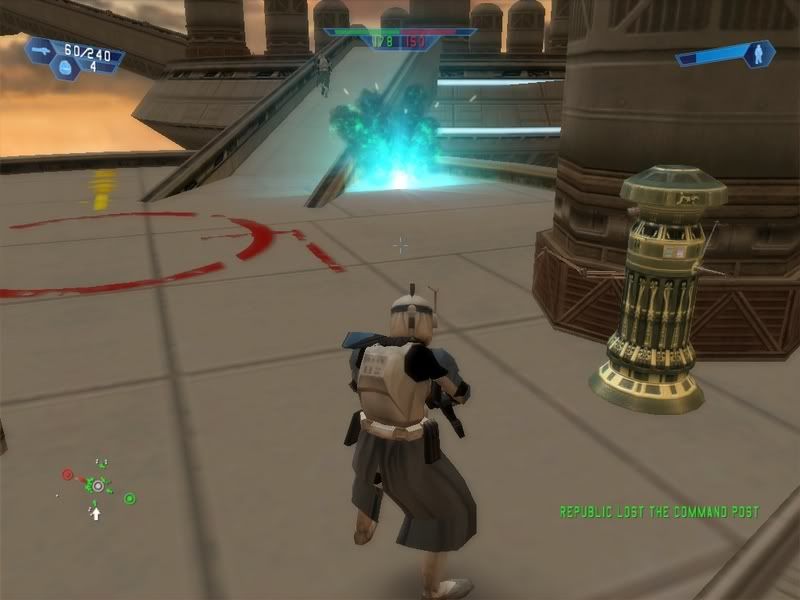
To start it off here are 4 effects I recently made, using a combination of Particle Editor and Notepad. (Screenshots were taken in SWBF1 but .fxs can be used in either game so no complaints).
Concussion Rifle Explosion
 Concussion Rifle Ordnance Trail Effect
 Sonic Grenade Explosion
 Plasma Grenade Explosion
RE: Glamour Effects- Showcase your custom .fxs here.
Posted: Sun Jul 08, 2007 9:29 pm
by RevanSithLord
Woah. Nice.

That concussion rifle one is especially awesome. Wait, I have yet to find tuts to make my own fx. Can someone pm me with this so I don't have to bug others to help me with my map?

Unless they want to help me that is. lol
RE: Glamour Effects- Showcase your custom .fxs here.
Posted: Sun Jul 08, 2007 9:39 pm
by Snork
How do you get PE to work?
When I try to load it a message comes up saying "Could not read common.lvl" and another saying "Could not read core.lvl"
RE: Glamour Effects- Showcase your custom .fxs here.
Posted: Sun Jul 08, 2007 10:05 pm
by Taivyx
A quick look around wouldn't hurt, Snork.
Go to your BF2_Modtools/Data folder.
Make a new folder called _LVL_PC.
Go to your StarwarsBattlefrontII/Gamedata/DATA/_LVL_PC
And copy and paste core.lvl into the _LVL_PC folder you created earlier.
I don't think the common.lvl problem can be fixed, I tried copying it over, but iit still couldn't read it.
However, PE still works with that method.
Straight from this thread:
http://www.gametoast.com/index.php?name ... cle+editor
RE: Glamour Effects- Showcase your custom .fxs here.
Posted: Sun Jul 08, 2007 10:14 pm
by Snork
K'wooppps. Thanks Taivyx.
RE: Glamour Effects- Showcase your custom .fxs here.
Posted: Sun Jul 08, 2007 10:16 pm
by Taivyx
No problem Slugman.
Always happy to help.
RE: Glamour Effects- Showcase your custom .fxs here.
Posted: Sun Jul 08, 2007 10:24 pm
by VF501
I'll work up a tutorial on editing effects by hand in notepad and on how to edit unloadable .fxs in PE (geo_blunderbuss_blast.fx being an example) later and post it. About half the stuff is done in PE and half in notepad. For adding emitters PE is easier so for unloadable .fxs you need to change a few things by hand before it loads, then go back and reset them afterwards.
Posted: Mon Jul 09, 2007 2:22 am
by VF501
From my experience, PE crashes each time you try to load a .fx that uses a .msh as a base for any part of it. Its why the droideka shield effect and the geo_blunderbuss_blast.fx (sonic rifle trail effect) crash PE. The solution I came up with was to open the .fx in notepad then change the following things.
}
Geometry()
{
BlendMode("ADDITIVE");
Type("GEOMETRY");
Model("geo_blast_rin1");
I change the Type to PARTICLE, then Change Model to Texture- then I pick a random texture to use (boom1-6 are examples).
Then I load it in PE, change what I want, save, go back in notepad and reset the geometry.
So far the PE crashes only happened when I tried to load the .fxs containing .msh
Also I noticed that you can change the color values for .msh using .fxs all you want in PE, but the color doesn't change at all unless you alter the associated .tga skin.
How to get the Droideka's bubble shield msh into PE
Posted: Mon Jul 09, 2007 8:47 am
by AceMastermind
VF501 wrote:From my experience, PE crashes each time you try to load a .fx that uses a .msh as a base for any part of it.
For your solution to getting an effect based on a mesh into PE you have to premunge the mesh and place it's munged files in PE's munged folder to keep it from crashing. Have a look at my "
Custom fx geometry" thread in the XSI forum.
I have the droidekas shield mesh in PE right now, but while the droidekas .fx file for example is not formatted for PE to read properly, you can still get it's mesh into PE and recreate the new effect, but the question is will it work ingame since those types of effects are case specific and contain properties that allow them to attach to a weapon.
*thought* the geonosian_weap_blunderbuss method might be the answer to attach a light looking effect to simulate a flashlight on a weapon.
Posted: Mon Jul 09, 2007 9:31 am
by Caleb1117
Wow this is a good idea!
I like that trail effect on the rifle.
Posted: Mon Jul 09, 2007 9:54 am
by Hebes24
AceMastermind, I followed your tutorial in
this thread, but it still does not work. Along with the usual "could not open common.lvl" error, I get a "could not open core.lvl" error, and it doesn't work.
I do have the .dll that is required, and there is a core.lvl file in the _LVL_PC folder that it's in.

What did I do wrong?
Getting PE to work
Posted: Mon Jul 09, 2007 10:19 am
by AceMastermind
Try -_-'s method if mine doesn't work, he runs his from this location:
LucasArts\Star Wars Battlefront II\GameData\DATA\_LVL_PC
Copy the PE to that location, and create a Munged folder in that same location, and you'll need the munged files that go in the Munged folder, there's also no need for a .dll in that location.
Or you could just download -_-'s files and extract them to:
LucasArts\Star Wars Battlefront II\GameData\DATA\_LVL_PC
-_- uploaded all of the files you need to his Filefront page:
Particle_Editor_with_Munged_textures.rar
I like to work from within my project folders, that's why I have mine set up the way it is.
Posted: Mon Jul 09, 2007 11:13 am
by Hebes24
I'll try that. If
this doesn't work, I don't know what the heck's going on.
Edit: It works! Thanks
Ace.
EDIT
My first stab at the Particle Editor:
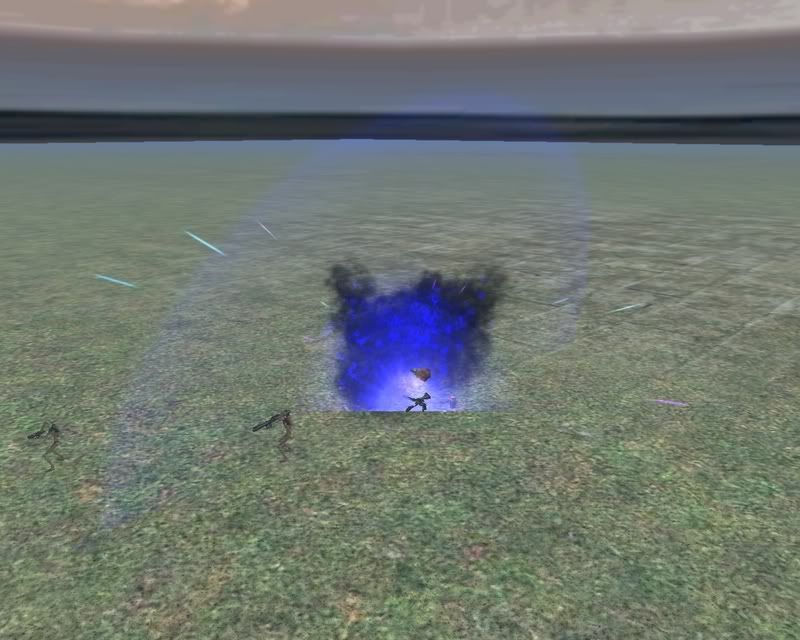
Looks pretty good for just coloring everything blue, eh?
Oh come on. It's my first try!
Rocket trail to go with it:

Re: RE: Glamour Effects- Showcase your custom .fxs here.
Posted: Mon Jul 09, 2007 6:57 pm
by lieutenantcoda
RevanSithLord wrote:Woah. Nice.
That concussion rifle one is especially awesome. Wait, I have yet to find tuts to make my own fx. Can someone pm me with this so I don't have to bug others to help me with my map?
Unless they want to help me that is. lol
can someone pm me to

also,nice effects VF501.

Posted: Tue Jul 10, 2007 1:50 am
by VF501
For your solution to getting an effect based on a mesh into PE you have to premunge the mesh and place it's munged files in PE's munged folder to keep it from crashing. Have a look at my "
Custom fx geometry" thread in the XSI forum.
*thought* the geonosian_weap_blunderbuss method might be the answer to attach a light looking effect to simulate a flashlight on a weapon.
Cool, I'll try the premunge trick then. As for making a weapon Tac Light, its possible to make a light effect based off of the blunderbuss effect. The geo blunderbuss effect is a directional effect so what we do is make a flare using directional properties(make sure it has the proper lifetime settings, similar to things like engine exausts). I'll need to experiment with PE to find the right settings to make it work.
@ Hebes24: Not bad for a first try at PE. Basic recolors are good to start with. Try experimenting with the particle density and spawner types next.
Posted: Tue Jul 10, 2007 2:11 am
by Syth
My stun shot if you havnt seen it let-

pic courtesy of Caleb1117
Posted: Tue Jul 10, 2007 9:07 am
by Caleb1117
Heh, nothing like flying wookiees.

Nice rocket trail Hebes. I like the cloud of smoke infront of the user, in particular.
Posted: Tue Jul 10, 2007 10:33 am
by Hebes24
Thanks. I made my own smoke effect, and recolored the shipped flames. I sorta just stumbled upon the color while playing around with it.
Posted: Tue Jul 10, 2007 9:16 pm
by Snork
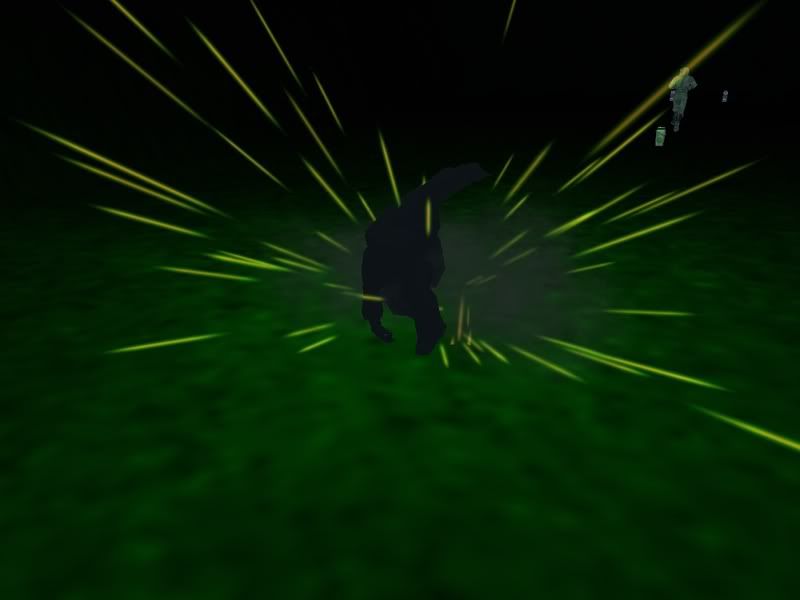
Here are two I made...
An alternative Mace smash attack
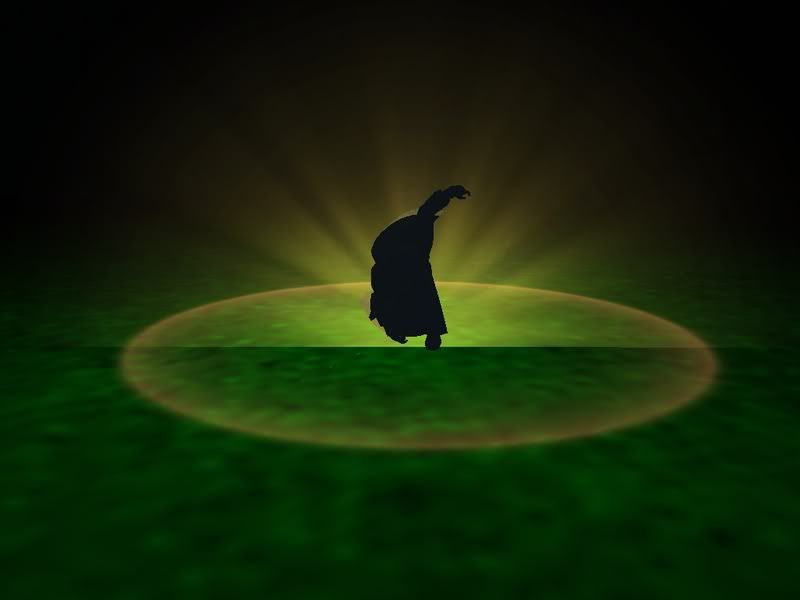
and a weird green spark explosion
Posted: Wed Jul 11, 2007 1:26 am
by VF501
I like that green Mace Smash, its evil in a green sorta way. That Green Spark would be a neat Flechette Explosion if a small flame core is added, to bad the sparks can't be made into separate ordnances though, can you say claymore mine
.
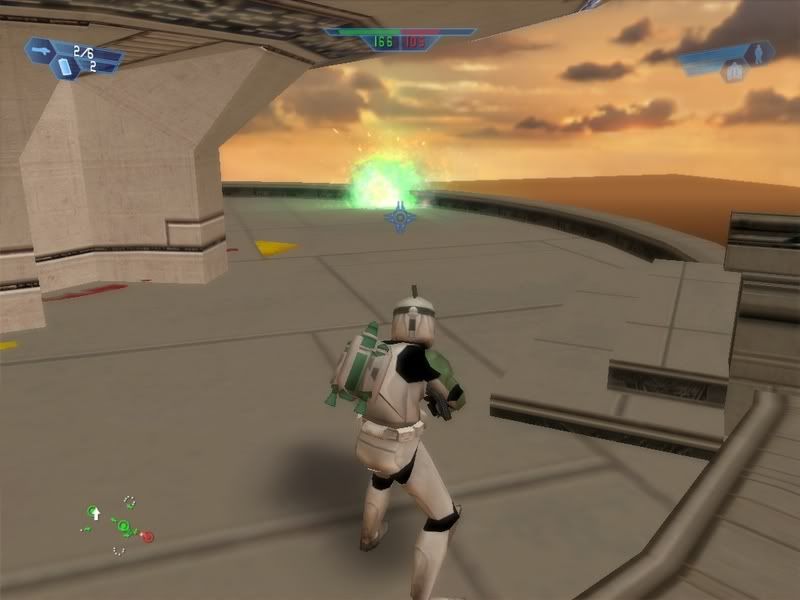
Just a couple small different Plasma Explosions, I'll be working on new traileffects and a Tac Light Effect too. Explosions are just easier and more fun to make.
Small Green Plasma Explosion
 Purple Plasma Explosion (based a little off of Halo's Needler)
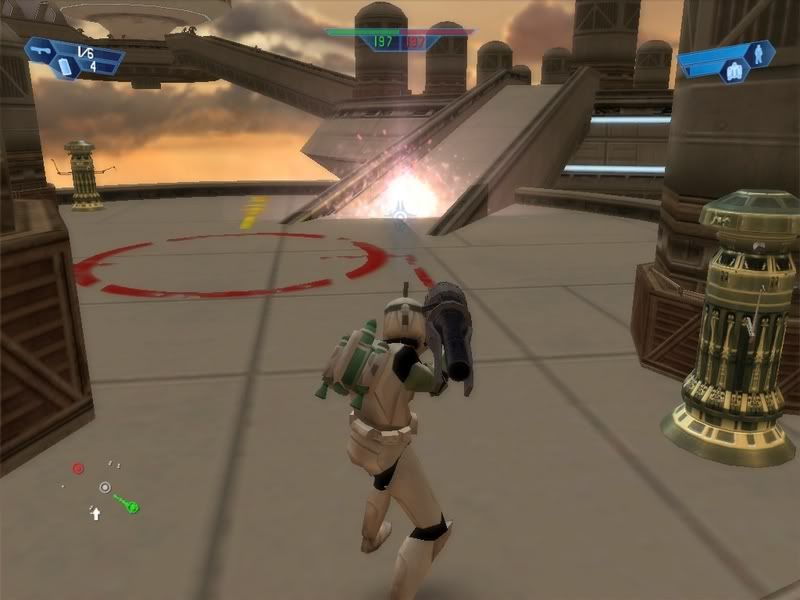
The vortex Spawner makes this great nebulae looking explosion. If you use it, up the particle count and particle burst count, otherwise the coloring and effect doesn't look very impressive.
Good to see more people getting interested and making new effects. In my humble opinion, effects and sounds add the most to the map. Basic weapon data mods can only do so much. Skins and new models do add alot too but new effects are highly noticable (Like Dann Boeing's Dollar Gun
)