
Well in a way, this is a follow up to the other topic.
If you have two edges that are exactly on top of each other with the same coordinates or two coordinate axis, how do you combine them into one edge if they are part of the same object?
Just an example (for the sake of clarity), I have an edge between Point A and Point B. I use the 'add polygon' tool to create a new edge between Point A and Point B. Now I have two edges between A and B. How would I combine them?
Combining 'Like' Edges
Moderator: Moderators
-
trainmaster611

- Sith Lord

- Posts: 1779
- Joined: Thu Aug 24, 2006 5:22 pm
- Projects :: No Mod project currently.
- xbox live or psn: No gamertag set
- Location: Building a railway to Coruscant
- Contact:
-
AceMastermind

- Gametoast Staff

- Posts: 3285
- Joined: Mon Aug 21, 2006 6:23 am
- Contact:
Re: Combining 'Like' Edges
Don't you mean you used the "Add Edge Tool" to create the edge between points A and B?
The "Add Polygon Tool" creates nothing less than a triangle.
You can weld the edges together by selecting them and going to:
Model/Modify>Poly. Mesh>Weld boundary Points/Edges
or
select the edges then right click and select:
Weld Boundary Points/Edges
from the context menu.
Would you mind posting a screenshot showing us your situation?
The "Add Polygon Tool" creates nothing less than a triangle.
You can weld the edges together by selecting them and going to:
Model/Modify>Poly. Mesh>Weld boundary Points/Edges
or
select the edges then right click and select:
Weld Boundary Points/Edges
from the context menu.
Would you mind posting a screenshot showing us your situation?
-
trainmaster611
- Sith Lord
- Posts: 1779
- Joined: Thu Aug 24, 2006 5:22 pm
- Projects :: No Mod project currently.
- xbox live or psn: No gamertag set
- Location: Building a railway to Coruscant
- Contact:
Re: Combining 'Like' Edges
Yeah that seems to have worked. But I'll put up a screenie anyway.
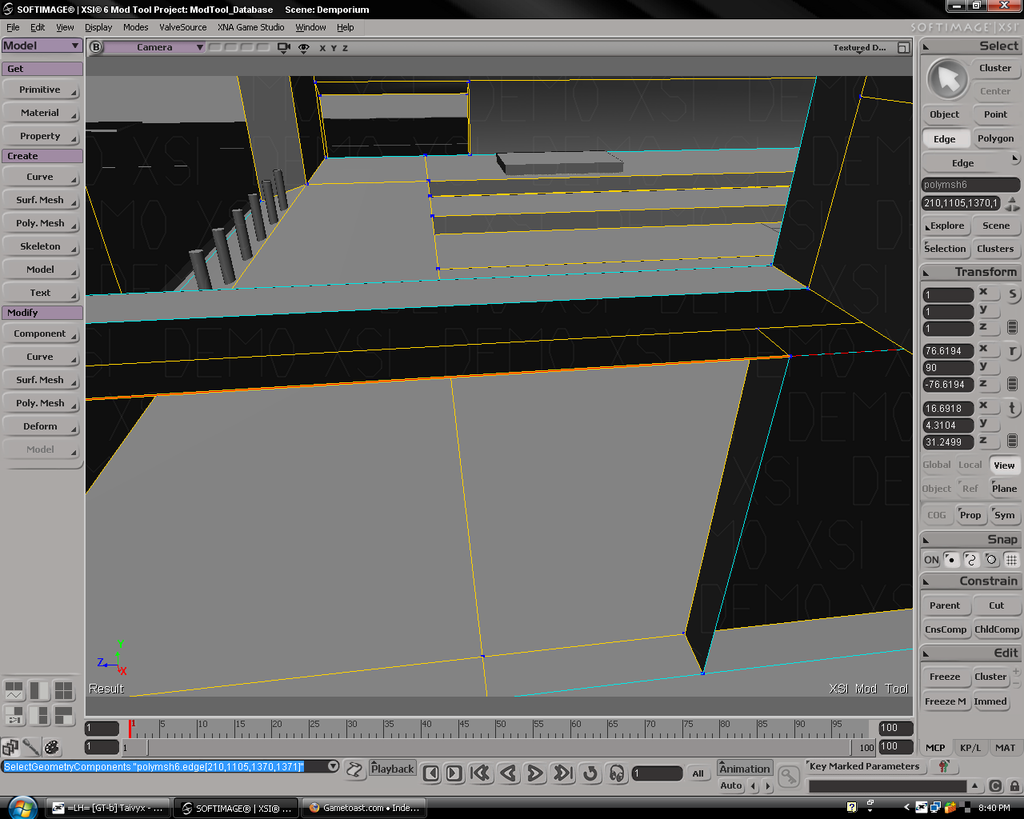
Its a long story how it ended up like that, but what I posted in my first post was in a nutshell what happened.
And the 'add polygon' tool makes edges cuz when you make a polygon, the polygon has edges. I was just disregarding any other theoretical points that the polygon might have gone to.
Its a long story how it ended up like that, but what I posted in my first post was in a nutshell what happened.
And the 'add polygon' tool makes edges cuz when you make a polygon, the polygon has edges. I was just disregarding any other theoretical points that the polygon might have gone to.