Page 1 of 1
Correct usage of the SKY lua NearSceneRange settings!
Posted: Mon Jan 10, 2005 4:01 pm
by Rends
Can anyone explain the correct usage of the NearSceneRange settings?
there are 4 entries. example:
NearSceneRange(50.0, 220.0, 60.0, 900.0);
It only affects the characters in game (and perhaps terrain heights) and i think that the first two entries belong together and the last 2 entries. Correct?
I can produce some wierd effects example if the second entry is lower than the third then the detail character switch out at a specifc distance and after a few more meters away a ghostly looking characters appears instead and become more solid the more far it is away.
So i want to know about the correct usage of these entries.
And can anyone agree that following entries doesn´t work:
FogColor(XXX, XXX, XXX) (x=Number)
SunInfo
BackColor(X, X, X)
DomeInfo()
Ambient(X..000000, X.000000, X.000000)
And where do i change the fogcolor? It appears as white in the background.
Is there a entry anywhere or is it a texture?
RE: Correct usage of the SKY lua NearSceneRange settings?
Posted: Mon Jan 10, 2005 4:59 pm
by Saturn_V
Just some speculation:
For the dome info ambient color, this could be written into the dome msh file; the values being set by the material assigned to the geometry in XSI prior to the model being exported. Some option files have an "override" call, perhaps this is used to change the values.
Posted: Mon Jan 10, 2005 7:04 pm
by eddie
SkyInfo()
{
Enable(1559);
NearSceneRange(90.0, 440.0, 120.0, 480.0); FarSceneRange(300.000000, 1500.0);
}
This is my sky that I use in all of my maps. I realy dont know what does what, I was changing stuff until I got good results. As you can see I killed most of the stuff.
Sky file settings
Posted: Mon Jan 10, 2005 8:02 pm
by Rends
Well i know a lot know about the sky Lua. And once it´s well tweaked you can create a real looking environment and save CPU time.
This is what i know so far (all color entries are RGB values):
ObjectVisibility-----------Visbile range of Objects like weapons
FogColor-------------------doesn't work
FogRange------------------Fog start/End. Also max range of terraintextures
NearSceneRange---------the big Mystery. It affects characters and i guess terrain heights. Read my first posting.
FarSceneRange----------visible range of objects like buildings...the second entry fog the objects out. I don't know what the first entry stand for. It could be also a high/low polygon switch like Nearscenerange.
Example with a high setting of 5000:

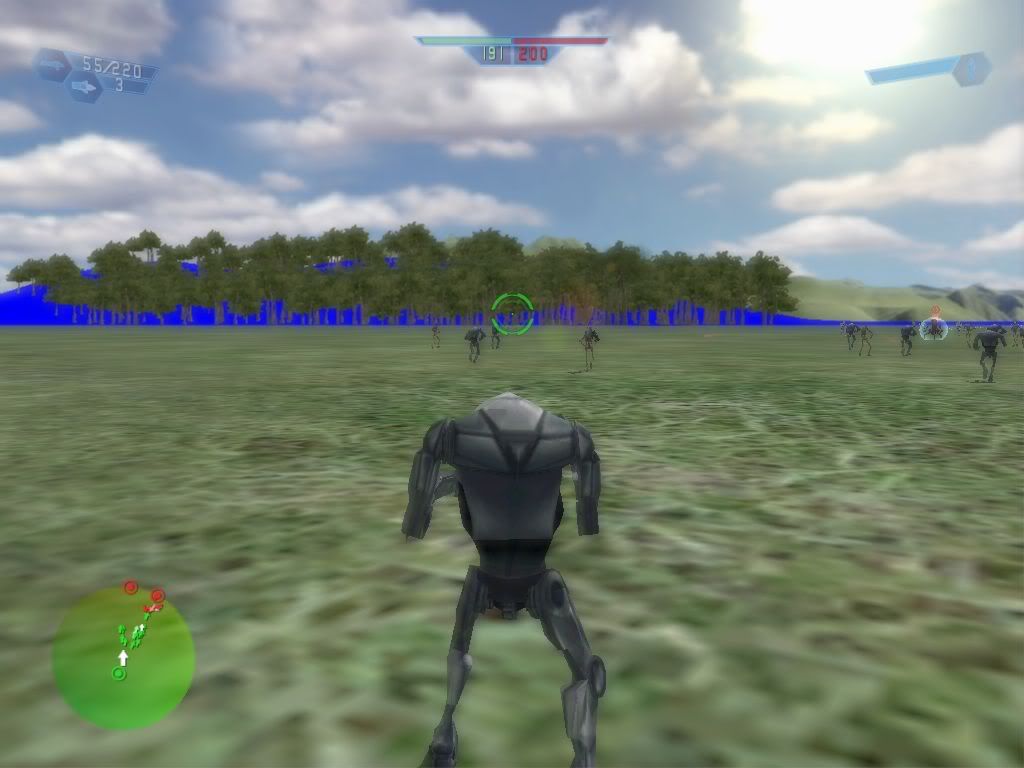
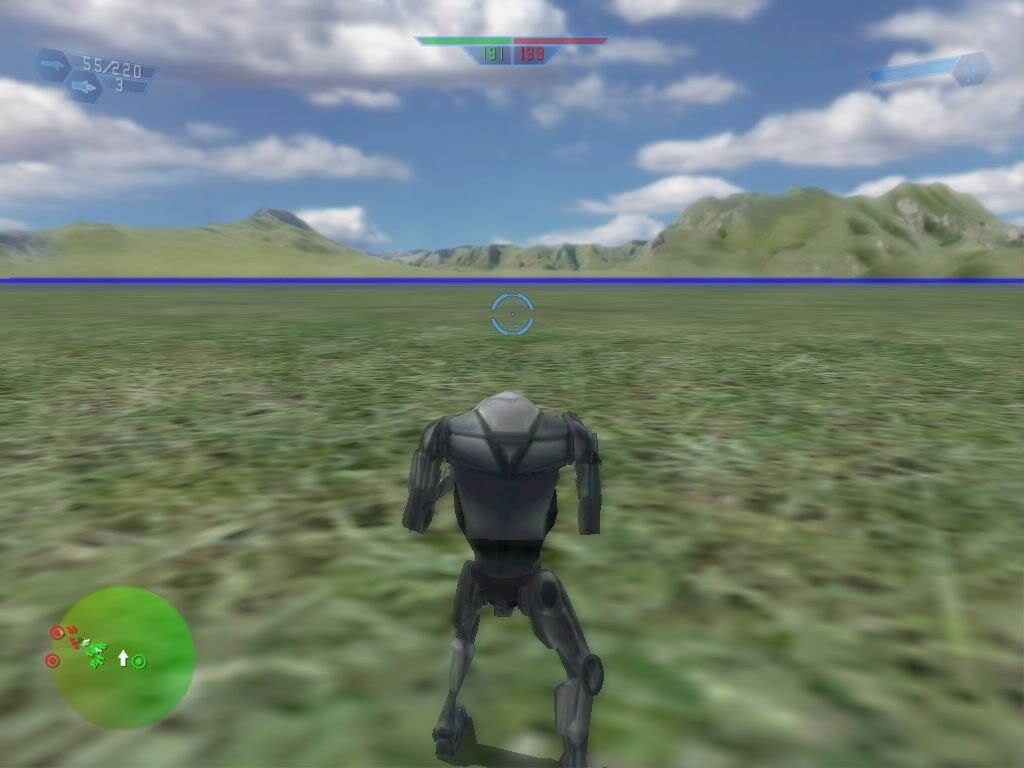
The terrain blends out to white much earlier. Doesn't look realistic.
And here with a setting of about 500:

Looks much better but it's something too low because it's transparent before it shows up correctly.
AmbientColor--------------colors Objects like Buildings, Platforms and trunks but not the leaf
 TopDirectionalAmbientColor----------colors characters from top
 BottomDirectionalAmbientColor---------this time from bottom
 CharacterAmbientColor-------------------doesn't color characters but vehicles and weapons
 VehicleAmbientColor-----------------------no effect
SunInfo()
Color ------------------------------------colors also top side of Objects and characters.
VehicleAmbientColor-----------------------no effect
SunInfo()
Color ------------------------------------colors also top side of Objects and characters.
Not as much as TopDirectionalAmbientColor but this works only at characters
 ShadowColor-----------the name says it all. It colors the shadow.
The strange thing is that it colors green with RGB 255,0,0 which normaly makes all reddish.
 BackColor-------------------no effect
DomeInfo()
Ambient--------------------no effect
BackColor-------------------no effect
DomeInfo()
Ambient--------------------no effect
LowResTerrain()
{
Texture-------------------here you need to add the image name of a lowres version (for example 512x512 pixel ) of your complete map.
This screenshot shows a map one time without a lowres terrain image (upper half) and one time with a lowres terrain image (lower half):

Except from the NearSceneRange most is known now.
PS: Would be cool if someone can create and host a website containing this because i don't know how long i can host the images at my webspace.
EDIT
added an example about the use of the lowres terrain image.
Additional sky setting information posted
here.
Posted: Wed Jan 26, 2005 7:49 am
by Foxsta1
Hi,
Interesting thread guys. I've just done some "research" on the NearSceneRange thing. Check it out here
http://forums.lucasarts.com/thread.jspa ... 5&tstart=0
Watch out for the typo (for NearSceneRange(a,b,c,d) c should always be larger than a, and not vice versa, as stated)
Regards,
Foxsta1
Posted: Thu Jan 27, 2005 8:34 am
by Lord-Bandu
can any1 tell me why im getting this blue color in the background
http://img.photobucket.com/albums/v326/aldro/far2.jpg
http://img.photobucket.com/albums/v326/aldro/far.jpg
EDIT
my color of terrain is a mid grey .
i havent changed anything with the alpha .
What does the NoTexture.tga file do by the way?
EDIT2
here is my sky file:
Code: Select all
LowResTerrain()
    {
        Texture("nab1");
        PatchResolution(7);
        FogNear(700.0);
        FogFar(1000.0);
        FogColor(42,212,38, 28);
        DetailTexture("nab1_far_detail");
        DetailTextureScale(0.25);
    }
}
i have the nab1_far_detail in my world1 folder.
Code: Select all
SkyInfo()
{
    ObjectVisibility(180.000000, 250.000000, 3400.000000);
    FogColor(252, 252, 52);
    FogRange(0.000000, 3000.000000);
    NearSceneRange(200.0, 740.0, 390.0, 780.0);
    FarSceneRange(900.000000, 2800.0);
    AmbientColor(120, 101, 76);
    TopDirectionalAmbientColor(140, 140, 140);
    BottomDirectionalAmbientColor(100, 120, 100);
    CharacterAmbientColor(149,146,103);
    VehicleAmbientColor(139, 136, 103);
    Enable(1559);
    FogRamp(3);
}
Posted: Fri Jan 28, 2005 7:53 am
by Foxsta1
Lord - Bandu - May be a stupid question, but have you also got the nab1.tga file (i.e. the one referred to here - Texture("nab1"); ) in your world folder? This is needed too for the low res terrain. Just a thought.
Foxsta1
Posted: Fri Jan 28, 2005 12:46 pm
by Lord-Bandu
ya i sorted it ....it was a stupid spellin mistake in the lua
Posted: Sat Feb 12, 2005 6:04 pm
by Darth-Derkie
Rends wrote:PS: Would be cool if someone can create and host a webiste containing this because i don´t know how long i can host the images at my webspace.
http://www.maj.com can host images.
Posted: Sat Feb 19, 2005 10:38 am
by konicon
Hi. This isn't exactly related to the near scene range setting but its still relevant to the .sky file.
Does anyone know that these entries do?
MirrorInfo()
{
UseTexture(0);
Offset(-0.010000);
}
StarsInfo()
{
Color(255, 255, 255, 255);
Count(0);
Modulate(0);
}
EnvTexture("");
They exist in the bes1.sky file. I've tried adjusting them but it doesn't seem to have any effect. Anyone know? I'm particularly interested in the StarsInfo one because it looks like it's for adding stars.
Posted: Sat Feb 19, 2005 12:58 pm
by Saturn_V
You can see stars in the sky in the Rhen Var Citadel level, IIRC... cerainly at the Victory/Defeat screen. Have a look at those assets.
Posted: Wed Jun 08, 2005 11:59 am
by d3linqu3nt
I am currently working on my first map.
Question: How can I make sun and fog visible at all?
I have copied and pasted the tat1 sky info out of the assets into the sky info of my mod map but it doesn´t show sun and fog.
And how do I adjust the fog color then? I mean how do I know which color is set for the fog?
Thanks in advance.
del
Posted: Mon Jun 27, 2005 4:01 pm
by killboxx
im have a few problems one is that everytime i test the map in SPTEST or in game it crashes but when i take out the lava animaiton(water effect) it works

and i also have a problem with the blue in the distance