Page 1 of 1
Adding Specular to a Clone Visor
Posted: Wed May 04, 2016 9:52 pm
by modmaster13
Hey everyone, so I'm doing some texturing on some clones, and is it possible for me to add a specular texture or something to the visor so that it reflects light? I know other models in the game have reflective properties to it (Super Battle Droid, Medical Droid, etc) so I was wondering if it was possible to add it to only a section to the EP3 clone.
Re: Adding Specular to a Clone Visor
Posted: Wed May 04, 2016 10:22 pm
by AQT
Yes, it is possible. The most basic you can go with this idea is to create an alpha layer for your diffuse texture where the visor area is completely white, but everywhere else is completely black. Don't forget to enable specular for the model as well.
Re: Adding Specular to a Clone Visor
Posted: Thu May 05, 2016 4:40 pm
by modmaster13
Should I make my "normal" layer be the skin, the "diffuse" layer white where the visor is and black everywhere else, and for my "spec" layer should I base it off the normal layer (the clone skin) or the diffuse layer?
Re: Adding Specular to a Clone Visor
Posted: Thu May 05, 2016 11:45 pm
by AQT
You know how the stock Dark Trooper texture has a R, B, G and A layer when you decompose it? But the stock clone trooper texture only has a R, B, and G layer? You want to create an A layer for it where the visor area is completely white, but everywhere else is completely black.
Re: Adding Specular to a Clone Visor
Posted: Fri May 06, 2016 2:10 pm
by modmaster13
Ok, so I decomposed the Clone skin into RGBA layers, I made an A layer (I named it "alpha" since the Dark Trooper skin had the layers "red", "blue", "green", and "alpha") and I made the layer black expect for the visor which I made white. I composed the image, and I exported it and overwrote the original texture. I re-opened up the texture and I tried to decompose into RGBA and it said there was "no alpha layer found" or something along those lines. I tried decomposing into RGB to see if the "alpha" layer I made would somehow show up that way, but it didn't.
Do I need to add alpha to one of my layers/the texture to get this to work? I saw the Dark Trooper skin had alpha before I decomposed it (I decomposed the Dark Trooper skin for reference for my Clone skin).
Re: Adding Specular to a Clone Visor
Posted: Fri May 06, 2016 3:17 pm
by Marth8880
modmaster13 wrote:Do I need to add alpha to one of my layers/the texture to get this to work?
Pretty sure you do, yeah.
Re: Adding Specular to a Clone Visor
Posted: Fri May 06, 2016 4:33 pm
by modmaster13
Any idea which one?
Re: Adding Specular to a Clone Visor
Posted: Fri May 06, 2016 5:50 pm
by Marth8880
It shouldn't matter as long as at least one of them has one. But if not all of them have one and it continues not to work, try making all of them have one.
Re: Adding Specular to a Clone Visor
Posted: Fri May 06, 2016 10:57 pm
by modmaster13
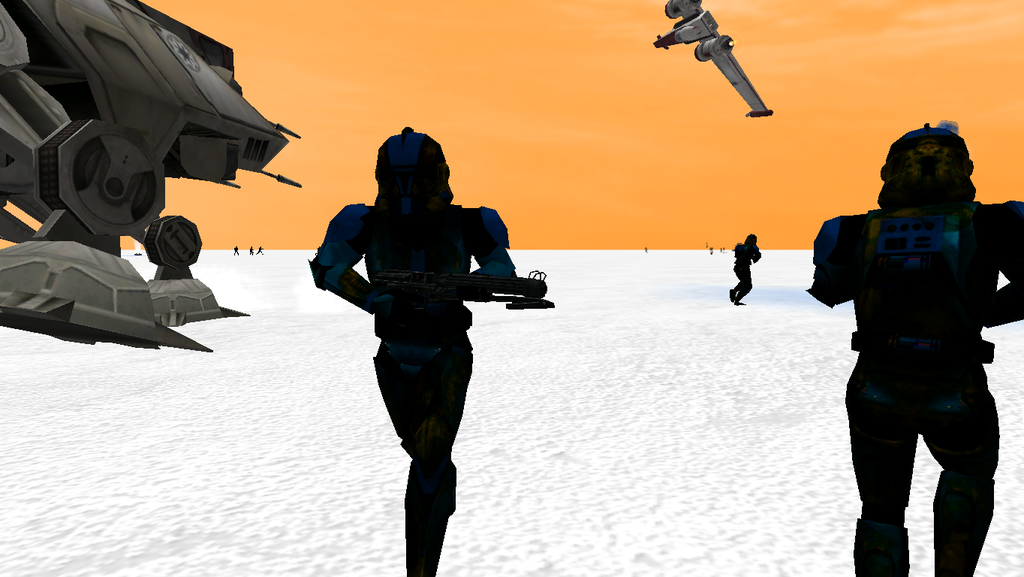
Ok, so I redid the texture. Got the 4 layers made and added an alpha layer to the texture. I changed the rep_inf_ep3trooper.msh by adding the 4 ===== 04 = Render Specular after each ATRB code. I munged, I got ingame and got this:
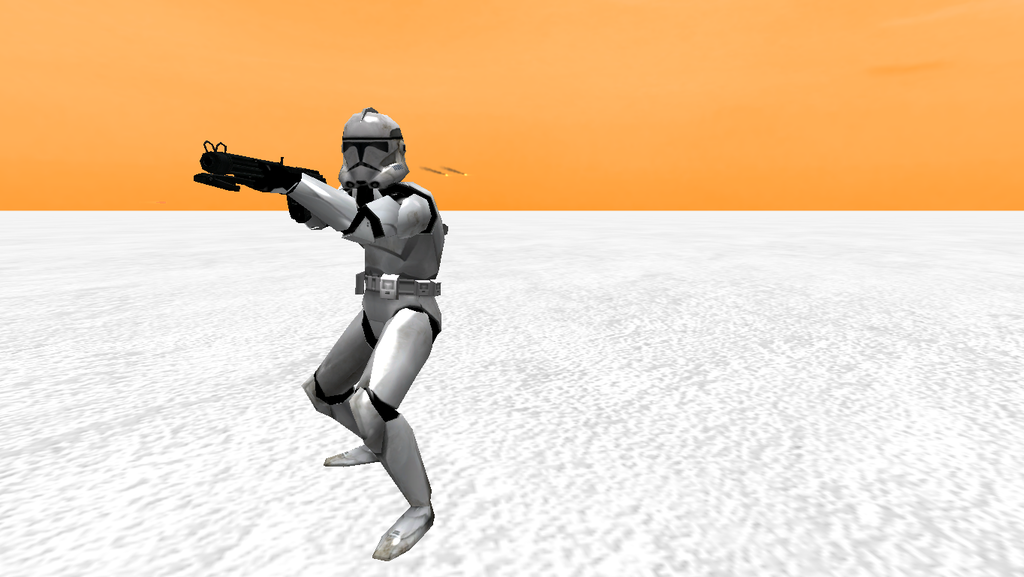
Luckily I had the Skin Changer Mod installed so I changed to a different skin, here's what it looked like:
The specular worked in some regard, but I still have some investigating to investigate