Page 46 of 75
Re: Model showcase thread Part II
Posted: Sat Aug 30, 2008 11:37 am
by Taivyx
Awesome job, Gogie, you never fail to impress us.

Although.... boy that picture needs some anti-aliasing

Re: Model showcase thread Part II
Posted: Sat Aug 30, 2008 2:03 pm
by DarthD.U.C.K.
great models everyone!
@fluffy:you can make as many hardpoints as you want for a weapon (well, i dint know the limit)
Re: Model showcase thread Part II
Posted: Sat Aug 30, 2008 2:04 pm
by redgroupclan
Dang gogie, are you magic??
Re: Model showcase thread Part II
Posted: Sat Aug 30, 2008 6:08 pm
by Redline
nice job , but that's not sw-bf2.
Re: Model showcase thread Part II
Posted: Sat Aug 30, 2008 7:04 pm
by VF501
Very nice chopper Gogie.
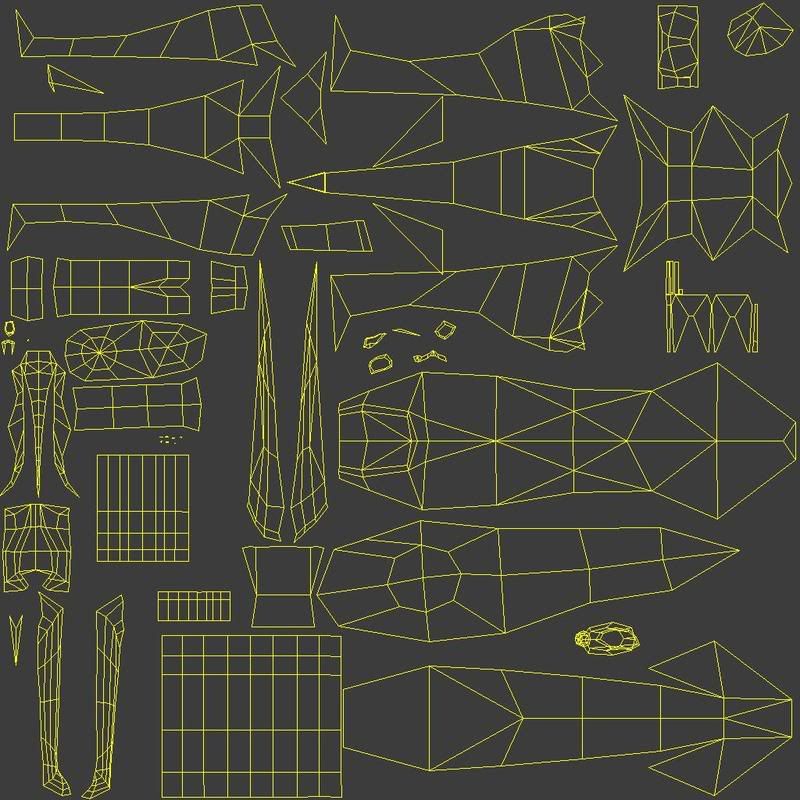
@Fluffy: An easy way to texture is to go into the Texture Editor (Either from a Window Drop down or bring it up via alt+7), then layout the UVs onto a blank tga using Planar, Cylindrical and Spherical Sub-Projections to get the best fit. Then in the Texture Editor go Edit>Stamp UV Mesh. In the PPG for that, select the image to be a tga. What this will do is stamp the UV layout directly onto your original .tga and make a copy of it. The default save spot for it is on your project folder.
You should get a result like this
That is the UV layout for tha Arachnid I posted earlier, it makes creating a good texture alot easier.
Re: Model showcase thread Part II
Posted: Sat Aug 30, 2008 7:09 pm
by Caleb1117
Wow, that's easier, when I do that, (which isn't that often, but more lately) I just darken the NoIcon texture through some option in the editor, do a print screen, and paste and resize in an image editor.
Thanks, I think I may do that more now.
Re: Model showcase thread Part II
Posted: Sat Aug 30, 2008 8:11 pm
by Fingerfood
VF501 wrote:That is the UV layout for tha Arachnid I posted earlier, it makes creating a good texture alot easier.
You mean Antlion, right?
Great models for the past few pages. That chopper looks awesome, and anything that is being complimented as looking like Valve's work is definitely a compliment.
Re: Model showcase thread Part II
Posted: Sun Aug 31, 2008 12:22 am
by redgroupclan
I made a pipe. Yay for me.
Just like always, I put out simple stuff to see if anyone needs it.
Practice
Posted: Sun Aug 31, 2008 8:53 am
by vampire_lord
OK, here is my first "successful" try at modeling, I am trying to draw some inspiration on Empire at War, so, after lurking on Wookiepedia for a while I found something easy, this is a Concussion Missile, the model actually differs from the one in-game, but after all this one is from Wooki.
I don't know why (maybe the update) but I can no longer switch back to Mod Tool Mode, I found the extra options I wanted to find for polygon selection anyway, but I will take more to learn that way.
All pieces are already merged into one, but there is no way I can convert this thing myself for now, if I prove to be a fast modeler maybe someone else can skin my stuff and someone else can convert them properly, the only condition would be to release them (except maybe for one or two special models), any comments on the model?
Next time I'll try a Corellian Gunship.

BTW, I know nothing about skinning yet, let alone how this missile is supposed to be correctly placed and where or how to put the remaining components like the effect HP or whatever it is called, looking at some GT tutorials but some of them are quite advanced.
Re: Model showcase thread Part II
Posted: Sun Aug 31, 2008 12:18 pm
by redgroupclan
Lol for ur first model its better than I think i can do

I phail.
Re: Model showcase thread Part II
Posted: Sun Aug 31, 2008 4:51 pm
by (RAPTOR)BENSTWO{SGT}
Ok, a long time ago I asked if you can make models for google sketchup. The answer was yes, but it didn't have the textures of XSI. Here are some models (not made by me) that I will release soon! Just wondering if you can animate them.
http://img213.imageshack.us/my.php?imag ... re1eb4.png
http://img213.imageshack.us/my.php?imag ... re2ci7.png
http://img213.imageshack.us/my.php?imag ... re3ve4.png
http://img213.imageshack.us/my.php?imag ... re4hu2.png
http://img213.imageshack.us/my.php?imag ... re5rr3.png
http://img213.imageshack.us/my.php?imag ... re6tj1.png
http://img213.imageshack.us/my.php?imag ... re7fr0.png
Remember these models are not mine. However I will be the first person to animate them and release them as assets. There are
much more models like these to come. Enjoy.
Re: Model showcase thread Part II
Posted: Sun Aug 31, 2008 5:03 pm
by AceMastermind
The point of this topic is to show off your own work not someone else's, if I posted images here of every model on the internet that I thought was cool then this topic would be 400 pages long.
Re: Model showcase thread Part II
Posted: Sun Aug 31, 2008 7:19 pm
by Fingerfood
AceMastermind wrote:The point of this topic is to show off your own work not someone else's, if I posted images here of every model on the internet that I thought was cool then this topic would be 400 pages long.

Oooo...
Do it! Do it!
Re: Model showcase thread Part II
Posted: Sun Aug 31, 2008 9:02 pm
by VF501
Currently in the texturing Stage, the middle areas look black with low detail cause I'm primarily doing the markings so I can see where I need to adjust the UVs.
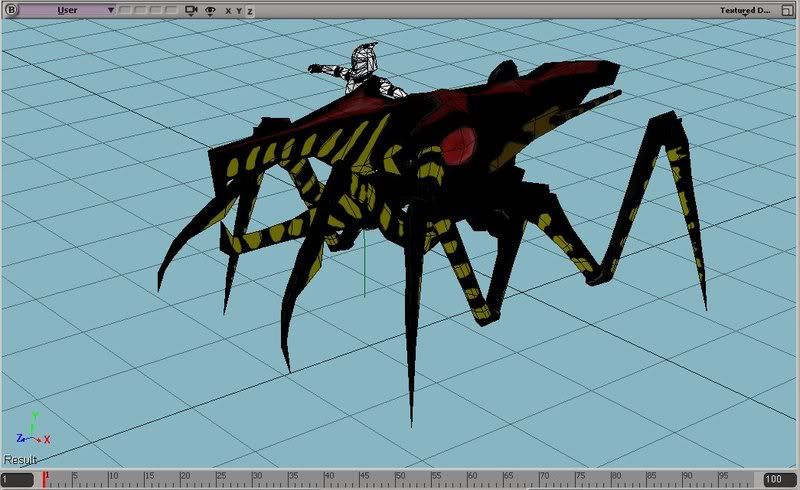
Since I'm learning alot on how to texture from scratch on this project, I might get off me arse and go back and re-texture my DC-17m Weapon system now.
Re: Model showcase thread Part II
Posted: Mon Sep 01, 2008 3:03 am
by tsurugi13
A little something I've been working on for a couple days now:
Still needs a texture, so that'll be fun.

Re: Model showcase thread Part II
Posted: Mon Sep 01, 2008 3:12 am
by VF501
Very nice start on the MAC-10, you can still optimize the model by removing un-needed polygons from certain parts. Like the side detail rails, the stock, and the trigger guard needs to be thinned, which will reduce polys and be more accurate. Plus the Handle looks a bit on the thick side to. Also, select the interior polygons of the end of the barrel, then extrude them inward to make an actual gun barrel.
Texturing a MAC-10 should be pretty easy because there are alot of photos around that you could use. As Qdin has said, "be lazy as much as possible", so photo-sourcing your textures will make it alot easier.
Re: Model showcase thread Part II
Posted: Mon Sep 01, 2008 3:17 am
by -_-
VF501 wrote:Currently in the texturing Stage, the middle areas look black with low detail cause I'm primarily doing the markings so I can see where I need to adjust the UVs.
I would recommend putting a slight tint of black and brown over some of the yellow markings, it'll give it a more authentic look.
Re: Model showcase thread Part II
Posted: Mon Sep 01, 2008 4:31 am
by VF501
Yeah, adding black and brown would make it more realistic looking. Got any suggestions on how to do grooves and bumps normally found on insect/arachnid exoskeletons? I'm not too good at GIMP/Photoshop so I'm not too sure on the best way to achieve that look. Tried photo-sourcing, but didn't find anything hi-res enough to cover a majority of the skin.
EDIT:
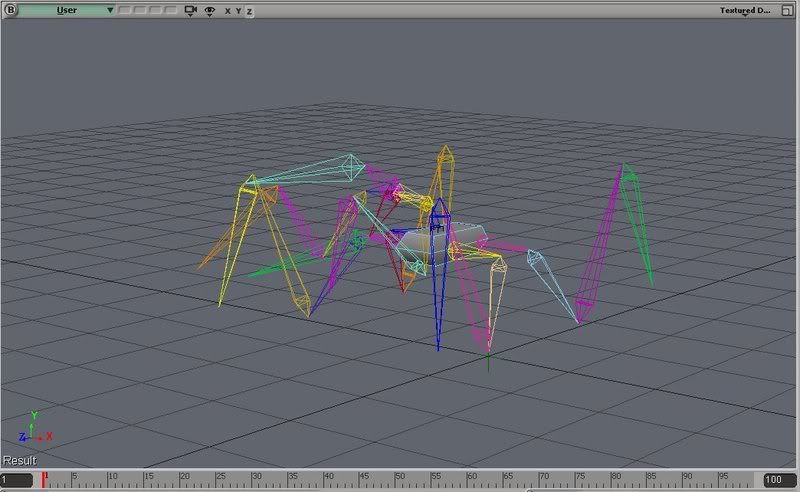
Custom Skeleton is done, and its rigged and weighted properly. Hopefully I have the heirarchy setup correctly as I used the Unit-Template as a guide on how the effectors, roots and bones are done. The Acklay would've been a better template though as it has 6 limbs too.
Pic of said skeleton, effectors and roots are hidden.
Re: Model showcase thread Part II
Posted: Mon Sep 01, 2008 7:10 am
by Silas
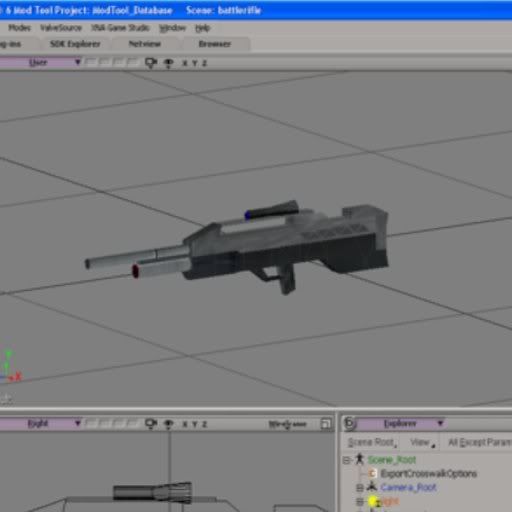
Well, here's my first successful attempt to make, well, anything really. I'm proud of it, even if it's somewhat simple.
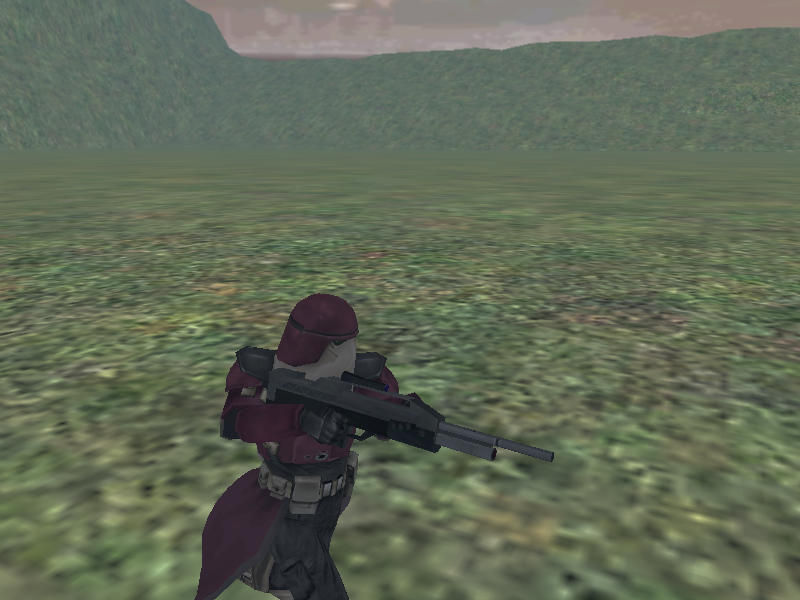
and here she is ingame
I based this off of the Battle Rifle from the Halo games. I always thought some mod map should use a weapon like this, so a few days ago i decided to make one myself. This is a work in progress for the most part; I still have to fix a few things (the scope is one, simple object and I'd like to make a better one, the entire gun needs to be lowered a bit, and I'm going to add a few more details). Hope y'all like it
Re: Model showcase thread Part II
Posted: Mon Sep 01, 2008 8:15 am
by obiboba3po
VF501 that arachnid thing ur making is amazing!!!!! also, thanks for giving fluffy a texturing tut, as i need it too lol...
OFFTOPIC: OMG 1000 posts
ima jedi now lol!