Page 1 of 1

lighting not working [Solved]

Posted: Fri Apr 22, 2011 3:58 pm
by acryptozoo
hello GT
soo i changed the lighting on my map to be a bit more "twilighty" but ingame it looks noting like it does in ZE
any ideas whats wrong

ZE
Hidden/Spoiler:
Image
Ingame
Hidden/Spoiler:
Image
thanks in advance

Re: lighting not working

Posted: Fri Apr 22, 2011 4:04 pm
by THEWULFMAN
ABC.sky and ABC.lgt please.

Re: lighting not working

Posted: Fri Apr 22, 2011 4:10 pm
by acryptozoo
THEWULFMAN wrote:ABC.sky and ABC.lgt please.
Y8T.lgt
Hidden/Spoiler:
Light("sunlight", 3511658626)
{
Rotation(0.638233, 0.741039, -0.199860, -0.059791);
Position(164.413681, 840.825439, 320.272644);
Type(3);
Color(1.000000, 1.000000, 1.000000);
CastShadow();
Static();
Range(500.000000);
Cone(0.785398, 0.872665);
PS2BlendMode(0);
Bidirectional(0);
}

GlobalLights()
{
Light1("sunlight");
Light2("");
Top(230, 204, 155);
Bottom(230, 204, 160);
}
Y8T.sky
Hidden/Spoiler:
SkyInfo()
{
Enable(1);
FogColor(85,108,142,128);
PS2()
{
FogRange(0, 0);
NearSceneRange(0.5, 85.0, 100.0);
FarSceneRange(5000.0);
SplitOptions()
{
PropClusterEnable(1);
PropClusterFadeAdj(0.6);
PropClusterDensity(0.1);
}
}
XBOX()
{
FogRange(-200.0, 1300.0);
NearSceneRange(0.5, 85.0, 100.0);
FarSceneRange(3000.0);
NearSplitScreenRange(0.2, 110.0, 160.0);
FarSplitScreenRange(0.0);
SplitOptions()
{
FogRange(5.0, 140.0);
PropClusterEnable(0);
}
}
PC()
{
NearSceneRange(200.0, 260.0, 200.0, 2000.0);
FarSceneRange(9000.0, 9000.0);

FarSceneRange(20000.0);
FogRange(-2000.0, 2000.0);
}

}


DomeInfo()
{
Texture("sky_yav2");
Angle(-90.000000);
Ambient(255.000000, 255.000000, 255.000000);
Filter(1);
Threshold(150);
Intensity(50);

Softness(1);
SoftnessParam(60);

DomeModel()
{
Geometry("sky_yav2");
}


}

Re: lighting not working

Posted: Sat Apr 23, 2011 5:56 am
by naru1305
hm...
the only thing I can think of is that you haven´t press "image" and then in the popupping window "burn terrain" in ZE. try this it might help.

Re: lighting not working

Posted: Sat Apr 23, 2011 12:24 pm
by modmaster13
naru1305 wrote:hm...
the only thing I can think of is that you haven´t press "image" and then in the popupping window "burn terrain" in ZE. try this it might help.
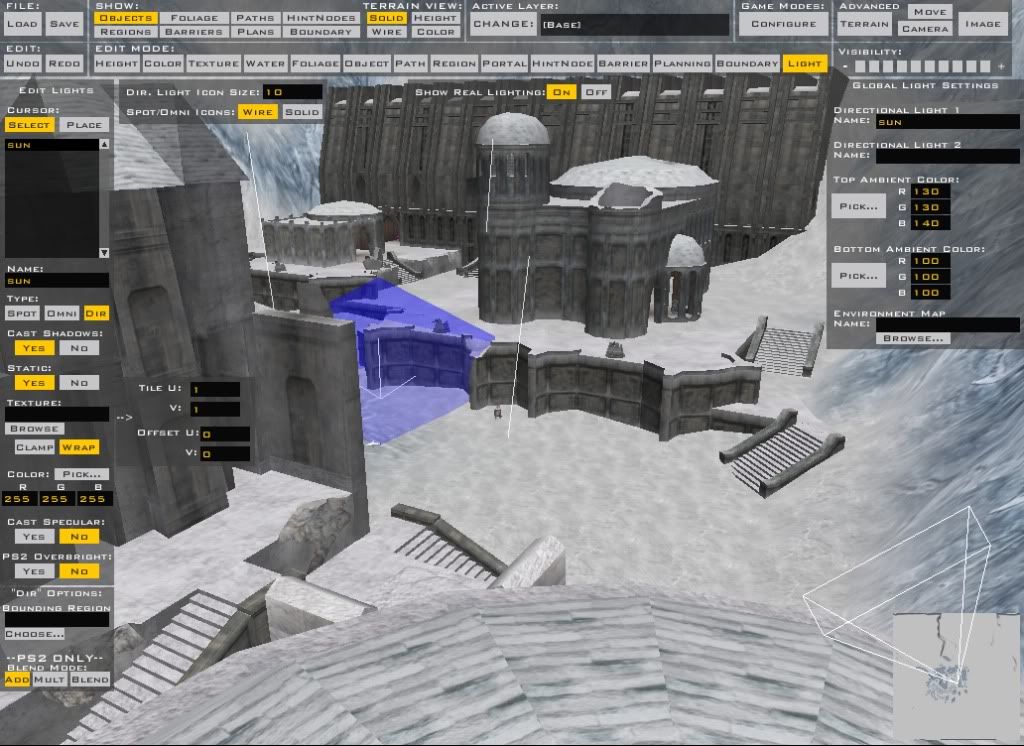
You don't need to burn terrain to make it show up ingame.

This should help:
Hidden/Spoiler:
Image

Re: lighting not working

Posted: Sat Apr 23, 2011 2:35 pm
by acryptozoo
burning terrain made the terrain nicer but the light is still grey

Re: lighting not working

Posted: Sat Apr 23, 2011 3:05 pm
by modmaster13
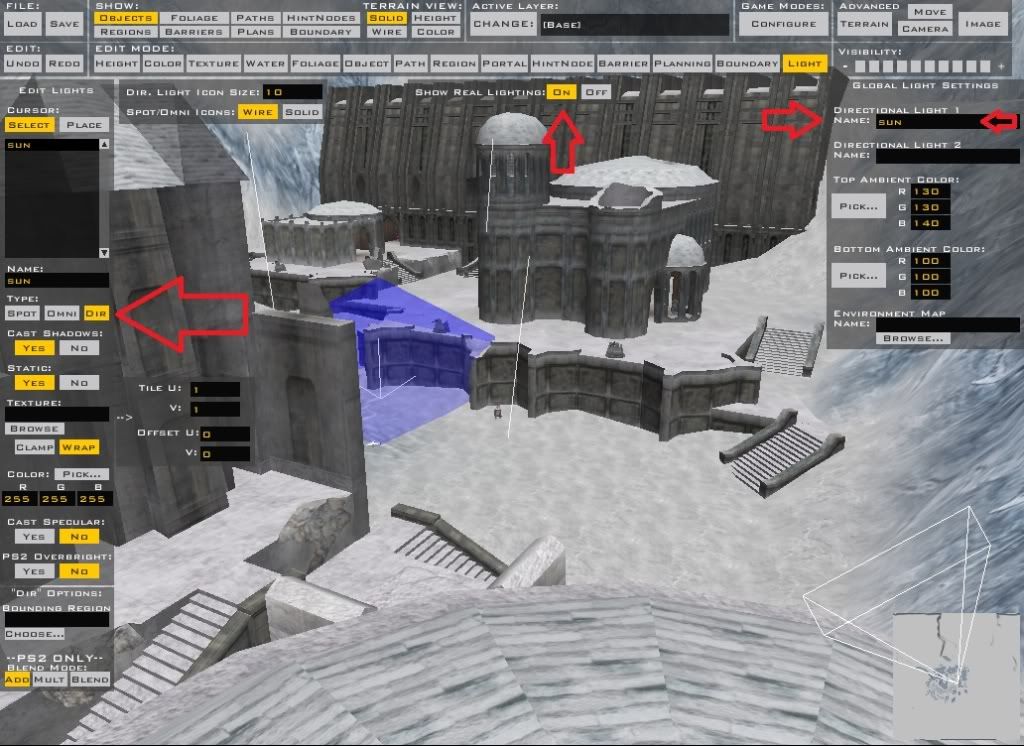
The arrows should help you. :cpu:
Hidden/Spoiler:
Image

Re: lighting not working

Posted: Sat Apr 23, 2011 4:37 pm
by THEWULFMAN
He has taken care of all of those things, as seen in the files I asked him to post.


Try changing your fog color/alpha.

Re: lighting not working

Posted: Sat Apr 23, 2011 5:13 pm
by acryptozoo
THEWULFMAN wrote:He has taken care of all of those things, as seen in the files I asked him to post.


Try changing your fog color/alpha.
hrmmm i switched my sky file with one of my older ones and it seemed to work so problem solved :D