Page 1 of 1
Material Changing Name and Losing Properties After Import
Posted: Mon Jun 30, 2014 12:17 am
by GAB
Could anybody explain me why, whenever I import a model to XSI with XSIZETools, a bunch of parts of the model get a material called Scene_Material (Scene Root) assigned to them and lose all their special ZeroEngine Flags, even though, when I visualize that same model in a program like Unwrap 3D, those same parts have materials with numbers and ZE flags assigned to them? Is this a limitation of ZETools or am I doing something wrong?
Re: Question About Materials
Posted: Mon Jun 30, 2014 12:20 am
by Marth8880
Scene_Material is the scene's default Phong material; pay it no mind, but I personally prefer to delete all unused instances of them other than the one at the very top of the materials list, or in other words, the scene's original Scene_Material.
Re: Material Changing Name and Losing Properties After Impor
Posted: Mon Jun 30, 2014 12:34 am
by GAB
I'm not sure if I understand, here's my actual issue. Suppose I want to import a model with 2 parts, part one has a material called Material1 which has glow, part two has a material called Material2 which has specular. My problem is that, when I import this hypothetical model, both part 1 and 2 show a Scene_Material (Scene Root) material, which does nothing. So maybe my question should have been, how to import a model in a way that prevents that from happening? because re-applying the properties that were lost along the way is kind of tedious and still a somewhat confusing and complicated process for me.
Re: Material Changing Name and Losing Properties After Impor
Posted: Mon Jun 30, 2014 2:01 am
by Marth8880
Are Material1 and Material2 applied to clusters or the individual objects themselves? Could you expand each object's tree, Poly Mesh, and then Clusters (all for each object) in the Explorer and post a screenshot?
Re: Material Changing Name and Losing Properties After Impor
Posted: Mon Jun 30, 2014 9:56 am
by GAB
Marth8880 wrote:Are Material1 and Material2 applied to clusters or the individual objects themselves?
I have no idea.
Marth8880 wrote:Could you expand each object's tree, Poly Mesh, and then Clusters (all for each object) in the Explorer and post a screenshot?
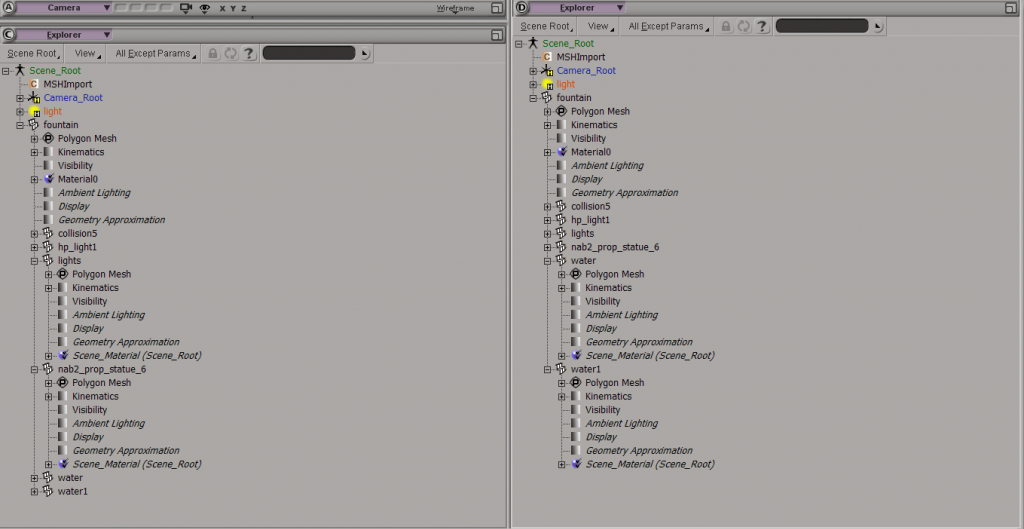
here they are. The model in question is the fountain from Naboo (
nab2_prop_fountain). I expanded only the parts that are troubling me (
lights,
nab2_prop_statue6,
water,
water1)
Explorer:
Clusters:
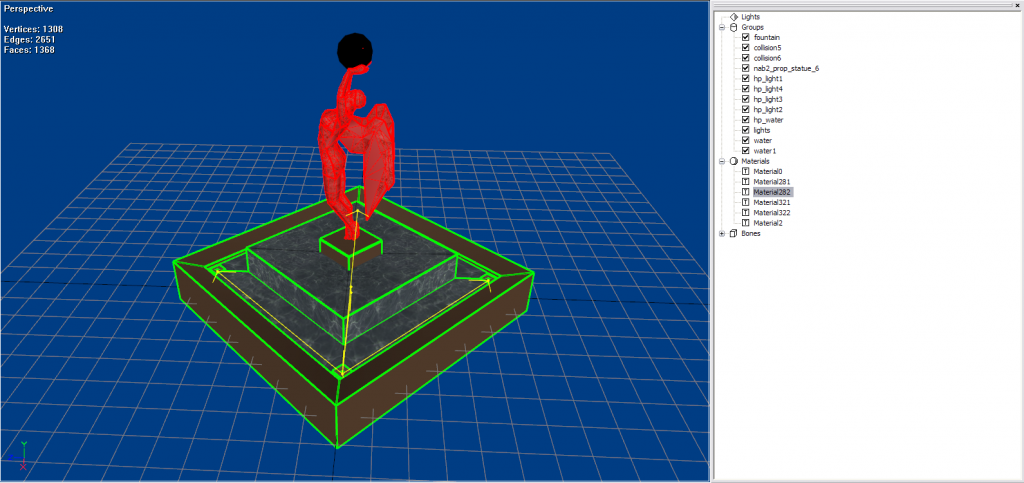
Also, here's a pre-import screenshot of the model, in Unwrap 3D:
OffTopic: Is GT now automatically scaling screenshots down? Because these were meant to be larger to make reading easier.
Re: Material Changing Name and Losing Properties After Impor
Posted: Mon Jun 30, 2014 10:41 am
by AQT
GAB wrote:OffTopic: Is GT now automatically scaling screenshots down? Because these were meant to be larger to make reading easier.
Use the direct link with image tags instead of the IMG link that Photobucket gives you.
Code: Select all
[img]http://i1255.photobucket.com/albums/hh623/FelipeGabe/imagem_explorers_zps1d349c00.png[/img]
results in:
The image is still scaled down but can be expanded by clicking on it.
Re: Material Changing Name and Losing Properties After Impor
Posted: Mon Jun 30, 2014 2:59 pm
by ANDEWEGET
If more than one cluster exists for an object ZETools will only apply materials to the clusters and not the object itself. Still could be that there's a bug somewhere else with wrong materials being applied etc.