Its a poultergeist! No! Its a modding error!

Post everything from general questions, to modding questions, to map WIPs to releases. (SWBF1 only)

Moderator: Moderators

Post Reply
User avatar
redgroupclan
High General
High General
Posts: 867
Joined: Thu Jan 24, 2008 11:47 pm
Location: For less cheap gameplay - BF2 v1.1 server "NoEngineersAntiGlitch"

Its a poultergeist! No! Its a modding error!

Post by redgroupclan »

Help! My map may very well have a poultergeist! What makes me think this? Objects are moving supposedly by themselves!
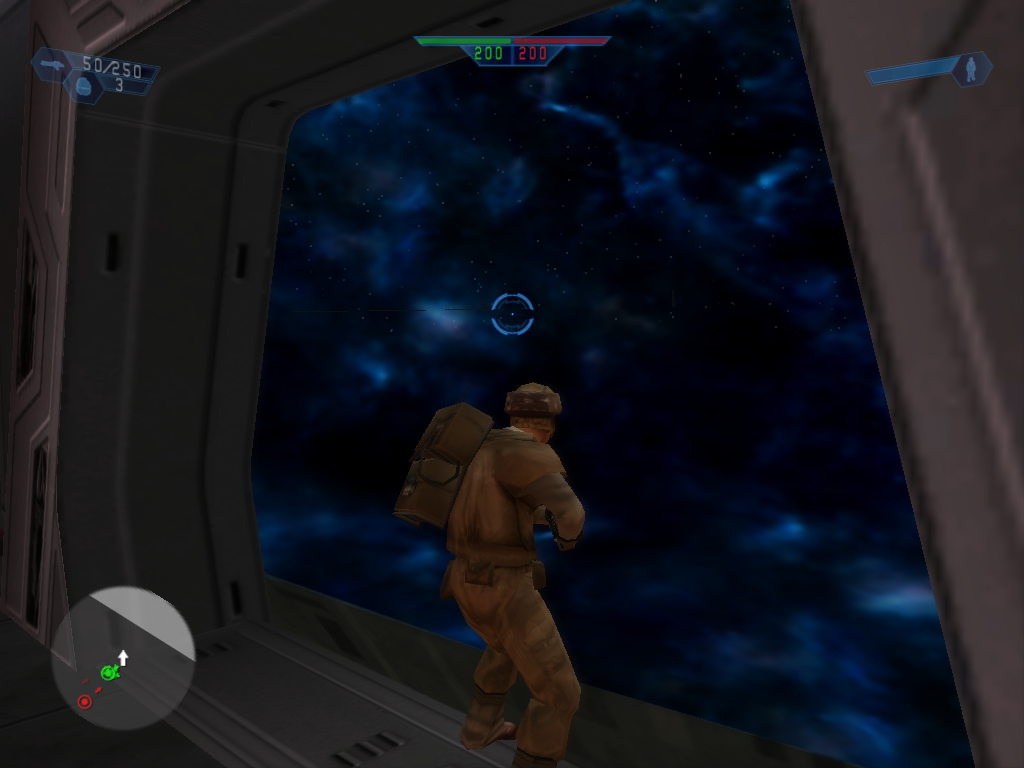
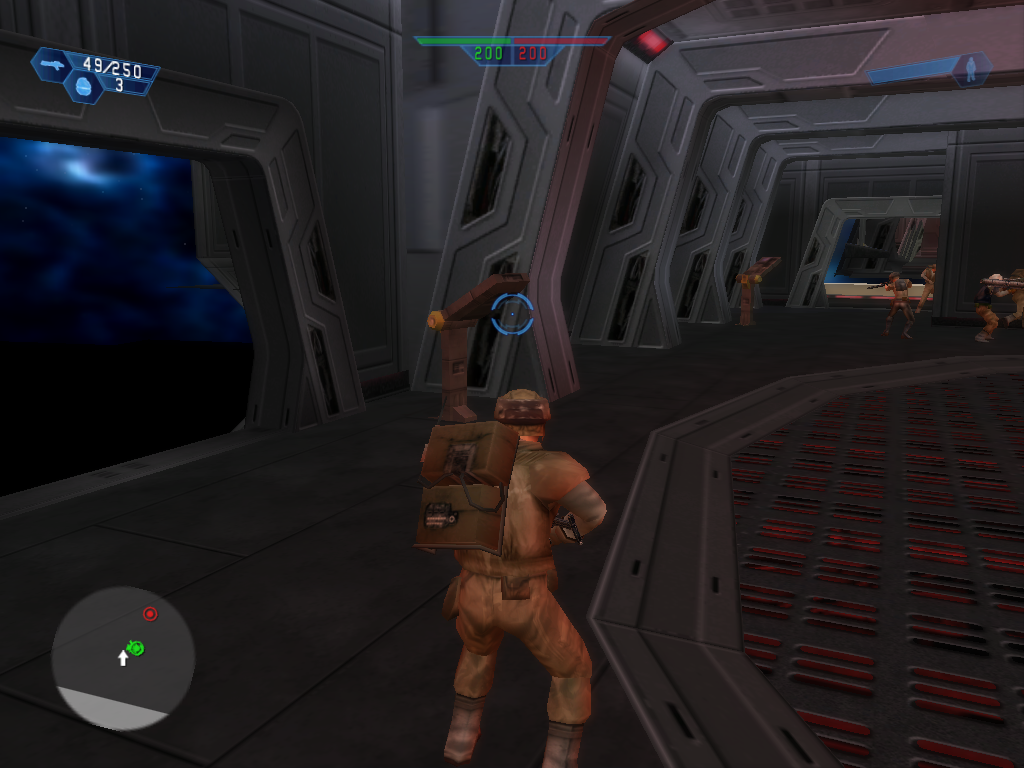
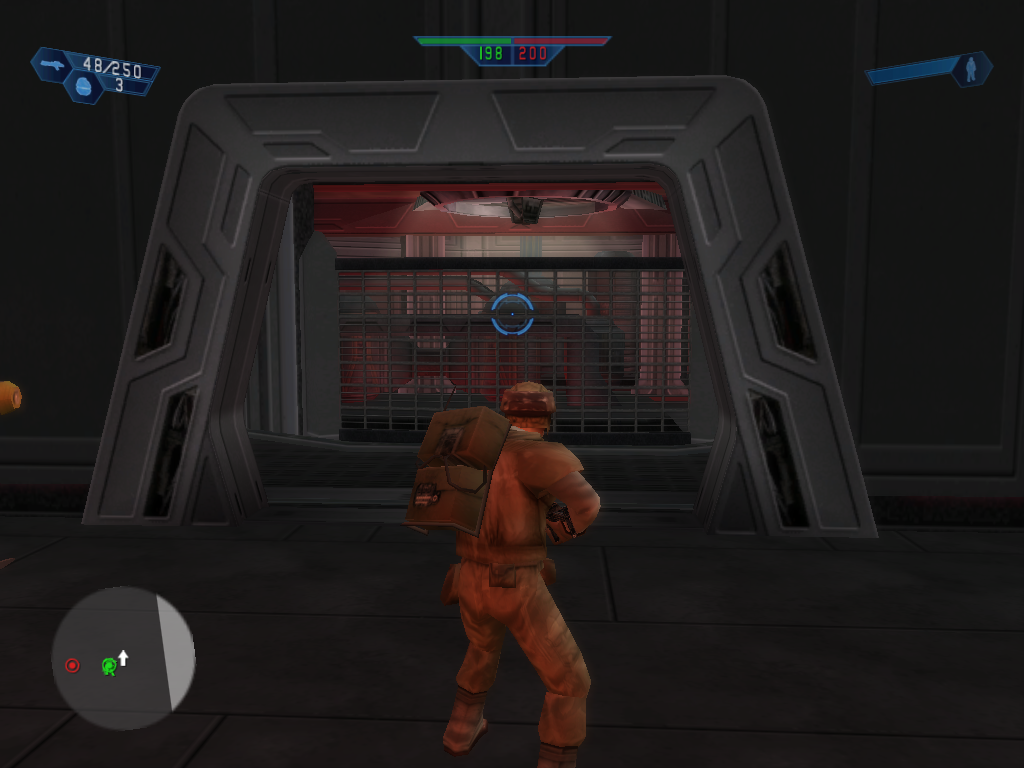
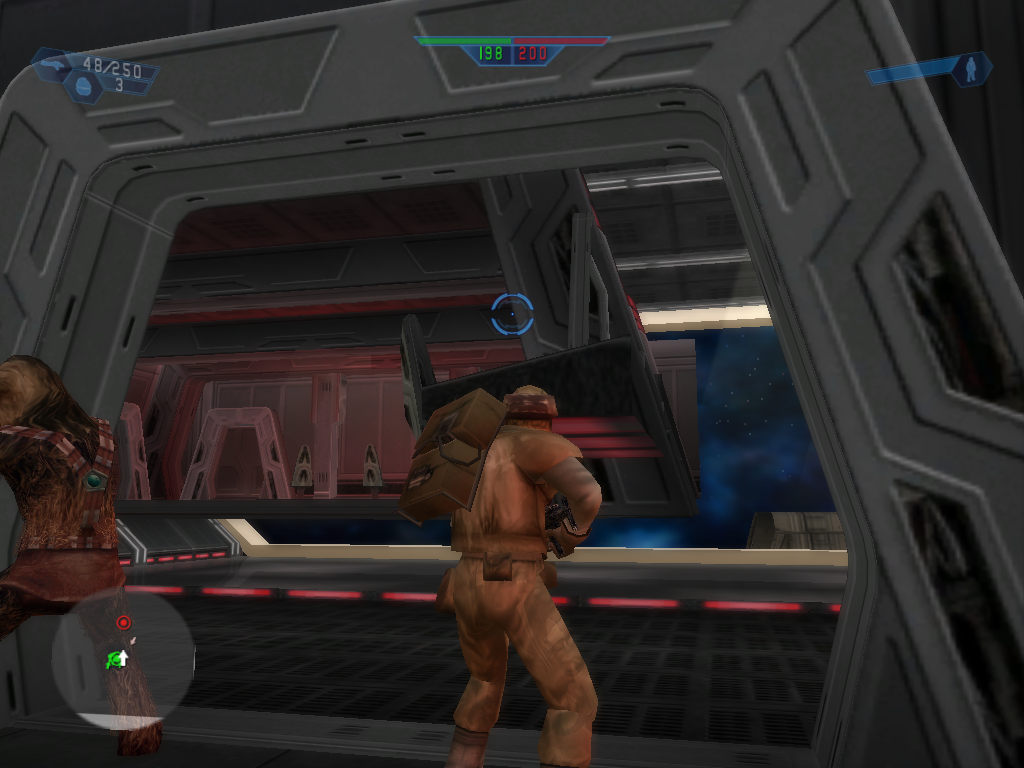
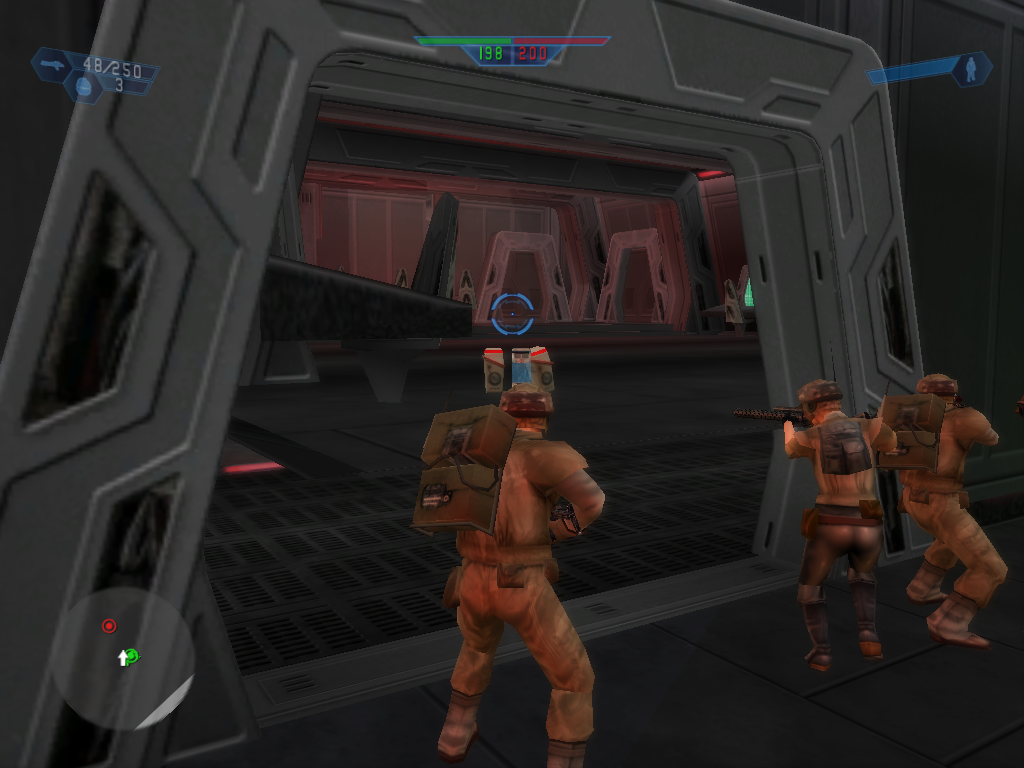
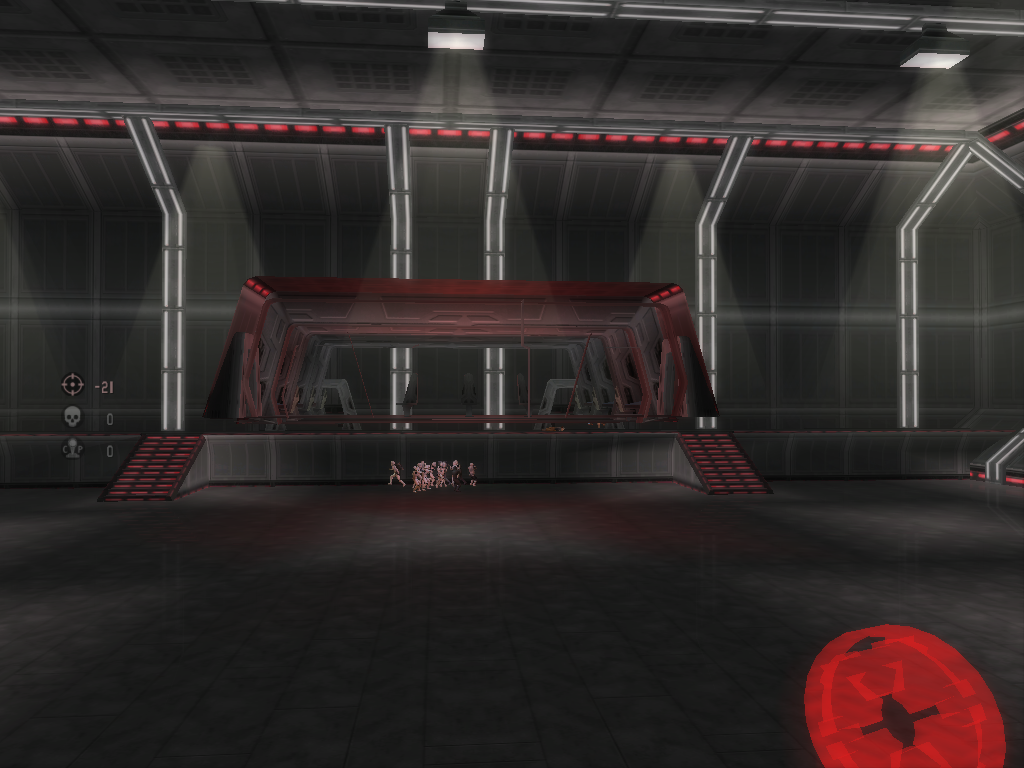
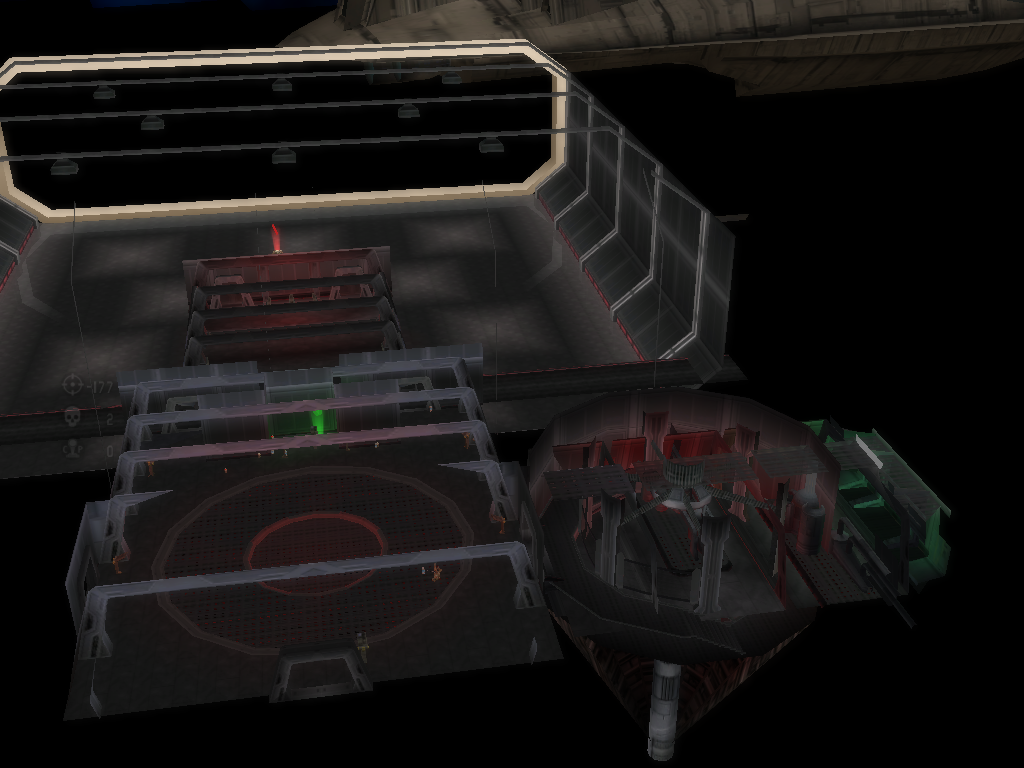
One minute theres a ships life support computing room at the back of the ship where it can be walked into in ZE, and then the next minute in BF that same room has been moved in front of the doors to exit the command room, so everyone is trapped inside!
What could cause this? How is this happening? Do I need to hire a spiritual median??

Heres pics:
Hidden/Spoiler:
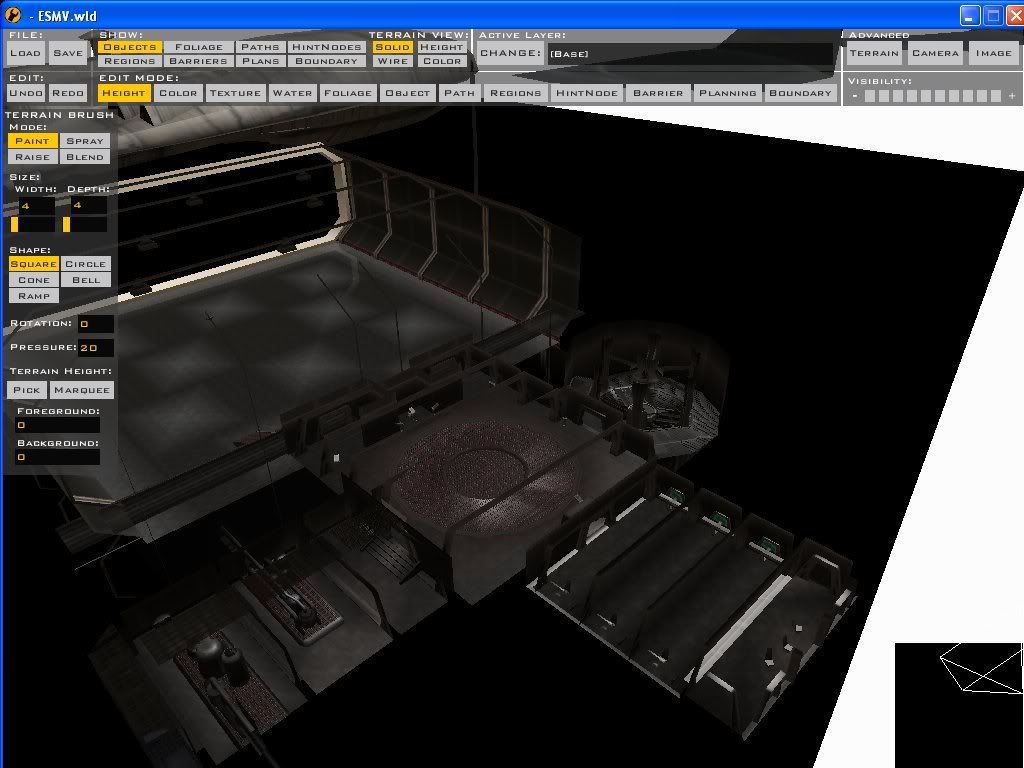
What inside of ship looks like in ZE
Image
Hidden/Spoiler:
What inside of ship looks like ingame
Image
Image
Image
Image
Image
Image
Image
As you can see, the life support computing room was moved in front of the command room doors to the hangar, and the engine room was moved into the shield generator.
Does this problem have something to do with map size? I recall this issue a year or so ago and people told me my map size has to be powers of 2...this map's size is a power of 2 though...

User avatar
giftheck
Droid Pilot Assassin
Posts: 2218
Joined: Mon Jan 19, 2009 5:58 pm
Projects :: Star Wars Battlefront Anniversary

Re: Its a poultergeist! No! Its a modding error!

Post by giftheck »

As I understand it, it may have something to do with your graphics card.
User avatar
redgroupclan
High General
High General
Posts: 867
Joined: Thu Jan 24, 2008 11:47 pm
Location: For less cheap gameplay - BF2 v1.1 server "NoEngineersAntiGlitch"

Re: Its a poultergeist! No! Its a modding error!

Post by redgroupclan »

What?
User avatar
giftheck
Droid Pilot Assassin
Posts: 2218
Joined: Mon Jan 19, 2009 5:58 pm
Projects :: Star Wars Battlefront Anniversary

Re: Its a poultergeist! No! Its a modding error!

Post by giftheck »

It's quite tough to explain, but can you open one of the shipped maps? Does it have the objects in the right places, or rotated where they're not supposed to be?
User avatar
redgroupclan
High General
High General
Posts: 867
Joined: Thu Jan 24, 2008 11:47 pm
Location: For less cheap gameplay - BF2 v1.1 server "NoEngineersAntiGlitch"

Re: Its a poultergeist! No! Its a modding error!

Post by redgroupclan »

I loaded Hoth, everything was fine on it.
Taivyx
2008 Best Games Related Avatar
Posts: 1706
Joined: Thu Jun 07, 2007 3:34 pm
Projects :: Terra Strife - discontinued
Games I'm Playing :: none
xbox live or psn: No gamertag set
Contact:

Re: Its a poultergeist! No! Its a modding error!

Post by Taivyx »

Just make sure you do in fact know what a "power of two is"....
what are the dimensions of the map?
User avatar
redgroupclan
High General
High General
Posts: 867
Joined: Thu Jan 24, 2008 11:47 pm
Location: For less cheap gameplay - BF2 v1.1 server "NoEngineersAntiGlitch"

Re: Its a poultergeist! No! Its a modding error!

Post by redgroupclan »

256x256
User avatar
Teancum
Jedi Admin
Jedi Admin
Posts: 11080
Joined: Wed Sep 07, 2005 11:42 pm
Projects :: No Mod project currently.
Games I'm Playing :: Destiny
xbox live or psn: No gamertag set
Location: Indiana

Re: Its a poultergeist! No! Its a modding error!

Post by Teancum »

It's highly likely there's an offset inside the model moving them to X or Y spot. ZeroEdit doesn't read those sometimes, so that may be the issue. I would try making a new map then just placing a few space objects in it and see where they end up -- just to be sure it's not an issue with your map.
Post Reply