The Clone Wars Darth Maul editing help [Solved]

In this forum you will find and post information regarding the modding of Star Wars Battlefront 2. DO NOT POST MOD IDEAS/REQUESTS.

Moderator: Moderators

Indytotof
Chief Warrant Officer
Posts: 348
Joined: Fri Jun 06, 2014 6:58 am
Projects :: SWBF2 Sides Overhaul Mod
Games I'm Playing :: Battlefront 2
xbox live or psn: No gamertag set
Location: Senlis, France

The Clone Wars Darth Maul editing help [Solved]

Post by Indytotof »

Hello modders and mappers, here is Indytotof for his last topic before the release of my mod in his first and last version.

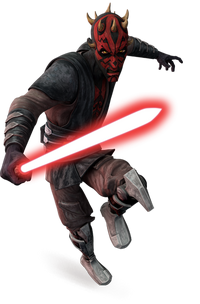
I've downloaded the Nedarb's TCW Darth Maul Assets. I'm not entirely satisfied by the model, because he doesn't really accurate to his Clone Wars model, who look like this:
Hidden/Spoiler:
Image
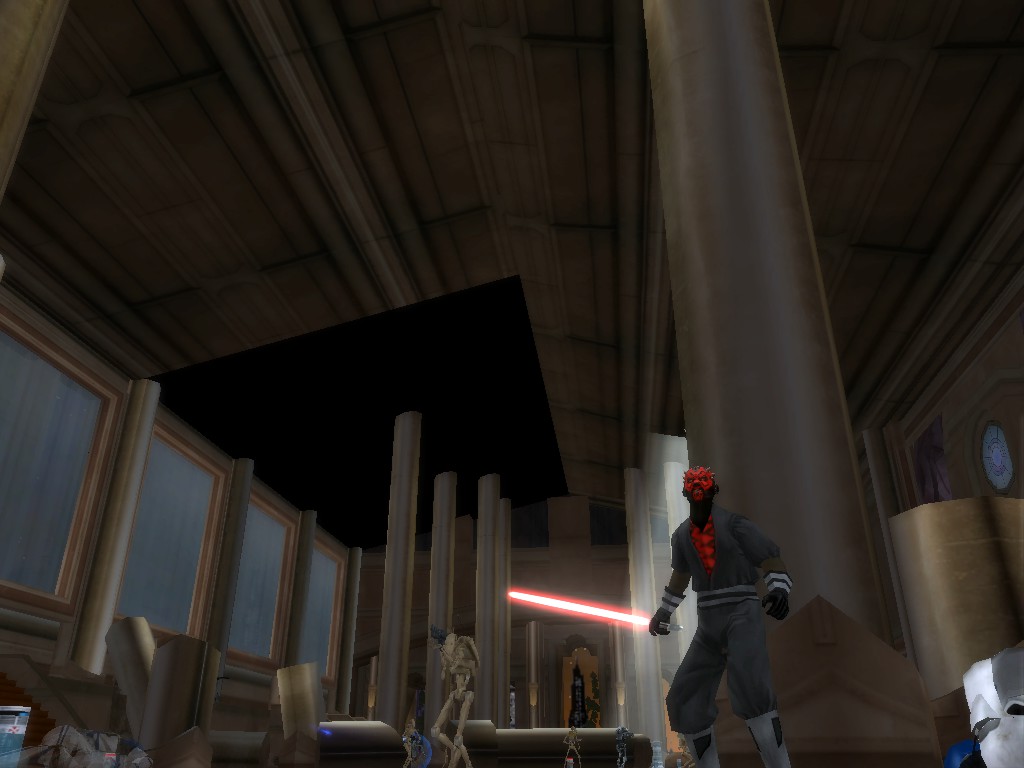
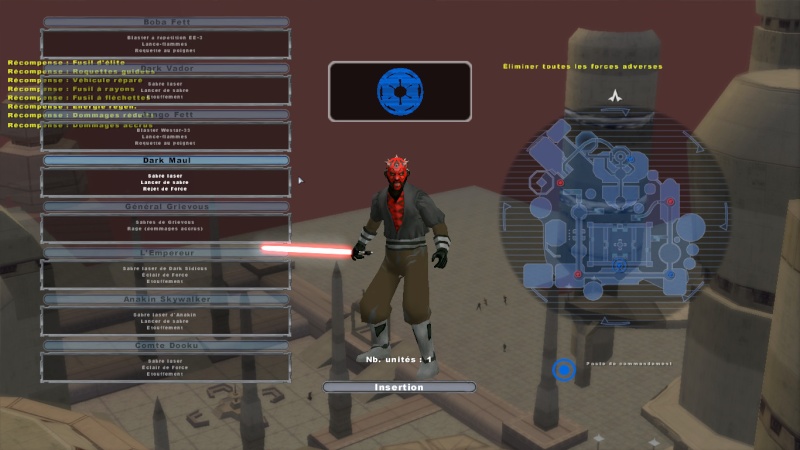
For the look, here is the Nedarb's one:
Hidden/Spoiler:
Image
Because I'm a perfectionist, I really want to have a perfect accurate Clone Wars Darth Maul as possible on Star Wars Battlefront 2. So I want to edited the arms and legs (dark grey to light grey) and add a countdooku like's skirt.

But there is a problem. No there is two:

. First of all: After editing the skin of this model and munge all, there is what happen:
Hidden/Spoiler:
[code]ERROR[PC_texturemunge mshs\cis_inf_TCWdhmaul.tga]:Targa type 10 not currently supported.
ERROR[PC_texturemunge mshs\cis_inf_TCWdhmaul.tga]:Targa type 10 not currently supported.
[continuing]
2 Errors 0 Warnings

ERROR[levelpack req\cis_hero_TCWdhmaul.req]:Could not open ..\..\common\munged\pc\core.files for input. DOS reports:
No such file or directory
ERROR[levelpack req\cis_hero_TCWdhmaul.req]:Could not open ..\..\common\munged\pc\core.files for input. DOS reports:
No such file or directory
[continuing]
2 Errors 0 Warnings

ERROR[levelpack cis.req]:Expecting bracket, but none was found.
File : munged\pc\cis_hero_tcwdhmaul.lvl.req(1)...

ucft <--
ERROR[levelpack cis.req]:Expecting bracket, but none was found.
File : munged\pc\cis_hero_tcwdhmaul.lvl.req(1)...

ucft <--
[continuing]
2 Errors 0 Warnings

ERROR[levelpack TCW.req]:Could not open ..\..\common\munged\pc\core.files for input. DOS reports:
No such file or directory
ERROR[levelpack TCW.req]:Could not open ..\..\common\munged\pc\core.files for input. DOS reports:
No such file or directory
[continuing]
2 Errors 0 Warnings

ERROR[levelpack TCW_eli.mrq]:Could not open ..\..\common\munged\pc\core.files for input. DOS reports:
No such file or directory
ERROR[levelpack TCW_eli.mrq]:Could not open ..\..\common\munged\pc\core.files for input. DOS reports:
No such file or directory
[continuing]
2 Errors 0 Warnings

ERROR[levelpack TCW.req]:Could not open ..\..\common\munged\pc\core.files for input. DOS reports:
No such file or directory
ERROR[levelpack TCW.req]:Could not open ..\..\common\munged\pc\core.files for input. DOS reports:
No such file or directory
[continuing]
2 Errors 0 Warnings[/code]
Even after deleting the edited skin, replacing him by the one from the download, created a "map" who have the only purpose to be a giant side folder for The Clone Wars Darth Maul, I've the same message. I don't know why or what that means.

. Second problem: Since i'm a beginner on reskinning, I've searching for a good GIMP tutorial on recolorization. I'm also searching for a tutorial who can helped me to add a skirt (as seen on the first picture off this topic) on the model.

Thanks for your future help.
Last edited by Indytotof on Mon Jul 07, 2014 10:46 am, edited 1 time in total.
MileHighGuy
Jedi
Jedi
Posts: 1194
Joined: Fri Dec 19, 2008 7:58 pm

Re: The Clone Wars Darth Maul editing help.

Post by MileHighGuy »

save the skin with rle compression off
Indytotof
Chief Warrant Officer
Posts: 348
Joined: Fri Jun 06, 2014 6:58 am
Projects :: SWBF2 Sides Overhaul Mod
Games I'm Playing :: Battlefront 2
xbox live or psn: No gamertag set
Location: Senlis, France

Re: The Clone Wars Darth Maul editing help.

Post by Indytotof »

MileHighGuy wrote:save the skin with rle compression off
What exactly is the "rle compression" ? Sorry, but i'm a total noob on GIMP.

Thanks for the advice though.
MileHighGuy
Jedi
Jedi
Posts: 1194
Joined: Fri Dec 19, 2008 7:58 pm

Re: The Clone Wars Darth Maul editing help.

Post by MileHighGuy »

it comes up when you press "export as". uncheck the box.
Indytotof
Chief Warrant Officer
Posts: 348
Joined: Fri Jun 06, 2014 6:58 am
Projects :: SWBF2 Sides Overhaul Mod
Games I'm Playing :: Battlefront 2
xbox live or psn: No gamertag set
Location: Senlis, France

Re: The Clone Wars Darth Maul editing help.

Post by Indytotof »

MileHighGuy wrote:it comes up when you press "export as". uncheck the box.
OK, done it and I got this:
Hidden/Spoiler:
[code]ERROR[levelpack req\cis_hero_TCWdhmaul.req]:Could not open ..\..\common\munged\pc\core.files for input. DOS reports:
No such file or directory
ERROR[levelpack req\cis_hero_TCWdhmaul.req]:Could not open ..\..\common\munged\pc\core.files for input. DOS reports:
No such file or directory
[continuing]
2 Errors 0 Warnings

ERROR[levelpack cis.req]:Expecting bracket, but none was found.
File : munged\pc\cis_hero_tcwdhmaul.lvl.req(1)...

ucft <--
ERROR[levelpack cis.req]:Expecting bracket, but none was found.
File : munged\pc\cis_hero_tcwdhmaul.lvl.req(1)...

ucft <--

2 Errors 0 Warnings

ERROR[levelpack TCW.req]:Could not open ..\..\common\munged\pc\core.files for input. DOS reports:
No such file or directory
ERROR[levelpack TCW.req]:Could not open ..\..\common\munged\pc\core.files for input. DOS reports:
No such file or directory
[continuing]
2 Errors 0 Warnings

ERROR[levelpack TCW.req]:Could not open ..\..\common\munged\pc\core.files for input. DOS reports:
No such file or directory
ERROR[levelpack TCW.req]:Could not open ..\..\common\munged\pc\core.files for input. DOS reports:
No such file or directory
[continuing]
2 Errors 0 Warnings[/code]
I think I messed up something....
User avatar
Lorul1
Rebel Colonel
Rebel Colonel
Posts: 562
Joined: Wed Apr 24, 2013 10:34 pm
Projects :: Assault on Theed
Games I'm Playing :: Battlegrounds
xbox live or psn: No gamertag set
Location: Your House

Re: The Clone Wars Darth Maul editing help.

Post by Lorul1 »

did you create an "req" file for your new darthmaul ?
MileHighGuy
Jedi
Jedi
Posts: 1194
Joined: Fri Dec 19, 2008 7:58 pm

Re: The Clone Wars Darth Maul editing help.

Post by MileHighGuy »

ERROR[levelpack cis.req]:Expecting bracket, but none was found.
File : munged\pc\cis_hero_tcwdhmaul.lvl.req(1)...
open up this req and see if it has missing brackets, like this says.
Indytotof
Chief Warrant Officer
Posts: 348
Joined: Fri Jun 06, 2014 6:58 am
Projects :: SWBF2 Sides Overhaul Mod
Games I'm Playing :: Battlefront 2
xbox live or psn: No gamertag set
Location: Senlis, France

Re: The Clone Wars Darth Maul editing help.

Post by Indytotof »

Lorul1 wrote:did you create an "req" file for your new darthmaul ?
Yes I've done all the needed .req files.

Munge again my side and I got this when munge:
Hidden/Spoiler:
[code]ERROR[levelpack req\cis_hero_TCWdhmaul.req]:Could not open ..\..\common\munged\pc\core.files for input. DOS reports:
No such file or directory
ERROR[levelpack req\cis_hero_TCWdhmaul.req]:Could not open ..\..\common\munged\pc\core.files for input. DOS reports:
No such file or directory
[continuing]
2 Errors 0 Warnings

ERROR[levelpack cis.req]:Expecting bracket, but none was found.
File : munged\pc\cis_hero_tcwdhmaul.lvl.req(1)...

ucft <--
ERROR[levelpack cis.req]:Expecting bracket, but none was found.
File : munged\pc\cis_hero_tcwdhmaul.lvl.req(1)...

ucft <--
[continuing]
2 Errors 0 Warnings

ERROR[levelpack TCW.req]:Could not open ..\..\common\munged\pc\core.files for input. DOS reports:
No such file or directory
ERROR[levelpack TCW.req]:Could not open ..\..\common\munged\pc\core.files for input. DOS reports:
No such file or directory
[continuing]
2 Errors 0 Warnings

ERROR[levelpack TCW.req]:Could not open ..\..\common\munged\pc\core.files for input. DOS reports:
No such file or directory
ERROR[levelpack TCW.req]:Could not open ..\..\common\munged\pc\core.files for input. DOS reports:
No such file or directory
[continuing]
2 Errors 0 Warnings[/code]
I don't know why I've got these, all the .req were fine when I munge them the first time.
MileHighGuy
Jedi
Jedi
Posts: 1194
Joined: Fri Dec 19, 2008 7:58 pm

Re: The Clone Wars Darth Maul editing help.

Post by MileHighGuy »

post cis_hero_tcwdhmaul.req just to be sure
Indytotof
Chief Warrant Officer
Posts: 348
Joined: Fri Jun 06, 2014 6:58 am
Projects :: SWBF2 Sides Overhaul Mod
Games I'm Playing :: Battlefront 2
xbox live or psn: No gamertag set
Location: Senlis, France

Re: The Clone Wars Darth Maul editing help.

Post by Indytotof »

Here it is:

Code: Select all

ucft
{
    REQN
    {
        "class"
        "cis_hero_TCWdhmaul"
    }
}
User avatar
Kingpin
Jedi
Jedi
Posts: 1096
Joined: Fri Sep 13, 2013 7:09 pm
Projects :: The Sith Wars II
Location: Denver, CO
Contact:

Re: The Clone Wars Darth Maul editing help.

Post by Kingpin »

I know what the problem is. Go to dataXXX/Build/Sides/sidename, an delete the "munged" folder. Try munging again with everything selected in sides and common, tell me if you get the same errors.
Indytotof
Chief Warrant Officer
Posts: 348
Joined: Fri Jun 06, 2014 6:58 am
Projects :: SWBF2 Sides Overhaul Mod
Games I'm Playing :: Battlefront 2
xbox live or psn: No gamertag set
Location: Senlis, France

Re: The Clone Wars Darth Maul editing help.

Post by Indytotof »

Kingpin wrote:I know what the problem is. Go to dataXXX/Build/Sides/sidename, an delete the "munged" folder. Try munging again with everything selected in sides and common, tell me if you get the same errors.

Hell, yeah, resolved half the problem, there is only the "brack" (or whatever it is) problem. Proof:

Code: Select all

ERROR[levelpack cis.req]:Expecting bracket, but none was found.
File : munged\pc\cis_hero_tcwdhmaul.lvl.req(1)...

ucft <--
ERROR[levelpack cis.req]:Expecting bracket, but none was found.
File : munged\pc\cis_hero_tcwdhmaul.lvl.req(1)...

ucft <--

   2 Errors    0 Warnings
Thanks Kingpin !
User avatar
Kingpin
Jedi
Jedi
Posts: 1096
Joined: Fri Sep 13, 2013 7:09 pm
Projects :: The Sith Wars II
Location: Denver, CO
Contact:

Re: The Clone Wars Darth Maul editing help.

Post by Kingpin »

Can you actually post your side's .req?
MileHighGuy
Jedi
Jedi
Posts: 1194
Joined: Fri Dec 19, 2008 7:58 pm

Re: The Clone Wars Darth Maul editing help.

Post by MileHighGuy »

Indytotof wrote:Here it is:

Code: Select all

ucft
{
    REQN
    {
        "class"
        "cis_hero_TCWdhmaul"
    }
}
this looks good. so "cis_hero_TCWdhmaul" is the name of the odf, and "cis_hero_tcwdhmaul" is in the side req? I'm thinking maybe the names don't match between the side .req
and the unit's .req. Just trying to cover all bases.
Indytotof
Chief Warrant Officer
Posts: 348
Joined: Fri Jun 06, 2014 6:58 am
Projects :: SWBF2 Sides Overhaul Mod
Games I'm Playing :: Battlefront 2
xbox live or psn: No gamertag set
Location: Senlis, France

Re: The Clone Wars Darth Maul editing help.

Post by Indytotof »

Kingpin wrote:Can you actually post your side's .req?
Yep.

Here:

Code: Select all

ucft
{
    REQN
    {
        "lvl"
        "cis_hero_TCWdhmaul"
    }
}
MileHighGuy
Jedi
Jedi
Posts: 1194
Joined: Fri Dec 19, 2008 7:58 pm

Re: The Clone Wars Darth Maul editing help.

Post by MileHighGuy »

this looks good too. did you try just a normal clean and re munge? It could be just a left over side effect of something you fixed. But you already did that..
Indytotof
Chief Warrant Officer
Posts: 348
Joined: Fri Jun 06, 2014 6:58 am
Projects :: SWBF2 Sides Overhaul Mod
Games I'm Playing :: Battlefront 2
xbox live or psn: No gamertag set
Location: Senlis, France

Re: The Clone Wars Darth Maul editing help.

Post by Indytotof »

MileHighGuy wrote:this looks good too. did you try just a normal clean and re munge? It could be just a left over side effect of something you fixed. But you already did that..
Done that, nothing change.

Question:

Why did have a cis.lvl (containing nothing) and a cis.lvl.req (who containt only "ucft") ? It's never happened before.

EDIT: Problem solved after doing a munge on another DATA_*** folder.

But the topic is still open.

REMINDER:
Indytotof wrote:. Second problem: Since i'm a beginner on reskinning, I've searching for a good GIMP tutorial on recolorization. I'm also searching for a tutorial who can helped me to add a skirt (as seen on the first picture off this topic) on the model.

Thanks for your future help.

MileHighGuy
Jedi
Jedi
Posts: 1194
Joined: Fri Dec 19, 2008 7:58 pm

Re: The Clone Wars Darth Maul editing help.

Post by MileHighGuy »

GIMP tutorial on recolorization
here's a basic tutorial

load image

add new (transparent) layer

change the mode (drop down menu from top of layer box) of the layer to color

paint away

I usually make a selection first and then paint/paintbucket it
Indytotof
Chief Warrant Officer
Posts: 348
Joined: Fri Jun 06, 2014 6:58 am
Projects :: SWBF2 Sides Overhaul Mod
Games I'm Playing :: Battlefront 2
xbox live or psn: No gamertag set
Location: Senlis, France

Re: The Clone Wars Darth Maul editing help.

Post by Indytotof »

MileHighGuy wrote:
Hidden/Spoiler:
[quote]GIMP tutorial on recolorization
here's a basic tutorial

load image

add new (transparent) layer

change the mode (drop down menu from top of layer box) of the layer to color

paint away

I usually make a selection first and then paint/paintbucket it[/hide][/quote]

Here is the result:
Hidden/Spoiler:
Image
I'm glad of the result.

Only two things left:

> The space between the arms and the torso have to be recolored (arms completely recolored but I cannot do I for the space). > Done (somewhat)

> A black skirt have to be added (don't know how)

> And another unexepected problem: the battle animation (who looks like Luke's one) doesn't want to change to the Anakin's or Obi-Wan's one, no matter what !

- Yes I've added the rep_hero_ep3obiwan combo, I've also edited the Darth Maul's odf, and change the saber odf, as the pre-munged animation on the "animation" folder who have been replace by Obi-wan's one.

Help me please !
Last edited by Indytotof on Sun Jun 29, 2014 2:28 pm, edited 1 time in total.
MileHighGuy
Jedi
Jedi
Posts: 1194
Joined: Fri Dec 19, 2008 7:58 pm

Re: The Clone Wars Darth Maul editing help.

Post by MileHighGuy »

Indytotof wrote:>And another unexepected problem: the battle animation (who looks like Luke's one) doesn't want to change to the Anakin's or Obi-Wan's one, no matter what !
all you should need to do is add (or replace)

AnimationName = "obiwan"

to darth maul's odf

copy the obiwan.anims, obiwan.zaabin, obiwan.zafbin to your sides's munged folder

change the line in your lightsaber's odf to this

ComboAnimationBank = "human_sabre melee rep_hero_ep3obiwan"

and copy rep_hero_ep3obiwan.combo to your side's odf folder.

Off Topic:

"Dark Maul?" why is it called that in french?
Post Reply