How To's, Questions, and Solutions for problems. This covers anything from computer hardware problems to software recommendations to tutorials for various software programs.
Note: Neither Gametoast nor any of its members/visitors are responsible for any damage to your computer as a result from advice given in this forum. Follow advice at your own risk and be sure to back up any important files.
I think that i'm going to get a new video card soon, mine really sucks, and was wondering, which would you recommend and where would be the best(cheapest and most reliable) place to get it?
Some games I'm looking to play on the new card.
--Rep Commando
--SW battlefront 2
--LOTR the battlefor middle earth (1 and 2, and the others also, possibly)
--KOTOR 2
so. generally i'm looking for something that is good all around with games, in that it supports a lot. I'd like your opinions, because I am not exactly sure what to get.
Any pci video card on ebay will outshine your current which appears to be onboard or old school pci based. On ebay there are pci vid cards up to 512 mb for under $25-$60. From the sound of the system I wouldnt invest in more then a 256mb pci card until you update the system to something in the last 4 years. pci was replaced by AGp by agpx4 by agpx8 into pci-e. which runs x16. Fun.
since your current card appears to be onboard "literally hooked to your motherboard" you would want to disable it once you install your new pci vid card. yes , this card will work. I swear I
threw some of these away like 6 months ago, my voodoo went poodoo.
You can disable your current vid card in your bios once your new card is in , then it will run ugly until you put in the drivers for your new video card, it will reboot and youll be set.
Dohnutt wrote:If you have an AGP slot, go for AGP - it's much better than PCI.
1--no. is there a way I can get it so that my comp can use the AGP or PCI-E?
guru wrote:since your current card appears to be onboard "literally hooked to your motherboard" you would want to disable it once you install your new pci vid card. yes , this card will work.
You can disable your current vid card in your bios once your new card is in , then it will run ugly until you put in the drivers for your new video card, it will reboot and youll be set.
2--how would I install it?
3--sorry, but what do you mean with putting the drivers in for the video card?
2) Graphics card would be a simple putting it in the slot. The manual should have pictures.
3) Installing the software from the vendor site. Or, you could use the CD that comes with it but I wouldn't recommend that as they're usually out dated.
Don't quite understand what you're saying with (1).
With "1", I think he's asking if there's a way he can get an AGP slot if he doesn't have one.
The answer to that (as far as I know) is no. If you don't have an AGP or PCI-E slot, then you'll have to stick with PCI.
Dohnutt wrote:With "1", I think he's asking if there's a way he can get an AGP slot if he doesn't have one.
The answer to that (as far as I know) is no. If you don't have an AGP or PCI-E slot, then you'll have to stick with PCI.
Or buy a new motherboard, which would almost definitely lead to buying a new processor, then a new power supply to accommodate the new card and motherboard, possibly a new hard drive, and BAM, you've bought a new computer.
Uh tsurigi, you are terribaly wrong. A new motherboard, as long as he got one that supports the things he has would be all he needs, hard to find maybe, but it isn't impossible
Sorry,but before i get the card, does the info above definately mean that I have a PCI slot?
2--How do I know which one of those slots on the back of my comp is the PCI slot?
and 3-- (off-topic)(my mom insists that I run this past you before I get this just to make sure.) In the description on Ebay ( HERE ) it says the system Requirements are
Hidden/Spoiler:
System requirements
Pentium III, AMD Duron or Athlon class processor or higher
128MB of system DRAM
250 watt min./300 watt recommened power supply available PCI slot
Installation software requires CD-ROM or DVD-ROM drive
Windows 95 OSR2, 98 or higher, ME, 2000, XP, Vista, or Windows NT4.0
DVD playback requires DVD-ROM drive
VGA or DVI-I compatible monitor
this is what I'm worried about. I believe from this(pic down below) that I have a Celeron Processor. is this ture, and will the card still work, if I do? thanks
Hidden/Spoiler:
thanks so much.
P.S. Could someone look at this? thanks
fiddler_on_the_roof wrote:
off-topic
2--I have a game and the system reqs say
Your Celeron processor is better than any Pentium 3, so it should work just fine.
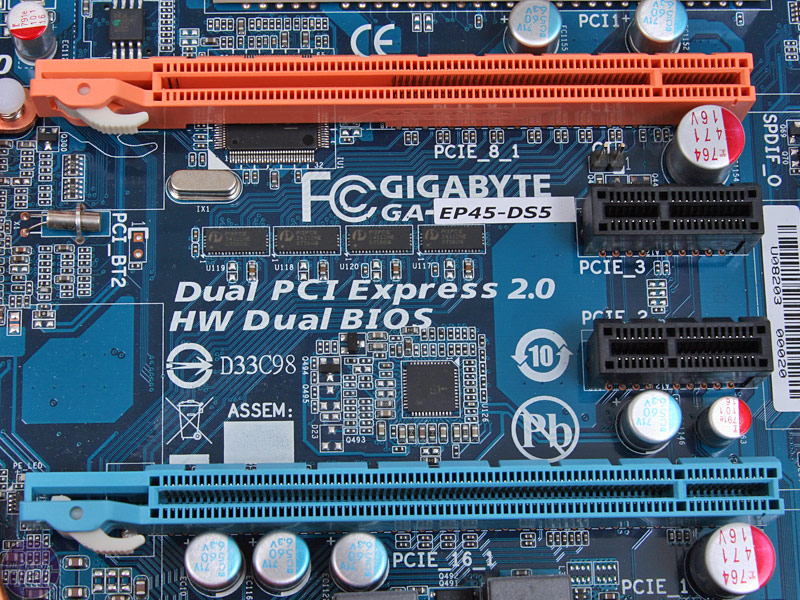
Also, the graphics card slot is not the whole in the back of the case (though part of it will fit through that), it's the bus port on your motherboard. This image gives a good comparison of the common bus ports you'll see, so you can figure out which you have on your board (you probably have more than one, and they might not be the same port).
ONE last question.
Could someone guide me through the process of installing the graphics card, like a step by stpe process? I really don't want to have to pay money for someone else to do it.
yikes im glad your upgrading your vid card to play the games you like but geez. Just dont expect too much from that box your on.
I mean pcs are so cheap nowdays, like near me circuit city is going out of business, I saw today they have 64x quad core pcs with 16gigs of ram on perfect water cooled cases with dual 1 gig video cards and 2 500 gig hardrives for under 600$ assembled and with OS vista whatevr version. If you spend over $50 making your old horse do new tricks thats cool but id save up and just get something cheap thats slightly been around after 9/11 happened.