Page 1 of 2
W.I.P. Cold Assault Trooper from TCW
Posted: Sat Mar 21, 2009 6:58 pm
by ANDEWEGET
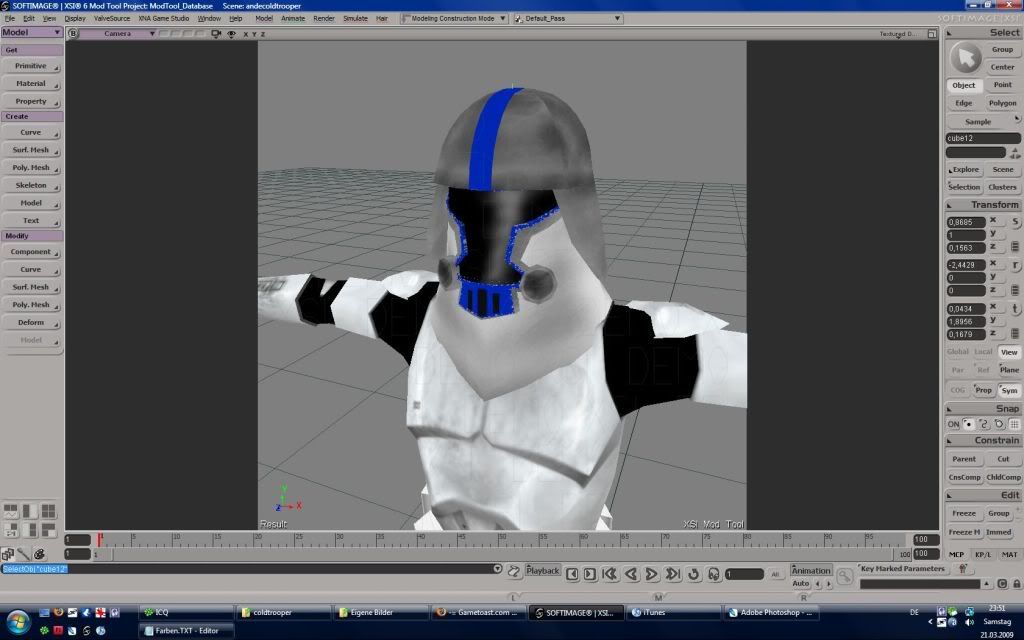
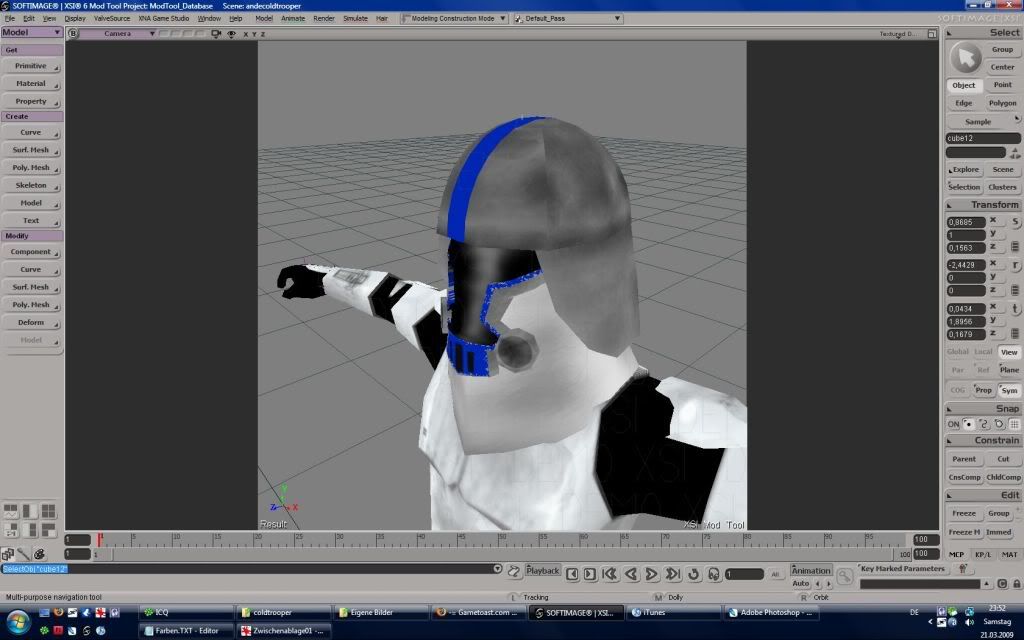
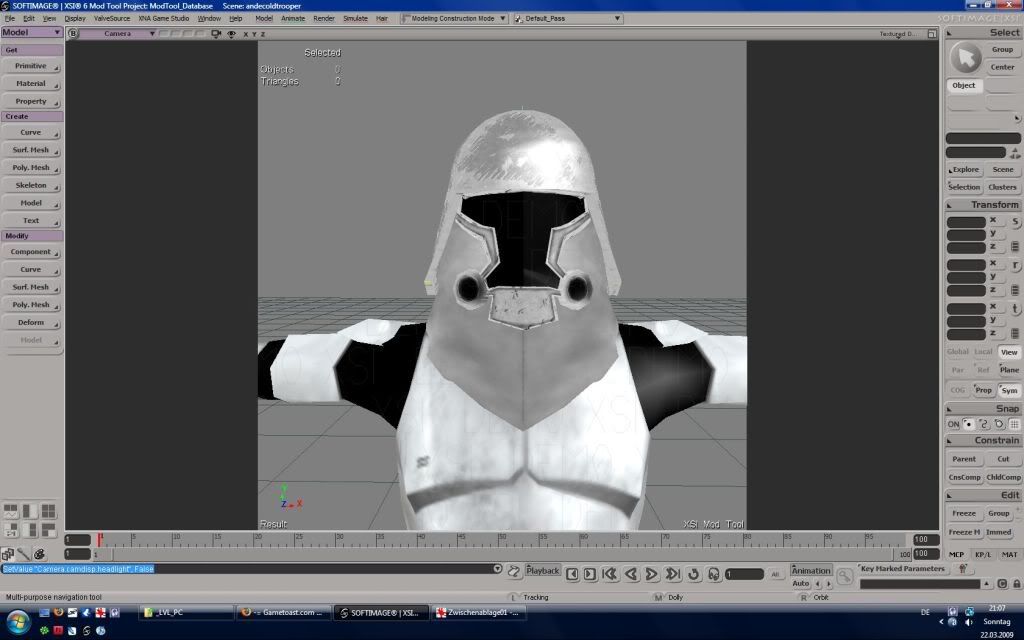
Clone Snow Trooper from Clone Wars Series:
Texture is not that good...maybe ill retexture him sometimes.
Tris(Helmet): 1022
ca 2-3h
Re: Model Showcase Thread v3.0
Posted: Sat Mar 21, 2009 7:45 pm
by Master_Ben
ANDEWEGET wrote:Clone Snow Trooper from Clone Wars Series:
Texture is not that good...maybe ill retexture him sometimes.
Tris(Helmet): 1022
ca 2-3h
epicsauce.

Re: Model Showcase Thread v3.0
Posted: Sat Mar 21, 2009 10:44 pm
by obiboba3po
Master_Ben wrote:ANDEWEGET wrote:Clone Snow Trooper from Clone Wars Series:
Texture is not that good...maybe ill retexture him sometimes.
Tris(Helmet): 1022
ca 2-3h
epicsauce.
QFT

thats really good
Re: Model Showcase Thread v3.0
Posted: Sun Mar 22, 2009 9:10 am
by fai222
Thats awesome, but i suggest you make the blue look less painty.
Re: Model Showcase Thread v3.0
Posted: Sun Mar 22, 2009 4:09 pm
by ANDEWEGET
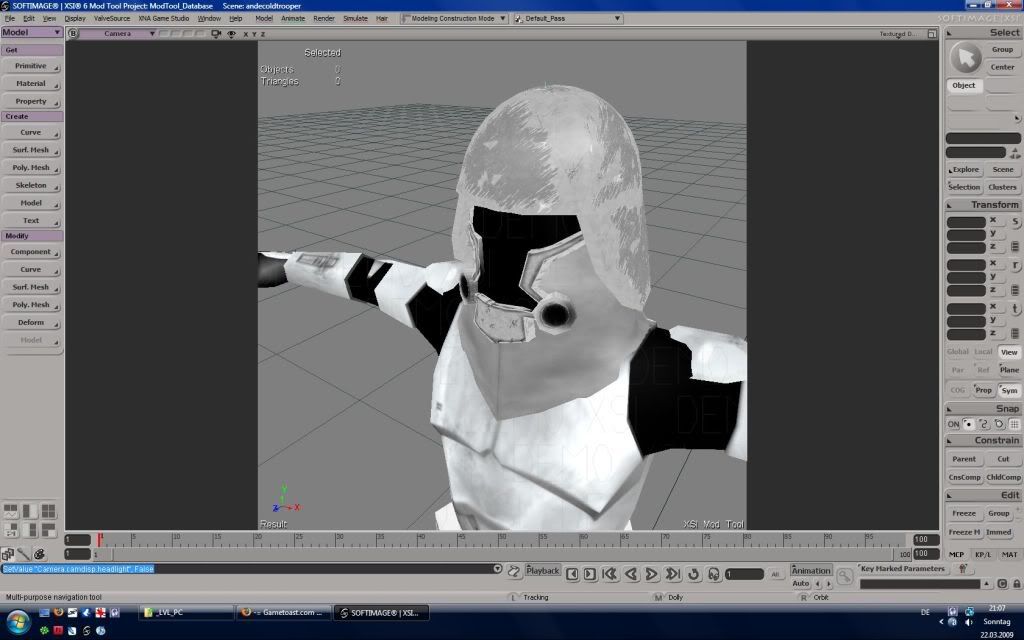
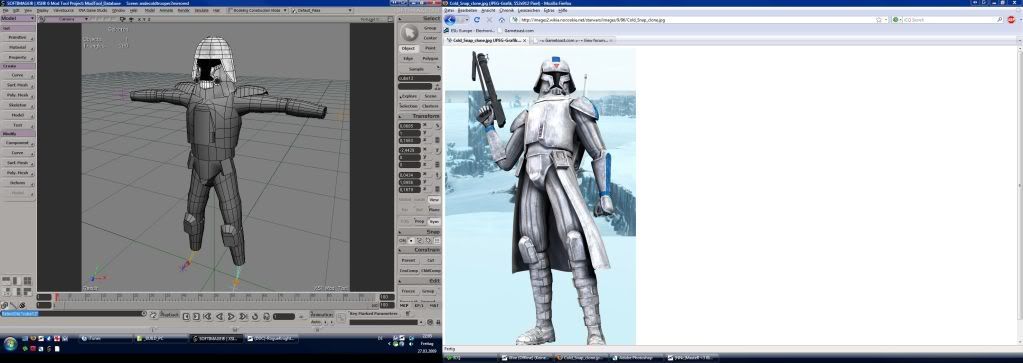
retextured version of the cold assault trooper:
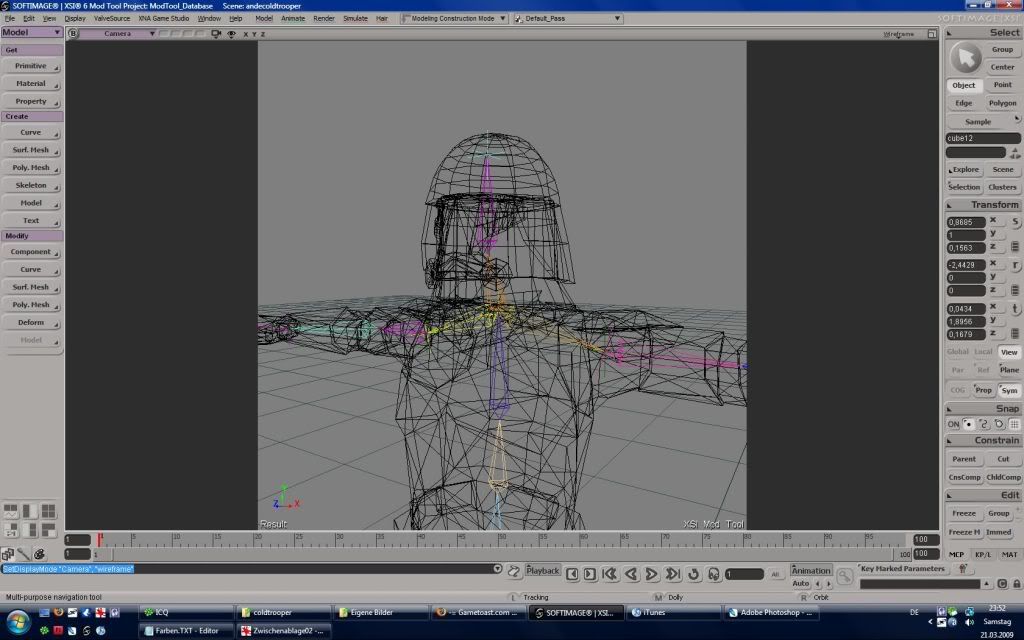
Wireframe is on my other post.
Re: Model Showcase Thread v3.0
Posted: Fri Mar 27, 2009 5:08 pm
by ANDEWEGET
Only feet, hands, skirt, texture and backpack missing
Re: Model Showcase Thread v3.0
Posted: Fri Mar 27, 2009 7:36 pm
by jedi_pilot
Wow, did you make that whole body

??? It looks really awsome!!!
Re: Model Showcase Thread v3.0
Posted: Sat Mar 28, 2009 5:44 am
by theultimat
ANDEWEGET wrote:
Only feet, hands, skirt, texture and backpack missing
Very nice ANDEWEGET. You really do have a great talent regarding XSI.

Re: Model Showcase Thread v3.0
Posted: Sat Mar 28, 2009 6:48 am
by VF501
Nice start on a character model Andeweget, but I have a few crits on it.
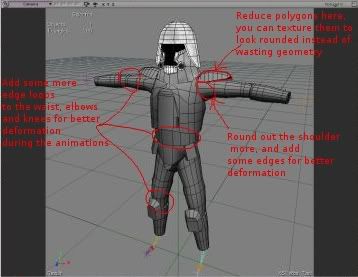
I say to round out the shoulder more because as it is (just a simple truncated cone) it will deform wrong when the arms move and its volume will collapse far too much. Defining the shoulder muscles adds detail and makes it deform properly, but don't go crazy and add too many polygons, it should take about 6-12 more per shoulder to make it look and act right. Shoulder pad has just too much polygons, they waste geometry for no real gain, you can use less and still retain a rounded look, don't be afraid to use tris to help round it out, after all, this is a low-mid poly game model, not something you need in quads for a hi-poly sculpt in zbrush.
Here is an example Ace showed me of how to have better limb/joint deformation during movement. The one on the far right is the worst way to make a limb/joint for deformation, the far left is a good way to do it. It doesn't take alot of extra edges and makes the mesh deform much cleaner and keep its volume.

Re: Model Showcase Thread v3.0
Posted: Sat Mar 28, 2009 6:55 am
by Darth Revan
Sweet man
Re: Model Showcase Thread v3.0
Posted: Sat Mar 28, 2009 6:57 am
by DarthD.U.C.K.
at VF501: you cant attach vertexes to more then one bone in battlefront (so the one in the middle would be the best)
Re: Model Showcase Thread v3.0
Posted: Sat Mar 28, 2009 7:00 am
by VF501
@ D.U.C.K, yes you can, I have all the joints in my models weighted at 50% influence and it works, if you want to make sure it will work, make a .msh.option and add -softskin to it.
Enveloping
Most meshes require rigid enveloping meaning only one bone influence for each vertex, (this is mostly for soldiers & vehicles). Otherwise, you could have up to 3 bones influence each vertex but you must define it as "-softskin" in the meshes .option file, (I hope .option files are covered elsewhere).

from the SWBF1 Docs, but still applies to SWBF2.
Re: Model Showcase Thread v3.0
Posted: Sat Mar 28, 2009 7:10 am
by DarthD.U.C.K.
i didnt know that you have to give the model a "softskin" to make it work, i just thought it wouldnt work
Re: Model Showcase Thread v3.0
Posted: Sat Mar 28, 2009 7:13 am
by VF501
-softskin is only really needed for bone-vertex influence of 3 bones or more to one vertex. I've weighted vertexes to 2 bones (50/50 influence) and it's still worked in SWBF w/o -softskin in a option file, makes knees and elbows deform quite nicely, without losing volume.
Re: Model Showcase Thread v3.0
Posted: Sat Mar 28, 2009 9:41 am
by Delta-1035
ANDEWEGET wrote:
Only feet, hands, skirt, texture and backpack missing
awesome!!! 
i can reskin him if you want
Re: Model Showcase Thread v3.0
Posted: Sat Mar 28, 2009 11:00 am
by fai222
One word: Sweet!

Re: Model Showcase Thread v3.0
Posted: Sun Mar 29, 2009 10:32 am
by ANDEWEGET
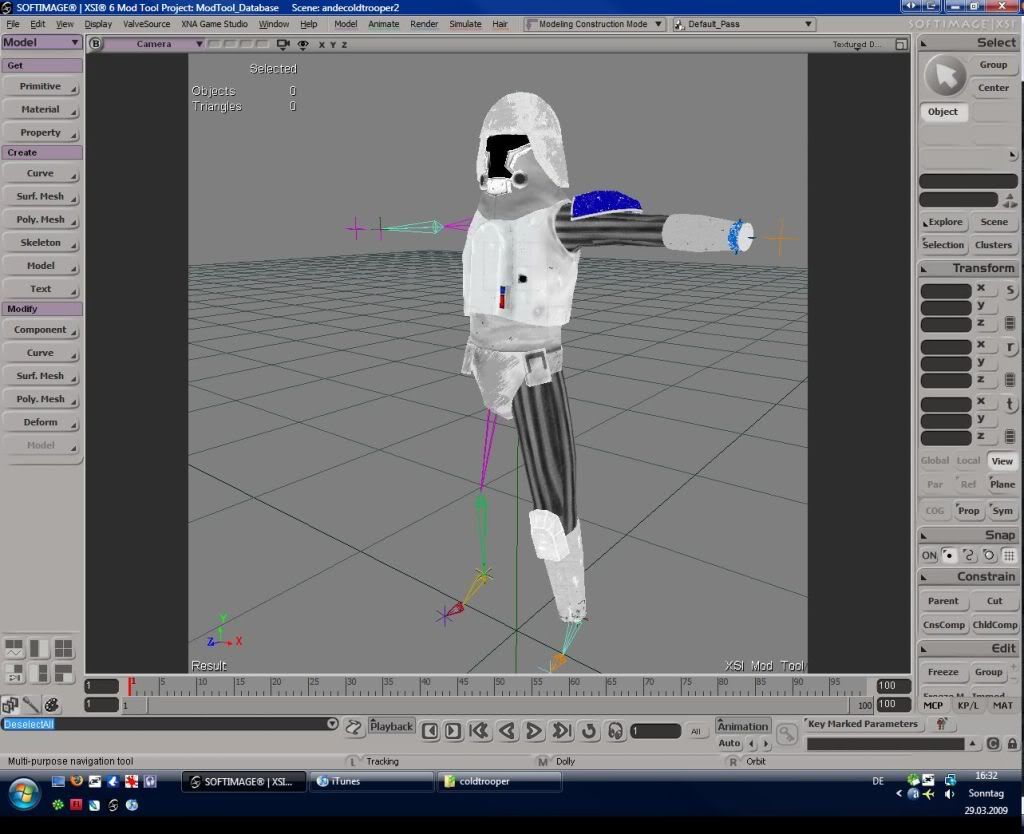
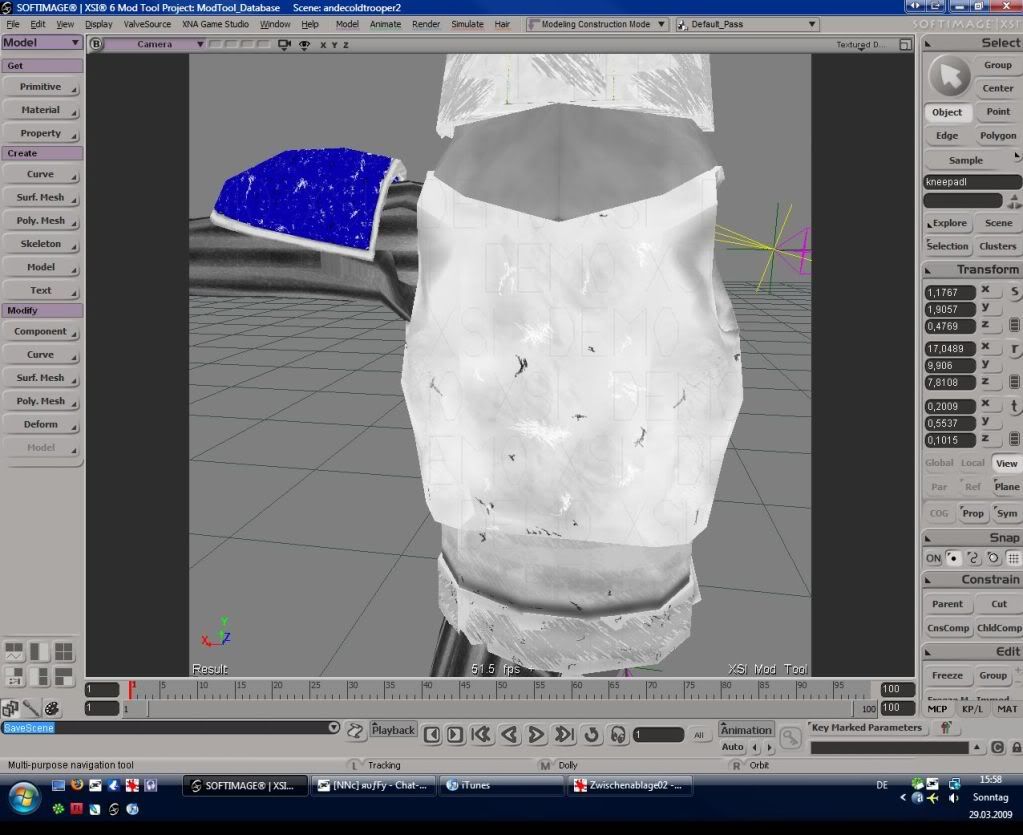
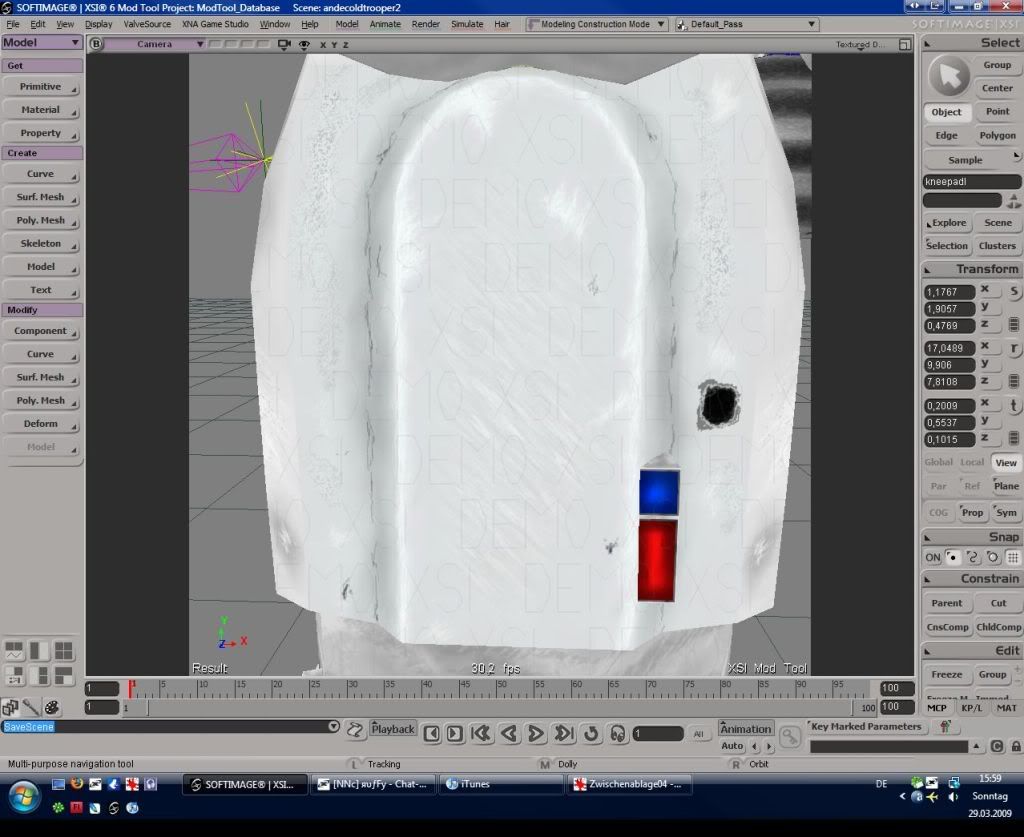
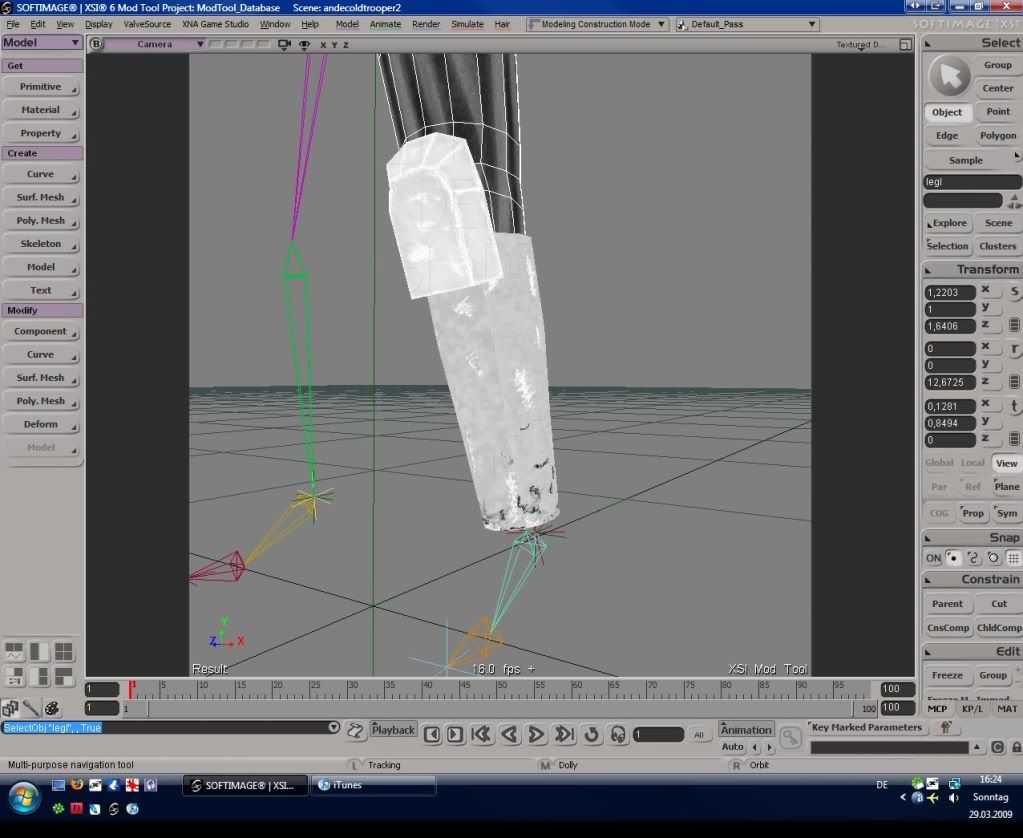
Cold Assault Trooper textured:
To Do:
- model and texture feet, hands and cape
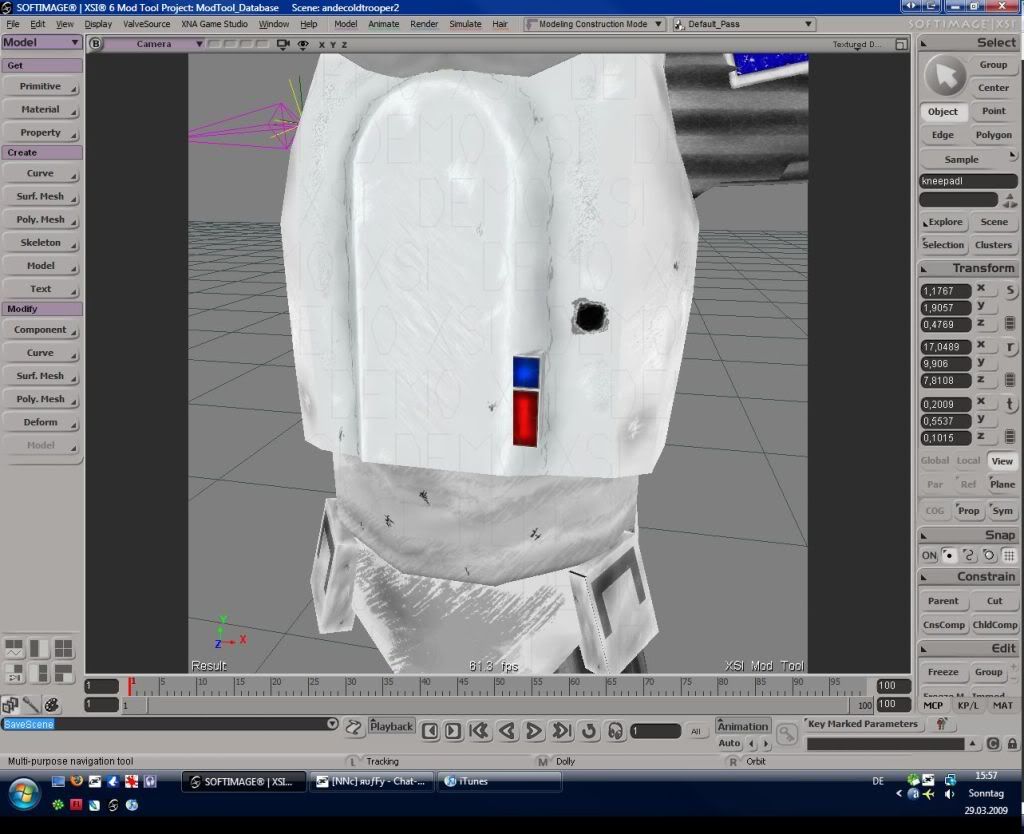
- retexture the shoulder pad
- retexture the belly armor
not mirrored tris: 2618
3 1024x1024 textures
1 512x512 texture
1 256x256 texture
Re: Model Showcase Thread v3.0
Posted: Sun Mar 29, 2009 10:46 am
by RepSharpshooter
Very nice texture, it's lookin good

- But try to make the grey on his arms less dark, and less contrast.
- Also make the blue less saturated (colors in real life are rarely of neon saturation)
- I would also reccomend making the scratches on the pelvis area less stark, right now it is a change from solid grey to white. I like the blending on the torso better, it seems more natural.
Overall, great work!
Re: W.I.P. Cold Assault Trooper from TCW
Posted: Thu Apr 02, 2009 10:41 pm
by vampire_lord
You can recycle the shipped Galactic Marine (officer) you just need to change the mask.
Re: W.I.P. Cold Assault Trooper from TCW
Posted: Thu Apr 02, 2009 10:49 pm
by VF501
He could, but there's no fun in that, nor any true learning experience.
3 1024x1024 textures
1 512x512 texture
1 256x256 texture

That is alot of textures for one model. I hope you intend to optimize the layout and fit all that onto at least 1-2 1024x1024. 5 different textures with 3 at a high-res will eat up more RAM then necessary. Divide your model into sections, then hit alt+7 to go into the texture editor and adjust the UVs to fit one square. Stamp the UVs onto a tga, then play cut and paste with the old textures, quick and dirty way to fit everything onto one or two bitmaps.