I'm recently re-installed the game, and the mod-tools, on my Windows 7 machine. Before working with the mod tools, I always download and install the v1.1 patch, and the unofficial v1.3 patch. I have previously run the mod tools with no problem; downloaded the munge fix, got the noDVD.exe, etc. This time, everything seemed to run similarly, HOWEVER, something very strange is going on.
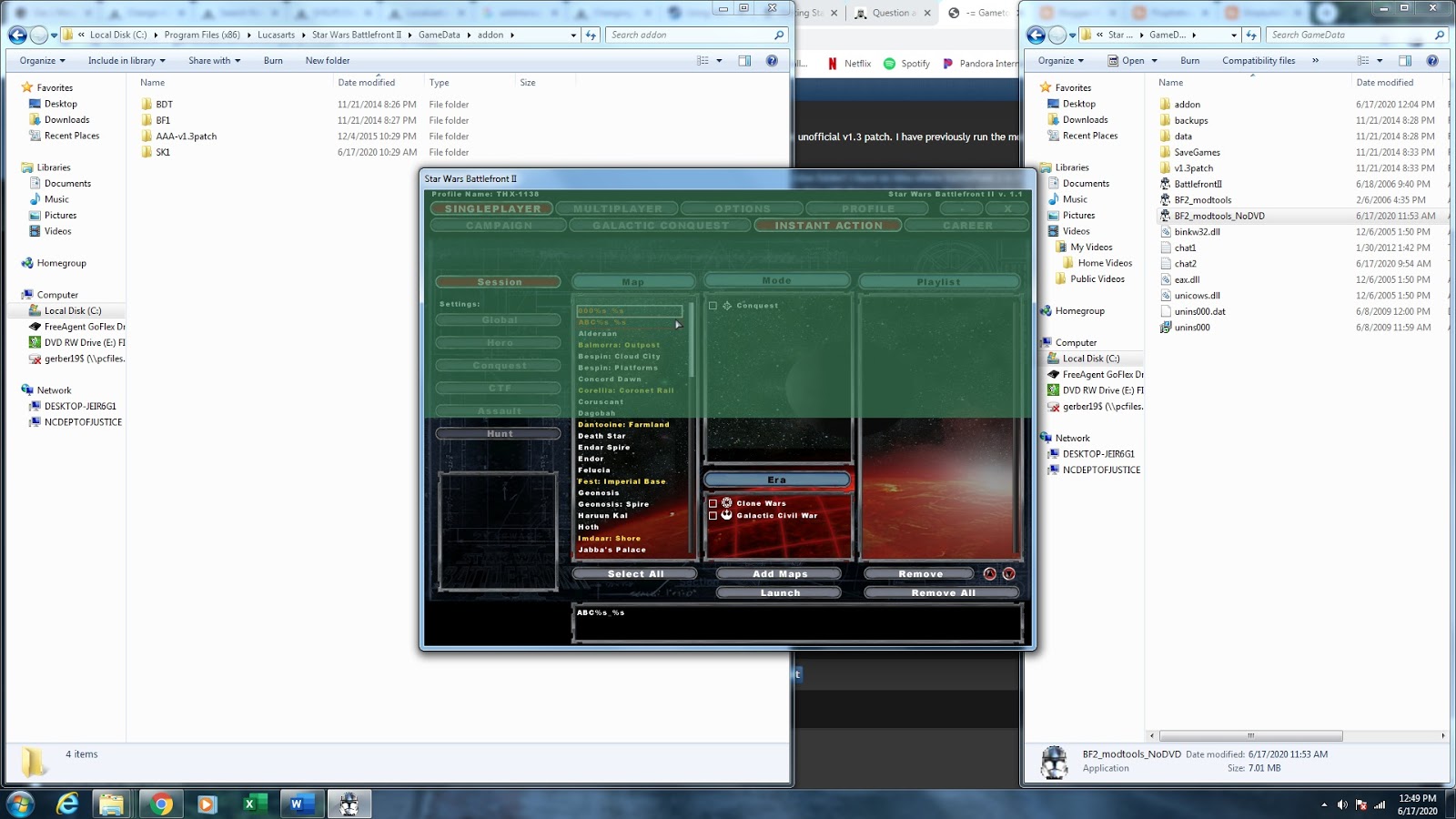
I run ModTools VisualMunge from my dat_MAP folder in ModTools, it says "Great go run BF2!" as usual. I do that, and the map shows up (great!) but there is nothing in the addon folder! I have no idea where Battlefront 2 is finding the map to list it, because ain't no MAP folder in addon. I created a couple maps (000 and ABC), and since have deleted the dat_000 and dat_ABC folders from the ModTools, but they still show up in the game, though they return a "Could not find mission.lvl" error when trying to play. Created a third map (123) which is listed and playable (have not deleted the dat_123 folder). I've attached a screenshot showing both BF2 and the addon folder (which has the BF1-conversion maps, Mav's dark times, space Kotor map, but no 000, ABC, or 123!) The 123 map is listed, and playable, just I named it something random because I was frustrated, so it's not in the screenshot.
At this point, I may just reinstall everything again? But asking if anyone has encountered this problem in case it crops up again, I thought would be useful. Any help would be GREATLY appreciated!
Screenshot (sorry for the poor res; first map in the list says 000%s_%s, second ABC%s_%s):
Hidden/Spoiler: