Another problem.. another post... -_-
Posted: Mon Jul 30, 2007 6:14 pm
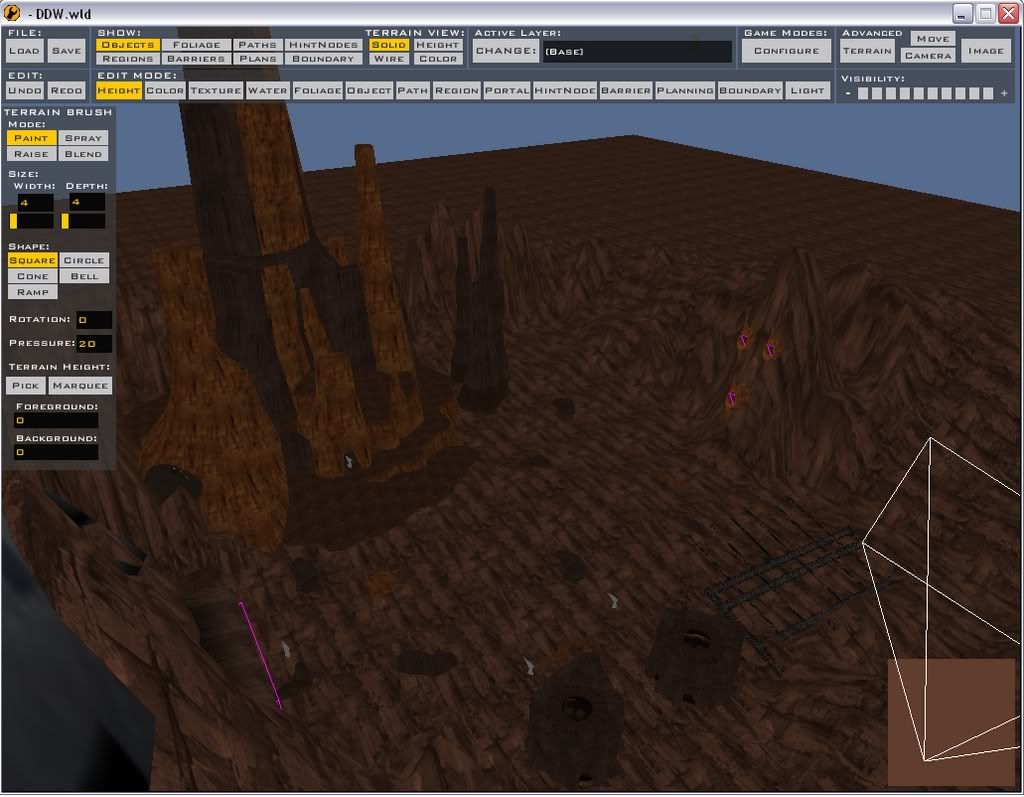
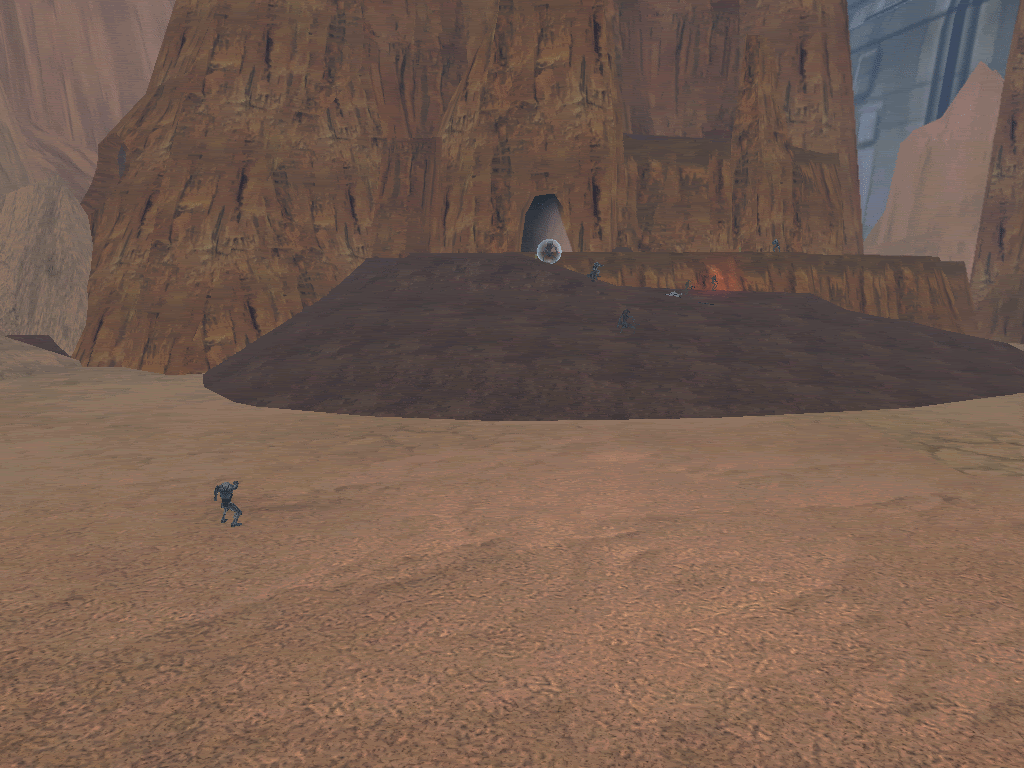
Well, my texture is all messed up, as u can see here
http://www.gametoast.com/index.php?name ... ic&t=10785
It is a light brown, but in ZE it is a dark brown like Rock, would could be causing this?
jsut incase, here is my Log:
C:\BF2_ModTools\ToolsFL\Bin\luac.exe: ..\..\common\scripts\DDW\DDWc_con.lua:96: `)' expected (to close `(' at line 94) near `"gen_inf_geonosian"'
ERROR[scriptmunge scripts\DDW\DDWc_con.lua]:Could not read input file.ERROR[scriptmunge scripts\DDW\DDWc_con.lua]:Could not read input file. [continuing]
2 Errors 0 Warnings
ERROR[localizemunge japanese.cfg]:Text file syntax error. (No matching bracket)ERROR[localizemunge japanese.cfg]:Text file syntax error. (No matching bracket) [continuing]
2 Errors 0 Warnings
ERROR[levelpack mission\DDWc_con.req]:Expecting bracket, but none was found.
File : munged\pc\ddwc_con.script.req(1)...
ucft <--
ERROR[levelpack mission\DDWc_con.req]:Expecting bracket, but none was found.
File : munged\pc\ddwc_con.script.req(1)...
ucft <--
2 Errors 0 Warnings
I am trying "clean then munge" to see if it works, ibut please still give me ideas lol
http://www.gametoast.com/index.php?name ... ic&t=10785
It is a light brown, but in ZE it is a dark brown like Rock, would could be causing this?
jsut incase, here is my Log:
C:\BF2_ModTools\ToolsFL\Bin\luac.exe: ..\..\common\scripts\DDW\DDWc_con.lua:96: `)' expected (to close `(' at line 94) near `"gen_inf_geonosian"'
ERROR[scriptmunge scripts\DDW\DDWc_con.lua]:Could not read input file.ERROR[scriptmunge scripts\DDW\DDWc_con.lua]:Could not read input file. [continuing]
2 Errors 0 Warnings
ERROR[localizemunge japanese.cfg]:Text file syntax error. (No matching bracket)ERROR[localizemunge japanese.cfg]:Text file syntax error. (No matching bracket) [continuing]
2 Errors 0 Warnings
ERROR[levelpack mission\DDWc_con.req]:Expecting bracket, but none was found.
File : munged\pc\ddwc_con.script.req(1)...
ucft <--
ERROR[levelpack mission\DDWc_con.req]:Expecting bracket, but none was found.
File : munged\pc\ddwc_con.script.req(1)...
ucft <--
2 Errors 0 Warnings
I am trying "clean then munge" to see if it works, ibut please still give me ideas lol