Page 1 of 1
Model's geometry shifting/resetting ingame? [Solved]
Posted: Thu Mar 24, 2011 6:45 pm
by Snork
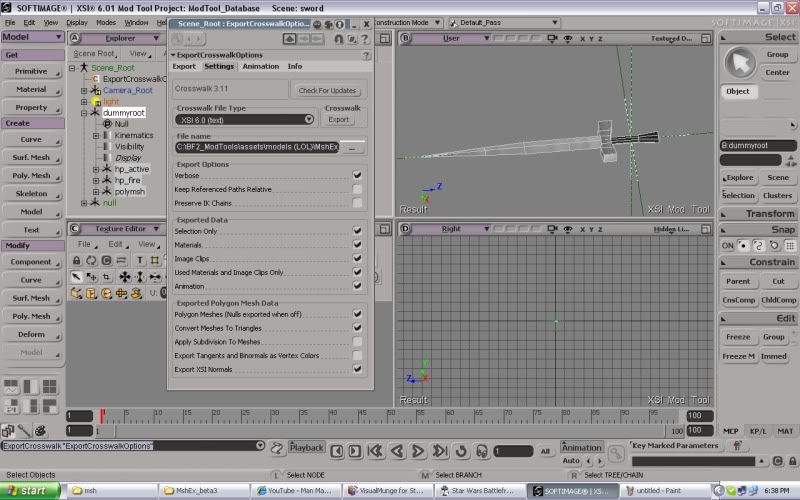
Okay... I need some serious help with this sword weapon I am making.
View in XSI
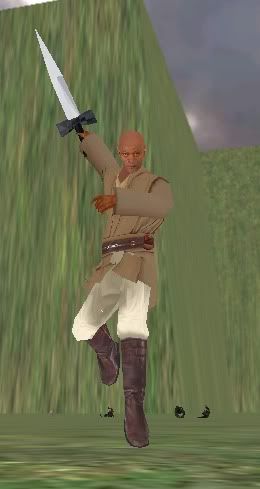
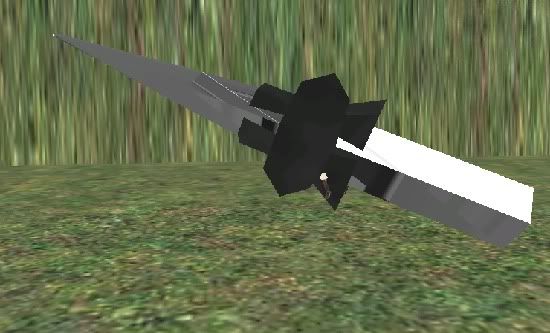
Ingame
No matter how much I scale it down in XSI, it always looks like THAT. Yes, that is mace windu under there.
Re: I'm having.... problems.
Posted: Thu Mar 24, 2011 6:56 pm
by DarthD.U.C.K.
make sure to freeze (bottom right corner) your model before exporting.
Re: I'm having.... problems.
Posted: Thu Mar 24, 2011 6:58 pm
by Snork
I did that like 8 times :S Could it be that I froze it before I scaled it down, exported it, saw that it was wrong, rescaled it, froze it again and then exported again? Is there a way to unfreeze?
Re: I'm having.... problems.
Posted: Thu Mar 24, 2011 7:00 pm
by DarthD.U.C.K.
did you freeze all polymeshes or just the null "polymsh"?
you dont have to undo freezing, it only deletes the history of the modelingtools you used on the object and the transforms.
Re: I'm having.... problems.
Posted: Thu Mar 24, 2011 7:02 pm
by Snork
I might not have, lemme try that.
Edit: No dice, still looks crazy.
Re: I'm having.... problems.
Posted: Fri Mar 25, 2011 9:10 am
by agentsmith38
Hmm. I'm not sure what's exactly wrong but, i'll try to help.
On the Right side of XSI there's a tab that says 'Transform' and right under it says 'Snap.' Click Transform then it should open up a menu. In that menu click 'Freeze All Transforms' then try to export.
Re: I'm having.... problems.
Posted: Fri Mar 25, 2011 9:31 am
by DarthD.U.C.K.
*facepalm* yeah, thats exactly what you have to do yeah that is exactly what you have to do.
im sorry, for some reason i was convicedthat freeting froze the transforms too
Re: I'm having.... problems.
Posted: Fri Mar 25, 2011 10:57 am
by Snork
Thanks guys! :) this probably explains why all my models sucked like way bad hahaha