Page 2 of 3
Re: SleepKiller's Shader Patch Beta - v0.2.0
Posted: Sat Mar 10, 2018 11:55 am
by thelegend
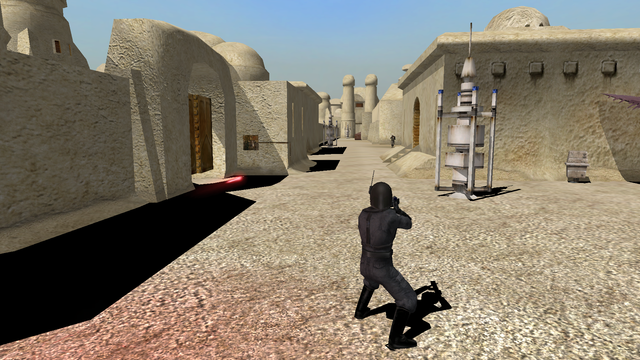
This is great! When I first saw the stock droideka in one of your screenshots I was like: "Hm...meh". But when I tested it on my mod, the droideka's shield actually looks so much like...like it's taken from any modern engine.
There even a reflection of the droideka on the shield.
One more note: What about the fambaa shield? I am using one as a shield deployer but somehow it is completely white. It still does reflect it's surroundings...something I am surprised BF2 does support.
EDIT: I wonder if it was possible to add real-time reflection on environment maps/Rendertype 6?
Re: SleepKiller's Shader Patch Beta - v0.2.0
Posted: Sat Mar 10, 2018 12:11 pm
by Calrissian97
Another bug report for ya! This time I'm using your 0.2.0 version, which has introduced some new bugs:
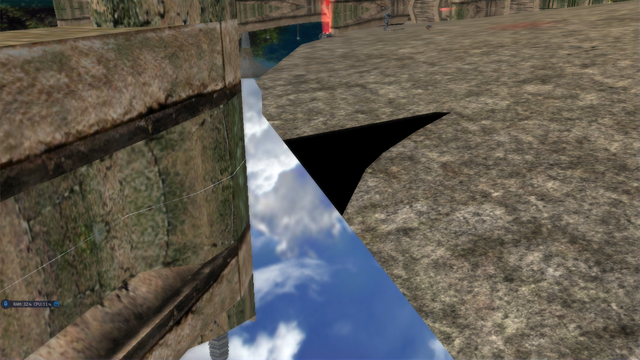
Reflections are now amazing! But a little
too amazing!
It would also seem that water is now no longer affected by lighting at all.
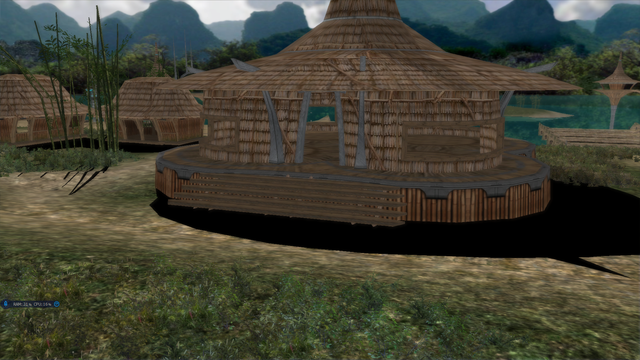
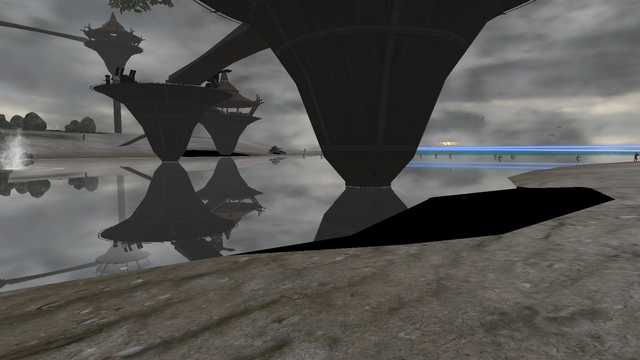
In addition, shadows are now much darker, almost pitch black on terrain (Player model shadows are darker too, but not as bad)
It's looking amazing so far! I'm really impressed with the normal maps improvement especially. Please, keep it up!

Re: SleepKiller's Shader Patch Beta - v0.2.0
Posted: Sat Mar 10, 2018 5:33 pm
by Marth8880
PBR in Battlefront would be incredible! If it's possible to make the munged files somehow cross-compatible with the old renderer, that would be even better.
Re: SleepKiller's Shader Patch Beta - v0.2.0
Posted: Sat Mar 10, 2018 9:51 pm
by SleepKiller
Isaac1138 wrote:Every map I play, the terrain and models are black. And I do have Harrison's Graphics mod installed.
It has something to do with the core.lvl file.
Ah yup I think I see what the problem is. I've started up a
Common Problems & Solutions wiki page. See if it helps. The other graphics mod you have could be interfering with it, but there also isn't any reason why it would be. Shader Patch works by using DirectInput to overlay itself over Direct3D, it doesn't care much if there is another hook layer underneath it. But if the page I linked you doesn't help solve it, it may be worth trying it without the other mod installed.
Anakin wrote:when i tried to install this over the old version i got this error:
When i uninstalled the old version and then installed the new one, the installer crashed, but it put some files in the correct directory. When i try to uninstall the parts that actually were installed it crashes again.
Solution: run as admin
I think I should just give up on trying to let the installer work as a normal user. Their seems to be too much room for variation in game install configuration for it to reliably work. Unless people think I shouldn't I'll update the application's manifest to run it as an admin in the next release.
thelegend wrote:
...
Are you able to send me the odfs and effects for that so I can try debug the Fambaa Shield? I've also opened a GitHub issue for
it.
As for dynamic reflections, you're not the first person to ask after them. Sadly Shader Patch is too low level to be able to render arbitrary parts of the game world. The best we could probably do is Screen Space Reflections. You can learn about the effect and (importantly) it's drawbacks
here.
Calrissian97 wrote:....
I do appreciate bug reports. Can you just clarify for me that these are happening on all maps for you? Once again I've opened up GitHub issues for these
here and
here.
Anakin wrote:WHAAAT!!! That would be SOOO awesome!!!!
It's a pity that this comes so late, but i think it's a great idea. Maybe Harrisonfog will use this in his graphics mod for the stock maps.
Marth8880 wrote:PBR in Battlefront would be incredible! If it's possible to make the munged files somehow cross-compatible with the old renderer, that would be even better.
Thinking about it more I think it would be possible to have the hypothetical material munger take care of generating files for both the vanilla game and Shader Patch. Then you could switch between which one to load in your Lua script based on if Shader Patch was installed. (If I remember right SWBFII's API has a function to test for the existence of a file right?)
Do either of you two (or anyone else) think they'd have a serious go at updating or making a map to make use of PBR?
Re: SleepKiller's Shader Patch Beta - v0.2.0
Posted: Sun Mar 11, 2018 6:51 am
by Calrissian97
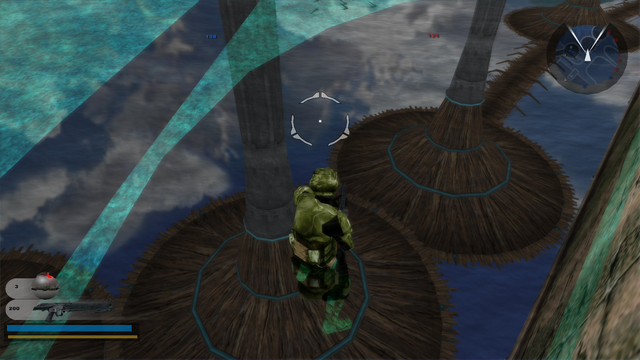
Oh cool, would you like me to report anything on GitHub from now on? And yes, it's on all maps with terrain. Here's stock Kashyyk (with a side mod)
Reflections:
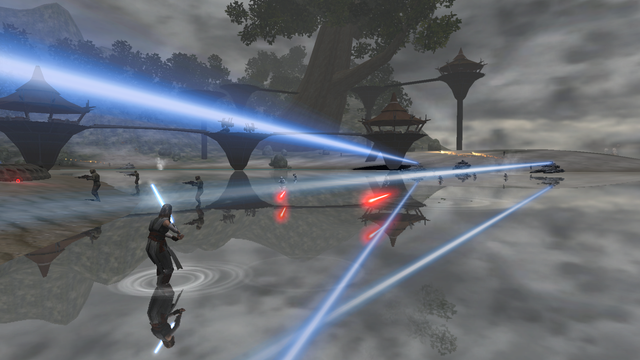
I'm drooling over these reflections, I just wish lighting affected it like the last version.
Shadows1:
Shadows2:
Shadows3:
Shadows4:
So it would seem only terrain shadows are affected. Maps which don't use terrain like Mygeeto and TantiveIV are bug-free.
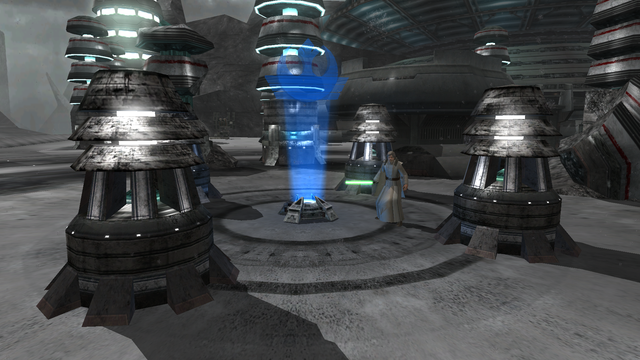
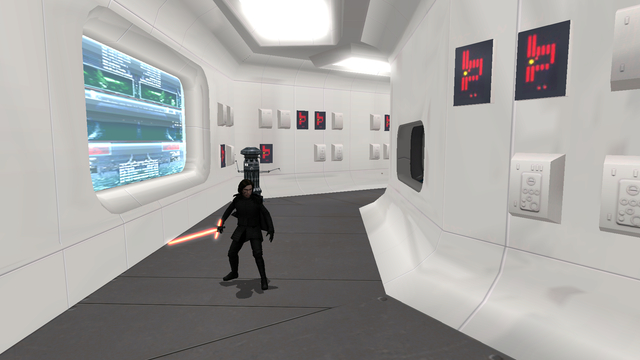
P.S. Were the TantiveIV halls always reflective?! I've mostly played on PS2 as a kid.
Re: SleepKiller's Shader Patch Beta - v0.2.0
Posted: Sun Mar 11, 2018 10:20 am
by thelegend
Calrissian97 wrote:
It would also seem that water is now no longer affected by lighting at all.
I tested it on the same map and it seems this is happening when the water graphical settings are set to "medium". On "high" this is not happening.
Re: SleepKiller's Shader Patch Beta - v0.2.0
Posted: Sun Mar 11, 2018 4:51 pm
by Calrissian97
thelegend wrote:Calrissian97 wrote:
It would also seem that water is now no longer affected by lighting at all.
I tested it on the same map and it seems this is happening when the water graphical settings are set to "medium". On "high" this is not happening.
Nope :/
Re: SleepKiller's Shader Patch Beta - v0.2.0
Posted: Mon Mar 12, 2018 7:02 am
by Anakin
i wonder that you all have problems with that.
Does the mod not work for me, or does it work properly for me?
reflection and shadows look just fine to me
Re: SleepKiller's Shader Patch Beta - v0.2.0
Posted: Mon Mar 12, 2018 10:48 am
by thelegend
Probably due to different graphic cards and manufacturers. Some people reported issues with Intel cards. I have an Nvidia GeFo GTX 950 and for me it works fine.
Re: SleepKiller's Shader Patch Beta - v0.2.0
Posted: Mon Mar 12, 2018 11:25 am
by Anakin
gtx970.
And i LOVE those reflections:
Re: SleepKiller's Shader Patch Beta - v0.2.0
Posted: Tue Mar 13, 2018 5:33 am
by thelegend
I wonder if it might be possible to change the way how shadows fade out in-game. They are usually a hard-edge-like a thing. What about when they fade out into the terrain/background? Like more smoothiness. A transition to transpareny maybe.
Re: SleepKiller's Shader Patch Beta - v0.2.0
Posted: Tue Mar 13, 2018 5:45 am
by Anakin
well this is a matte of aliasing for the shadow maps. @Sleepkiller you may wanna take a look into this:
http://www.opengl-tutorial.org/intermed ... n-sampling
This tutorial helped me a lot to understand the basics while i wrote the new mesh viewer with OpenGL. Maybe you can "translate" this into your mod
Re: SleepKiller's Shader Patch Beta - v0.3.0
Posted: Thu Mar 15, 2018 6:43 am
by SleepKiller
I've posted a new release. It's mostly a bunch of internal changes to support rolling the shaders into the main repository. However the colourless shield bug should now be fixed as well.
For fun I'm probably going to implement some form of custom material support. If anyone here thinks they'd like to use it then answering some of the below questions for me would help me shape the design of it.
Would you like...
...Full HDR rendering? SWBFII already performs primitive tone mapping in it's normal shader and lights can be set to brightness's above 1.0, combine that with the bloom shader which we can use as a "hook" point to work out where we need to do tone mapping implementing some form of modern HDR rendering isn't too far fetched.
...Physically Based Rendering? SWBFII certainly wasn't designed for it but there is technically nothing stopping it from working. There are even some things about the game that work in it's favour (the depth prepass it does for shadows being one).
...Lightmaps? I'm unsure what you would use to bake them, but since prebaked lighting is often used in SWBFII I figured I would ask.
...World Colour Controls? The game does have colour controls, but as far as I have ever been able to see they're a console only feature and don't work on PC. If mappers wanted this could be something that could be implemented for them to control on a per map basis.
...Automated Compatibility? That is to say the munger that generated the files for Shader Patch could also handle generating files for copy's of the game without it. This would certainly complicate things for me implementing it, but that doesn't mean I'm unwilling to.
...Other? Ideally I would like to make something that is useful for people as opposed to something that is just for the lols, hence why I'm asking these questions, if you have you're own suggestions you'd like then let me know.
thelegend wrote:I wonder if it might be possible to change the way how shadows fade out in-game. They are usually a hard-edge-like a thing. What about when they fade out into the terrain/background? Like more smoothiness. A transition to transpareny maybe.
Like shadows with soft edges? An early version of Shader Patch did have proof-of-concept soft shadows, you can see what they looked like (in a best case scenario)
here. Is that something like what you're talking about?
Calrissian97 wrote:...
You can report things here or on GitHub. It does make it more likely to see it and remember it on GitHub, but for now I'm pretty active with working on this so there won't be much difference. Anyway I tested each of the issues you reported on my Intel GPU and reproduced all of them. The good news is that I can reproduce them which means I do have a shot at fixing them, unfortunately neither my dedicated GPU or Microsoft's reference Direct3D 9 device reproduce them. Which annoyingly points towards an issue with Intel's drivers, so it might be very hard or even impossible for me to fix them.
Re: SleepKiller's Shader Patch Beta - v0.3.0
Posted: Thu Mar 15, 2018 2:31 pm
by Anakin
if the physically based render means the soften shadows and ambient occlusion, i want that
Re: SleepKiller's Shader Patch Beta - v0.3.0
Posted: Thu Mar 15, 2018 2:33 pm
by thelegend
That's exactly what I was talking about. In my opinion I kinda hate the way how sharp shadows look in-game. It feels so unnatural...especially on natural maps.
Re: SleepKiller's Shader Patch Beta - v0.3.0
Posted: Sat Mar 17, 2018 12:47 pm
by Marth8880
SleepKiller wrote:...Full HDR rendering? SWBFII already performs primitive tone mapping in it's normal shader and lights can be set to brightness's above 1.0, combine that with the bloom shader which we can use as a "hook" point to work out where we need to do tone mapping implementing some form of modern HDR rendering isn't too far fetched.
Would be nice but not the most important thing.
SleepKiller wrote:...Physically Based Rendering? SWBFII certainly wasn't designed for it but there is technically nothing stopping it from working. There are even some things about the game that work in it's favour (the depth prepass it does for shadows being one).
Absolutely! If we could get a small application with a GUI that allows the text values to be implemented would be fantastic - something kind of like mshsuite, or hell even a plugin for XSI that would perhaps hook into ANDE's XSI ZETools plugin to export the PBR materials config file alongside the MSH file (or embed the information in the MSH file itself if possible, but that would probably require a fork of the plugin).
SleepKiller wrote:...Lightmaps? I'm unsure what you would use to bake them, but since prebaked lighting is often used in SWBFII I figured I would ask.
Yes please! Lightmaps would be baked in XSI or any other program that can bake lighting to textures.
SleepKiller wrote:...World Colour Controls? The game does have colour controls, but as far as I have ever been able to see they're a console only feature and don't work on PC. If mappers wanted this could be something that could be implemented for them to control on a per map basis.
Would be very nice to have this! This functionality already technically is supposed to exist within a world's ENVFX file, but it doesn't actually work for whatever ungodly reason.
SleepKiller wrote:...Automated Compatibility? That is to say the munger that generated the files for Shader Patch could also handle generating files for copy's of the game without it. This would certainly complicate things for me implementing it, but that doesn't mean I'm unwilling to.
This is arguably the most important thing by far.
Re: SleepKiller's Shader Patch Beta - v0.3.0
Posted: Sun Mar 18, 2018 8:31 pm
by Calrissian97
Just wanted to point out that the first shader patch (v.1.0) didn't have the water problem. High rez reflections without the weird lighting bug.
Screenie:
I can't produce anymore pics because I no longer have that version. With that version the only bug was with the shadows. (for intel)
Re: SleepKiller's Shader Patch Beta - v0.3.0
Posted: Fri Mar 23, 2018 8:21 am
by SleepKiller
So I've been pressing slowly towards the next update for this (which I would like to include custom materials). Currently I'm putting in place all the supporting tools and code needed for them. There are still somethings at this stage (for those interested) that I would like feedback on.
Firstly what the material files should look like. I'm shifting away from the odf esque syntax I first showed and instead am leaning towards using YAML. It's easily read and edited by humans (key) and has good library support (helps with tooling (like for a material editor)). An example of what a material file could look like is below.
Code: Select all
Material:
   BaseColor:  [1.0, 1.0, 1.0]

   Metallicness: 0.0
   Roughness: 1.0

   AOStrength: 1.0

Textures:
   AlbedoMap: ""
   AlbedoMapSRGB: yes

   NormalMap: ""

   MetallicnessMap: ""
   RoughnessMap: ""
   AOMap: ""

   LightMap: ""

   EmissiveMap: ""
   EmissiveMapSRGB: yes
My current idea for how to make this work is to tie diffuse textures in normal models to materials. Meaning that when the material munger ran it would (after having munged the materials) make a copy of munged models, go through their normal material info and each time it found a material referencing a texture whose name matched a material, setup that model to use a custom material. After that it could generate two different .lvl files one for normal game models and the other for Shader Patch. Then in your Lua script you'd select which one to load by doing something like this.
Code: Select all
if (IsShaderPatchActive()) then
   ReadDataFile("dc:MTL//MTL_Art_ShaderPatch.lvl")
else
   ReadDataFile("dc:MTL//MTL_Art.lvl")
end

ReadDataFile("dc:MTL//MTL.lvl")
Sounding appealing to anyone? Or should I quit while I'm not too far behind?
Calrissian97 wrote:Just wanted to point out that the first shader patch (v.1.0) didn't have the water problem. High rez reflections without the weird lighting bug.
Screenie:
I can't produce anymore pics because I no longer have that version. With that version the only bug was with the shadows. (for intel)
Very interesting. Thanks for pointing that out.
Re: SleepKiller's Shader Patch Beta - v0.3.0
Posted: Wed Mar 28, 2018 11:26 am
by Güffel
I tested V.0.3.0 and i saw that the outstanding modell of the Super Droid looks like that it is Under water
i don't know how to upload Pics so:
http://puu.sh/zRlfS/e14c3fe1fe.jpg
Re: SleepKiller's Shader Patch Beta - v0.5.0
Posted: Mon May 07, 2018 5:02 am
by SleepKiller
I've just published a new release featuring more changes and additions than you can count and not one of them changes anything visually! At least not without modder support. Shader Patch now supports custom materials and comes with PBR rendertypes for them.
You can find a guide for how to use this amazing new capability
here.
Here are the GitHub release notes, with some important footnotes about the state of the PBR implementation.
SleepKiller wrote:This release renames some files, as such I recommend uninstalling any old version of Shader Patch you have before installing this one to keep your game directory clean.
* Changed config file to YAML instead of INI.
* Added support for custom materials.
* Added PBR custom materials.
It's early days still for the PBR implementation, it will be improved and changed. But after a month of working on it I figure it's about time for another pre-release, it should be in a good enough state for those interested to start playing around with it and using it.
Note that currently the game's bloom effect causes discolouration on PBR materials. I aim to have a fix for this soon, but for now when testing your PBR materials switch off bloom.
Feel free to ask questions and if you have any feedback I'd love to hear it!
Güffel wrote:I tested V.0.3.0 and i saw that the outstanding modell of the Super Droid looks like that it is Under water
i don't know how to upload Pics so:
http://puu.sh/zRlfS/e14c3fe1fe.jpg
The water shader isn't as good as it could be, I'd like to do another pass at improving it when I have the time. I'll see about adding a refraction mask to stop this when I do.
EDIT:
And I've posted another new release. This one let's mappers add snazzy effects like color grading and this bloom effect to their map.
Release notes and documentation is on GitHub as always.