Page 1 of 1
Addon Msh Troubles [Solved]
Posted: Sun Aug 16, 2009 10:10 pm
by elfie
Hey guys,
I wanted to make a helmet addon for the jed_inf_sith player model, so I followed MandeRek's tutorial for adding addon mshs and the result wasn't exactly what I had hoped it to be.
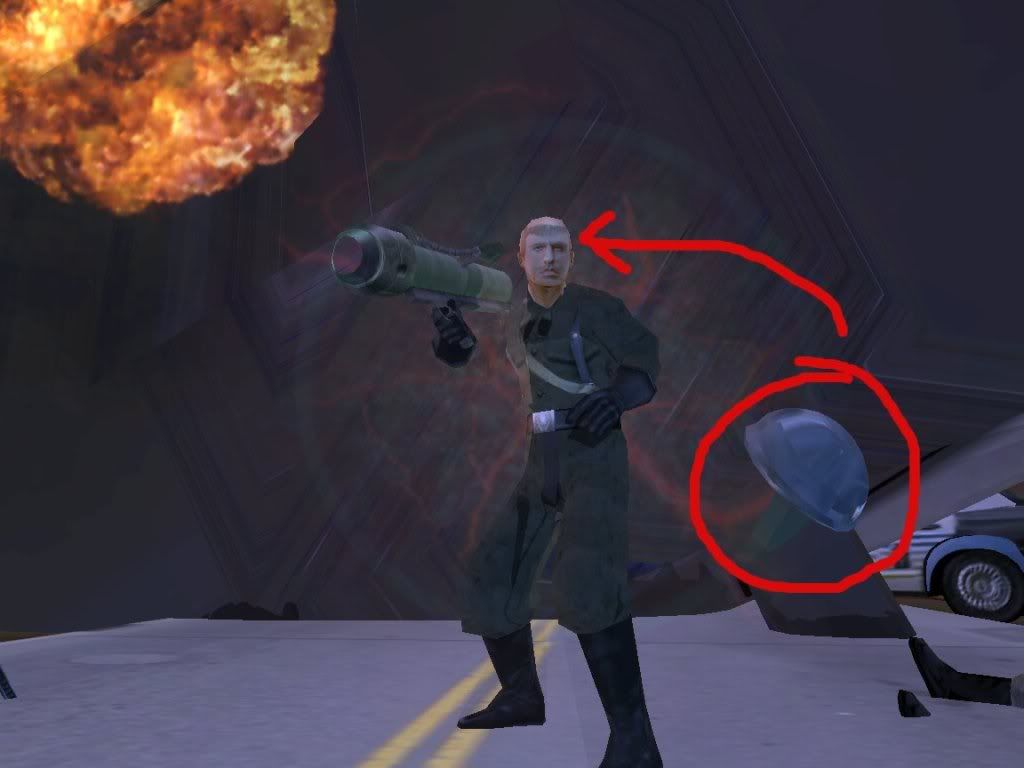
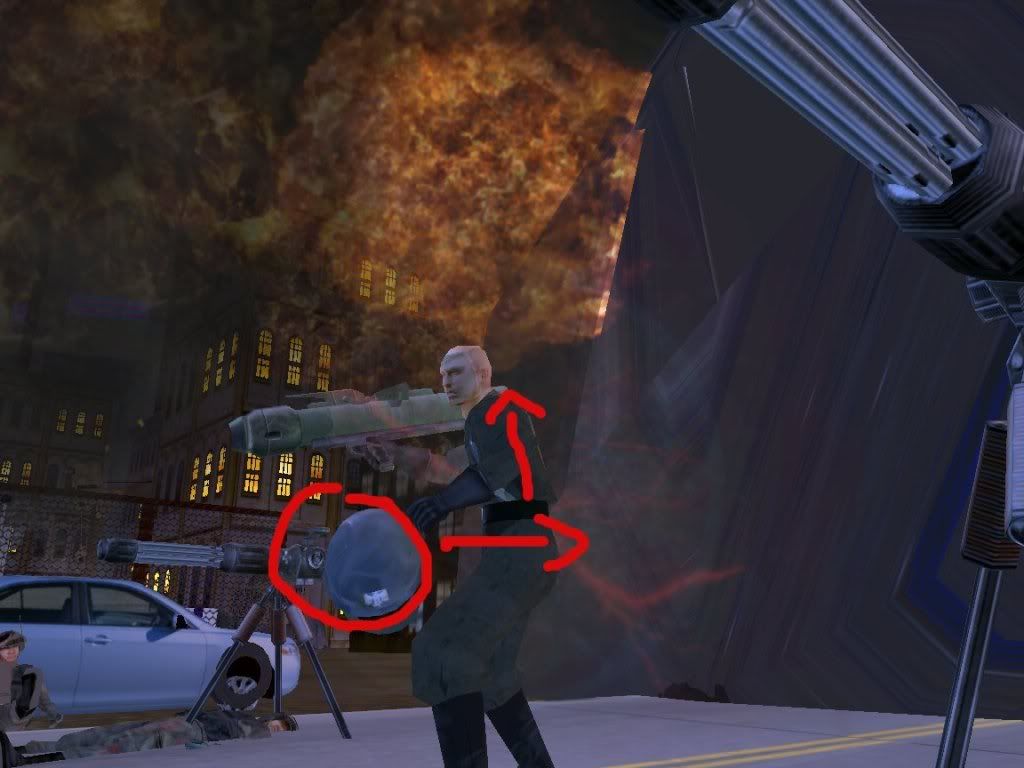
Ingame Pics:
I had dummyroot rotated 90, 0, 90 just like the tutorial said and my helmet model is centered over the null at 0, 0, 0. The model also faces the Z axis. Yet for some reason, the model shows up ingame too low on the Y, off to the right on the X, and too far forward on the Z. I would really appreciate any help on this, as I have spent over an hour yesterday re-exporting and munging but it never shows up in the correct position.
Also, before anyone asks here is a portion of my unit odf:
Thanks in advanced to anyone who can figure this out!

Re: Addon Msh Troubles
Posted: Sun Aug 16, 2009 11:30 pm
by Maveritchell
Did you freeze your transforms, etc?
Re: Addon Msh Troubles
Posted: Mon Aug 17, 2009 9:51 am
by DarthD.U.C.K.
how to get addonmeshes working correctly in 99,9% of the cases:
1. create your addonmesh and freeze the transforms and the modeling and history of every part
2. import psych0fred's Unit_template_beta
3. create a new null call it dummyroot or whatever
4. select the new dummyroot, click on the Transforms button and select "Match all Transforms" and select bone_head
5. now drag everything addonmesh-related under the dummyroot and export through meshex or the Pandemic Tool
6. put you addonmesh ingame and enjoy it
Re: Addon Msh Troubles
Posted: Mon Aug 17, 2009 1:34 pm
by elfie
DarthD.U.C.K. wrote:how to get addonmeshes working correctly in 99,9% of the cases:
1. create your addonmesh and freeze the transforms and the modeling and history of every part
2. import psych0fred's Unit_template_beta
3. create a new null call it dummyroot or whatever
4. select the new dummyroot, click on the Transforms button and select "Match all Transforms" and select bone_head
5. now drag everything addonmesh-related under the dummyroot and export through meshex or the Pandemic Tool
6. put you addonmesh ingame and enjoy it
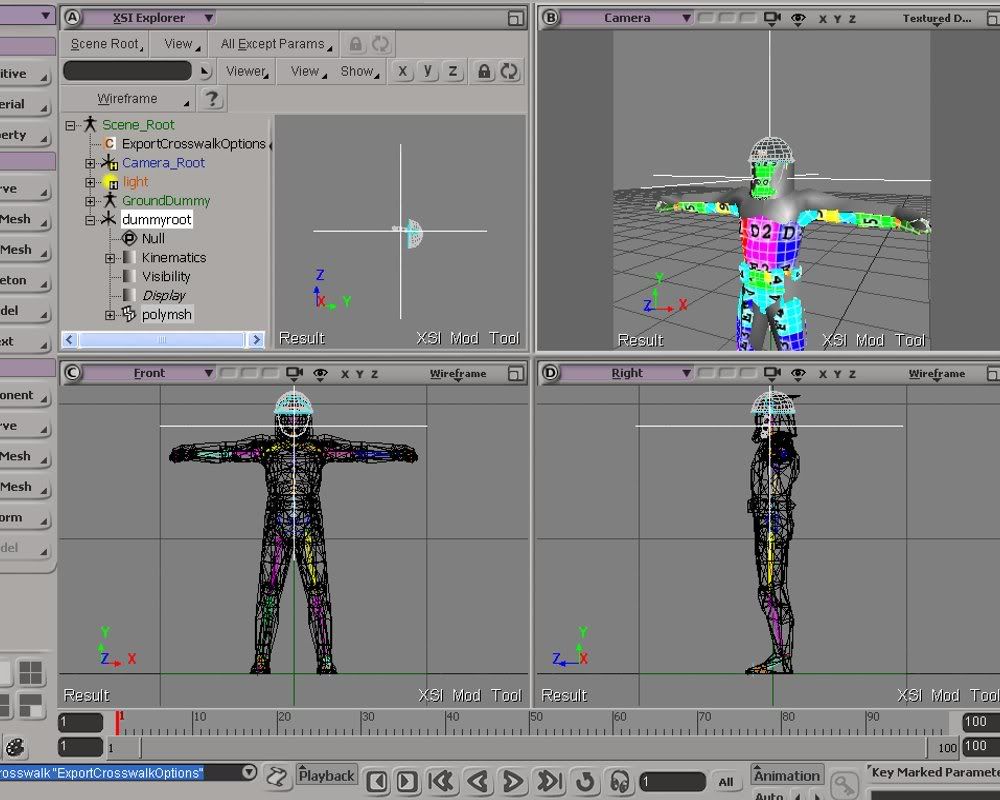
Success! Thanks so much Duck you are brilliant! To anyone else who is trying to figure this out, the trick is to align the addonmesh directly over the null so that it looks like this in your scene:
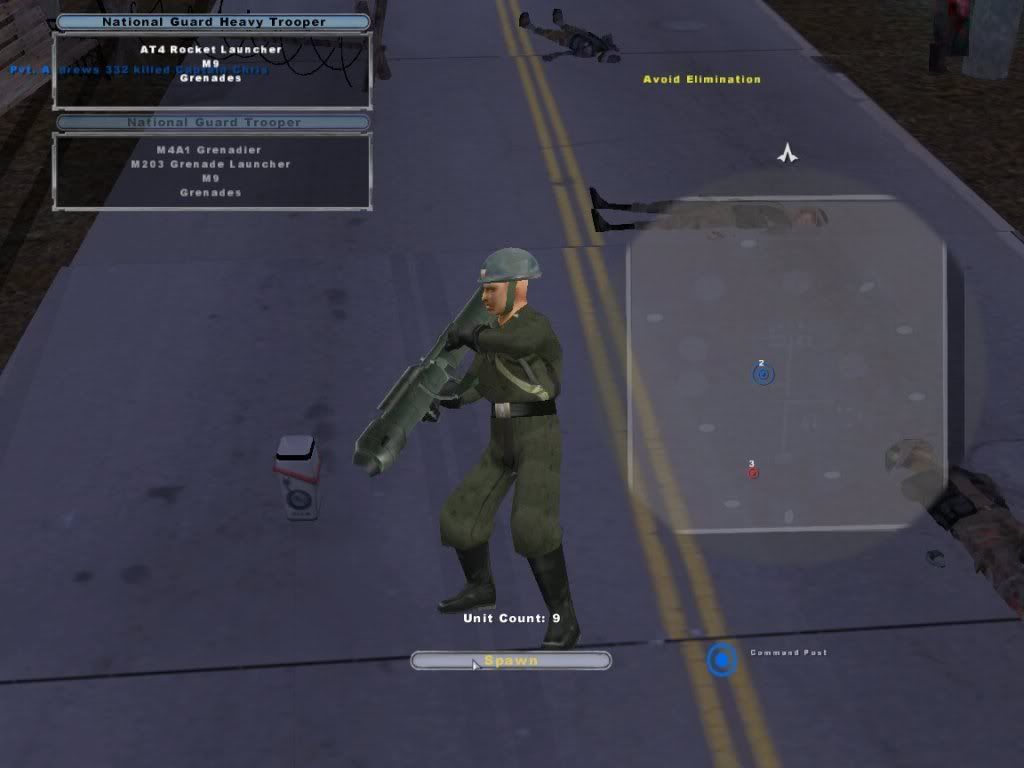
...And like this ingame:
Thanks again guys, now I'm going to go envmap it with Rep's meshtool!
Re: Addon Msh Troubles
Posted: Mon Aug 17, 2009 1:41 pm
by Maveritchell
elfie wrote:To anyone else who is trying to figure this out, the trick is to align the addonmesh directly over the null so that it looks like this in your scene:
What were you doing before? That's the only way to do it.
Read the tutorials more carefully please
Posted: Mon Aug 17, 2009 7:18 pm
by AceMastermind
Yeah, if he had actually followed the tutorial to begin with then he would've gotten it right the first time and could've avoided yet another topic on this subject.
Re: Addon Msh Troubles
Posted: Mon Aug 17, 2009 7:26 pm
by Maveritchell
AceMastermind wrote:Yeah, if he had actually followed the tutorial to begin with then he would've gotten it right the first time and could've avoided yet another topic on this subject.
To be perfectly honest, I have never used the unit template for creating an addonmesh, but my question was more of one surprised that aligning the mesh to the bone (or in my case of use, the dummyroot) was something new.
Unit_Template_Beta is used for positioning reference
Posted: Mon Aug 17, 2009 7:35 pm
by AceMastermind
That's cool but the Unit_Template_Beta is just there to eliminate the guesswork for positioning the addon and makes your life much easier as the remaining steps only take seconds to complete, you don't actually need the Unit_Template_Beta to create your addon mesh.
Re: Addon Msh Troubles [Solved]
Posted: Mon Aug 17, 2009 8:10 pm
by elfie
Well somehow I must have accidently missed this step in the tutorial:
addonmshtutorial wrote:3. Position the addon on the Unit where you want it
Sorry about that. Thanks for pointing that out though.