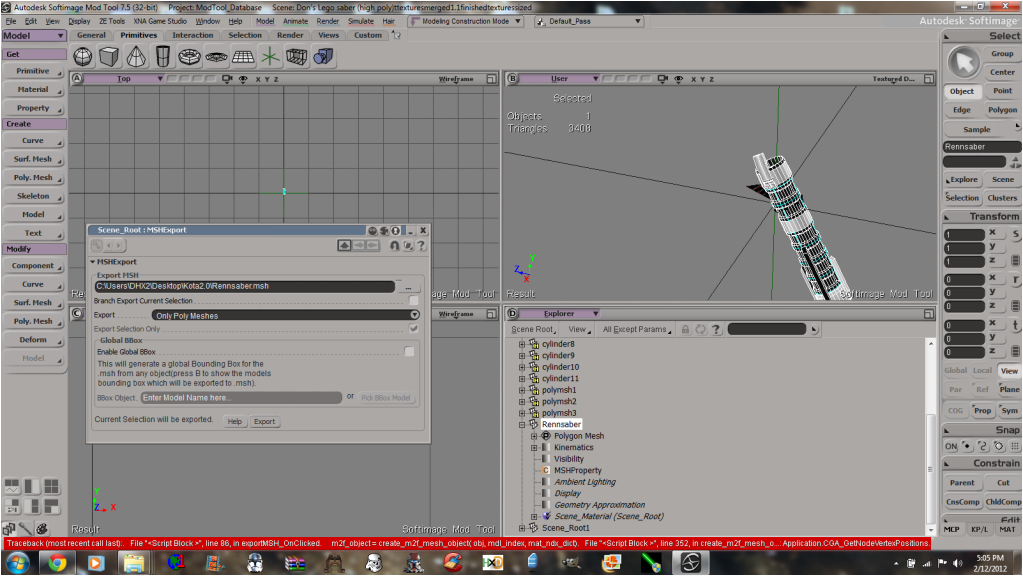
[code]# ERROR : Traceback (most recent call last):
# File "<Script Block >", line 86, in exportMSH_OnClicked
# m2f_object = create_m2f_mesh_object( obj, mdl_index, mat_ndx_dict)
# File "<Script Block >", line 352, in create_m2f_mesh_object
# vertex_list_C = xsi.CGA_GetNodeVertexPositions(geo, True)
# File "C:\Python24\Lib\site-packages\win32comext\axscript\client\pyscript.py", line 105, in __getattr__
# return getattr(self._scriptItem_.dispatchContainer,attr)
# File "C:\Python24\Lib\site-packages\win32com\client\dynamic.py", line 516, in __getattr__
# raise AttributeError("%s.%s" % (self._username_, attr))
# AttributeError: Application.CGA_GetNodeVertexPositions
# - [line 351 in C:\Users\DHX2\Autodesk\Softimage_Mod_Tool_7.5\Addons\XSIZETools\Resources\Logic\MSHLogic.py]
# ERROR : Property Page Script Logic Error (Python ActiveX Scripting Engine)
# ERROR : [349] # im just calling XSIZETools_GetMainGeometry here, its a C++ plugin to speed up exporting.
# ERROR : [350] # it stores vertices, normals, faces in .tcnt files in XSIZETools\\Resources\\Temporary
# ERROR : >[351] # we just need to read the data.
# ERROR : [352] vertex_list_C = xsi.CGA_GetNodeVertexPositions(geo, True)
# ERROR : [353] print vertex_list_C
# ERROR : [354] vertex_list, vertex_count = format_geometry('points', vertex_list_C)
# ERROR : Traceback (most recent call last):
# File "<Script Block >", line 86, in exportMSH_OnClicked
# m2f_object = create_m2f_mesh_object( obj, mdl_index, mat_ndx_dict)
# File "<Script Block >", line 352, in create_m2f_mesh_object
# vertex_list_C = xsi.CGA_GetNodeVertexPositions(geo, True)
# File "C:\Python24\Lib\site-packages\win32comext\axscript\client\pyscript.py", line 105, in __getattr__
# return getattr(self._scriptItem_.dispatchContainer,attr)
# File "C:\Python24\Lib\site-packages\win32com\client\dynamic.py", line 516, in __getattr__
# raise AttributeError("%s.%s" % (self._username_, attr))
# AttributeError: Application.CGA_GetNodeVertexPositions
#
[/code]
Screen of export options.
Hidden/Spoiler:
Re: XSI ZETools
Posted: Mon Feb 13, 2012 8:42 am
by ANDEWEGET
Try this.
I believe you posted this before, but which OS are you on?
Do you have this feature enabled which always asks you if its allowed to install this software etc etc?
Are you an administrator/do you have administrator rights?
Re: XSI ZETools
Posted: Mon Feb 13, 2012 8:46 am
by Cerfon Rournes
ANDEWEGET wrote:Try this.
I believe you posted this before, but which OS are you on? Windows 7 64bit.
Do you have this feature enabled which always asks you if its allowed to install this software etc etc? Yes, UAC is always on.
Are you an administrator/do you have administrator rights? Yes I am.
Thanks for the fix, I'll try it out ASAP.
EDIT
Where can I find this? (In the tuto link)
Plug-ins>Explore
Re: XSI ZETools
Posted: Mon Feb 13, 2012 4:14 pm
by ANDEWEGET
Its sadly not really a fix, Im just guessing on what it could be...
I've edited it to 'Plug-in, then choose Explore'. Note the 'right-click' before those words.
This problem could have something to do with registering the .dll(similar to what you have to do if you want to use the Pandemic Exporter on 64bit systems), but that really is just a guess. I have no problems with this and Mod Tool 7.5 32bit...
If the guessed solution doesn't work you could try to disable UAC, unpack the archive again and try those steps again.
Another quesion, do you just have administrator rights or do you use the Administrator account which exists by default(but is hidden)?
Re: XSI ZETools
Posted: Mon Feb 13, 2012 5:36 pm
by Cerfon Rournes
Still did not work.
Hidden/Spoiler:
I've never had this problem with the ZETools before..
Re: XSI ZETools
Posted: Mon Feb 13, 2012 6:08 pm
by Unlucky13
I have the exact same problem that Cerfon has and I also have Windows 7 64 bit. ZETools have worked just fine until the latest update.
Re: XSI ZETools
Posted: Tue Feb 14, 2012 9:32 am
by ANDEWEGET
Try this:
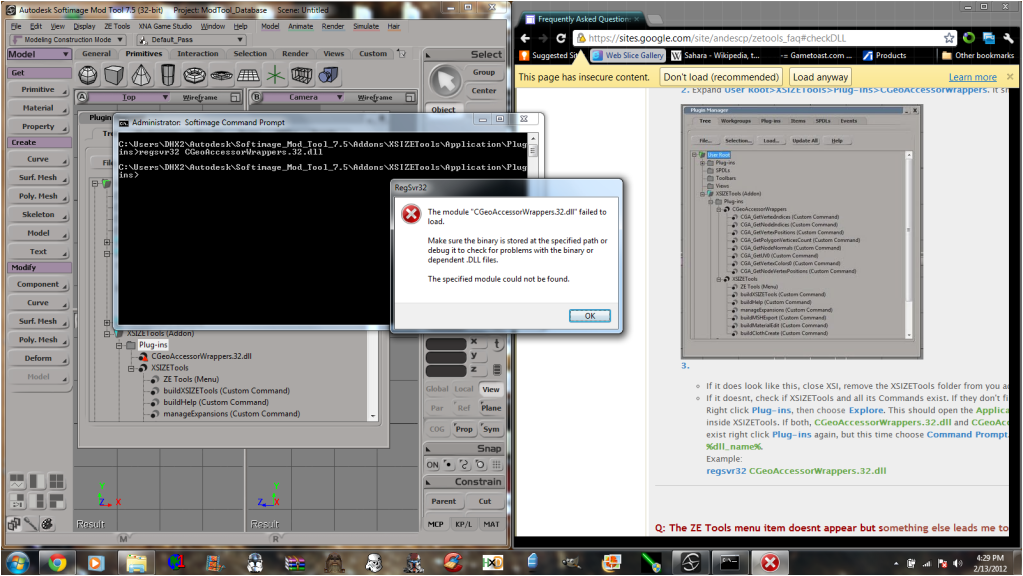
Go to the plugin manager again, find CGeoAccessorWrappers.32.dll entry.
Right-click it, choose unload. Then click the Load... button(in the plugin manger, too).
Find the XSIZETools folder(usually %user%\Autodesk\%xsi_version%\Addons), then navigate to XSIZETools\Application\Plugins, double click CGeoAccessorWrappers.32.dll.
This should generate an error(the red triangle tells you that there is an error with loading the .dll). Copy and paste it here.
I believe(cant test right now) that you could right-click the CGeoAccessorWrappers.32.dll entry and choose 'Reload', too, but I'm not sure.
Or maybe try to download the Visual C++ 2010 redistributables: x86 x64
Try x86 first, then try x64. Close XSI before installing.
I've written a C++ plugin(CGeoAccessorWrappers) which uses some of XSI's built-in(but not available to scripting languages)Geometry Accessor methods(getting vertices, polygons, uvs etc). This plugin adds some custom commands which make those built-in XSI commands available to scripting languages(like python, which the rest of the XSIZETools consists of). Those methods should speed up exporting by quite a lot. I've added this C++ plugin in the last release and that's the long story to why you're having problems right now(if we get them fixed it should totally be worth it).
The Geometry Accessor functions allow me to use the same methods the Pandemic Exporter uses which makes it easier for me to simulate it's behaviour.
Re: XSI ZETools
Posted: Tue Feb 14, 2012 3:29 pm
by Cerfon Rournes
Hidden/Spoiler:
[quote="ANDEWEGET"]Try this:
Go to the plugin manager again, find CGeoAccessorWrappers.32.dll entry.
Right-click it, choose unload. Then click the Load... button(in the plugin manger, too).
Find the XSIZETools folder(usually %user%\Autodesk\%xsi_version%\Addons), then navigate to XSIZETools\Application\Plugins, double click CGeoAccessorWrappers.32.dll.
This should generate an error(the red triangle tells you that there is an error with loading the .dll). Copy and paste it here.
I believe(cant test right now) that you could right-click the CGeoAccessorWrappers.32.dll entry and choose 'Reload', too, but I'm not sure. Didn't work.
Or maybe try to download the Visual C++ 2010 redistributables: x86
Try x86 first, then try x64. Close XSI before installing. Worked.
I've written a C++ plugin(CGeoAccessorWrappers) which uses some of XSI's built-in(but not available to scripting languages)Geometry Accessor methods(getting vertices, polygons, uvs etc). This plugin adds some custom commands which make those built-in XSI commands available to scripting languages(like python, which the rest of the XSIZETools consists of). Those methods should speed up exporting by quite a lot. I've added this C++ plugin in the last release and that's the long story to why you're having problems right now(if we get them fixed it should totally be worth it).
The Geometry Accessor functions allow me to use the same methods the Pandemic Exporter uses which makes it easier for me to simulate it's behaviour. You're right; the export was extremely fast. [/quote]
I have to say however, with the new update I had to triangulate my model before export. When I did not do this, some verts were missing.
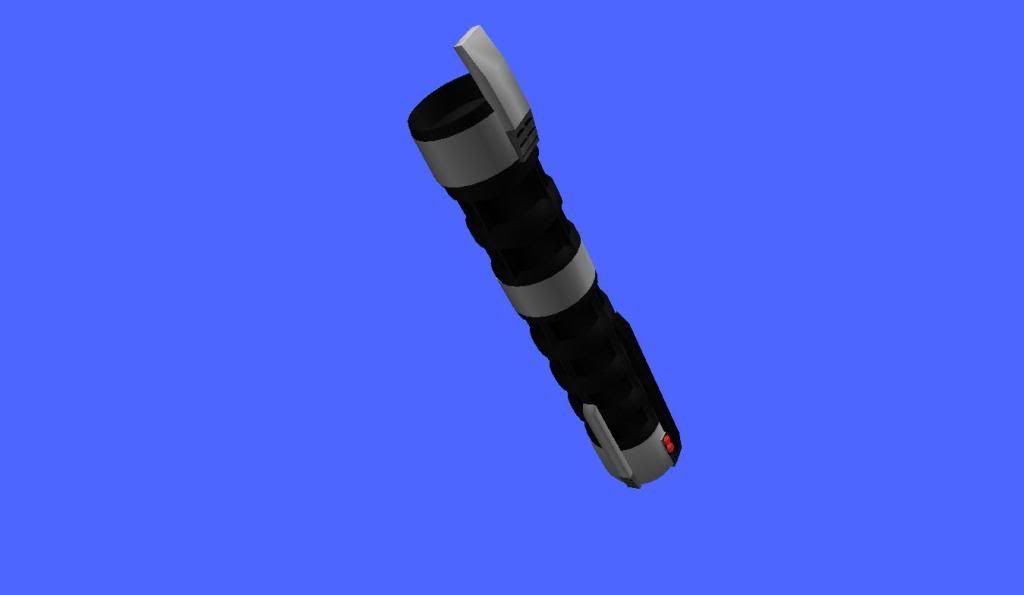
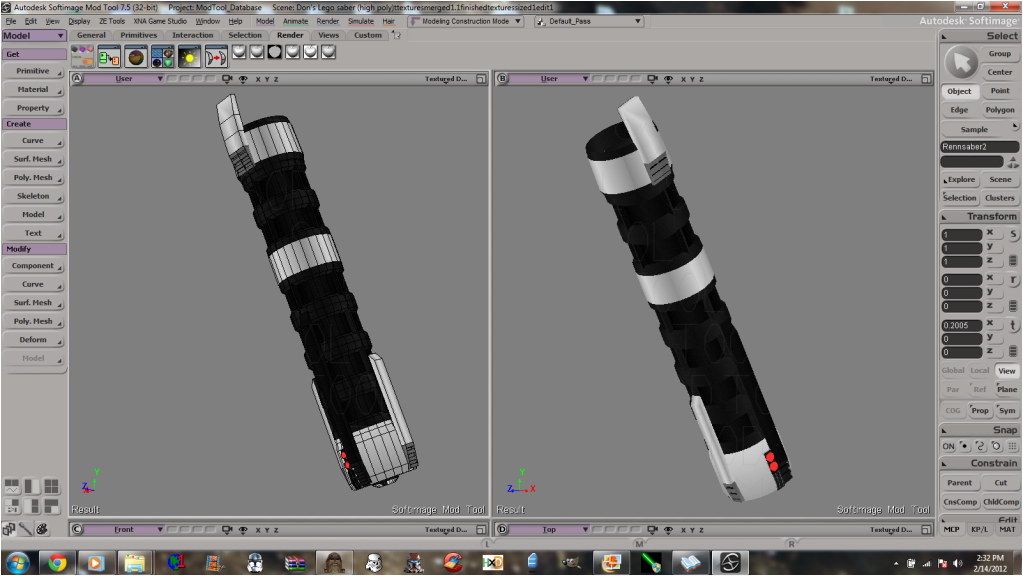
Picture of the model I made for the export test:
Hidden/Spoiler:
Hidden/Spoiler:
My own design.
Re: XSI ZETools
Posted: Tue Feb 14, 2012 4:26 pm
by ANDEWEGET
Awesome! Thank you very much for all the testing and patience!
I've added the solution to the FAQ.
The exporter doesn't export polygons with more than 4 sides/points. I believe I can identify some with more than 4 sides on your wire, could you check if you have any?(In XSI click the Select button over the arrow button in the left panel, then Select n-sided polygons>Five sides or more, then check if any polygons are selected).
Nice hilt BTW!
Re: XSI ZETools
Posted: Tue Feb 14, 2012 8:41 pm
by Cerfon Rournes
ANDEWEGET wrote:Awesome! Thank you very much for all the testing and patience! No problem.
The exporter doesn't export polygons with more than 4 sides/points. I believe I can identify some with more than 4 sides on your wire, could you check if you have any?(In XSI click the Select button over the arrow button in the left panel, then Select n-sided polygons>Five sides or more, then check if any polygons are selected). For my export I Triangulated the model, but I used the non-Triangulated one to take pictures.
Nice hilt BTW! Thanks!
Re: XSI ZETools
Posted: Thu Feb 23, 2012 2:46 pm
by Epifire
I have an issue regarding this addon. When I try and install it manually, or by drag'n drop I get the notification that I just need to restart XSI to use it like it's supposed to. But then when I go into XSI again the exporter options are not there as if they were not installed. A wee bit confused as to the complete directions (if there was anything else special about installing) but I thought all that was needed was the xsiaddon file.
I am using Windows 7 64, and the am attempting the install in Modtools 6. Hope that helps, and thanks in advance.
Re: XSI ZETools
Posted: Thu Feb 23, 2012 2:57 pm
by Marth8880
Epifire wrote:I have an issue regarding this addon. When I try and install it manually, or by drag'n drop I get the notification that I just need to restart XSI to use it like it's supposed to. But then when I go into XSI again the exporter options are not there as if they were not installed. A wee bit confused as to the complete directions (if there was anything else special about installing) but I thought all that was needed was the xsiaddon file.
I am using Windows 7 64, and the am attempting the install in Modtools 6. Hope that helps, and thanks in advance.
You need to download the ZIP file with the XSITools folder, which you will then put in %userpath%/Autodesk/Softimage Mod Tool/Addons/.
Re: XSI ZETools
Posted: Thu Feb 23, 2012 3:11 pm
by Epifire
Marth8880 wrote:You need to download the ZIP file with the XSITools folder
Where might I find this zip? I found the addon and installed it but no zips could I find.
Re: XSI ZETools
Posted: Thu Feb 23, 2012 3:48 pm
by Marth8880
The Google Sites download mirror for version 0.9.07.02.
Re: XSI ZETools
Posted: Fri Feb 24, 2012 3:24 am
by Epifire
Got another issue but I think I have put a finger on what it is. The tools are all installed but when I try anything the tools attempt to launch the command from a faulty preset directory. I have differing directories from what the ZEtools had specified by default and all I want to know is how to change it...
' INFO : ValveSource HelperBoneObject XSILoadPlugin called
' ERROR : invalid syntax - [line 70 in C:\Users\David Somers\Softimage\XSI_6 Mod Tool\Addons\XSIZETools\Application\Plugins\XSIZETools.py]
' INFO : loading Tools
' INFO : D:\Softimage\Modtools_v6\XSI_6_Mod_Tool\Addons\XSIZETools\Application\Plugins\msh2_framework
' INFO : registered ZETools Commands
' INFO : loading Tools
' INFO : D:\Softimage\Modtools_v6\XSI_6_Mod_Tool\Addons\XSIZETools\XSIZETools\Application\Plugins\msh2_framework
' INFO : registered ZETools Commands
NewScene

' ERROR : 2000 - File not found - C:\Users\David Somers\Softimage\XSI_6 Mod Tool\Addons\XSIZETools\Resources\Logic\MSHLogic.py
SetValue "MaterialEdit.matName", "wood_barrel"
SelectObj "Barrel", , True
DeselectAll
SelectObj "Barrel", , True
buildMSHExport
' ERROR : 2000 - File not found - C:\Users\David Somers\Softimage\XSI_6 Mod Tool\Addons\XSIZETools\Resources\Logic\MSHLogic.py
SetValue "MSHExport.bboxStr", "wood_barrel"
SetValue "MSHExport.mshPath", "D:\Games\Lucasarts\BFBuilder\MSH viewer\wood_barrel.msh"
That is not all of the report as I messed around on different sub menus. Over all though I kept seeing the same messages that mentioned the bad paths.
Re: XSI ZETools
Posted: Sat Feb 25, 2012 6:29 am
by ANDEWEGET
Sorry for the late reply, it looks as if you've unpacked the archive into the wrong addons folder.
You unpacked it to: D:\Softimage\Modtools_v6\XSI_6_Mod_Tool\Addons\XSIZETools(as stated in the log)
It should be in: C:\Users\David Somers\Softimage\XSI_6 Mod Tool\Addons\XSIZETools
Usually addons aren't installed in the application Addons directory but the user Addons directory.
Make sure you download the latest version(0.9.07.02).
BTW2, I've added Google Sites mirrors for the expansions.
BTW3, I've made some changes to the export dialog(removed the export only option and added a check sel button which checks if the model(s) in your selection are of the right type, dont have polygons with more than 4 sides and dont have any bad clusters).
Re: XSI ZETools
Posted: Mon Feb 27, 2012 2:11 pm
by Epifire
Still working out the problems. Since I actually get working buttons now I have ran into some more problems that I have taken the time to copy down.
That was the last bit that happened when I attempted a export of a static prop. I know I have Python installed as you did mention it in the site for all this, but I still think there are some issues related to it that I am not seeing. I dunno but that is why I am posting it.
EDIT: Performed a full uninstall, and then re-installed everything everything and then tried the export and it worked. I haven't tested my prop in-game yet but so far your tools are wonderful sir. As a note this is the one thing that brought me back to re-installing the BF 1 modtools, so thanks a bunch Ande.
Re: XSI ZETools
Posted: Mon Feb 27, 2012 4:27 pm
by ANDEWEGET
Good that it's working now! And thank you, I'm always glad to hear that something I create is usefull to someone
. I hope to get weights working this weekend.
Re: XSI ZETools
Posted: Wed Feb 29, 2012 5:46 pm
by Cerfon Rournes
ANDEWEGET wrote:Good that it's working now! And thank you, I'm always glad to hear that something I create is usefull to someone . I hope to get weights working this weekend.
That would be fantastic.
Re: XSI ZETools
Posted: Fri Mar 02, 2012 3:47 am
by lucasfart
Does it matter what version of python you have installed? I've got 2.6 installed, with the appropriate pywin32 as well and I can't seem to get Python ActiveX script to show up....I've followed your faq, making sure python and pywin32 are installed, and I've also run the .py script and updated the environment variables, but it just will not show up!