Marth's Lua API Megamix!
Posted: Mon Nov 21, 2016 9:50 pm
Intro
Hey everyone, so I've spent the last ten days or so figuring out what every single function does as well as what their arguments are and what they do. I've documented all of this in LuaDoc format, so that they can be read by the Lua Development Tools and other IDEs that support LuaDoc.
In other words, virtually every single built-in Lua function is fully documented with descriptions of all of their arguments and return values. The only ones that are still undocumented are many of the shell-exclusive callbacks, but we have pretty much no use for those anyway.
What does this mean?
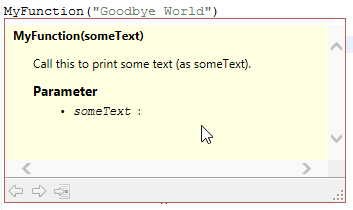
By default, whenever you hover your mouse cursor over a function or variable in LDT, a small window will pop up displaying any comments located above or in-line-with the function or variable and it'll list any arguments that the function includes, like so:
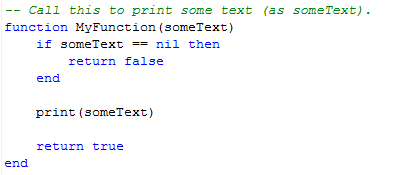
Example function declaration (formatted normally):
Example function call:
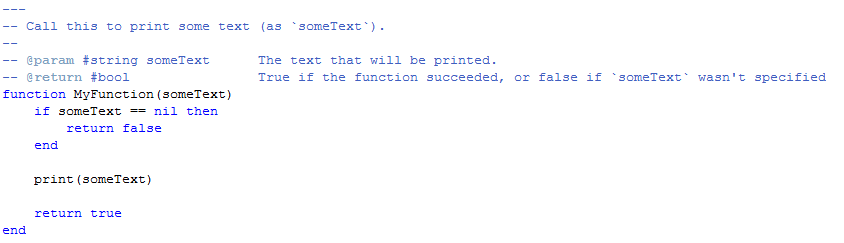
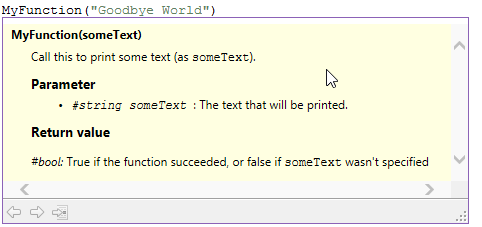
However, you can take this a step further: if you format your function comments in the LuaDoc syntax, you can enter descriptions of what the function does, what each argument does, any return values, etc., like so:
Example function declaration (formatted in LuaDoc syntax):
Example function call:
Now, along with formatting function comments in LuaDoc syntax in your .lua files, you can define an entire library of functions (without actually overriding what the functions do) in external .doclua files.
Continue to the next section below to see LuaDoc in action.
Examples
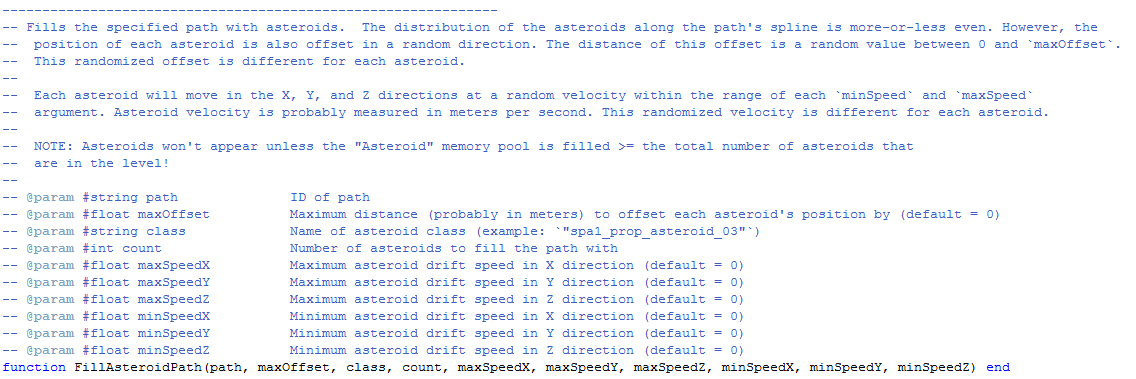
FillAsteroidPath:
The portion of the .doclua file where the function is documented in LuaDoc syntax:
What it looks like when you hover over a FillAsteroidPath function call in a Lua script:
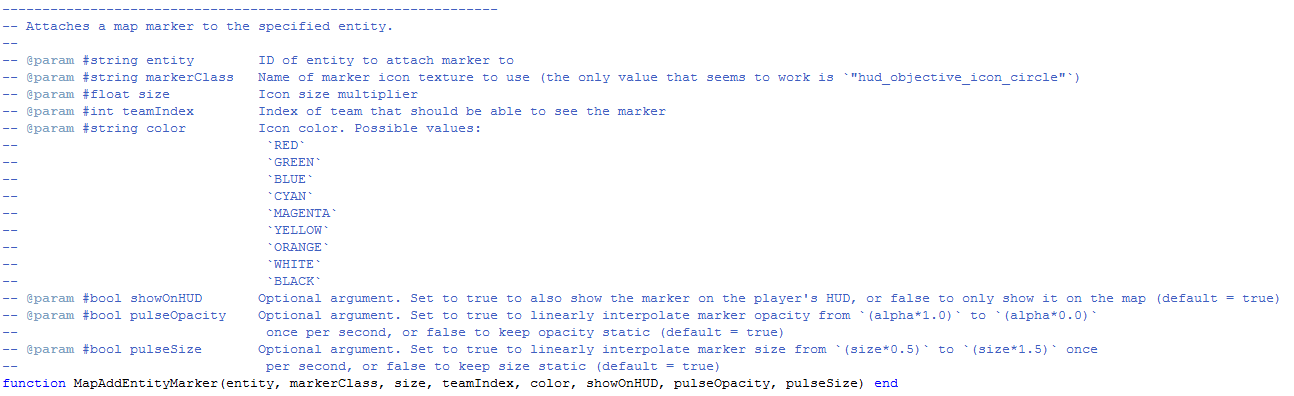
MapAddEntityMarker:
The portion of the .doclua file where the function is documented in LuaDoc syntax:
What it looks like when you hover over a MapAddEntityMarker function call in a Lua script:
How do I use this?
If you haven't already, check out my tutorial on how to use the Lua Development Tools for SWBF2 modding. Once you've done so, clone or download the SWBF2 Lua API on GitHub and put it in your project's source folder (or data_***\Common\scripts).
>> Clone or download the SWBF2 Lua API on GitHub <<
Anyway, so yeah, that's that. Please be sure to post any comments, questions, etc. that you have about any of this!
Hey everyone, so I've spent the last ten days or so figuring out what every single function does as well as what their arguments are and what they do. I've documented all of this in LuaDoc format, so that they can be read by the Lua Development Tools and other IDEs that support LuaDoc.
In other words, virtually every single built-in Lua function is fully documented with descriptions of all of their arguments and return values. The only ones that are still undocumented are many of the shell-exclusive callbacks, but we have pretty much no use for those anyway.
What does this mean?
By default, whenever you hover your mouse cursor over a function or variable in LDT, a small window will pop up displaying any comments located above or in-line-with the function or variable and it'll list any arguments that the function includes, like so:
Example function declaration (formatted normally):
Hidden/Spoiler:
Hidden/Spoiler:
Example function declaration (formatted in LuaDoc syntax):
Hidden/Spoiler:
Hidden/Spoiler:
Continue to the next section below to see LuaDoc in action.
Examples
FillAsteroidPath:
The portion of the .doclua file where the function is documented in LuaDoc syntax:
Hidden/Spoiler:
Hidden/Spoiler:
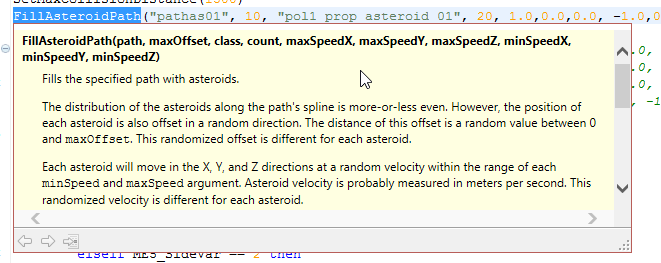
The portion of the .doclua file where the function is documented in LuaDoc syntax:
Hidden/Spoiler:
Hidden/Spoiler:
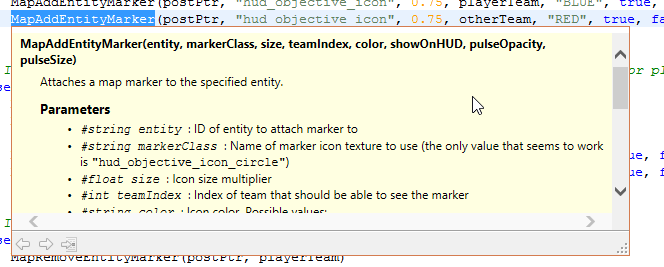
If you haven't already, check out my tutorial on how to use the Lua Development Tools for SWBF2 modding. Once you've done so, clone or download the SWBF2 Lua API on GitHub and put it in your project's source folder (or data_***\Common\scripts).
>> Clone or download the SWBF2 Lua API on GitHub <<
Anyway, so yeah, that's that. Please be sure to post any comments, questions, etc. that you have about any of this!