How to add Lowrez mesh's to your mod map (tutorial)
Posted: Tue Nov 20, 2007 12:35 pm
I didn't see a tut for this anywhere on the site so I figured i'd make one.
First create your object in high resolution so you have an idea of what your low rez should look like, for this example we will use a sphere and the default textures.
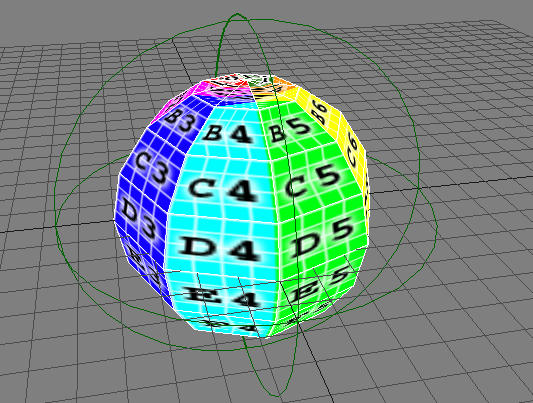
next create your low resolution model for this we will also use a sphere, just a really, really low poly sphere...
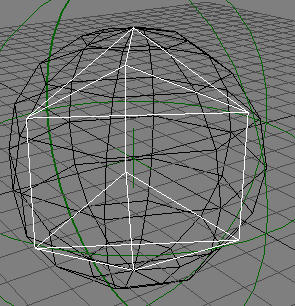
make sure the low rez model is not larger than the high rez, make it as you would a shadow mesh.
next, rename your low rez model whatever your high rez model is but with a _lowrez after it. for this we use sphere_lowrez, then hide the object as you would a shadow mesh.
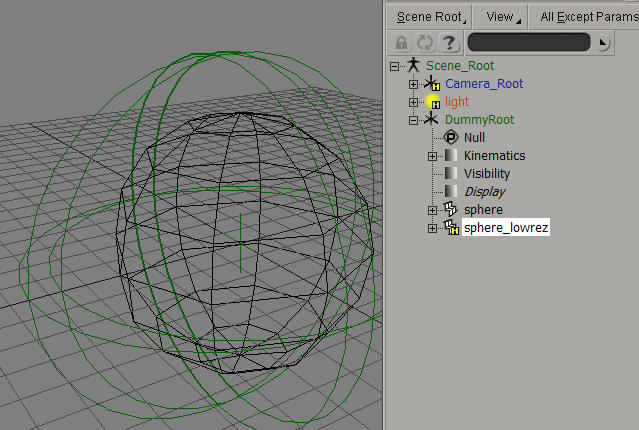
export and play your map...
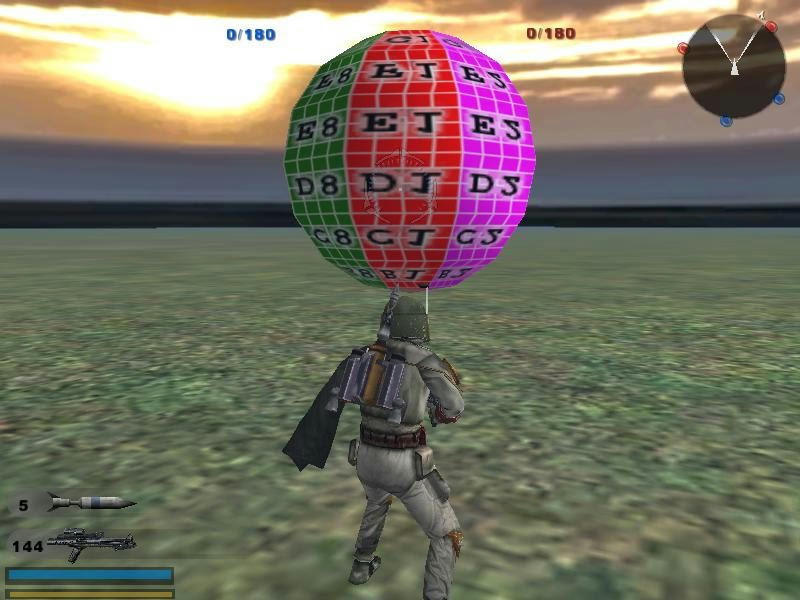
the sphere looks like this at far range (I set my LOD distance to 12 for a better photo)
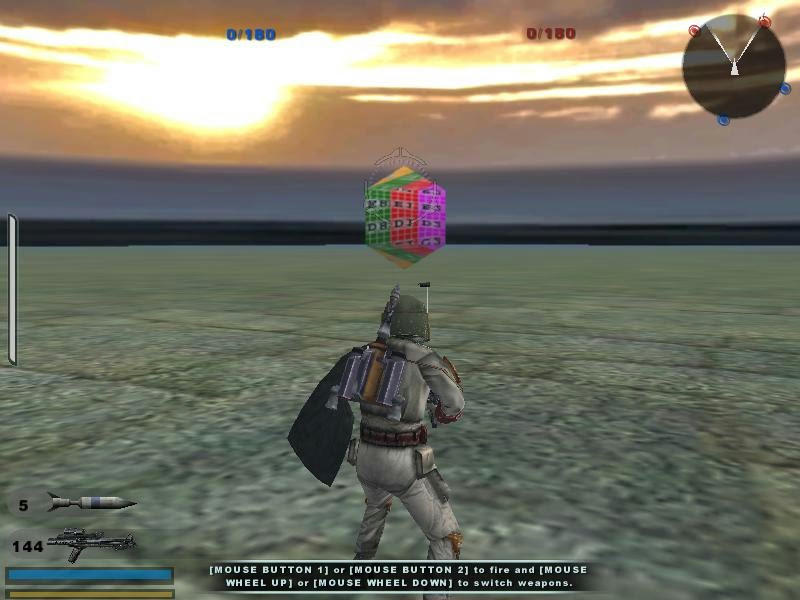
and at close range
First create your object in high resolution so you have an idea of what your low rez should look like, for this example we will use a sphere and the default textures.
next create your low resolution model for this we will also use a sphere, just a really, really low poly sphere...
make sure the low rez model is not larger than the high rez, make it as you would a shadow mesh.
next, rename your low rez model whatever your high rez model is but with a _lowrez after it. for this we use sphere_lowrez, then hide the object as you would a shadow mesh.
export and play your map...
the sphere looks like this at far range (I set my LOD distance to 12 for a better photo)
and at close range

