Page 54 of 75
Posted: Sun May 20, 2007 6:29 am
by DeathRow
Yeah, in a way..it looks like a bib with puke on it. Lol

Posted: Sun May 20, 2007 8:50 am
by YankFan1950
I kno but it still looks cool (I may fix it though)
Posted: Sun May 20, 2007 11:42 am
by Challenger33
Sorry YankFan, but I have to agree with The Emperor and DarthDeathRow about the Commander

. The Jet Trooper looks great though

Posted: Sun May 20, 2007 1:07 pm
by [SBF]ATATFIGHTR
[SBF]ATATFIGHTR wrote:I have been practicing using GIMP and I think I made a great skin.
It is my best so far.

Comments?
Anyone can use this, but they have to credit me.
Could someone please put my skin ingame and post a pic here?
I would do it myself, but I still don't know how to get it into game.
Posted: Wed May 23, 2007 7:29 pm
by ARC_Commander
Here's a couple skins I've whipped up:
A jetpack for a Blaze Trooper (from EP3 game). Just put the normal trooper skin on the Dark Trooper and use this jetpack.

And another (far better) one - the Trandoshan Mercenary. Goes on the Pilot Luke model.

Credit goes out to Syth for making the original skin (Bossk). I added armour, changed the colour, and added gloves. Here's the head he made:

Posted: Thu May 24, 2007 9:52 am
by EGG_GUTS
How do you make a skin like that and it looks perfect. Exact same thing but changed the color? It doesn't look like you used multiply or anything.
Posted: Thu May 24, 2007 2:35 pm
by Talibanman
"Replace color" is quite commonly used...
Posted: Thu May 24, 2007 2:54 pm
by EGG_GUTS
What is that under?
Posted: Thu May 24, 2007 3:13 pm
by YankFan1950
or ajust color like make more blue, cyan, red, magenta, green, or yellow.
Posted: Thu May 24, 2007 6:27 pm
by ARC_Commander
I used GIMP's Hue / Saturation tool. You pick a colour channel, then alter it to your will. As for the armour - I made a path selection of Bossk's armour, exported the path into the stormtrooper TGA, used it as a selection, then moved the selection onto the stormie's armour, chopped bits off the selection so it stayed on the chest plate, then pasted it into the Bossk skin and used the cloning brush and blur tool to fill in any spaces and remove the pectorals.
Make sense? Probably not.

Posted: Wed Jun 06, 2007 4:19 am
by The_Emperor
Posted: Wed Jun 06, 2007 4:36 am
by DeathRow
Those are awesome! Did you make the Reborn guys mask yourself?
Posted: Wed Jun 06, 2007 4:40 am
by The_Emperor
Nope, I wish I were that good
It's straight from JKA, which is ok since they are released
Posted: Wed Jun 06, 2007 4:42 am
by DeathRow
It still looks good. That Weequay skin was from JKA too? cause I remember seeing on that was hand made.
Posted: Wed Jun 06, 2007 5:17 am
by The_Emperor
All brown torso bits are from JKA
Posted: Thu Jun 07, 2007 3:47 pm
by Taivyx
My first skin
http://s161.photobucket.com/albums/t238 ... Sniper.jpg
Comments are welcome
Use it in your maps if you want, just give me credit.
Posted: Thu Jun 07, 2007 4:19 pm
by Rekubot
Wow, that's actually really nice! What I suggest you do is remove the green stripes; they look good, but it would (probably) look better without them. That may prove to be a little difficult though, considering it's your first skin and all. But I see there's some talent there.
Posted: Thu Jun 07, 2007 4:21 pm
by EGG_GUTS
It's is quite a nice skin for a first or not. better then my first
Posted: Thu Jun 07, 2007 4:49 pm
by Taivyx
My second skin.
http://s161.photobucket.com/albums/t238 ... ntbeta.jpg
Again, comments are welcome, and you can use that in your maps, just give me credit.
Posted: Thu Jun 07, 2007 4:49 pm
by Snork
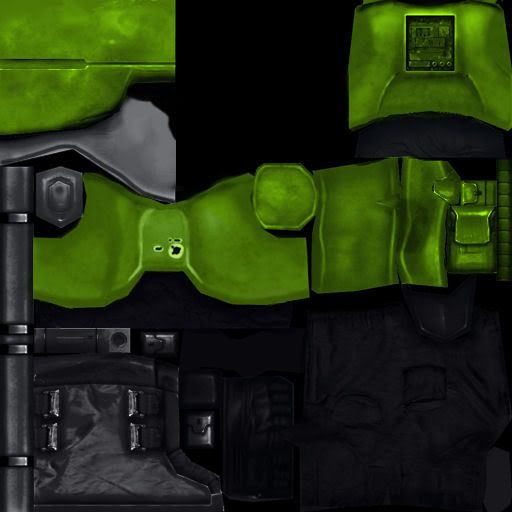
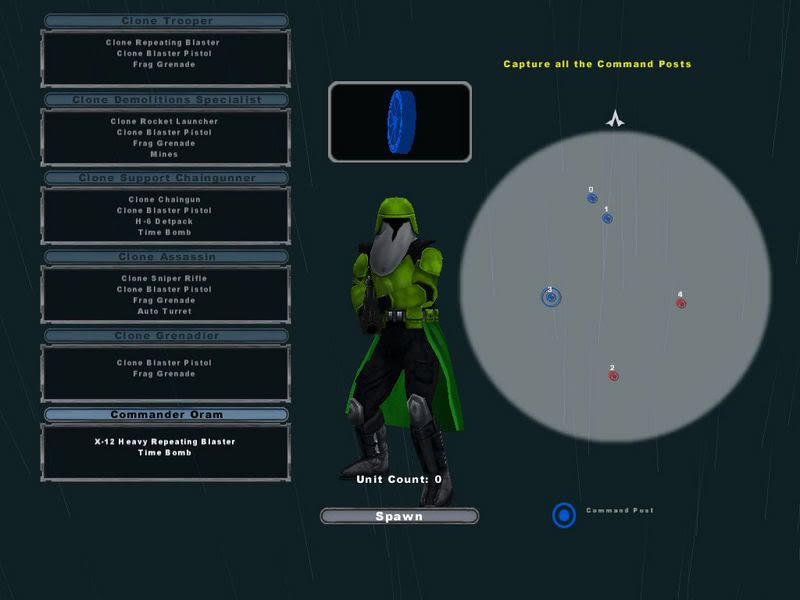
Like it? Its for my map Kashyyyk: Sunken Village. A beta can be found here:
http://files.filefront.com/WATzip/;7585 ... einfo.html

