Page 1 of 2

Downloaded Source Files into Sides [Solved]

Posted: Sun Jul 13, 2008 2:48 pm
by Super_Clone
Hi, can someone please put a very very very detailed step by step tutorial on how to put Downloaded Source Files for units, weapons,ect. into Sides,or a existing unit? :clone: :jango: :clone:

Re: Downloaded Source Files into Sides

Posted: Sun Jul 13, 2008 3:12 pm
by DarthD.U.C.K.
a tutorial how to make a new side (with new weapons etc.) click me!
the link to this topic can be found in the "everything you need thread" on top of the modding section

Re: Downloaded Source Files into Sides

Posted: Sun Jul 13, 2008 3:32 pm
by Super_Clone
i v seen that already, but i downloaded source files and i wanted to know how to make sides out of those :maulsaber: :vader2: :maulsaber: :google:

Re: Downloaded Source Files into Sides

Posted: Sun Jul 13, 2008 4:21 pm
by Maveritchell
It's not any different. A .msh file is a .msh file, whether it's in your modtools assets or whether it's been downloaded. Same with .odfs, .tgas, whatever. The tutorial DarthD.U.C.K. linked to is the exact same for anything.

Re: Downloaded Source Files into Sides

Posted: Mon Jul 14, 2008 9:20 am
by Super_Clone
ok, thanks

Re: Downloaded Source Files into Sides

Posted: Mon Jul 14, 2008 9:34 am
by obiboba3po
Maveritchell wrote:It's not any different. A .msh file is a .msh file, whether it's in your modtools assets or whether it's been downloaded. Same with .odfs, .tgas, whatever. The tutorial DarthD.U.C.K. linked to is the exact same for anything.
quoted for truth

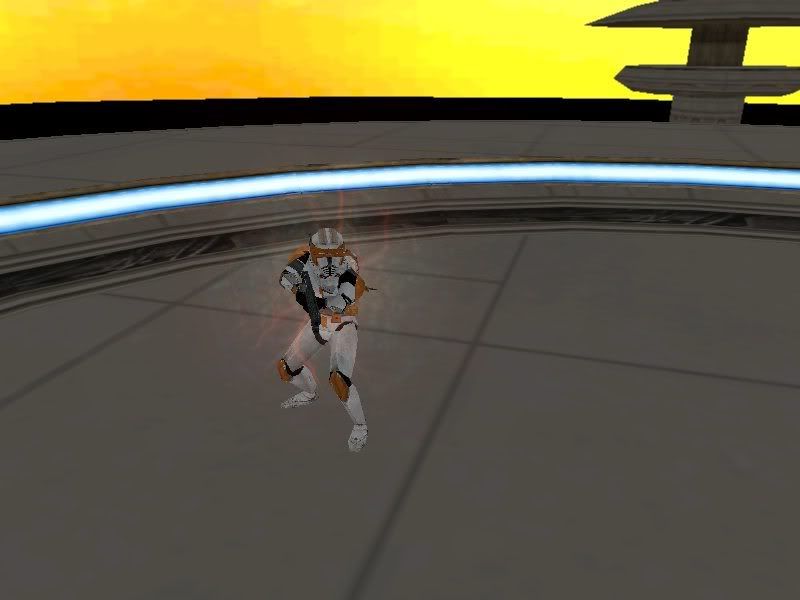
EDIT: as it would appear, im gonna use the same thing youre using. it took me about 5 min to get it ingame. if you want a tutorial, pm me about it. heres a screen anyways hehe
Hidden/Spoiler:
Image

Re: Downloaded Source Files into Sides

Posted: Mon Jul 14, 2008 11:52 am
by Super_Clone
i sent a pm obiboba for the tut read the bottom last, lol

Re: Downloaded Source Files into Sides

Posted: Mon Jul 14, 2008 11:54 am
by obiboba3po
its really no problem. its really simple lol.

Re: Downloaded Source Files into Sides

Posted: Mon Jul 14, 2008 12:10 pm
by Culvar
If you just want to try out the model open a shipped ODF in data_***/sides and edit the MSH call.

Re: Downloaded Source Files into Sides

Posted: Mon Jul 14, 2008 1:32 pm
by obiboba3po
Culvar wrote:If you just want to try out the model open a shipped ODF in data_***/sides and edit the MSH call.
woah dude....what? its a lot easier than that lol. :wink:

EDIT: actually, that would work hehe...

Re: Downloaded Source Files into Sides

Posted: Mon Jul 14, 2008 4:12 pm
by Super_Clone
so wheres the tut for putting cody in or any other asset for a unit obiboba3po? :stormie: :clone: :stormie:

Re: Downloaded Source Files into Sides

Posted: Mon Jul 14, 2008 10:37 pm
by obiboba3po
as promised, heres the tut:
Putting custom source files in shipped sides
for this tut, the example will be commander cody, as this tutorial is made by request of putting commander cody ingame. and this should be helpful for any custom source file.

NOTE: THIS IS NOT A TUT ON MAKING CUTSOM SIDES, IT just tells you how to add a unit to a side.
1) extract the zipped folder
2) open the extracted folder and you should see the following sub-folders:
-effects
-sounds
-msh
-odf
3) ignore the sound folder, it works fine without it, and im not sure what to do with it.
NOTE: DO NOT do steps 4-6 if you side folder has rep and common, or if you have successfully gotten skins in game.
4) go to assets/sides/rep and copy the whole folder into youre maps own side folder. (which is
data_***/side)
5) go to assets/sides/common and copy the whole folder into youre maps own side folder.
6) go to data_***/build/sides/all and you should see munge.bat and clean.bat. copy both of these, and paste them into youre rep side folder under youre map
7) open up the msh folder and hold ctrl+a to highlight everything. copy and paste everything into youre data_***/sides/rep/msh folder. if it asks to replace something, say no.
step 8: open up the odf folder, and copy and paste everything into youre rep/odf folder. if it asks to replace something, say no.
NOTE: The reason why you press no, is so that the default weapons will be used, so there will be default sound. i do not know how to get the custom sounds working.
9) open up effects, copy and paste everything into youre rep/effects folder.
NOTE: when you copy effects, msh, and odf, make sure its under data_***/sides/rep, and not assets/sides/rep
10) open up youre lua_con. (For new scripters, thats data_***/common/scripts/***_c.con. NOT .bak!)
11) find this line:

Code: Select all

ReadDataFile("dc:SIDE\\rep.lvl",
(If there is no dc: there, add it now)
12) add this:

Code: Select all

"rep_hero_cody",
somewhere in the list of units. (NOT at the end) make sure it flows though. (IE: commas are in correct places)
13) go to this line:

Code: Select all

SetHeroClass(REP, "rep_hero_anakin")
after it, press the enter key and add this right below it:

Code: Select all

AddUnitClass(REP,"rep_hero_cody",   1,4)
14) save this lua, were almost done.
15) you will notice, there is no req for cody. so we need to create one. go to data_***/sides/rep/req and make a new file in note pad. copy this into it:

Code: Select all

ucft
{
    REQN
    {
        "class"
        "rep_hero_cody"
    }
}
16) name this req: rep_hero_cody.
17) go back one folder. (Into the main rep side folder)
18) open rep.req. (NOT rephell.req!!)
19) with the rest of the heros in this req, add this:

Code: Select all

"rep_hero_cody"
20) open up visual munge. select sides: everything and clean not munge. we must clean first. long story short, we copied and pasted, and mod tools is annoying, so we must clean first.
21) when clean is done, now you may munge everything. (LOL for Teamcum: DO NOT STOP THE MUNGE!!!)
22) play and enjoy :)

Re: Downloaded Source Files into Sides

Posted: Tue Jul 15, 2008 7:28 am
by Super_Clone
lol, so thats why the conversion pack useto have all those crashes! rofl :funny2:

Re: Downloaded Source Files into Sides

Posted: Tue Jul 15, 2008 7:59 am
by DarthD.U.C.K.
Super_Clone wrote:lol, so thats why the conversion pack useto have all those crashes! rofl :funny2:
:? i dont get it

Re: Downloaded Source Files into Sides

Posted: Tue Jul 15, 2008 8:04 am
by Super_Clone
21) when clean is done, now you may munge everything. (LOL for Teamcum: DO NOT STOP THE MUNGE!!!)
cause Tean stopped the munge to early lol :faint:

Re: Downloaded Source Files into Sides

Posted: Tue Jul 15, 2008 10:31 am
by Aman/Pinguin
Super_Clone wrote:
21) when clean is done, now you may munge everything. (LOL for Teamcum: DO NOT STOP THE MUNGE!!!)
cause Tean stopped the munge to early lol :faint:
No he didn't. That "do not stop the munge" is an insider joke.

Re: Downloaded Source Files into Sides

Posted: Tue Jul 15, 2008 10:46 am
by obiboba3po
Aman/Pinguin wrote:
Super_Clone wrote:
21) when clean is done, now you may munge everything. (LOL for Teamcum: DO NOT STOP THE MUNGE!!!)
cause Tean stopped the munge to early lol :faint:
No he didn't. That "do not stop the munge" is an insider joke.
yep lol
Hidden/Spoiler:
youll learn what it means soon enough :wink:

Re: Downloaded Source Files into Sides

Posted: Tue Jul 15, 2008 11:23 am
by elfie
obiboba3po wrote:when clean is done, now you may munge everything. (LOL for Teamcum: DO NOT STOP THE MUNGE!!!)
Lol! That is funny that you put that in there! :wink: :lol:

Re: Downloaded Source Files into Sides

Posted: Wed Jul 23, 2008 11:02 pm
by Super_Clone
i dont get it? can you PLEASE just tell me?

Re: Downloaded Source Files into Sides

Posted: Thu Jul 24, 2008 1:03 am
by -_-
Have you ever tried reading the docs or solving problems by yourself? If you just keep on asking us for help, you're never going to learn anything.