.stm implementation for custom voiceovers
Posted: Tue Feb 03, 2009 10:59 pm
I know I have made a topic on this before, but now I've taken a step forward and actually done it.
Problem is, I can only make custom "BattleChatter" voiceovers that play only one sound using the traditional method (see below code), whereas the stock sides can play one of multiple sounds at random, i.e. "Right between the eyes", or "He felt that" for headshots.
My "traditional" code
So using that code, I can only play one sound.
I wanted multiple sounds just like the stock game did it, so I explored around the sound assets and found these .stm files that seem to work like .asfx files, except you can draw these from special "SoundStream" sections in your .snd file.
In data_***/Sound/global, I found the two files all_unit_vo.snd, and all_vo_slow.stm
For all intents and purposes, I'll focus on the headshot voiceover to explain my problem.
all_unit_vo.snd
all_vo_slow.stm
Looking at these, I made my own .snd and .stm files.
BattleChatter.snd
Battlechatter_stream.stm
Here's some pictures of how I have it set up
And so then I add my BattleChatter.snd to my req, and reference my headshot SoundStream in my unit's odf like so:
I munge, voila, the new sound file pops up, looking like it munged the new sounds in my streams folder as well due to the increase in file size.
And after copying it over to my sounds folder in my addon folder, no sounds
So my question is either:
What's wrong, or has anyone gotten custom .stm files implemented correctly?
Problem is, I can only make custom "BattleChatter" voiceovers that play only one sound using the traditional method (see below code), whereas the stock sides can play one of multiple sounds at random, i.e. "Right between the eyes", or "He felt that" for headshots.
My "traditional" code
Code: Select all
SoundProperties()
{
    Name("Headshot1");
    Group("all_vo");
    Inherit("battle_chatter_template");
    SampleList()
    {
        Sample("enemydown2", 0.5);
    }
}I wanted multiple sounds just like the stock game did it, so I explored around the sound assets and found these .stm files that seem to work like .asfx files, except you can draw these from special "SoundStream" sections in your .snd file.
In data_***/Sound/global, I found the two files all_unit_vo.snd, and all_vo_slow.stm
For all intents and purposes, I'll focus on the headshot voiceover to explain my problem.
all_unit_vo.snd
Code: Select all
SoundStreamProperties()
{
    Name("all1_inf_chatter_HeadshotKill");
    Group("all_vo");
    Inherit("battle_chatter_template");
    Stream("all_unit_vo_slow");
    Gain(0.6);
    PlayInterval(80)
    PlayIntervalDev(40)
    SegmentList()
    {
        Segment("AI1COM102", 200.0, 10.0, 3.0); //  Just like shooting womp rats, eh kid?
        Segment("AI1COM103", 200.0, 10.0, 3.0); //  Nice shot!
        Segment("AI1COM104", 200.0, 10.0, 3.0); //  Right between the eyes
        Segment("AI1COM105", 200.0, 10.0, 3.0); //  He felt that!
        Segment("AI1COM106", 20.0, 10.0, 3.0); //  Goodbye
    }
}Code: Select all
//    Just like shooting womp rats, eh kid?
..\gcw\streams\Battle_Chatter\AI1COM102.wav

//    Nice shot!
..\gcw\streams\Battle_Chatter\AI1COM103.wav

//    Right between the eyes
..\gcw\streams\Battle_Chatter\AI1COM104.wav

//    He felt that!
..\gcw\streams\Battle_Chatter\AI1COM105.wav

//    Goodbye
..\gcw\streams\Battle_Chatter\AI1COM106.wavBattleChatter.snd
Code: Select all
SoundStreamProperties()
{
    Name("Headshot2");
    Group("all_vo");
    Inherit("battle_chatter_template");
    Stream("Battlechatter_stream");
    Gain(0.6);
    PlayInterval(80)
    PlayIntervalDev(40)
    SegmentList()
    {
        Segment("hes_down", 200.0, 10.0, 3.0); //  He's Down
        Segment("nice_shot", 200.0, 10.0, 3.0); //  Nice shot
        Segment("neutralized", 200.0, 10.0, 3.0); //  Neutralized
    }
}Code: Select all
//    He's Down
streams\Battle_Chatter\hes_down.wav

//    Nice shot
streams\Battle_Chatter\nice_shot.wav

//    Neutralized
streams\Battle_Chatter\neutralized.wavHidden/Spoiler:
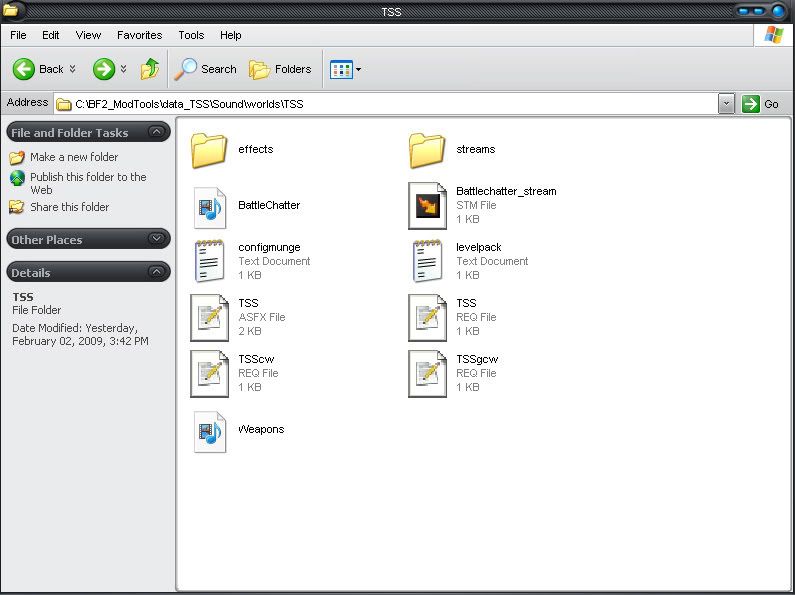
Hidden/Spoiler:
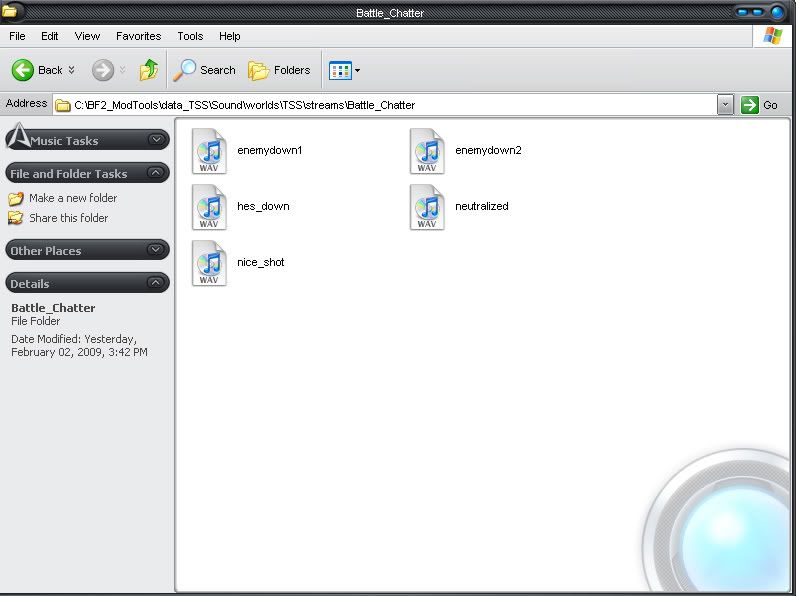
Code: Select all
VOSound = "Headshot2 HeadshotKill"And after copying it over to my sounds folder in my addon folder, no sounds
So my question is either:
What's wrong, or has anyone gotten custom .stm files implemented correctly?