Page 1 of 2
Windows Themes....
Posted: Wed Mar 21, 2007 4:18 pm
by Hebes24
Anyone know any good sites to get themes for XP? I tried to get a theme, but the installer made me install some other programs that were basically spyware/adware. :evil: Any sites you guys would recommend? (perferably sites that are clean and reliable)
RE: Windows Themes....
Posted: Wed Mar 21, 2007 4:39 pm
by MasterSaitek009
Tucows is good site because all of their files (to my knowledge at least) are zips.
*****MasterSaitek009*****
Posted: Wed Mar 21, 2007 6:27 pm
by Adreniline
Yesterday Karnage was showing me a cool Vista-conversion theme for XP, it even included a sidebar just like Vista!
You'll have to ask him where he found it though, cause I don't know
Posted: Wed Mar 21, 2007 6:47 pm
by Hebes24
Hmm, I downloaded a theme. But when I Installed it, it looked like this:
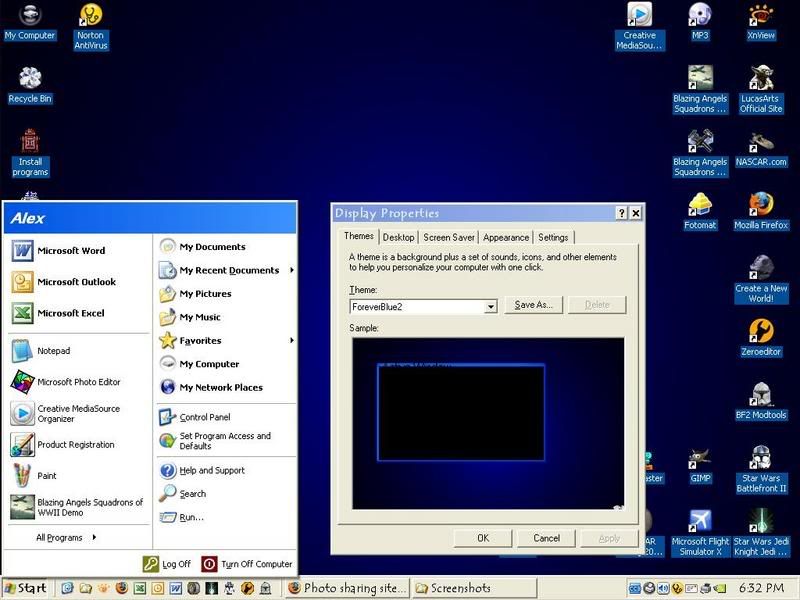
when It was supposed to look like this:
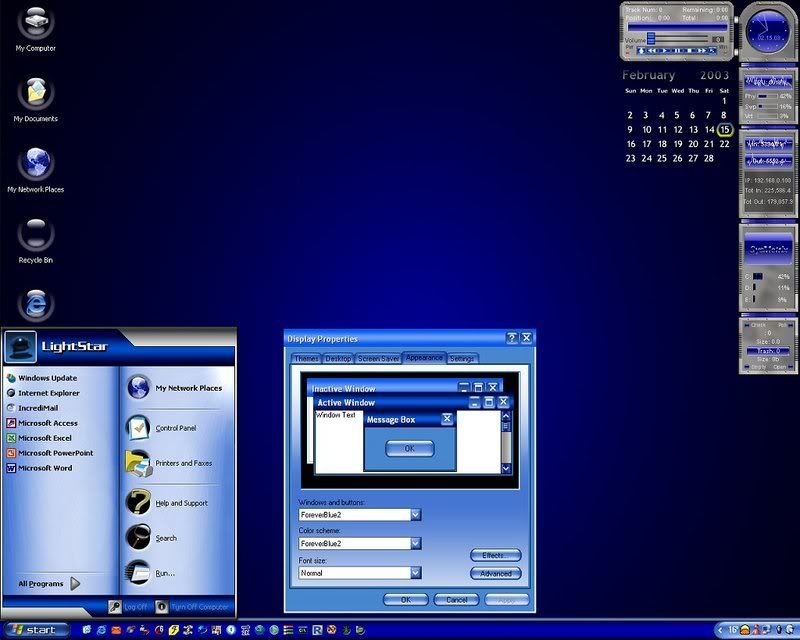
I just ran the .exe and installed to C:\WINDOWS\Resources\Themes.
anything else I need to do?
Posted: Wed Mar 21, 2007 8:03 pm
by TheTao
I'm looking for some good themes too. Anyone know where I can get a vista theme for XP?
Posted: Thu Mar 22, 2007 4:51 pm
by Hebes24
Talk to Karnage, I think he knows a good one.
Can anyone help me with my problem?
Posted: Thu Mar 22, 2007 5:48 pm
by Dohnutt
You probably needed a program to download like Windows Blinds or whatever. That's what most of those theme things are. That's why I don't download them. If I could just download the theme file, and it would work, then I would...
Posted: Thu Mar 22, 2007 6:07 pm
by Adreniline
I believe the one Karnage has doesn't need windows Blinds to run
I sent him an Email, so he should post relatively soon
Posted: Thu Mar 22, 2007 7:54 pm
by Karnage
Okay, since everyone seems to be in dire need of
Vistaness, I will respond.
This is what my computer looks like...
Desktop
 Login Screen
 Sounds and Pointers
 Tools
Tools
 Switcher

I got all this from the
Vista Transformation Pack 6.
---------
WARNING!
The setup works with system files! It is a good idea to create a system restore point on your computer before installing this.
You may, if you choose, uninstall by
Add or Remove Programs, or just give your computer a fresh complete re-install.
---------
It didn't mess up my computer at all so I don't know why it would to anyone else. But just in case, I made a system restore point so I could restore my computer back to it's previous state, and backed up all my important stuff.
When installing, it is best to choose the
Appy Vista UI transformation to system option.
If it gives you an option, I wouldn't install the
Blaero Start Orb. It doesn't do anything bad to your computer, it's just stupid.

This installation changes your theme, as you can see, the sounds, the pointer, the login screen, and the bootup screen. It also gives you the sidebar that comes with
Vista, the
VisualToolTip, and the
Styler.
So use at your own risk! I am not responsible for the death of your computer, or your friend's, or your friend's cousin's, or your friend's cousin's great uncle Joe's.....you get the point....
Lol, enjoy!
 Vista Transformation Pack 6.0
(Scroll down the page and there should be a download link).
The
Switcher does not come with the installation. Although, it is as close to the
Vista window switcher as I could find. It is a trial for now until I find a freeware program, but it's worth it. It is called
TopDesk.
Posted: Thu Mar 22, 2007 8:09 pm
by Hebes24
That's nice! But, I can't make any changes that extensive to my computer because I have to share it with the rest of the family. (needless to say, my Dad would probably go nuts!!).
I downloaded Windows Blinds, and now my computer looks like this!
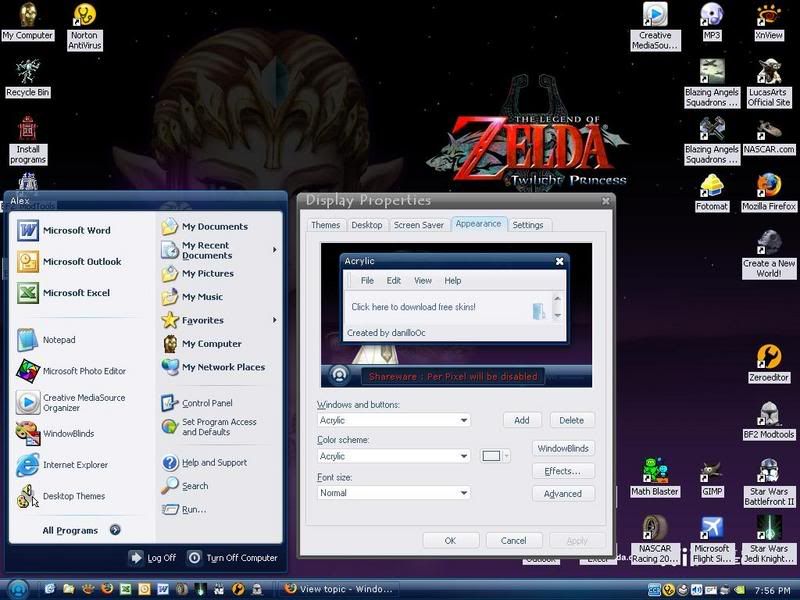
Though, I do have one question:
I downloaded the 60-day trial, so after the 60 days, will my computer go back to normal?

Posted: Thu Mar 22, 2007 8:14 pm
by Karnage
I believe your computer will go back to the
Windows Classic Theme not the
Windows XP Theme. You just uninstall it after the 60 days is up and change your theme back to
XP.
If you want a good
Windows Blinds Vista theme, I found this one through
Google which comes pretty close.
MiLork Vista Theme 1.1
Posted: Thu Mar 22, 2007 8:27 pm
by Postulio
The alienware website has some cool themes, i personally favor the xenomorph theme.
Posted: Thu Mar 22, 2007 8:42 pm
by Darth_Z13
Wow Karnage! That's a really nice Vista Transformation pack!
Posted: Thu Mar 22, 2007 8:43 pm
by Karnage
Or you could actually get real
Microsoft themes, at least a few.
Energy Blue There are three themes you are able to download at the bottom of the page.
Royale Theme
Royale Noir Theme
Zune Theme
The Zune Theme is personally my favorite.
-
EDIT-
Darth_Z13 wrote:Wow Karnage! That's a really nice Vista Transformation pack!
Ya that's what I thought too after I installed it.
Posted: Fri Mar 23, 2007 7:17 am
by Dohnutt
@ Karnage - Those three themes don't need Blinds or anything?
Posted: Fri Mar 23, 2007 10:35 am
by Karnage
Nope. They're completely free. They install and are added right to your Display Properties. Just change your theme on the Appearance tab and voila!.
Posted: Fri Mar 23, 2007 5:16 pm
by Hebes24
Or you could actually get real Microsoft themes, at least a few.
Energy Blue There are three themes you are able to download at the bottom of the page.
Royale Theme
Royale Noir Theme
Zune Theme
The Zune Theme is personally my favorite.
Wow
Karnage! Those themes are actually just what I was going for! Sharp, sleek, yet subtle.
I like the Royale Noir theme.
do I need extra software to install this?
Posted: Fri Mar 23, 2007 5:26 pm
by Adreniline
Nope, Just the Installer
I'm gonna install some of these on the other comps in my house soon, oh and Karnage, get on Xfire or something cause I need to tell you something
The 'Energy Blue' theme is default for all MCE Computers
MCE means Media center Edition in case you were wondering
Posted: Fri Mar 23, 2007 6:19 pm
by Hebes24
Adreniline wrote:Nope, Just the Installer
LOL, that was a given.
I also knew about it being with MCE, because I read the Wikipedia Article.
UPDATE:
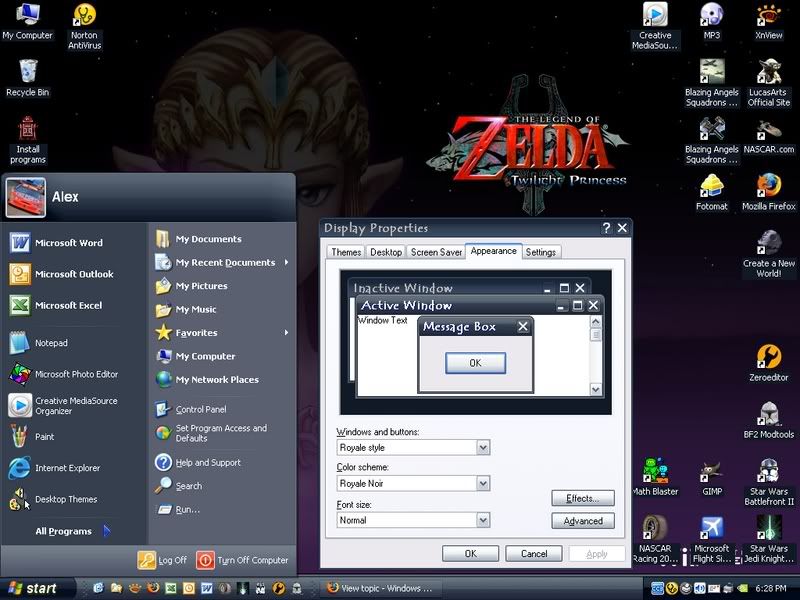
Very nice!! I like it!! What's really good is if you download one of them, it gives you all of them!! Woot!
Posted: Fri Mar 23, 2007 8:59 pm
by t551
I don't know what the big deal is. Personally, I just always stick with windows classic theme.
Does Vista have that?