Page 1 of 1
Rendertype 22 help [Solved]
Posted: Sun Nov 05, 2017 11:41 am
by Luke
Recently I tried creating some ice caves using rendertype 22. However, I was not able to get it working, the refraction and transparancy effects didn't show up.
What I've done is I created a cluster with an ice texture on my model, put on rendertype 22 and exported via ZETools.
In the instructions for using this rendertype (
http://schlechtwetterfront.github.io/ze ... types.html ) was mentioned that an additional bump map would be needed, so I implemented it by using ".option"-files. However, when I tested it ingame, just the bumped texture showed up, but there was no refraction or transparancy and I'm not able to solve this problem.
Can anyone help me at this point and tell my how to implement the ice refraction correctly?
Re: Rendertype 22 help
Posted: Sun Nov 05, 2017 3:14 pm
by Marth8880
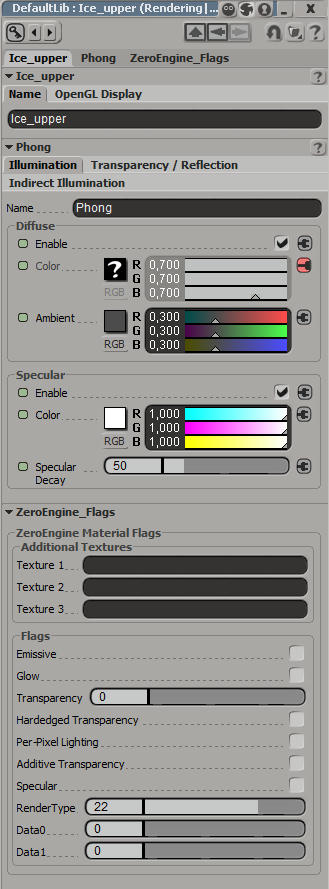
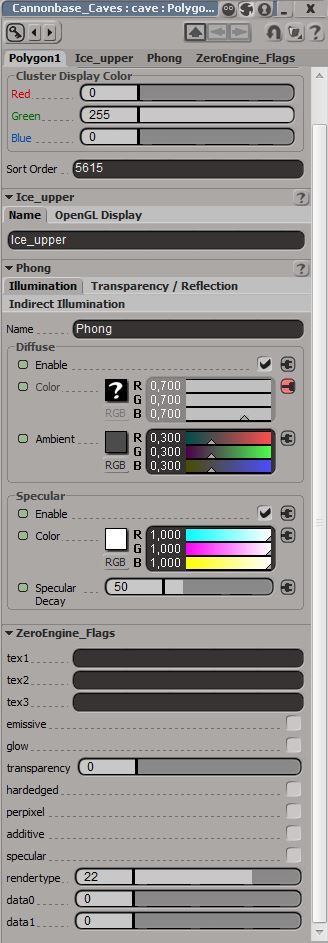
Could you provide a screenshot of your material settings and of the texture you're using?
Re: Rendertype 22 help
Posted: Sun Nov 05, 2017 5:58 pm
by Luke
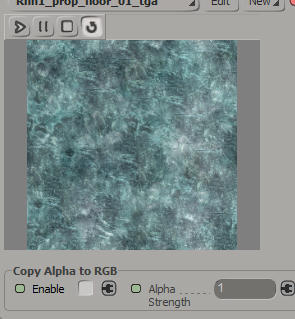
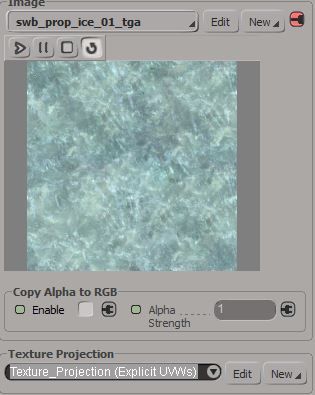
Here you go:
The texture is taken from the stock Rhen Var assets and has an alpha channel for transparency.
Re: Rendertype 22 help
Posted: Sun Nov 05, 2017 7:59 pm
by SleepKiller
Luke wrote:Here you go:
The texture is taken from the stock Rhen Var assets and has an alpha channel for transparency.
I can't actually see those images and I'm not familiar with XSI. But in your first post said you were implementing bump mapping using a .option switch. Do you mean using "-bump" in a *.msh.option file or using "-bumpmap" to in *.tga.option file?
If you're using "-bump" in a .msh.option file then I suspect that is your problem. It is likely overriding the refraction render type during the munge process. Just use the bump map as a second texture in the refraction material and it should work.
Re: Rendertype 22 help
Posted: Mon Nov 06, 2017 12:12 pm
by Luke
Pictures are fixed, seems like I have to get a new image hoster

Alright, I deleted the
msh.option with "-bump" in it and tried putting the bump map's name into the texture 1 slot at the edit flags panel. Now ingame only the diffuse texture showed up without any bump, transparency or refraction.
Re: Rendertype 22 help
Posted: Sat Nov 11, 2017 4:33 pm
by Ginev
OK this is how i did it.Just put RenderType 22 in XSI then put in texture slot a bump texture with .tga extension on the end.This is very important.Thats how you put bump textures in XSI material manager.
Example:
TextureName_Bump.tga
Then create a option file for that bump texture: TextureName_Bump.tga.option and put inside this:
-8bit -compress -format a8r8g8b8 -maps 1
Then save,munge and look your model ingame.

Tell me if this thing do not work.
Re: Rendertype 22 help
Posted: Sun Nov 12, 2017 4:45 am
by thelegend
For Ice Refraction I do not use a bump map. I simply enabled transparency to 1, set Rendertype to 22 and that was it for me at least.
Re: Rendertype 22 help
Posted: Sun Nov 12, 2017 9:05 am
by Luke
I tried both, but nothing works for me.
If I try thelegend's way, all the polys attached with this material are invisible,
and if I try Ginev's way, the texture seems to be brighter but there is also no transparency and thus no refraction.

--------------------------------------
Update: Thanks to Ginev I found the solution.
If you want to use ice refraction, go to the edit flags panel and set your rendertype to
22, then set your transparency value to
2 and fill in the name of your bump texture with
.tga-ending in the "texture1"-slot like Ginev has already said.
Then create a "
.tga.option"-file for your bumpmap and put
Code: Select all
-8bit -compress -format a8r8g8b8 -maps 1
into it.
Then munge and see the result.