Page 2 of 5
Re: Why does the SWBF engine look so fake?
Posted: Mon Jun 07, 2010 10:37 am
by RepSharpshooter
ANDEWEGET wrote:Btw, does the bumpmap flag in mshex/mshtool use a "real" specular map(adjustable specularity) or just specular on or off? Afaik we have a normal map flag in the exporter(not sure)? Does it work?
Yeah take a look at the imperial officer model or the b1 droid, the alpha channel controls the amount of specular I think.
VF501 wrote:normal map
diffuse/color map
specular map
other possible textures also include
parallax map
bump - used mostly for props/environments now
alpha map - cutting shapes out of planes for low poly stuff (PSP, DS)
I think we can do all of those except the parallax map.
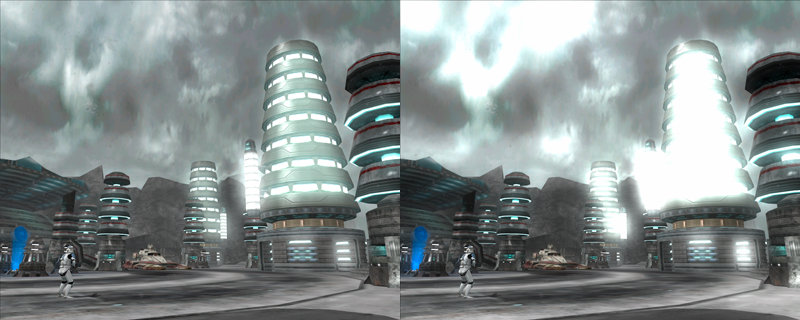
RepSharpshooter wrote:# Low poly count - The Mygeeto buildings look like mushrooms rather than models.
# No advanced lighting - look how in half life the lighting and shadows are all "baked" onto the model, battlefront doesn't even come close to this feature.
# Low texture detail - look at the rich detail in texture of the HL2 and COD, compare it to the blandness of battlefront
We can fix low poly count and low texture detail as well.
The only thing holding us back really is the lighting.
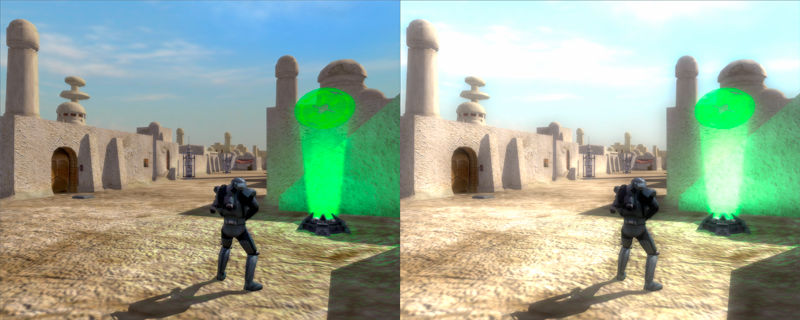
-The enb series does ambient occlusion and indirect lighting, but may be slow as shown here:
http://www.gametoast.com/forums/viewtop ... enb+series+
pic of gta effects
http://enbdev.com/screenshots/enb2008_5_30_20_39_51.jpg
-As VF501 pointed out, we may be able to modify the shaders, no one has done this before to my knowledge so frankly I know nothing about it.
-My cheap workaround: in battle arena I had lights in the hallways and wanted to have the cone pattern of light shining on the walls. I couldn't do this with ZE lights because you can only have 3 or so before it starts to fail. So what I did was put a light in 3ds Max, then I baked a lightmap. The lightmap was an indication from black to white on how much light shined where.
Then using the hologram texture flag (as seen in the polis massa holograms), I overlayed a "lightmap" msh on top of the regular msh. So basically two models of the hallways in at the same time, with different textures, overlapped. The reason was that I had a tiling texture, and for the lightmap to work, it needs to be unwrapped NOT tiled, with each face getting its own unique part of the bitmap. Rather than render a huge bitmap of the lightmap + diffuse texture, I put in the two models, one with a higher res diffuse, then a crappy lightmap tex on top. Light is blurry anyways and doesn't need the detail, assuming the engine doesn't crash because of double the poly count.
You can see the final effect here, in the hallway where the segways are coming from:
This way, although can produce results, is kinda long and annoying. Plus, for ambient occlusion, we'd need a way of darkening as well as brightening, which may mean putting in an extra model on top of this with another flag, which is equally time consuming and resource consuming. I think trying to modify the shaders would be a better option-- if it works.
Re: Why does the SWBF engine look so fake?
Posted: Mon Jun 07, 2010 10:51 am
by Teancum
The issue for me there is that ENB is just a bloom-fest. It doesn't actually produce results. I'd say we're better off messing with the XML shaders and seeing what we can do. We already have the ability to recompile a core.lvl, so that shouldn't be a problem.
Re: Why does the SWBF engine look so fake?
Posted: Mon Jun 07, 2010 2:00 pm
by DarthD.U.C.K.
RepSharpshooter wrote:ANDEWEGET wrote:Btw, does the bumpmap flag in mshex/mshtool use a "real" specular map(adjustable specularity) or just specular on or off? Afaik we have a normal map flag in the exporter(not sure)? Does it work?
Yeah take a look at the imperial officer model or the b1 droid, the alpha channel controls the amount of specular I think.
i think thats a misenterpretation (if i may say so), as far as i know,
-the BUMP/gloss is always determinated by the ALPHAchannel, so you can essencially save space by putting it on the diffusemap all the time (since bump+transparency doesnt work simultaneously and therefore it wont interfere)
-the specular is determinated by the RGB-channels, so you can make and use specularmaps just like in any other game, but if you only use an alphachanne-texture without any RGB-informations for bump+specular at once all the bumped-in parts will be very dark and bumped-out parts will be very bright
so there lies some space for improvement

but back on topic: i think the texturstyle is the biggets problem (beside the lighting) it just doesnt "fit", if you look on the cod2 screens, the soldiers and environment fir together, but in battlefront their styles are kind of different which gives the cratoony feel (and of course the ugly proportions, you may not notice them on first sight, but if you compare the swbf-units to other realistic one (liek from jka) you see that they are way off. This could be easily fixed ba making a correct proportioned skeleton which i already tried some time ago, but i failed at getting it on the correct height, so the feet always were in the ground, ideas anybody?)
Re: Why does the SWBF engine look so fake?
Posted: Mon Jun 07, 2010 5:18 pm
by sampip
DarthD.U.C.K. wrote:but back on topic: i think the texturstyle is the biggets problem (beside the lighting) it just doesnt "fit"
QFT. For me, it's hard to see the characters in the environment that they are standing in. It just doesn't quite look like they are actually standing on the ground, same even with some of the objects (like in the Mygeeto screenshot), the buildings have no impact on the ground around it, they are just 'there', but it doesn't quite look right. The foliage was pretty 2D and only the transparent grass was paticularly effective.
The quality ranges between maps. Naboo, Utapau and the Death Star, and possible Kamino are the most striking, whereas Dagobah and Tatooine have pretty poor quality either due to low poly or environment.
Re: Why does the SWBF engine look so fake?
Posted: Mon Jun 07, 2010 6:15 pm
by RepSharpshooter
DarthD.U.C.K. wrote:and of course the ugly proportions, you may not notice them on first sight, but if you compare the swbf-units to other realistic one (liek from jka) you see that they are way off.
I sorta feel like the proportions are a bit off too, but looking at this:
It appears the arms are a bit too short, but everything else looks in proportion according to da vinci.
I think the troopers have an awkward idle pose though, they almost look hunch backed sometimes.
Maybe because the knees are bent so much? I don't know about you, but I don't stand with my knees bent all the time, and neither does the BF2 soldier to the right. Also, maybe the skeleton affects the model's proportions once it's enveloped and such. I had thought that the skeleton pretty much matched the static mesh though.
-------------------------------
sampip wrote:It just doesn't quite look like they are actually standing on the ground, same even with some of the objects (like in the Mygeeto screenshot), the buildings have no impact on the ground around it, they are just 'there', but it doesn't quite look right.
I think that really is the jist of it. It has to do with the textures and the lighting in this case. A real tower would have ambient occlusion as shown here:
In addition to that, the presence of a standing building would alter the ground around it. I would suppose dirt and debris that blow by the wind would build up around the edges and such. The weight of the building may even crack the cement. These kind of realistic details are left out, as they just dinked the object on top of another object.
Also another factor: Indirect lighting is light that bounces off another object onto another, as shown here:
The light comes in from the left to right, and bounces back off the head onto the wall. This is also missing in battlefront.
-------------------------------
Compiled list of what's needed to make it not look bad:
- Lighting map - include Ambient Occlusion as well as Indirect Lighting - need a shader or have to use rep's annoying workaround

- Normalmap with specular - can do

- Better texture detail & resolution - can do
- More polygons - can do
- Better body proportions? - can do
Re: Why does the SWBF engine look so fake?
Posted: Mon Jun 07, 2010 7:39 pm
by RogueKnight
Well, if you guys plan on doing something, count me in.
Re: Why does the SWBF engine look so fake?
Posted: Mon Jun 07, 2010 8:31 pm
by 501st_commander
RogueKnight wrote:Well, if you guys plan on doing something, count me in.....
....and me. If there is any programming (new .exe etc.) i will help with that also.
Re: Why does the SWBF engine look so fake?
Posted: Mon Jun 07, 2010 8:42 pm
by RepSharpshooter
Wait, there's one other way we can approximate lighting in BF2. Notice in Jabba's Palace how there's lights that come in and project onto the floor? This is an example of Vertex Lighting, normally just used to make things "glow." I did some study into how vertex lighting works. An rbg value is assigned per vertex I think, then the color is interpolated in between the faces. This means if you want a detailed pattern of light on a model, you must subdivide it into many smaller faces. I suppose if there was some automatic process of subdividing and applying vertex colors, this may also be a possibility as long as the poly count doesn't go through the roof.
RogueKnight & 501st_commander wrote:Well, if you guys plan on doing something, count me in.
I'm not sure what we're doing, but I'd like to do a test. It'd be interesting if we could make 1 room of something, fully decked out to the max, improving on everything noted here. Completely high quality and as much next-gen as we can make it.
If we can get something pretty sweet looking, approaching next-gen quality, then this opens up a lot more possibilities for the future.
Re: Why does the SWBF engine look so fake?
Posted: Mon Jun 07, 2010 11:12 pm
by AgentSmith_#27
Just my 2 cents: I never really cared too much about graphics, as long as the company at least tried with something relatively up-to-date and halfway presentable, I've been satisfied, that being said HL:2 was ahead of its time, so is the Modern Warfare series, and I don't think I've ever looked at a stock SWBF2 map and thought: wow, this game really looks fake. (As for the addon maps, well that's up to the author) Here is one of the old games I used to and still do enjoy playing:
I've always felt if you immerse yourself in the game you're playing (made much easier by good gameplay) you'll quit noticing the "fake-looking engine" although I don't notice the bad graphics very much, I WAS awed at a few moments in moments during the MW2 campaign (particularly the one where you have to get to the White House)
Re: Why does the SWBF engine look so fake?
Posted: Mon Jun 07, 2010 11:15 pm
by 501st_commander
yea, i see that. The bf2 engine does look real to some point. If we can fix the graphics, that will help a ton.
Re: Why does the SWBF engine look so fake?
Posted: Tue Jun 08, 2010 1:27 am
by DarthD.U.C.K.
RepSharpshooter wrote:It appears the arms are a bit too short, but everything else looks in proportion according to da vinci.
vinci's wrong! xD
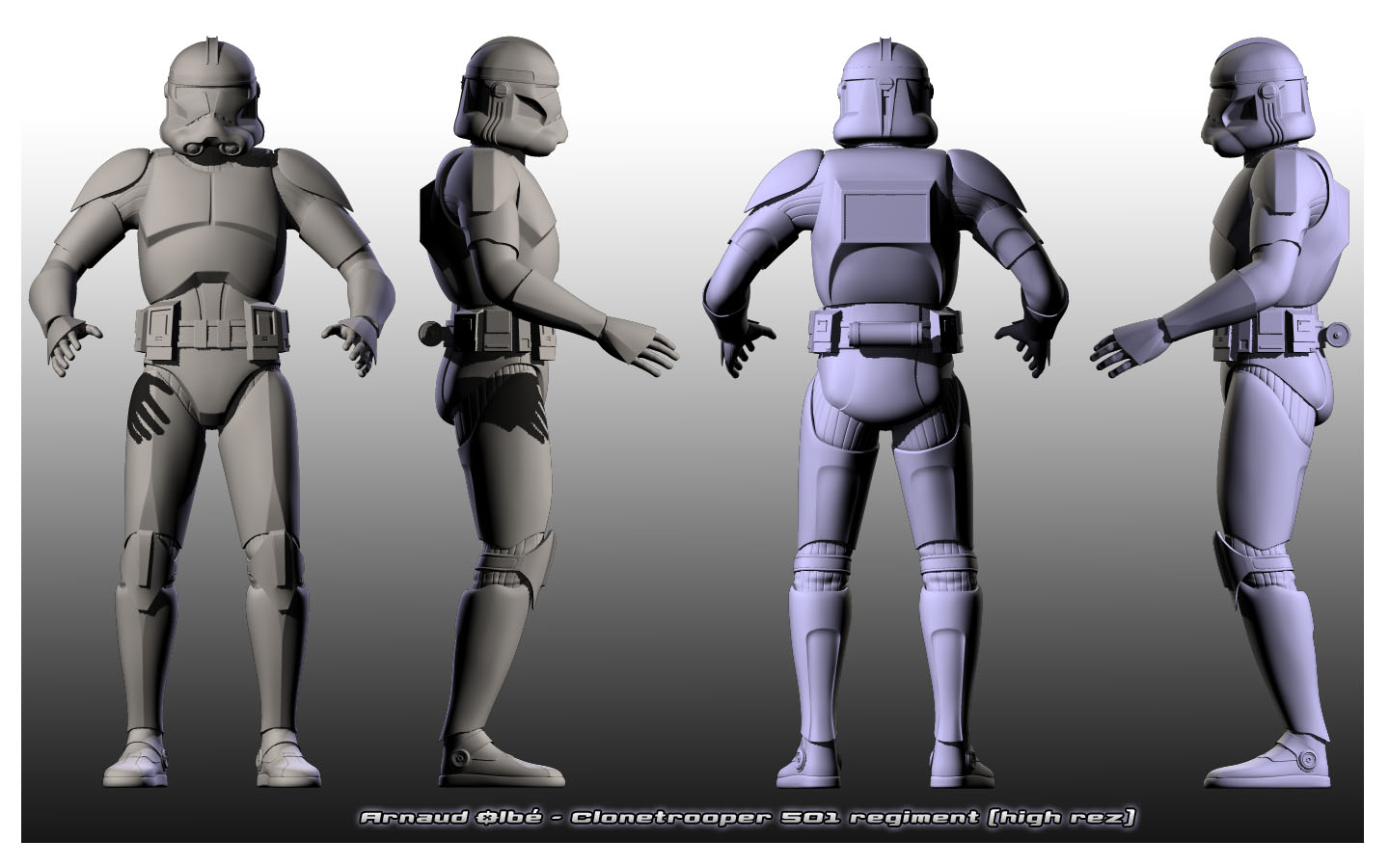
no seriously, if you compare the shipped clone:
to a "mature" highrezmodel
it doesnt fit too wel iny my opinion
(the upper-torsos scale and shoulderlevel is the same on both pictures)
Re: Why does the SWBF engine look so fake?
Posted: Tue Jun 08, 2010 2:09 am
by Lozza
Sorry if this kinda changes the subject but I used to work in ENB graphics and the mod that you linked before with the bloom was kinda useless.
If it was to be more realistic, it would have to have some BLUR. Like this-
If you see the picture we Carl is standing in the shop on the right.
I could fiddle with the BF2 engine.
EDIT: O_o i didnt realise you had discussed this already, ah well, let me work into it : )
Re: Why does the SWBF engine look so fake?
Posted: Tue Jun 08, 2010 7:00 am
by lucasfart
BF2 can do blur, Imperialmodder, but i'm not sure if it works as well as that....
The only hesitation i have here is the fact that with your high-rez room, isn't there a good chance that doing that for a whole map will lag like mad? If you can get it to work well, awesome, but i'm not really sure if thats possible. Like everyone's been saying, there's all the ai to account for as well.....
Re: Why does the SWBF engine look so fake?
Posted: Tue Jun 08, 2010 7:18 am
by Lozza
Depends on your GFX Card lol
Re: Why does the SWBF engine look so fake?
Posted: Tue Jun 08, 2010 7:39 am
by lucasfart
Just wondering. Would something like
THIS work for bf2? I know it would be extremely hard, but i you could accomplish it, things could look a lot better...
Re: Why does the SWBF engine look so fake?
Posted: Tue Jun 08, 2010 8:33 am
by RepSharpshooter
lucasfart wrote:Just wondering. Would something like
THIS work for bf2? I know it would be extremely hard, but i you could accomplish it, things could look a lot better...
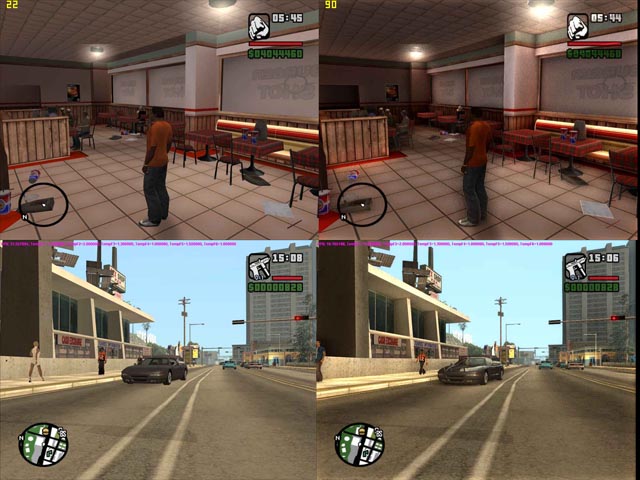
The ENB series has been mentioned several times, once right above you.
The only thing I'm interested in ENB is the Ambient occlusion, Look at the guy standing in the bar
The one on the right has occlusion the other does not.
In any case, it would be more practical to search first for a solution within what we can already mod, instead of using 3rd party software. I took a look at the shaders folder, and the stuff in there's pretty specifically coded, therefore hard to understand at first.
---------------------------
Ok D.U.C.K., here's the final countdown-- an overlap of the two:
My observations about stock model:
- Head size matches in front view
- Head looks too wide in the side view, and perhaps is arched back too much
- Legs are too long
- Legs start lower, look at the pelvis in the 2rd from right view.
- Legs are too thick
In general, maybe head is larger in proportion to the entire body, this would give it a cartoony feel. Plus the low poly count makes it look even more cartoony. What do you think?
Re: Why does the SWBF engine look so fake?
Posted: Tue Jun 08, 2010 8:37 am
by Teancum
Already being talked about. Look at the to of this page.
Long story short there just isn't a way to make SWBF2 look realistic. The engine itself is too old -- it didn't get the updates that other engines during its time got to allow for it because the devs were always busy pushing out Star Wars games. You can do hi-res models and textures, bump and specular maps, but in the end even ENB won't give it the boost it needs -- at least not what ya'll are looking for.
As far as ENB goes, Mafia is a great example of the boost we'll get:
As you can see, it doesn't look any better. It just looks like someone smeared vasoline on a camera lens. Another good example are the pre-GTAIV GTA games. Take a look at this and tell me it does't just look like a ton of bloom:
Here's the kicker - we can already do Bloom and have some really decent lighting and whatnot. Ask anyone with SWBF1 for the Xbox to fire up Naboo Theed. You'll see ENB-quality graphics immediately. Ambient Occlusion ain't gonna help this game.
Case in point
And further down in that topic...
I just fail to see how ambient occlusion is going to help this game. So for now I'm just going to say "
Pics or it didn't happen"
Re: Why does the SWBF engine look so fake?
Posted: Tue Jun 08, 2010 11:14 am
by DarthD.U.C.K.
RepSharpshooter wrote:
My observations about stock model:
- Head size matches in front view
- Head looks too wide in the side view, and perhaps is arched back too much
- Legs are too long
- Legs start lower, look at the pelvis in the 2rd from right view.
- Legs are too thick
In general, maybe head is larger in proportion to the entire body, this would give it a cartoony feel. Plus the low poly count makes it look even more cartoony. What do you think?
agreed

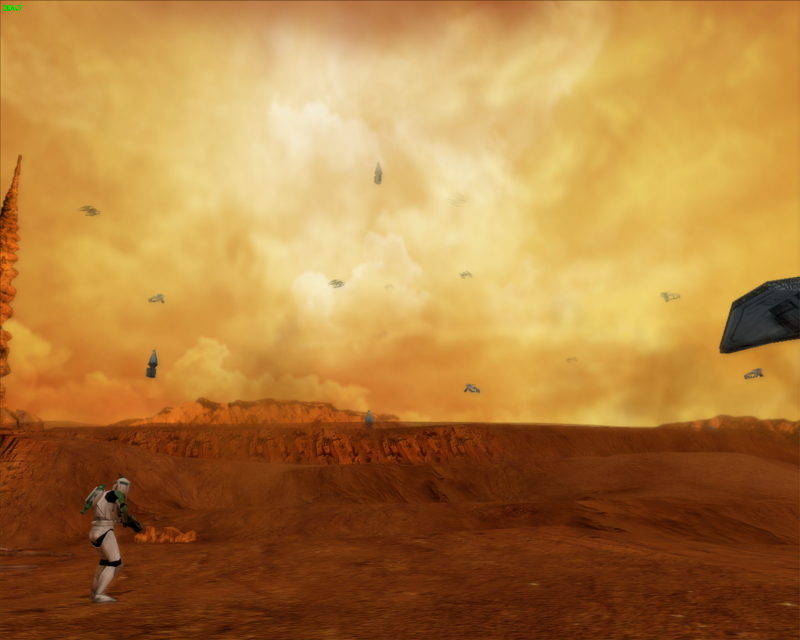
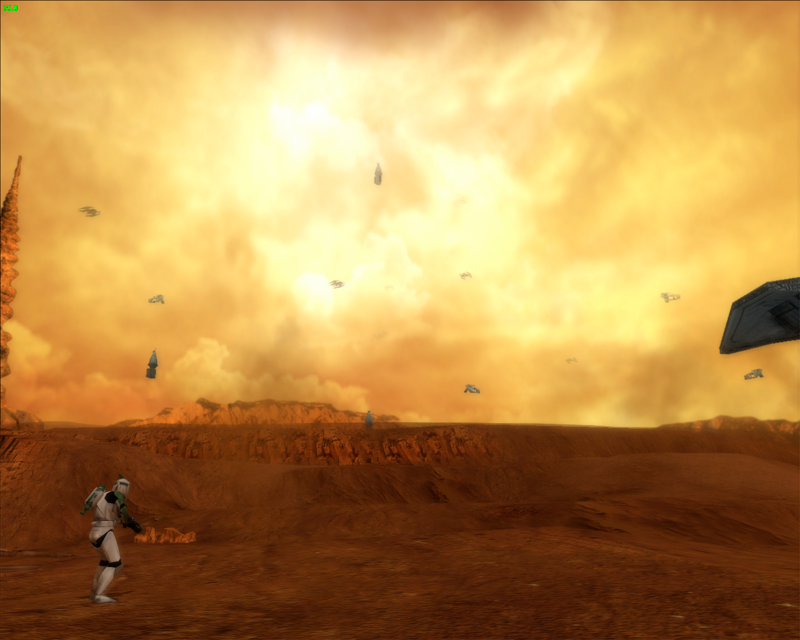
but about the normalmapping: battlefronts shadowbuffer seems to be pretty low, which prevents it form diyplying normalmaps properly
here's a comparison between a "normal" normalmap-render and battlefronts:

the roundness on the chestarmor is pretty much gone and the details on the shoes are not recognizeable without very fortunate angle of light in battlefront
Re: Why does the SWBF engine look so fake?
Posted: Tue Jun 08, 2010 11:42 am
by Teancum
I don't see a big deal in the chest armor, but nobody is going to be looking at a character's shoes unless they want to lose the game.

Re: Why does the SWBF engine look so fake?
Posted: Tue Jun 08, 2010 11:57 am
by DarthD.U.C.K.

so THATS why i always loose! im looking at the shoes all the time!^^
no, honestly, i just wanted to point out that battlefront cant display normlmaps as good as other games do with these two examples (maybe because it doesnt have much memory for shadow-stuff)