
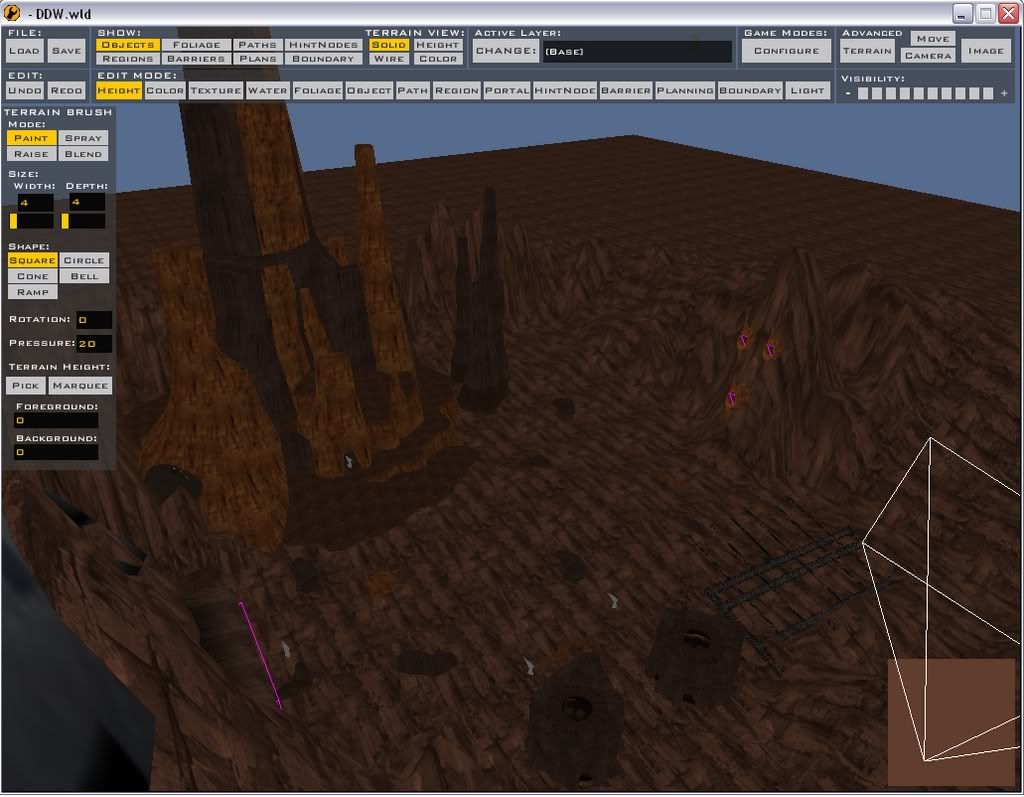
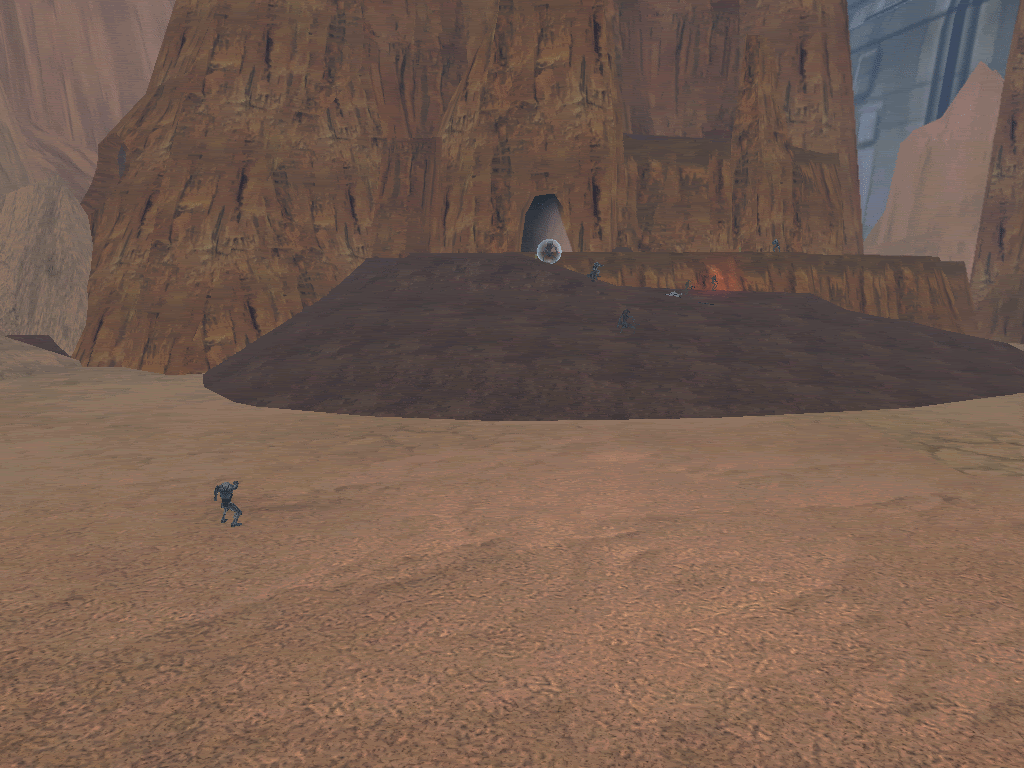
Well, my texture is all messed up, as u can see here
http://www.gametoast.com/index.php?name ... ic&t=10785
It is a light brown, but in ZE it is a dark brown like Rock, would could be causing this?
jsut incase, here is my Log:
C:\BF2_ModTools\ToolsFL\Bin\luac.exe: ..\..\common\scripts\DDW\DDWc_con.lua:96: `)' expected (to close `(' at line 94) near `"gen_inf_geonosian"'
ERROR[scriptmunge scripts\DDW\DDWc_con.lua]:Could not read input file.ERROR[scriptmunge scripts\DDW\DDWc_con.lua]:Could not read input file. [continuing]
2 Errors 0 Warnings
ERROR[localizemunge japanese.cfg]:Text file syntax error. (No matching bracket)ERROR[localizemunge japanese.cfg]:Text file syntax error. (No matching bracket) [continuing]
2 Errors 0 Warnings
ERROR[levelpack mission\DDWc_con.req]:Expecting bracket, but none was found.
File : munged\pc\ddwc_con.script.req(1)...
ucft <--
ERROR[levelpack mission\DDWc_con.req]:Expecting bracket, but none was found.
File : munged\pc\ddwc_con.script.req(1)...
ucft <--
2 Errors 0 Warnings
I am trying "clean then munge" to see if it works, ibut please still give me ideas lol
Another problem.. another post... -_-
Moderator: Moderators
-
RepSharpshooter
- Gametoast Staff

- Posts: 1351
- Joined: Tue Jul 10, 2007 4:10 pm
RE: Another problem.. another post... -_-
When you see errors in the munge, that's bad, you should fix them. I believe they're the same errors in your other post also. However, I'm not sure they are related to the textures. Hmm this is hard to call without knowing exactly what you did. Do you have a detail map? Sometimes that will make the ground transparent, so the fog will show through, my terrain turned blue. But this went away after the first load. Hmm, brown in the editor, but not in the game. is the bitmap brown as well?
-
Maveritchell

- Jedi Admin

- Posts: 7366
- Joined: Mon Aug 21, 2006 11:03 pm
-
GolfBulb
-
RepSharpshooter
- Gametoast Staff
- Posts: 1351
- Joined: Tue Jul 10, 2007 4:10 pm
-
GolfBulb
-
Master Fionwë
- Rebel Colonel

- Posts: 598
- Joined: Wed May 30, 2007 3:33 pm
- Projects :: No Mod project currently.
- xbox live or psn: No gamertag set
- Location: At RCTC
- Contact:
-
GolfBulb
please explain, i think i know what your saying, but waht about the "brightness"? how would i change itMaster Fionwë wrote:It could be the lighting. The same thing happens to me in parts of my map. You could try using the paint tool in ZE, take a dark color, like black, and just lightly spray over or blend the area that you want darker. Or just decrease the brightness of the lighting.