So, you want to localize your custom sides? Whenever you try to make a custom side using this tutorial
here (not editing a shipped side), or making a new unit, you probably get something like this:
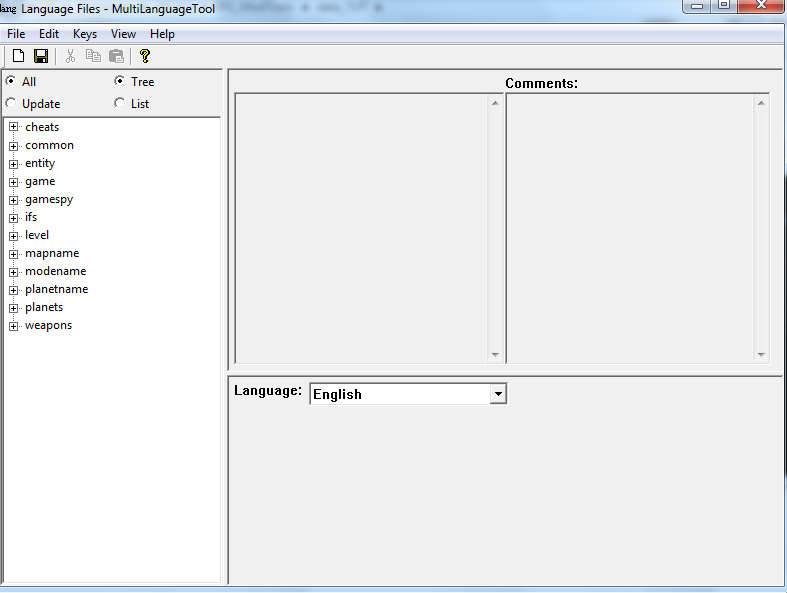
You wanna know how to fix this issue. So, go to Data_***/editlocalize.bat. This will take you to your mod's language files.
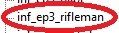
Now, look at entity/rep. Look at the structure of the units. This is why it is important to use underscores ( _ ) in your units req names. Note that instead of having "rep_inf_ep3rifleman", like you would see in your req folder, it just has "inf_ep3rifleman". This is because of the rep subfolder (or scope) in entity, it takes care of that "rep_". You will need to remember this, for it is very important when we do it ourselves.
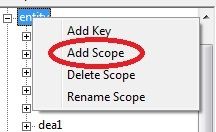
After we had a little look-see, it's time do this ourselves. Before we can do this, we need to understand the difference between scopes and keys. A scope is a folder, or sub-folder, either containing keys, or a scope. So in the language files, rep is a scope. "inf_ep3rifleman" is a key, which is basically the end of the line. There are no sub-keys. The keys are the parts that include the name, and is found in a scope. So, to create our own scope for our files, right-click on entity. Click add scope. Name it your side's name.
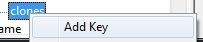
When I first figured this out, my name was "snowClones" (get it, snow cones, galactic marines). There I learned that you have to get exact capitalization based on your side folder. In this tutorial, I am using the name "clones". So, I will add the scope "clones".
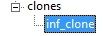
You will see that the scope does not have a plus-thing. This is because we haven't added a key yet. This will be simple. Just take the "clones_"(or whatever your side name is plus an underscore at the end) out of your req name. So for me, it would be "inf_clone". Right-click on your side's scope, and click "add key".
Name your key, and click on your new key.
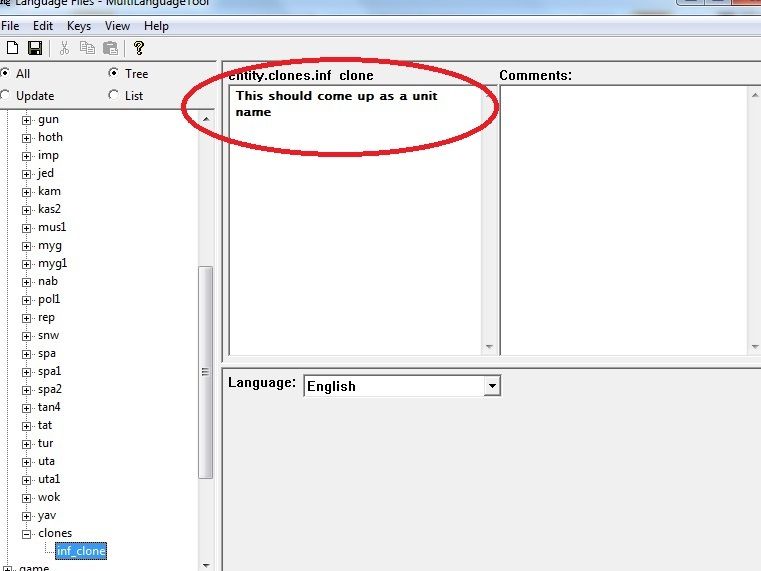
Now, in the big white box on the left, type in your unit name.
This is where you have to be patient. Click file/save. This might take a few minutes, and I'm not kidding when I say that. So don't get impatient after 10 seconds. Wait until you get a message, telling you that everything has been saved.
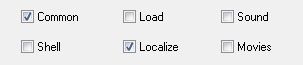
Exit that. The hard part's over. Now you can munge. Make sure you check "common" and "localize" when you munge. Don't just check "localize", you also have to check "common". This is because all the localization files are held in common, but you need to let the munger know localization is being uptaded, so you have to check both. If you haven't updated your sides, it might also be a good idea to check that too.
Once you're done go ahead and open up Battlefront. You'll see that the names are changed.
Congratulations! You now have changed your side's names! Try exploring stuff like this, and maybe you will find something cool out, too. And always remember,