A skin not working

In this forum you will find and post information regarding the modding of Star Wars Battlefront 2. DO NOT POST MOD IDEAS/REQUESTS.

Moderator: Moderators

Post Reply
Clonedude55

A skin not working

Post by Clonedude55 »

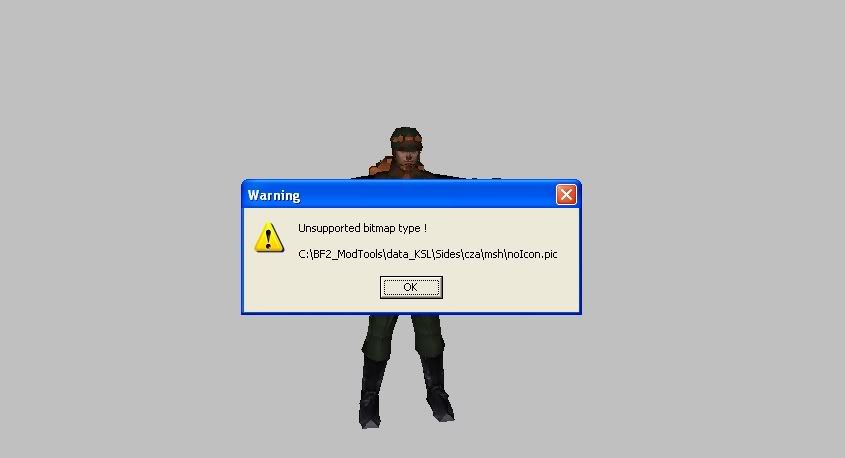
OK so here is the thing I have added another unit to my Czerka collection and I have a reskin for it and I cleaned and munged and the Rebel Smugler (well at least him in a new side [cza] ) but he is in his normal skin not the new one any help? O, also when I opened 3D Converter and opened the MSH it opened the textures and this popped up:

Image


Thank you in advance


BTW: This it the 3D Converter that is in Squpples Assets
Master Fionwë
Rebel Colonel
Rebel Colonel
Posts: 598
Joined: Wed May 30, 2007 3:33 pm
Projects :: No Mod project currently.
Games I'm Playing :: I have not listed any games yet
xbox live or psn: No gamertag set
Location: At RCTC
Contact:

RE: A skin not working

Post by Master Fionwë »

I don't know about the skin not working, but I get that thing popping up all the time. It doesn't really mean anything, because my skins work just fine even if that pops up. You sure you properly renamed the skin to match what the msh file says? I found that some msh use multiple skins, and all have to be replaced in order for the change to show.
Clonedude55

Post by Clonedude55 »

I know I named it right. I cleaned and now and the unit is there but he has no skin and is all black I unchecked RLE compression and the engineer only uses one TGA the All_inf_engineer.tga
User avatar
phazon_elite
Rebel Colonel
Rebel Colonel
Posts: 597
Joined: Tue Jan 16, 2007 9:10 pm
Projects :: No Mod project currently.
Games I'm Playing :: I have not listed any games yet
xbox live or psn: No gamertag set
Location: I'm sorry Link, I can't give the location. Come back when you're a little...mmmh...RICHER!
Contact:

Post by phazon_elite »

The model and texture have to be in the same folder for it to work in 3DConverter.

- EP-782
Clonedude55

Post by Clonedude55 »

they are in the same folder.............................
User avatar
phazon_elite
Rebel Colonel
Rebel Colonel
Posts: 597
Joined: Tue Jan 16, 2007 9:10 pm
Projects :: No Mod project currently.
Games I'm Playing :: I have not listed any games yet
xbox live or psn: No gamertag set
Location: I'm sorry Link, I can't give the location. Come back when you're a little...mmmh...RICHER!
Contact:

Post by phazon_elite »

Ok, I just said that in case you had a PC folder.

- EP-782
Master Fionwë
Rebel Colonel
Rebel Colonel
Posts: 598
Joined: Wed May 30, 2007 3:33 pm
Projects :: No Mod project currently.
Games I'm Playing :: I have not listed any games yet
xbox live or psn: No gamertag set
Location: At RCTC
Contact:

Post by Master Fionwë »

Like I've said, that little box that comes up isn't important, it means pretty much nothing. Most of the units that I've looked at with the 3-D converter bring that box up, and they all work and look fine ingame. If you're ready, munge the unit into the map, and see what it looks like there. Post a pic if you would please.

Post Reply