Asset doesn't appear in game (showed up miserably) [Solved]
Posted: Sat Oct 11, 2014 12:13 am
by anaobi
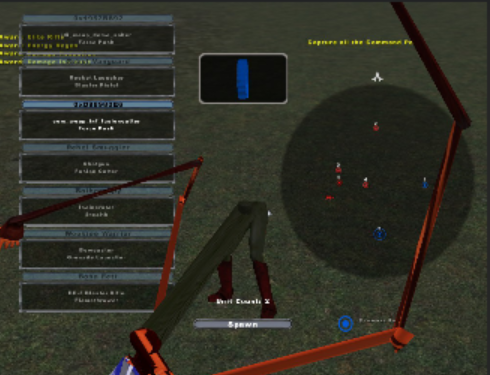
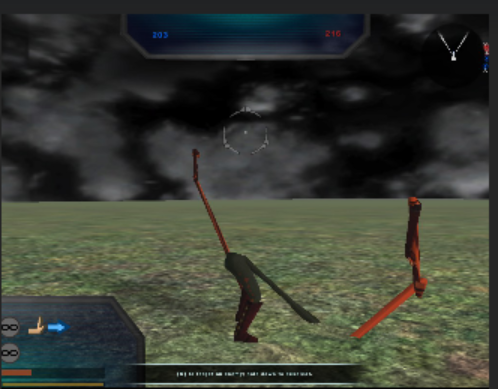
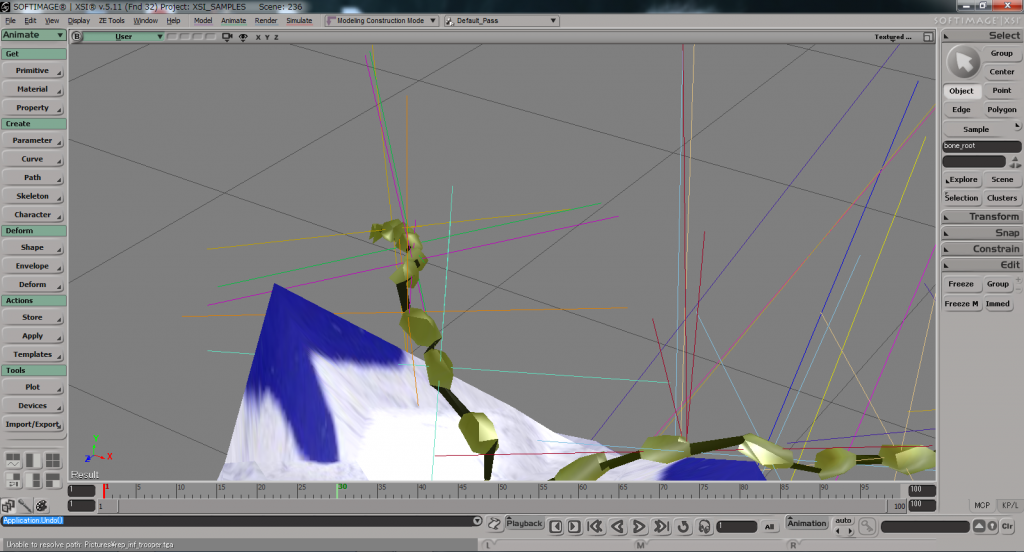
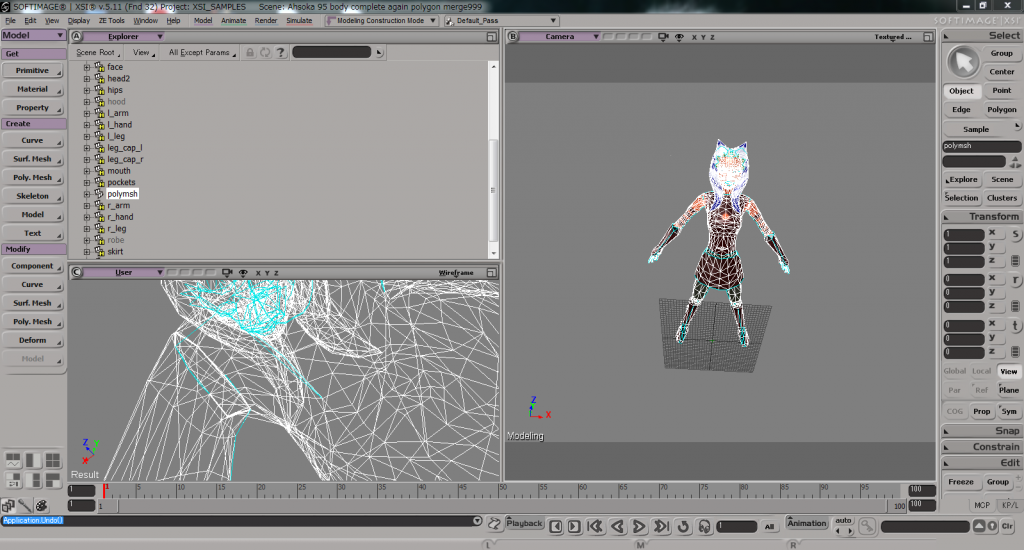
I made Ahsoka in XSI. I did envelop, making cloth & collision. But it doesn't appear in character selecting menu.
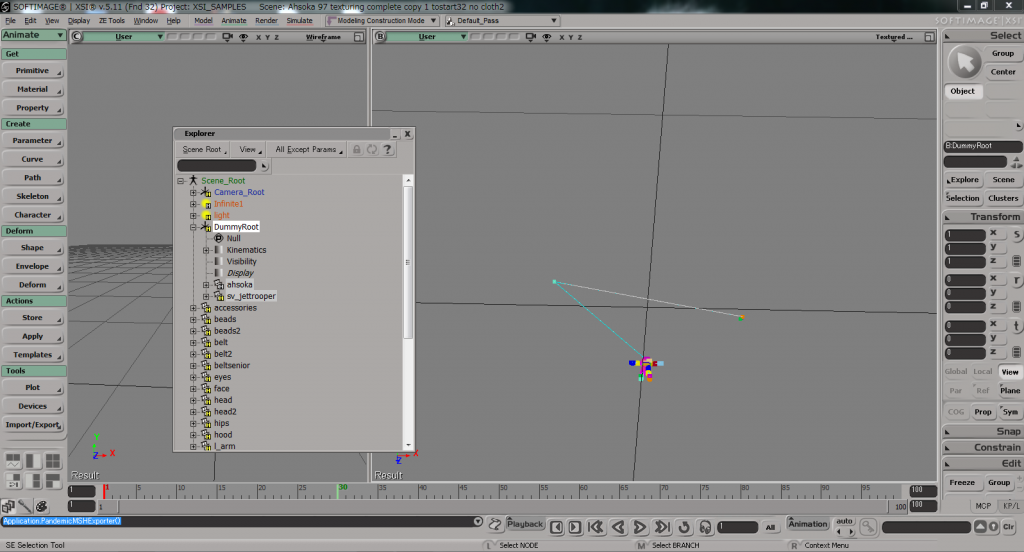
So, for the test, I just make Ahsoka without cloth. I mean, I just did envelop, and I used default shadowvolume (trooper's shadow: sv_jettrooper).
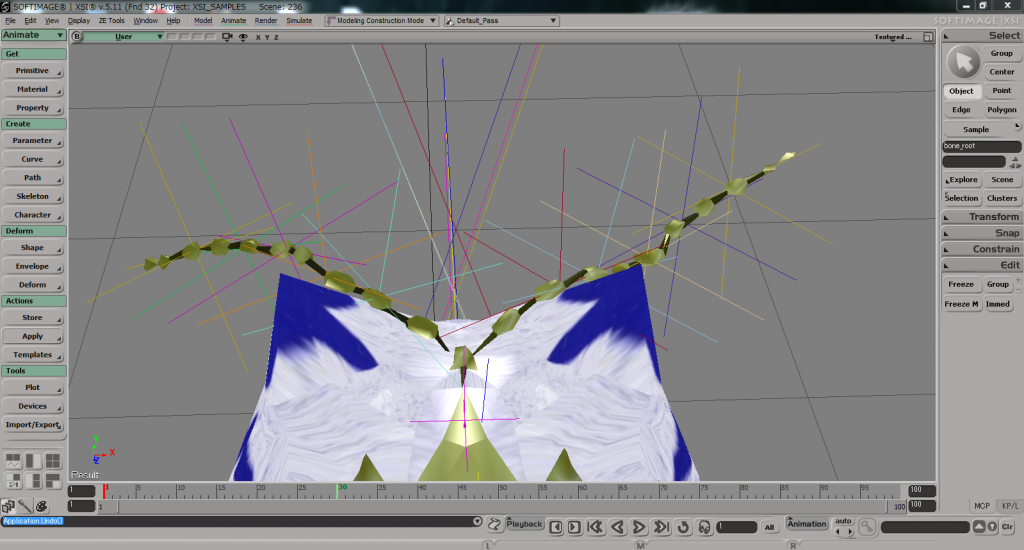
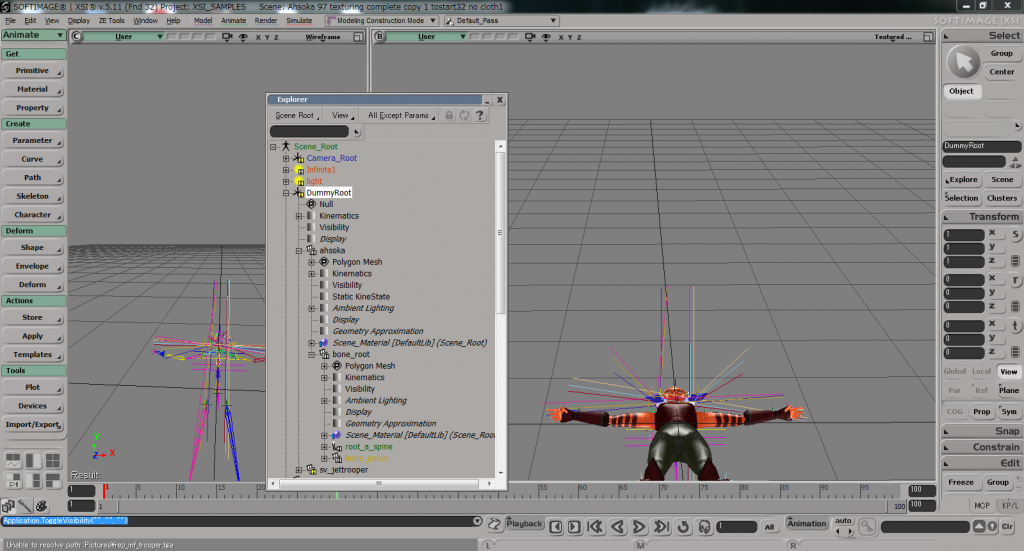
I put bones under the Ahsoka's mesh, hide DummyRoot and all bones (by mouse's middle click).
Middle click the DummyRoot and I exported it.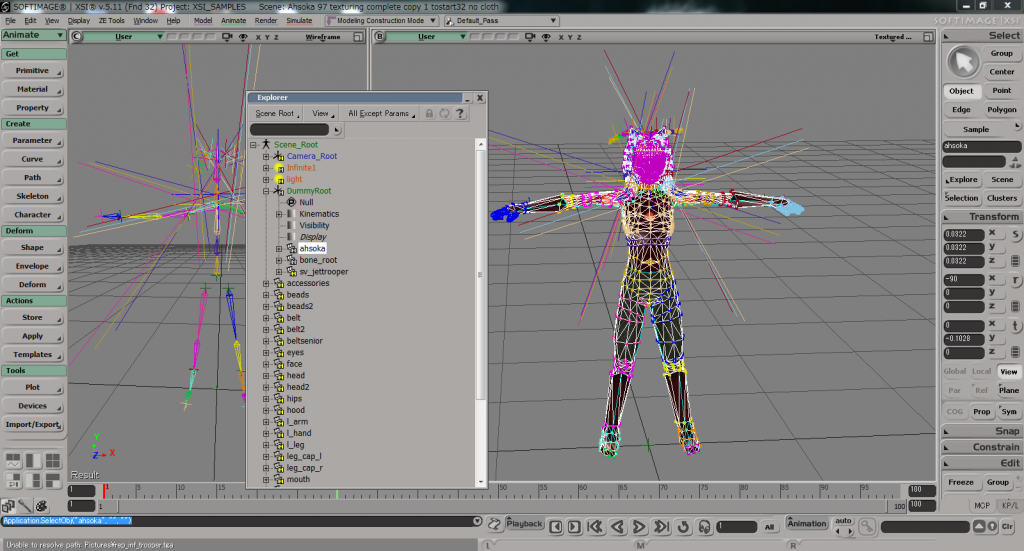
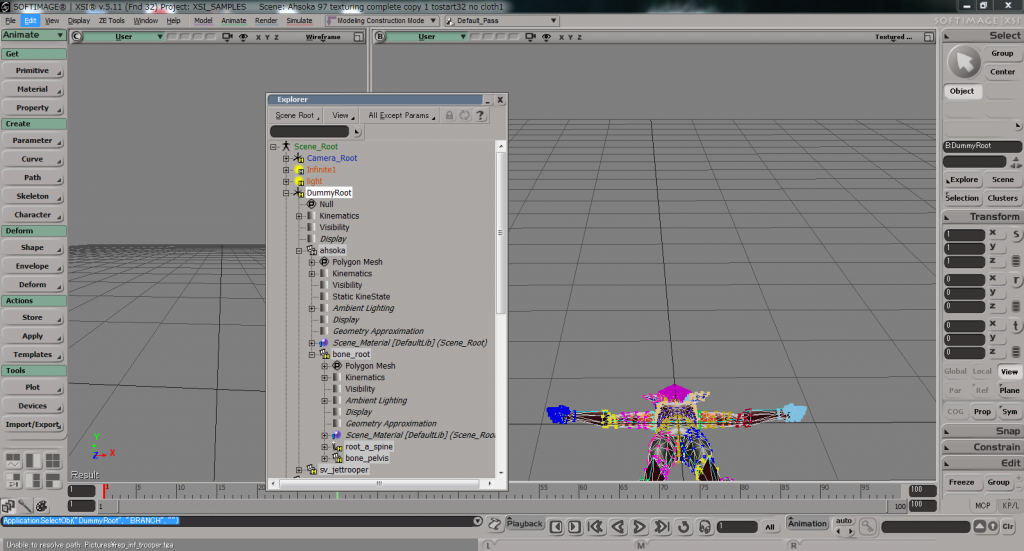
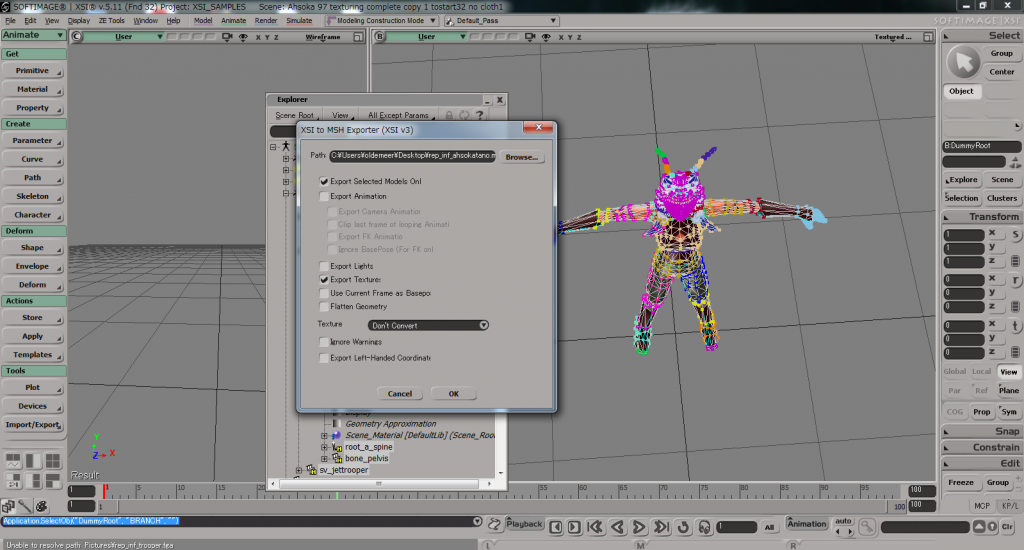 But again, it doesn't show in the game (I can view it in SWBFViewer).
Do you have idea?
I copied some centences from error log. I think this problem isn't about animation bank limit because game doesn't crash.
Just in case, I attaced my odf files. (I put rep_inf_ahsokatano's .msh and tga files in the data_ABC>Sides>JDI>msh )
So, for the test, I just make Ahsoka without cloth. I mean, I just did envelop, and I used default shadowvolume (trooper's shadow: sv_jettrooper).
I put bones under the Ahsoka's mesh, hide DummyRoot and all bones (by mouse's middle click).
Middle click the DummyRoot and I exported it.
Hidden/Spoiler:
Do you have idea?
I copied some centences from error log. I think this problem isn't about animation bank limit because game doesn't crash.
Hidden/Spoiler:
Message Severity: 3
C:\Battlefront2\main\Battlefront2\Source\LuaCallbacks_Mission.cpp(866)
Lua ReadDataFile: Could not open ..\..\addon\BDT\data\_LVL_PC\dtshell.lvl
Found ..\..\addon\BFX\data\_LVL_PC\mission.lvl. Adding BFX's missions
Found ..\..\addon\BFX\data\_LVL_PC\mission.lvl. Adding BFX's missions
Cannot find ..\..\addon\BDT\data\_LVL_PC\SIDE\dark.lvl. Skipping DT's extra missions
prev = none iLastPage = nil
prev = texture iLastPage = 1
prev = texture iLastPage = 2
prev = texture iLastPage = 3
ifs_legal.Exit
~~~~~~~~~~~~~~~~~~~~~
Message Severity: 2
C:\Battlefront2\main\Battlefront2\Source\HUDElementBitmap.cpp(380)
HUD BitmapElement unable to find texture btn_directional_pad_LR
game_interface: Entered
utility_functions2: Listening on AddUnitClass() calls
utility_functions2: Listening on SetHeroClass() calls
utility_functions2: Listening on ReadDataFile() calls
game_interface: Reading in custom strings
game_interface: No user_script_0.lvl
game_interface: No user_script_1.lvl
game_interface: No user_script_2.lvl
game_interface: No user_script_3.lvl
game_interface: No user_script_4.lvl
game_interface: No user_script_5.lvl
game_interface: No user_script_6.lvl
game_interface: No user_script_7.lvl
game_interface: No user_script_8.lvl
game_interface: No user_script_9.lvl
game_interface: Found user_script_10.lvl
user_script_10: Entered
user_script_10: Replacing v1.3 (r117)'s AddUnitClass as it should've had a return value. This fixes the Leia bug.
user_script_10: No user_script_11.lvl. Will stop searching for any more user scripts.
user_script_10: Exited
ifs_sideselect_fnBuildScreen()
game_interface: Exited
~~~~~~~~~~~~~~~~~~~~~~~
Message Severity: 2
C:\Battlefront2\main\Battlefront2\Source\Team.cpp(625)
Team missing class "rep_inf_ahsokatano" (check the side's .req file)
uf_updateClassIndex(): Added class: all_inf_engineer
uf_updateClassIndex(): Added class: all_inf_officer
uf_updateClassIndex(): Added class: all_inf_wookiee
uf_updateClassIndex(): Already know class: jdi_demojedi
uf_updateClassIndex(): Added class: imp_inf_rocketeer
uf_updateClassIndex(): Added class: imp_hero_bobafett
uf_updateClassIndex(): Added class: imp_inf_engineer
uf_updateClassIndex(): Added class: imp_inf_officer
uf_updateClassIndex(): Added class: imp_inf_dark_trooper
uf_updateClassIndex(): Already know class: imp_hero_bobafett
~~~~~~~~~~~~~~~~~~~~
Message Severity: 2
C:\Battlefront2\main\Battlefront2\Source\LuaCallbacks_Mission.cpp(1379)
Hero class "" not found for team 1 (check the side's .req file)
Message Severity: 2
C:\Battlefront2\main\Battlefront2\Source\Team.cpp(658)
Team missing hero class "0x0" (check the side's .req file)
uf_updateClassIndex(): Added class: twilek
uf_updateClassIndex(): Already know class: twilek
uf_updateClassIndex(): Already know class: rep_inf_ahsokatano
Message Severity: 2
C:\Battlefront2\main\Battlefront2\Source\Team.cpp(625)
Team missing class "rep_inf_ahsokatano" (check the side's .req file)
utility_functions2: ReadDataFile(): This map's code, mode: abc abc_conquest
~~~~~~~~~~~~~~~~~~~~~~~~~~~~~
Message Severity: 2
C:\Battlefront2\main\RedEngineFL\Memory\RedMemoryPool.cpp(170)
Memory pool "SoldierAnimation" is full; raise count to at least 340
ifs_sideselect_fnEnter(): Map does not support custom era teams
ifs_sideselect_fnEnter(): The award settings file exists
ifs_sideselect_fnEnter(): Starting to remove award effects...
ifs_sideselect_fnEnter(): Finished removing award effects.
C:\Battlefront2\main\Battlefront2\Source\LuaCallbacks_Mission.cpp(866)
Lua ReadDataFile: Could not open ..\..\addon\BDT\data\_LVL_PC\dtshell.lvl
Found ..\..\addon\BFX\data\_LVL_PC\mission.lvl. Adding BFX's missions
Found ..\..\addon\BFX\data\_LVL_PC\mission.lvl. Adding BFX's missions
Cannot find ..\..\addon\BDT\data\_LVL_PC\SIDE\dark.lvl. Skipping DT's extra missions
prev = none iLastPage = nil
prev = texture iLastPage = 1
prev = texture iLastPage = 2
prev = texture iLastPage = 3
ifs_legal.Exit
~~~~~~~~~~~~~~~~~~~~~
Message Severity: 2
C:\Battlefront2\main\Battlefront2\Source\HUDElementBitmap.cpp(380)
HUD BitmapElement unable to find texture btn_directional_pad_LR
game_interface: Entered
utility_functions2: Listening on AddUnitClass() calls
utility_functions2: Listening on SetHeroClass() calls
utility_functions2: Listening on ReadDataFile() calls
game_interface: Reading in custom strings
game_interface: No user_script_0.lvl
game_interface: No user_script_1.lvl
game_interface: No user_script_2.lvl
game_interface: No user_script_3.lvl
game_interface: No user_script_4.lvl
game_interface: No user_script_5.lvl
game_interface: No user_script_6.lvl
game_interface: No user_script_7.lvl
game_interface: No user_script_8.lvl
game_interface: No user_script_9.lvl
game_interface: Found user_script_10.lvl
user_script_10: Entered
user_script_10: Replacing v1.3 (r117)'s AddUnitClass as it should've had a return value. This fixes the Leia bug.
user_script_10: No user_script_11.lvl. Will stop searching for any more user scripts.
user_script_10: Exited
ifs_sideselect_fnBuildScreen()
game_interface: Exited
~~~~~~~~~~~~~~~~~~~~~~~
Message Severity: 2
C:\Battlefront2\main\Battlefront2\Source\Team.cpp(625)
Team missing class "rep_inf_ahsokatano" (check the side's .req file)
uf_updateClassIndex(): Added class: all_inf_engineer
uf_updateClassIndex(): Added class: all_inf_officer
uf_updateClassIndex(): Added class: all_inf_wookiee
uf_updateClassIndex(): Already know class: jdi_demojedi
uf_updateClassIndex(): Added class: imp_inf_rocketeer
uf_updateClassIndex(): Added class: imp_hero_bobafett
uf_updateClassIndex(): Added class: imp_inf_engineer
uf_updateClassIndex(): Added class: imp_inf_officer
uf_updateClassIndex(): Added class: imp_inf_dark_trooper
uf_updateClassIndex(): Already know class: imp_hero_bobafett
~~~~~~~~~~~~~~~~~~~~
Message Severity: 2
C:\Battlefront2\main\Battlefront2\Source\LuaCallbacks_Mission.cpp(1379)
Hero class "" not found for team 1 (check the side's .req file)
Message Severity: 2
C:\Battlefront2\main\Battlefront2\Source\Team.cpp(658)
Team missing hero class "0x0" (check the side's .req file)
uf_updateClassIndex(): Added class: twilek
uf_updateClassIndex(): Already know class: twilek
uf_updateClassIndex(): Already know class: rep_inf_ahsokatano
Message Severity: 2
C:\Battlefront2\main\Battlefront2\Source\Team.cpp(625)
Team missing class "rep_inf_ahsokatano" (check the side's .req file)
utility_functions2: ReadDataFile(): This map's code, mode: abc abc_conquest
~~~~~~~~~~~~~~~~~~~~~~~~~~~~~
Message Severity: 2
C:\Battlefront2\main\RedEngineFL\Memory\RedMemoryPool.cpp(170)
Memory pool "SoldierAnimation" is full; raise count to at least 340
ifs_sideselect_fnEnter(): Map does not support custom era teams
ifs_sideselect_fnEnter(): The award settings file exists
ifs_sideselect_fnEnter(): Starting to remove award effects...
ifs_sideselect_fnEnter(): Finished removing award effects.
Hidden/Spoiler:
rep_inf_ahsokatano.odf:
[code][GameObjectClass]
ClassParent = "com_jedi_default"
[Properties]
NumTentacles = "5"
BonesPerTentacle = "4"
TentacleCollType = "0"
AISizeType = "HOVER"
CollisionScale = "0.0 0.0 0.0" // x, y, then z scales
GeometryName = "rep_inf_ahsokatano"
GeometryLowRes = ""
// I haven't made lowrez model, so I let here blank.
AnimationName = ""
// I also don't have ahsoka's animation
JetJump = "10.0"
JetPush = "0.0"
JetAcceleration = "10.0"
JetEffect = ""
JetFuelRechargeRate = "0.0"
JetFuelCost = "0.0"
JetFuelInitialCost = "0.0"
JetFuelMinBorder = "0.0"
JetShowHud = 0
JetEnergyDrain = 40.0
FoleyFXClass = "rep_inf_soldier"
// ClothODF = "ahsoka_cloth"
// This time, no cloth
WEAPONSECTION = 1
WeaponName = "com_weap_inf_fusioncutter"
WeaponAmmo = 0
WEAPONSECTION = 2
WeaponName = "com_weap_inf_force_push"
WeaponAmmo = 0
WeaponChannel = 1
// WEAPONSECTION = 3
// WeaponName = "com_weap_inf_sabre_throw"
// WeaponAmmo = 0
// WeaponChannel = 1[/code]
rep_inf_ahsokatano.req:
[code]cft
{
REQN
{
"class"
"rep_inf_ahsokatano"
}
}
[/code]
jdi.req:
[code]ucft
{
REQN
{
"lvl"
"jdi_demojedi"
"twilek"
"rep_inf_ahsokatano"
}
}
[/code]
ABCg_con.lua:
[code] ReadDataFile("SIDE\\all.lvl",
"all_inf_rifleman",
"all_inf_rocketeer",
"all_inf_sniper",
"all_inf_engineer",
"all_inf_officer",
"all_inf_wookiee",
"all_hover_combatspeeder" )
ReadDataFile("dc:SIDE\\jdi.lvl",
"twilek",
"jdi_demojedi",
"rep_inf_ahsokatano")
ReadDataFile("SIDE\\imp.lvl",
"imp_inf_rifleman",
"imp_inf_rocketeer",
"imp_inf_engineer",
"imp_inf_sniper",
"imp_inf_officer",
"imp_inf_dark_trooper",
"imp_hero_bobafett",
"imp_fly_destroyer_dome",
"imp_walk_atst",
"imp_walk_atat" )
ReadDataFile("SIDE\\tur.lvl",
"tur_bldg_tat_barge",
"tur_bldg_laser")
SetMemoryPoolSize("CommandWalker", 1)
SetupTeams{
all = {
team = ALL,
units = 20,
reinforcements = 230,
soldier = { "jdi_demojedi",9, 25},
assault = { "all_inf_rocketeer",1,15},
engineer = { "all_inf_engineer",1,4},
sniper = { "rep_inf_ahsokatano",1,4},
officer = { "all_inf_officer",1,4},
special = { "all_inf_wookiee",1,4},
},
imp = {
team = IMP,
units = 20,
reinforcements = 230,
soldier = { "jdi_demojedi",9, 25},
assault = { "imp_inf_rocketeer",1,4},
engineer = { "imp_inf_engineer",1,4},
sniper = { "imp_hero_bobafett",1,4},
officer = { "imp_inf_officer",1,4},
special = { "imp_inf_dark_trooper",1,4},
},
}
SetHeroClass(ALL, "imp_hero_bobafett")
SetHeroClass(IMP, "")
AddUnitClass(ALL, "twilek",1,4)
AddUnitClass(IMP, "twilek",1,4)
AddUnitClass(ALL, "rep_inf_ahsokatano",1,4)
[/code]
[code][GameObjectClass]
ClassParent = "com_jedi_default"
[Properties]
NumTentacles = "5"
BonesPerTentacle = "4"
TentacleCollType = "0"
AISizeType = "HOVER"
CollisionScale = "0.0 0.0 0.0" // x, y, then z scales
GeometryName = "rep_inf_ahsokatano"
GeometryLowRes = ""
// I haven't made lowrez model, so I let here blank.
AnimationName = ""
// I also don't have ahsoka's animation
JetJump = "10.0"
JetPush = "0.0"
JetAcceleration = "10.0"
JetEffect = ""
JetFuelRechargeRate = "0.0"
JetFuelCost = "0.0"
JetFuelInitialCost = "0.0"
JetFuelMinBorder = "0.0"
JetShowHud = 0
JetEnergyDrain = 40.0
FoleyFXClass = "rep_inf_soldier"
// ClothODF = "ahsoka_cloth"
// This time, no cloth
WEAPONSECTION = 1
WeaponName = "com_weap_inf_fusioncutter"
WeaponAmmo = 0
WEAPONSECTION = 2
WeaponName = "com_weap_inf_force_push"
WeaponAmmo = 0
WeaponChannel = 1
// WEAPONSECTION = 3
// WeaponName = "com_weap_inf_sabre_throw"
// WeaponAmmo = 0
// WeaponChannel = 1[/code]
rep_inf_ahsokatano.req:
[code]cft
{
REQN
{
"class"
"rep_inf_ahsokatano"
}
}
[/code]
jdi.req:
[code]ucft
{
REQN
{
"lvl"
"jdi_demojedi"
"twilek"
"rep_inf_ahsokatano"
}
}
[/code]
ABCg_con.lua:
[code] ReadDataFile("SIDE\\all.lvl",
"all_inf_rifleman",
"all_inf_rocketeer",
"all_inf_sniper",
"all_inf_engineer",
"all_inf_officer",
"all_inf_wookiee",
"all_hover_combatspeeder" )
ReadDataFile("dc:SIDE\\jdi.lvl",
"twilek",
"jdi_demojedi",
"rep_inf_ahsokatano")
ReadDataFile("SIDE\\imp.lvl",
"imp_inf_rifleman",
"imp_inf_rocketeer",
"imp_inf_engineer",
"imp_inf_sniper",
"imp_inf_officer",
"imp_inf_dark_trooper",
"imp_hero_bobafett",
"imp_fly_destroyer_dome",
"imp_walk_atst",
"imp_walk_atat" )
ReadDataFile("SIDE\\tur.lvl",
"tur_bldg_tat_barge",
"tur_bldg_laser")
SetMemoryPoolSize("CommandWalker", 1)
SetupTeams{
all = {
team = ALL,
units = 20,
reinforcements = 230,
soldier = { "jdi_demojedi",9, 25},
assault = { "all_inf_rocketeer",1,15},
engineer = { "all_inf_engineer",1,4},
sniper = { "rep_inf_ahsokatano",1,4},
officer = { "all_inf_officer",1,4},
special = { "all_inf_wookiee",1,4},
},
imp = {
team = IMP,
units = 20,
reinforcements = 230,
soldier = { "jdi_demojedi",9, 25},
assault = { "imp_inf_rocketeer",1,4},
engineer = { "imp_inf_engineer",1,4},
sniper = { "imp_hero_bobafett",1,4},
officer = { "imp_inf_officer",1,4},
special = { "imp_inf_dark_trooper",1,4},
},
}
SetHeroClass(ALL, "imp_hero_bobafett")
SetHeroClass(IMP, "")
AddUnitClass(ALL, "twilek",1,4)
AddUnitClass(IMP, "twilek",1,4)
AddUnitClass(ALL, "rep_inf_ahsokatano",1,4)
[/code]