Page 3 of 6
Posted: Thu May 18, 2006 9:47 pm
by Droid803
This is awesome.
Posted: Thu May 18, 2006 10:40 pm
by LD3
looks awesome... maybe somebody will find out how to make AIs go towards humans in duel maps
Posted: Thu May 18, 2006 10:49 pm
by Lord-Bandu
what duel maps have been released?
Posted: Thu May 18, 2006 11:46 pm
by -_-
er... I'm guessing he means planning?
Posted: Fri May 19, 2006 2:37 am
by ^Destroyer^
Yes!! I've always been dreaming about this map and now its going to be here, very nice Lord Bandu, this will be great

!!
And just a bit curious, what happens when u jump in one of the light tubes? lol
^Destroyer^
Posted: Fri May 19, 2006 9:13 am
by richard
I think it will go like this: YEA jumping the tubes is cool....*bam* pieces of you are everywhere
Posted: Fri May 19, 2006 11:52 am
by Lord-Bandu
Nothin will happen lol . There lasers are incased in glass.
Posted: Fri May 19, 2006 1:10 pm
by kudos_eb
looks beautiful, cant wait to play this map, it would be great to iclude quigon, and obiwan can be a reskinned jedi, and are you removing the annoying saber throw

? and i want to suggest giving the heroes about 300 hp and maul like 500 or something like that, so the fight really lasts a few minutes. good luck!
Posted: Sun May 21, 2006 2:25 am
by Lord-Bandu
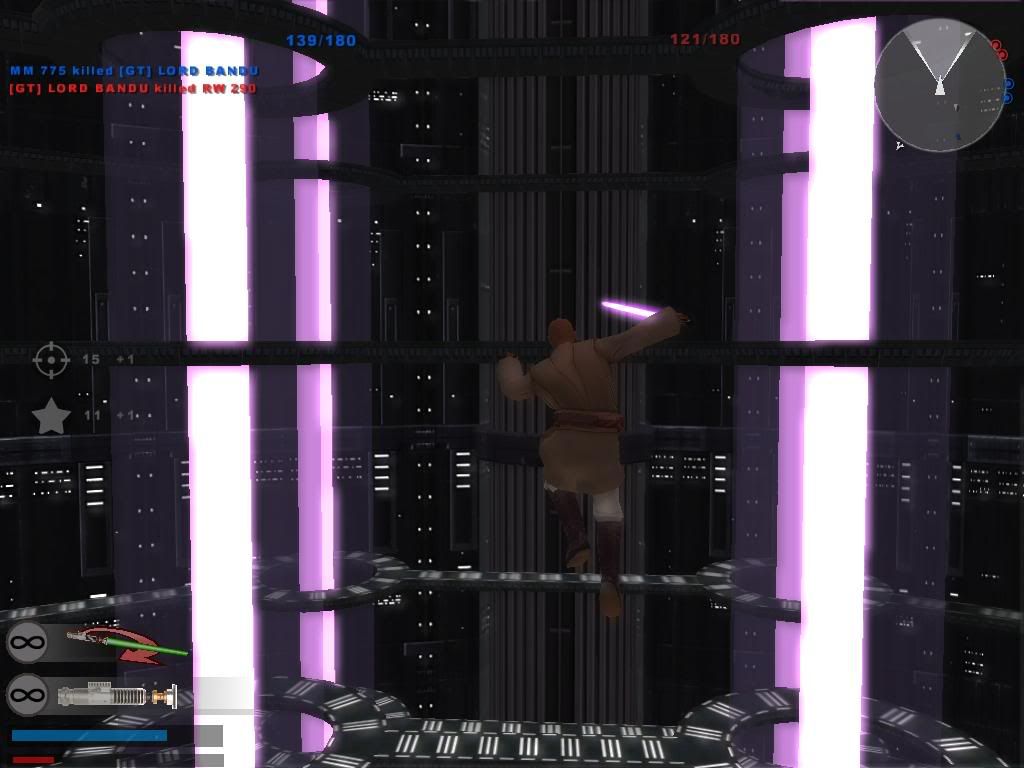
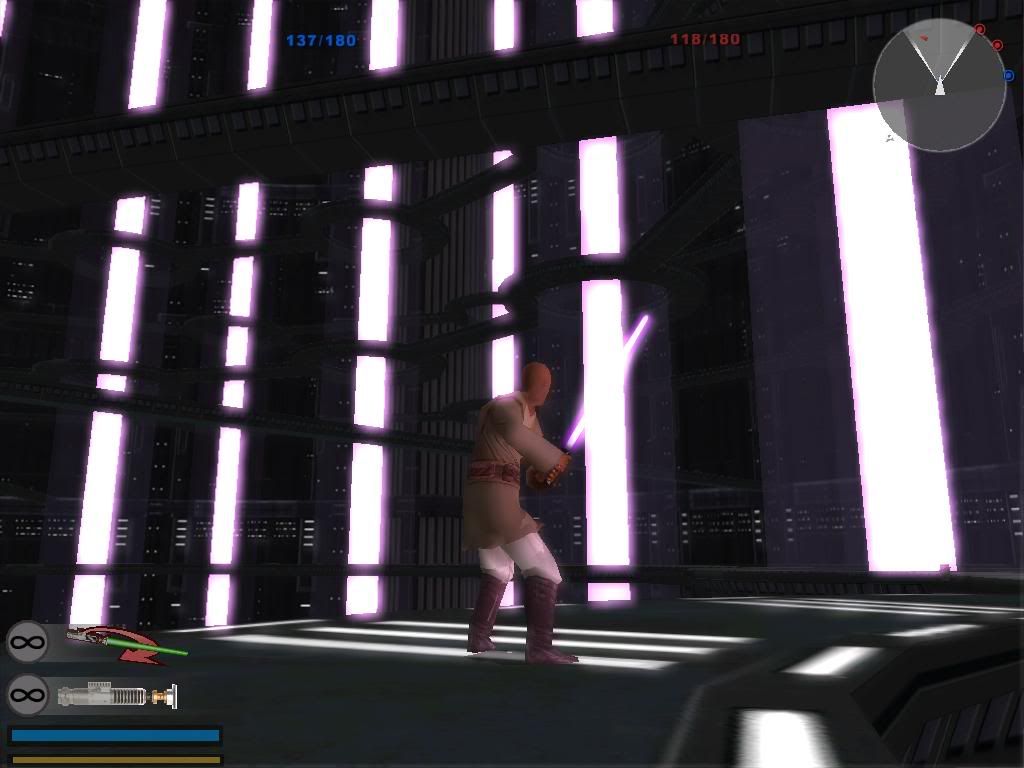
Ive completely remodelled and textured the walkways and improved a few textures ( mainly the wall )
I will refrain from editing/creating the existing/final textures and lighting/ambience until i have the whole map modelled ( i have begun modelling the Core Room ( place where Maul and Qui Gon bit the dust) .. then itl be onto the hangar and a couple of walkways connecting the 3 rooms .
Iv also wasted a number of hours trying to utilize the shipped beam effects ( the blue beam effect from the Shield Generator prop in the cap ships and the green beam in the Tantive level ) . For some reason I can only widen the beams ... no matter what i do i cant lengthen then height wise. So, back to the drawing board as far as a new light tube beam

.
Anyway ...a bit of an update :
Posted: Sun May 21, 2006 3:12 am
by maxloef
Hey bandu is it like a Effect file?? if so i could try to help you

cause ive gotten used to working with the particle edditor
Posted: Sun May 21, 2006 3:22 am
by Lord-Bandu
yea ...
spa_sfx_blender.fx
and
tan1_sfx_turbine.fx are what i tried .
Any1 can try and make a movie realistic effect ...be my guest. If some1 does theyll obviouslt get the credit and il make them a few objects for them for their map ...if theyd like.
This is what im after :
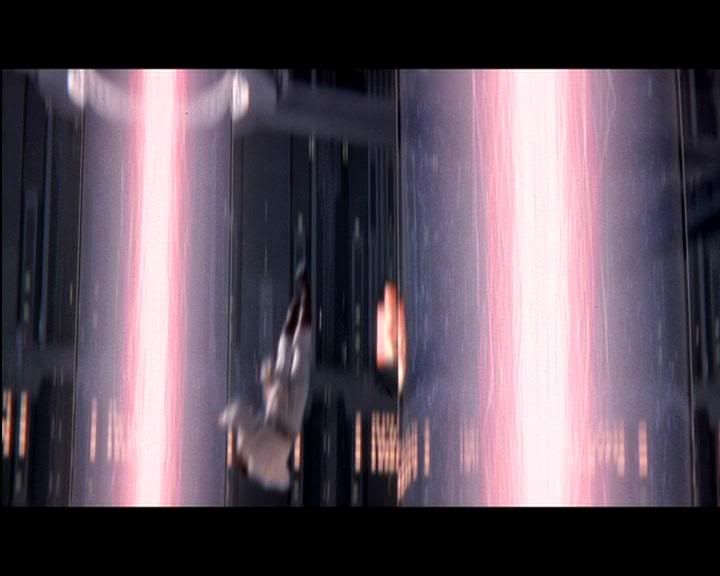
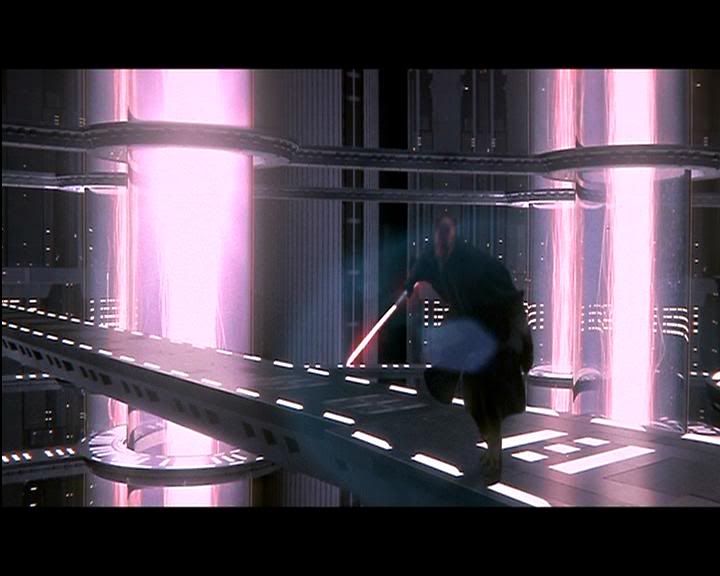
The really bright 1 to the left is actuall showing where a surge occurs .... i believe its going upwards . I dont mind about the surge (tho' it is possible with the Tantive turbine effect above and would be a bonus

) im mainly lookin for the look of the others .
Posted: Sun May 21, 2006 8:32 am
by yankeefan05
it looks good Lord-Bandu. Its coming along very well.
Posted: Sun May 21, 2006 9:17 am
by Teancum
@ Bandu --- It's all about the alpha channel on the textures. That shouldn't be too difficult to recreate. What you do is have the 'core' totally white in the alpha, as you get out just a bit go about 50% grey which will make it 50% translucent, then on the edges a nice wavy black.
Posted: Sun May 21, 2006 9:33 am
by yoda_does_yoga
Hey Bandu, Did you have any part in this?
If not, is it what you're basing your map on?
http://www.force-temple.com/jk3/index.p ... ile&id=359
Posted: Sun May 21, 2006 9:37 am
by OGEB1103
Perhaps it should be 2 models; the inner tube which glows and the outer tube which is transparent glass.
Posted: Sun May 21, 2006 12:44 pm
by Lord-Bandu
@ Teancum - That idea will only work if I use a plane . Plus , I havent been able to get a glowing mesh to scroll as yet so not sure if its possible. Also using the plane idea only works if I can make it follow you (like grass planes do ) but i have no idea how to do that. Using the 2 planes crossed doesnt look too good .
@yoda_does_yoga - No , I have never done and JO or JA modding before. My map isnt based on that map . Mine looks similar because im basing it off the movie and that JO/JA map was also based on the movie and looks to be quite authentic (apart from the wall texture) .
I am working off loads of movie sceenshots iv made with fraps and the 'Inside the Wolds of STAR WARS Episode 1 - Location guide' book. It has an over view of the Naboo hangar , generator and core room.
@ Ogeb - Thats exactly what you see in the screenshots
( altho the glass texture is slightly purple) . Since these screens werwe taken Iv done it with 3 cylinders ( an outer white transparant for the glass ,slightly inside that iv done a blue tinted cylinder and in the middle a white core glowing purple)
Still, doesnt look much different to the screens. Im gonna add a specular effect to the outer white glass to give it a more glassy feel but the actual plasma ray in the centre is what is bothering me.
A custom particle effect would be ideal but im not familiar with them and i dont wanna get bogged down on the 'plasma mining tubes' (thats what they are according to the book

) effect. Since there plenty left to model.
My offer still stands on making a few models for the person who creates a cool 'plasma tube' effect that appears in the map.
Posted: Sun May 21, 2006 10:24 pm
by Lord-Bandu
Model Offer has been closed . Sorry
But iv got a Proper effect!
Posted: Sun May 21, 2006 10:41 pm
by Tuskenjedi
hey bandu, is this a duel only map or is there also conquest in it?(unrealistcally)
It looks pretty conquest-nice
Posted: Sun May 21, 2006 10:45 pm
by yankeefan05
Conquest would be nice anyway.
Posted: Mon May 22, 2006 12:01 am
by Lord-Bandu
Theres a slight , miniscule chance that conquest will be added. Il see how good the AI do .
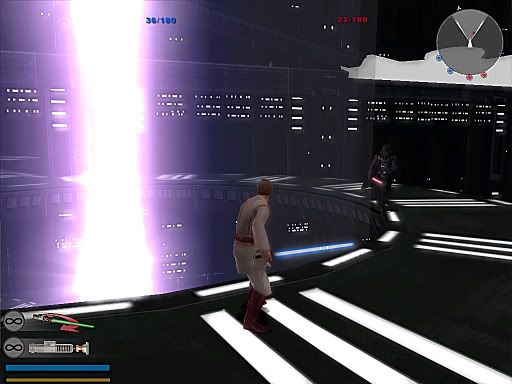
Anyway , This is my 1st attempt using the Particle editor to recreate the Plasma beams ...
The white in the top right hand corner of the 1st screen is just where im yet to texture.
Vaders going DOWN!!
http://i55.photobucket.com/albums/g145/ ... ffect2.jpg
Oh oh , so is Boba
http://i55.photobucket.com/albums/g145/ ... ffect1.jpg
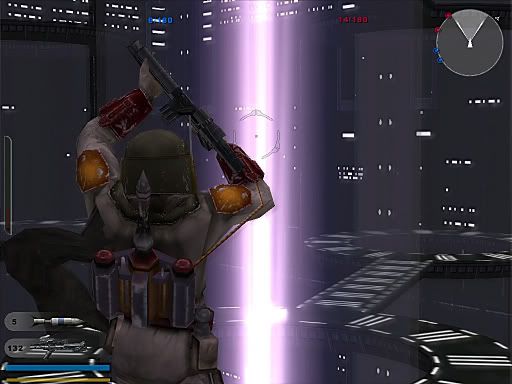
The only problem at the moment with my beam effects are that they are pretty unstable . They flicker on and off alot . Actually they are off all the time untill you look at 1 in a certain direction
. Hopefully I can sort this cos itl look quality with 12 of these bad boy effects
.