In this forum you will find and post information regarding the modding of Star Wars Battlefront 2. DO NOT POST MOD IDEAS/REQUESTS.
Moderator: Moderators
Darth_Z13
Jedi High Council
Posts: 2275Joined: Sat Jun 17, 2006 9:51 amxbox live or psn: Xanthius WylonLocation: Canada
Post
by Darth_Z13 Sun Mar 11, 2007 4:05 pm
So I create my side. Copy all the .msh's, .tga's and odf's. Plus Windu's .COMBO file. I want to use Mace Windu's animation and combo. So I make the changes to the odf's.
Code: Select all
//Luke
[GameObjectClass]
ClassParent           = "com_jedi_default"
GeometryName        = "all_inf_bothanspy.msh"

[Properties]
AISizeType          = "HOVER"

GeometryName        = "all_inf_bothanspy"
GeometryLowRes      = "all_inf_bothanspy_low1"

AnimationName            = "mace"

HealthType          = "person"
MaxHealth           = 500.0

MaxSpeed            = 8.0
MaxStrafeSpeed      = 6.0
MaxTurnSpeed        = 5.0
JumpHeight          = 3.5
RecoverFromTumble   = "1"

//Jet Jump
JetJump             = "10.0"        //The initial jump-push given when enabling the jet
JetPush             = "0.0"     //The constant push given while the jet is enabled (20 is gravity)
JetAcceleration     = "10.0"    // for characters with jet jump, use this acceleration for in air control
JetEffect           = ""
JetFuelRechargeRate = "0.0" //Additional fuel per second (fuel is 0 to 1)
JetFuelCost         = "0.0" //Cost per second when hovering (only used for jet-hovers)(fuel is 0 to 1)
JetFuelInitialCost  = "0.0" //4initial cost when jet jumping(fuel is 0 to 1)
JetFuelMinBorder    = "0.0" //minimum fuel to perform a jet jump(fuel is 0 to 1)
JetShowHud          = 0
JetEnergyDrain      = 40.0

CollisionScale      = "0.0 0.0 0.0" // don't take damage from collisions
//Jet Jump End

WEAPONSECTION       = 1
WeaponName1         = "jed_weap_lightsaber_green"
WeaponAmmo1         = 0


//SOUND
VOUnitType                  = 0181
//SoldierMusic                = "all_hero_Luke_lp"
HurtSound                   = ""
DeathSound                  = ""
AcquiredTargetSound         = ""
HidingSound                 = ""
ApproachingTargetSound      = ""
FleeSound                   = ""
PreparingForDamageSound     = ""
HeardEnemySound             = ""
//ShockFadeOutTime          = "0.8"
//ShockFadeInTime           = "2.0"
ShockFadeOutGain            = ""
ShockSound                  = ""
ClothingRustleSound         = ""
//LowHealthSound            = "com_inf_saber_ambient"
LowHealthThreshold          = "1.1"

FoleyFXClass                = "rep_inf_soldier"

//SndHeroSelectable           = ""
//SndHeroSpawned              = "hero_luke_spawn"
//SndHeroDefeated             = "hero_luke_exhausted"
//SndHeroKiller               = "hero_luke_exhausted"

//VOSound = "hero_luke_AcquiredTarget      AcquiredTarget"
//VOSound = "hero_luke_KillingSpree4      KillingSpree4"
Code: Select all
[WeaponClass]

ClassLabel      = "melee"
ClassParent		= "com_weap_inf_lightsaber"

[Properties]

ExplosionName = "rep_mace_groundcrack_exp"
//SmashEffect = "com_sfx_groundcrack"

GeometryName        = "rep_weap_inf_lightsabre"
ComboAnimationBank  = "human_sabre melee rep_hero_macewindu"

FirePointName       = "hp_fire"
LightSaberLength	= "1.0"
LightSaberWidth		= "0.08"
LightSaberTexture       = "greenlightsabre"
LightSaberTrailColor    = "82 255 7 128"
And I do the LUA and munge stuff.
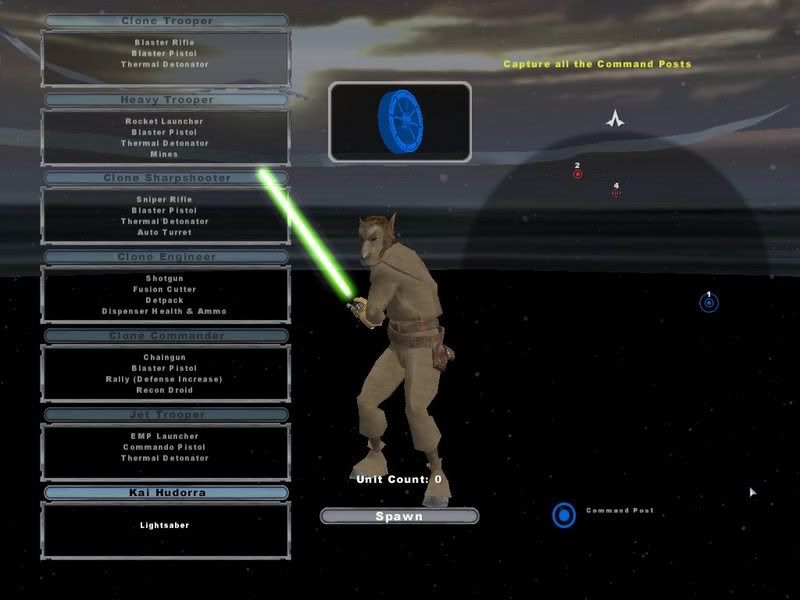
I play my map and what do I get?
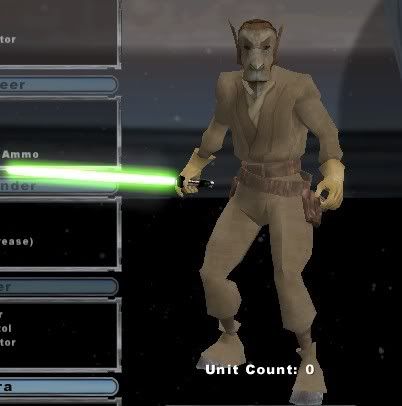
Kai Hudorra with
Luke's animation and combo.
Help?
Last edited by
Darth_Z13 on Mon Mar 12, 2007 8:03 pm, edited 2 times in total.
-_-
Gametoast Staff
Posts: 2678Joined: Sat May 07, 2005 1:22 pm
Post
by -_- Sun Mar 11, 2007 4:21 pm
make sure the lightsaber is calling for Mace's .combo file.
Darth_Z13
Jedi High Council
Posts: 2275Joined: Sat Jun 17, 2006 9:51 amxbox live or psn: Xanthius WylonLocation: Canada
Post
by Darth_Z13 Sun Mar 11, 2007 4:30 pm
Darth_Z13 wrote:
Code: Select all
[WeaponClass]

ClassLabel      = "melee"
ClassParent		= "com_weap_inf_lightsaber"

[Properties]

ExplosionName = "rep_mace_groundcrack_exp"
//SmashEffect = "com_sfx_groundcrack"

GeometryName        = "rep_weap_inf_lightsabre"
ComboAnimationBank  = "human_sabre melee rep_hero_macewindu"

FirePointName       = "hp_fire"
LightSaberLength	= "1.0"
LightSaberWidth		= "0.08"
LightSaberTexture       = "greenlightsabre"
LightSaberTrailColor    = "82 255 7 128"
I already posted it and it is.
{EDIT} I just noticed these errors in the log.
Code: Select all
Message Severity: 3
.\Source\WeaponMelee.cpp(3035)
WeaponMelee explosion "rep_mace_groundcrack_exp" not found

Message Severity: 3
.\Source\EntitySoldier.cpp(10505)
EntitySoldier "rep_hero_kai" missing animation bank "mace"
The first one I understand but the second one I don't. I copied the Animation folder into the data_bot folder so the animation
should be there...
-_-
Gametoast Staff
Posts: 2678Joined: Sat May 07, 2005 1:22 pm
Post
by -_- Sun Mar 11, 2007 4:45 pm
try loading the rep file/Mace windu in ur lua before you load ur custom hero first.
Darth_Z13
Jedi High Council
Posts: 2275Joined: Sat Jun 17, 2006 9:51 amxbox live or psn: Xanthius WylonLocation: Canada
Post
by Darth_Z13 Sun Mar 11, 2007 5:18 pm
You rule -_-.
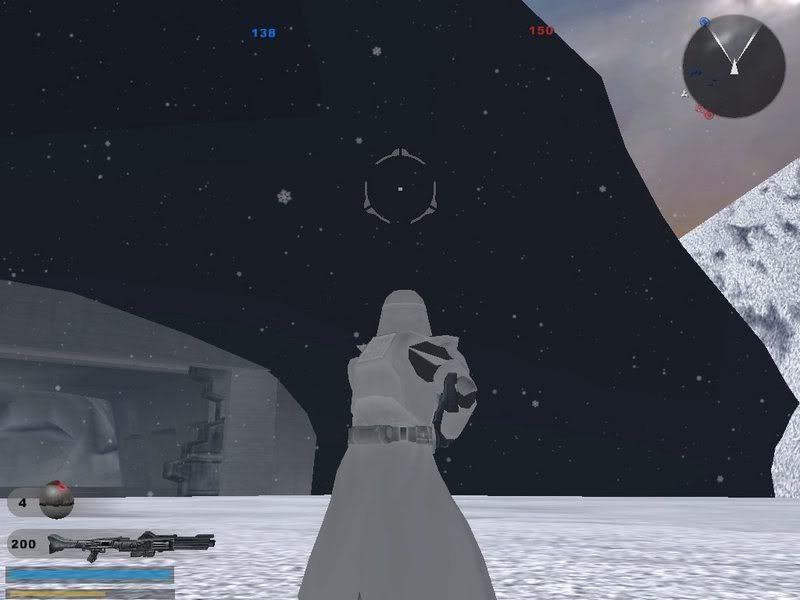
Another problem; I added the Hoth Hangar entrance but when I'm close to it it looks like this:
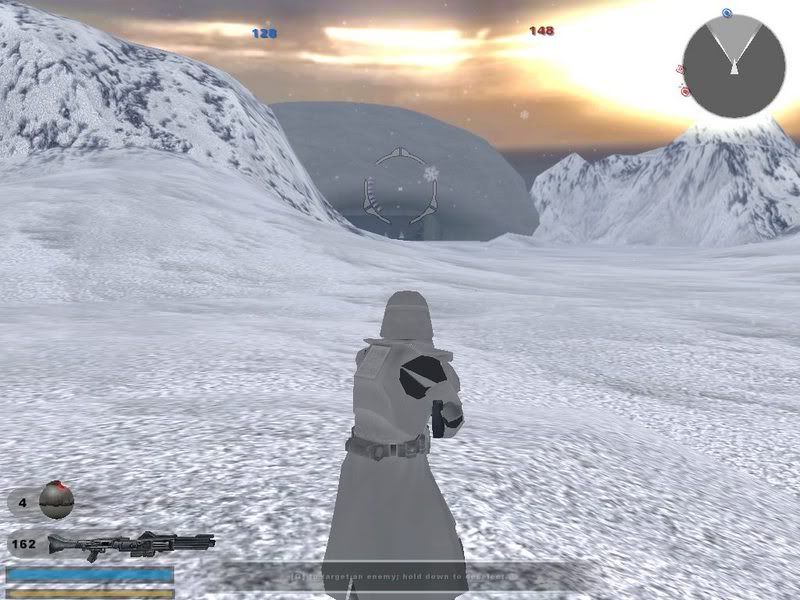
But when I'm far away it looks like this:
Why?
authraw
1st Lieutenant
Posts: 445Joined: Mon Jun 26, 2006 3:45 pm
Post
by authraw Sun Mar 11, 2007 11:18 pm
I could be wrong, but I would think that it has something to do with the lowrez model. Check to make sure that you have the right textures for the lowrez AND regular models (and that you have both models.)
t551
General
Posts: 791Joined: Sat Jul 16, 2005 3:23 pmProjects :: No Mod project currently.Games I'm Playing :: I have not listed any games yetxbox live or psn: No gamertag set
Post
by t551 Mon Mar 12, 2007 12:04 am
It's missing the normal detail texture, the lowrez is fine.
authraw
1st Lieutenant
Posts: 445Joined: Mon Jun 26, 2006 3:45 pm
Post
by authraw Mon Mar 12, 2007 5:15 pm
t551t551 wrote: It's missing the normal detail texture, the lowrez is fine.
Yeah--that would make a little more sense, lol, the game uses the lowrez model when you're far away. So yeah, it looks like you're missing a .tga file from the regular model.
It looks like it uses "hoth_tunnels_03.tga", "hoth_tunnels_01.tga", "hoth_main_1.tga", "hoth_detail.tga", "hoth_frosty_materials.tga", and "hoth_tunnels_03_lowrez.tga". I bet it's one of those that you're missing.
Darth_Z13
Jedi High Council
Posts: 2275Joined: Sat Jun 17, 2006 9:51 amxbox live or psn: Xanthius WylonLocation: Canada
Post
by Darth_Z13 Mon Mar 12, 2007 8:02 pm
Ahh thanks you. I was missing hoth_detail.tga. Woot!