Page 1 of 1
Invisible objects!
Posted: Sun Dec 10, 2006 8:21 pm
by EGG_GUTS
My objects won't appear on my map

it's basically a geonosis bunker
and some vehicle spawns I've placed em and re-munged and they won't show up
I'm a noob at modding
RE: Invisible objects!
Posted: Sun Dec 10, 2006 9:07 pm
by Darth_Z13
Are they showing up in Zeroeditor? If not then make sure the MSHs are in the MSH folder.
RE: Invisible objects!
Posted: Mon Dec 11, 2006 1:00 am
by darthgunray
read some tutorials
RE: Invisible objects!
Posted: Mon Dec 11, 2006 8:13 am
by Qdin
hm - I've had asimilar problem for like 1½ year xD made several topics - noone could give me an answer, though...

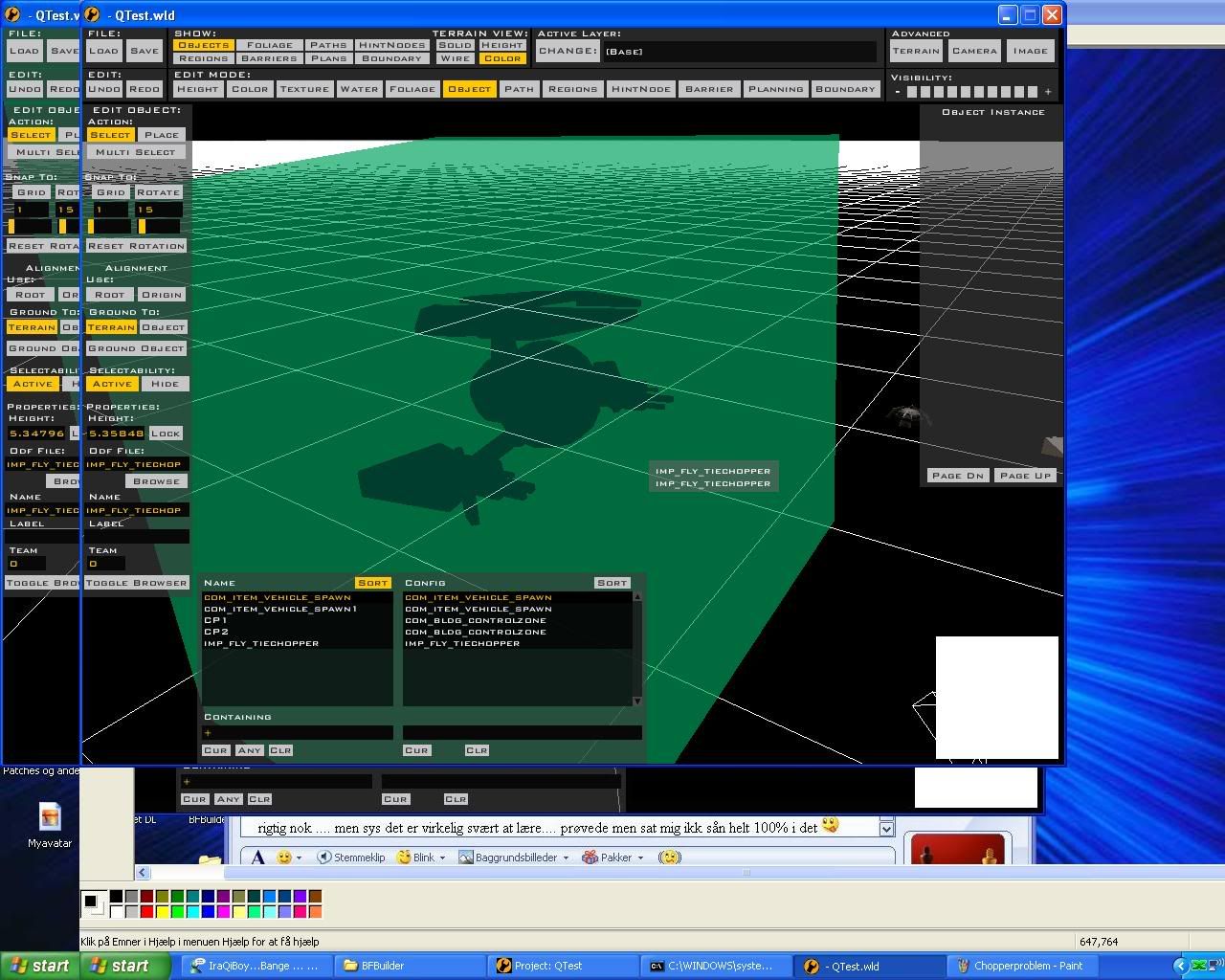
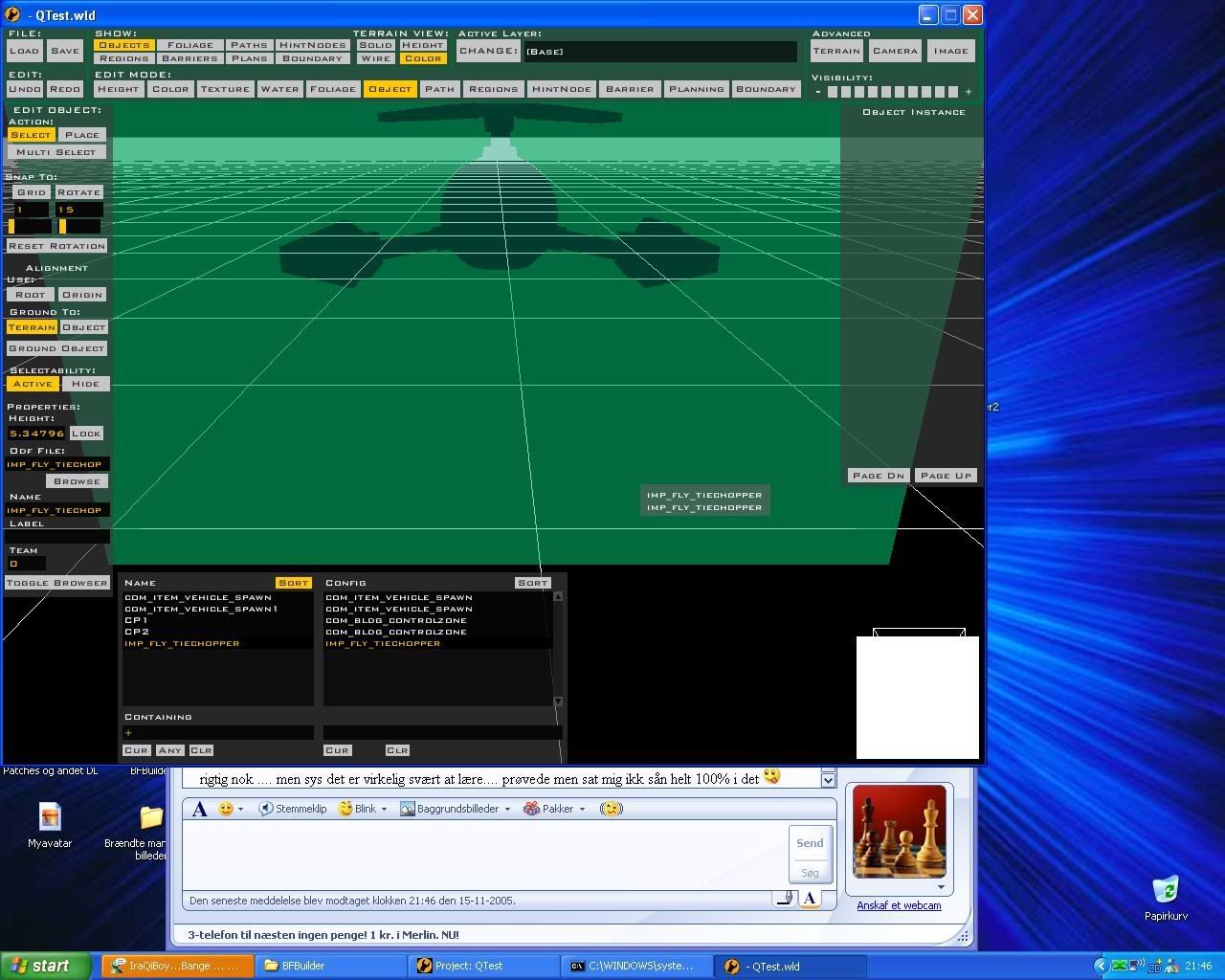
Can you guys see a problem somewhere...?
I don't know why, and even if I just use the .msh as a prop it still doesn't work...

I don't know if it's a problem occuring when I export, but I've tried to do EVERYTHING and set everthing before I exported - and I DID NOT hide a layer or something similar in XSI...

Posted: Mon Dec 11, 2006 8:52 am
by EGG_GUTS
well i really suck a t Zero edit so i don't know if vehicle spawns show up but i know the bunker is showing because i put it right on the screen

Posted: Mon Dec 11, 2006 9:50 am
by EGG_GUTS
OK I've found my bunker if u can call it that
it seems i placed it far of from my cps
anyways why does it look like this
http://img88.imageshack.us/img88/916/ne ... e12vl4.png
Posted: Mon Dec 11, 2006 9:59 am
by Teancum
Looks like you're missing textures.
Posted: Mon Dec 11, 2006 11:13 am
by EGG_GUTS
ya that's what i thought but where would i get them i put the msh and the odfs in the right places i think

and why does my avatar say recruit fodder scooper
Posted: Mon Dec 11, 2006 12:17 pm
by Kyross
Cause. We need someone to scoop up fodder, so we just makethe nw people do it. Cheap labour and all that.
When it comesto textures you have to have the .tga file and .tga.option when applicable in the same place as the referenced .msh. Remember to remunge once you put it here.
Posted: Mon Dec 11, 2006 5:09 pm
by EGG_GUTS
ok another file well i guess i'll leave it like that for now....
another question
how do i get angles on zero edit like Qdin in his pictures i can't get mine to do that
Posted: Wed Dec 13, 2006 3:50 am
by Qdin
I dunno - was 1½ year ago since I took the pictures

I KNOW it's not a missing texture on my models, and nomatter in what direction I'm looking at or from, the mesh is just not visible...
I've tried everything in the past 1½ year now

So my conclusion is: if a texture was missing it would be white or grey all ove rthe mesh - but the mesh itself would be visible.
I've tried all I could think of with fixing it, and if it would be inverted polygons, I SHOULD be able to see the 'other' side of the mesh when I looked through it.
but Egg_guts, it seems to me like the polygons have been inverted. Was that a costum model you made yourself or from the assets?
Posted: Wed Dec 13, 2006 9:27 am
by EGG_GUTS
No It's not a custom (though I would like to make one)
it's from the assets
Posted: Wed Dec 13, 2006 7:14 pm
by Qdin
Then it's definately odd...
Did you copy/paste/overwrite it with the same file from the Assets to see if it works then?
Posted: Wed Dec 13, 2006 7:20 pm
by EGG_GUTS
Well I deleated it now..
and added a side from the docking bay(I never knew it was in mutiple pieces)
and it had no detail but then I added the whole TAT file to my worlds and it had detail
Posted: Fri Dec 15, 2006 8:32 am
by Qdin
odd...
So the conclusion is..? (not sure if you got all your problems fixed)
Posted: Fri Dec 15, 2006 2:47 pm
by EGG_GUTS
Overall my map is runnning great......except it's crashing but I already added a form on that so every thing is good

Re: RE: Invisible objects!
Posted: Thu Dec 21, 2006 2:04 am
by [RDH]Zerted
Qdin wrote:hm - I've had asimilar problem for like 1½ year xD made several topics - noone could give me an answer, though...
...
I know very little about making models, but yours looks very big. Could it be too big? Have you tried breaking it into smaller sections like the captial ships?