Creating new Textures
Posted: Fri Jul 31, 2009 5:46 pm
Sorry if this seems really noobish....
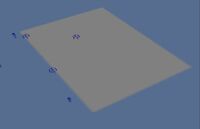
I am having lots of troubles making a new texture (tga). I am trying to make a single texture for Zeroeditor that is about 50 by 35 blocks (or meters, or whatever each square in ZE stands for), but whenever I place it, it is just gray (as in default). So how do I create a new texture that works in Zeroeditor and BF2?
Sorry, I am having lots of troubles with this (I know it is probably really simple).
Here is my process for creating new TGA:
- Make a pic in photoshop
- Save as TGA (with RLE compression OFF)
- Paste it in my world1 folder
- Place in ZE using the texture tool (I replace Yavin one)
- It comes up in the map as gray, and doesn't work
Help?
I am having lots of troubles making a new texture (tga). I am trying to make a single texture for Zeroeditor that is about 50 by 35 blocks (or meters, or whatever each square in ZE stands for), but whenever I place it, it is just gray (as in default). So how do I create a new texture that works in Zeroeditor and BF2?
Sorry, I am having lots of troubles with this (I know it is probably really simple).
Here is my process for creating new TGA:
- Make a pic in photoshop
- Save as TGA (with RLE compression OFF)
- Paste it in my world1 folder
- Place in ZE using the texture tool (I replace Yavin one)
- It comes up in the map as gray, and doesn't work
Help?