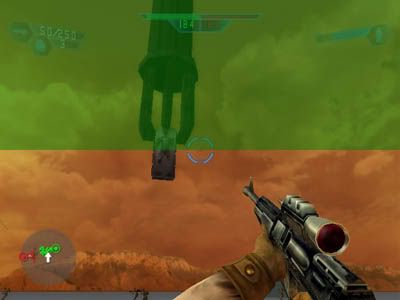
How to add the Carbon Forklift?
Posted: Thu Jul 28, 2005 8:49 am
Hello.
Although I have already made two maps, I think, I am still lacking some basic knowledge.
I am wondering how to add animated stuff like the carbon forklift or sarlacc tentacles to a map.
I tried around a bit, and so far I have copied the bes2_carbon_forklift folder from the Shipped Common Animations to my Datamodid/Common/Animations.
In another forum, I read that eddie has changed the munge.bat inside the tat3_bldg_rancor folder to
@call ..\munge_animation.bat "/keepframe0 /specialquathack" ..\..\..\worlds\modid in order to add the rancor to a map.
So I did that aswell with the munge.bat inside the bes2_carbon_forklift folder which I had copied.
Also I copied bes2_carbon_forklift.zafbin and bes2_carbon_forklift.zaabin into my Datamodid\Worlds\modid\munged folder.
I munged the world, but when I want to play the map the game crashes while loading it, as long as I have the forklift on my map.
Could anyone explain me step by step what I have to do, to get the forklift on my map?
Greetings del.
Although I have already made two maps, I think, I am still lacking some basic knowledge.
I am wondering how to add animated stuff like the carbon forklift or sarlacc tentacles to a map.
I tried around a bit, and so far I have copied the bes2_carbon_forklift folder from the Shipped Common Animations to my Datamodid/Common/Animations.
In another forum, I read that eddie has changed the munge.bat inside the tat3_bldg_rancor folder to
@call ..\munge_animation.bat "/keepframe0 /specialquathack" ..\..\..\worlds\modid in order to add the rancor to a map.
So I did that aswell with the munge.bat inside the bes2_carbon_forklift folder which I had copied.
Also I copied bes2_carbon_forklift.zafbin and bes2_carbon_forklift.zaabin into my Datamodid\Worlds\modid\munged folder.
I munged the world, but when I want to play the map the game crashes while loading it, as long as I have the forklift on my map.
Could anyone explain me step by step what I have to do, to get the forklift on my map?
Greetings del.
 - and then there is a MS-DOS Batch-file program file called Munge