
SketchUp Models

How to create models in XSI and other 3D applications and make them work in Battlefront 1 & 2. Post models, tips for application usage and share anything XSI, 3DMax, SketchUp, etc.

Moderator: Moderators

Post Reply
RogueKnight
Space Ranger
Posts: 2512
Joined: Sat Nov 22, 2008 1:50 pm
Projects :: Life. Work.
Games I'm Playing :: League of Legends
xbox live or psn: No gamertag set
Location: Washington, US

Re: SketchUp Models

Post by RogueKnight »

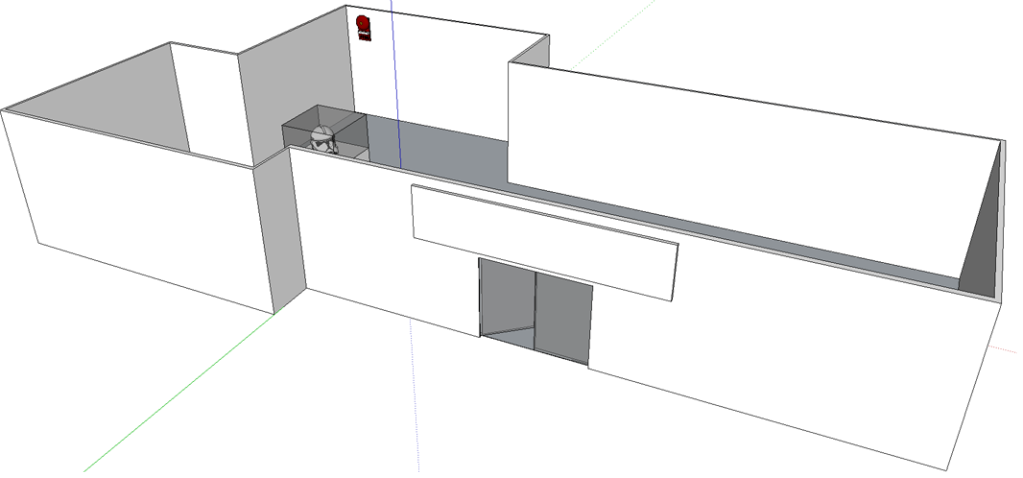
Star Wars Museum WIP
Image


*cough*

Fire Safety is important.
User avatar
Fluffy_the_ic
Hoth Battle Chief
Hoth Battle Chief
Posts: 3223
Joined: Thu Jan 24, 2008 7:03 pm
xbox live or psn: fluffytherc
Location: she/her
Contact:

Re: SketchUp Models

Post by Fluffy_the_ic »

DarthRogueKnight wrote:*cough*

Fire Safety is important.
rofl
RogueKnight
Space Ranger
Posts: 2512
Joined: Sat Nov 22, 2008 1:50 pm
Projects :: Life. Work.
Games I'm Playing :: League of Legends
xbox live or psn: No gamertag set
Location: Washington, US

Re: SketchUp Models

Post by RogueKnight »

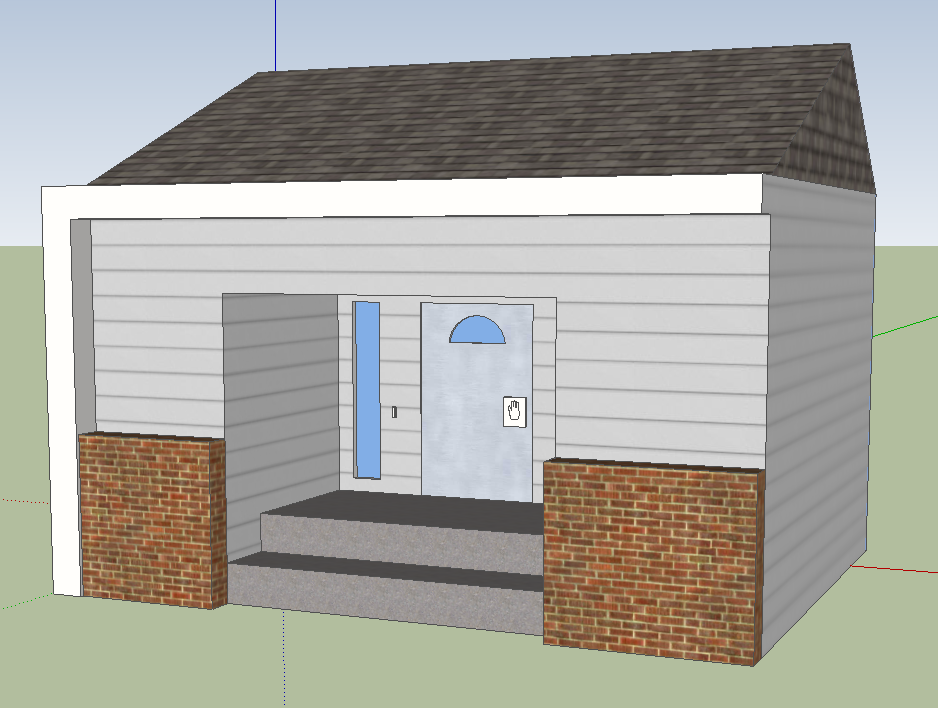
Quick 15 minute model, didn't spend much time on this.

As my homeroom teacher would call it.......
Image
Happy Little House!

*cough*

From the future.......
mswf
Master Bounty Hunter
Posts: 1674
Joined: Tue Mar 31, 2009 3:40 pm
Location: Twello, The Netherlands
Contact:

Re: SketchUp Models

Post by mswf »

Image

my first attempt at a tatooine building....
(sorry about the talk that erupted because of me)

EDIT:
+/- 2 hours of work:
Image
It still needs stumps all over the building, and I'm planning on making an overview location (to snipe?)
P.S. does anybody know if there's a tool to move textures around in sketchup? (please, react to this only when you know the answer, It'd be really stupid of me if I'd be the cause of 2 offtopic discussion on 2 pages...again, :( sorry)
User avatar
destructo_bot
Chief Warrant Officer
Posts: 329
Joined: Sun Aug 10, 2008 3:14 pm
Projects :: No Mod project currently.
Games I'm Playing :: I have not listed any games yet
xbox live or psn: No gamertag set
Location: Orkney, a place of... well... farming. Scotland FTW!

Re: SketchUp Models

Post by destructo_bot »

just for fun, a random model of the ground floor of my house :D

Image
Null_1138
Jedi
Jedi
Posts: 1192
Joined: Thu Oct 16, 2008 4:05 pm

Re: SketchUp Models

Post by Null_1138 »

mswf wrote:
Hidden/Spoiler:
Image

my first attempt at a tatooine building....
(sorry about the talk that erupted because of me)

EDIT:
+/- 2 hours of work:
Image
It still needs stumps all over the building, and I'm planning on making an overview location (to snipe?)
P.S. does anybody know if there's a tool to move textures around in sketchup? (please, react to this only when you know the answer, It'd be really stupid of me if I'd be the cause of 2 offtopic discussion on 2 pages...again, :( sorry)
Those are really good models! I mean, excellent! How long have you experience with Sketchup?

And I don't know what you mean by "moving" textures.
RogueKnight
Space Ranger
Posts: 2512
Joined: Sat Nov 22, 2008 1:50 pm
Projects :: Life. Work.
Games I'm Playing :: League of Legends
xbox live or psn: No gamertag set
Location: Washington, US

Re: SketchUp Models

Post by RogueKnight »

I think he means something similar to texture wrapping, but I'm not sure.
mswf
Master Bounty Hunter
Posts: 1674
Joined: Tue Mar 31, 2009 3:40 pm
Location: Twello, The Netherlands
Contact:

Re: SketchUp Models

Post by mswf »

And I don't know what you mean by "moving" textures.
I mean on the last model, you can (barely) see that the moldy part of the texture starts in the middle of the wall. I meant to ask if there are any ways to move it around so the mold starts at the ground.
Commander_Fett
High General
High General
Posts: 847
Joined: Fri Oct 17, 2008 9:59 pm
Projects :: No Mod project currently.

Re: SketchUp Models

Post by Commander_Fett »

what I do is copy the surface, paste it, move it around in the air until the texture's in the right spot, copy it again, paste, and move it into place.
mswf
Master Bounty Hunter
Posts: 1674
Joined: Tue Mar 31, 2009 3:40 pm
Location: Twello, The Netherlands
Contact:

Re: SketchUp Models

Post by mswf »

@Commander_Fett
Thanks for the advice :thumbs: , it worked. I think it's strange sketchup hasn't got a good tool for it though.
@Null_1138
I haven't got a lot of expierience, I've only had 2 "projects" before this; I tried to make a boat with a friend (not very succesfull) and I've tried to make a skyscraper, which also wasn't al that good. And I watched some 'how to' videos on youtube, like followme and freedraw. That's it.

Edit:
Hidden/Spoiler:
Image
I think this took me about 5 hours in total to come up with, build and texture.

Edit2:
Hidden/Spoiler:
Image
Final:
Hidden/Spoiler:
Image
(arch was made steeper, finished up)
This was a request from AQT, made it in 2+ hours.

Edit3(Am I the only one posting on this thread?)
Hidden/Spoiler:
Image
A landing pad that is common to tatooine. Made on scale.
User avatar
ecko_66
Private First Class
Posts: 77
Joined: Tue Mar 31, 2009 10:05 pm
Projects :: No Mod project currently.
Games I'm Playing :: I have not listed any games yet
xbox live or psn: No gamertag set
Location: In the cyberspace of SWBF2

Re: SketchUp Models

Post by ecko_66 »

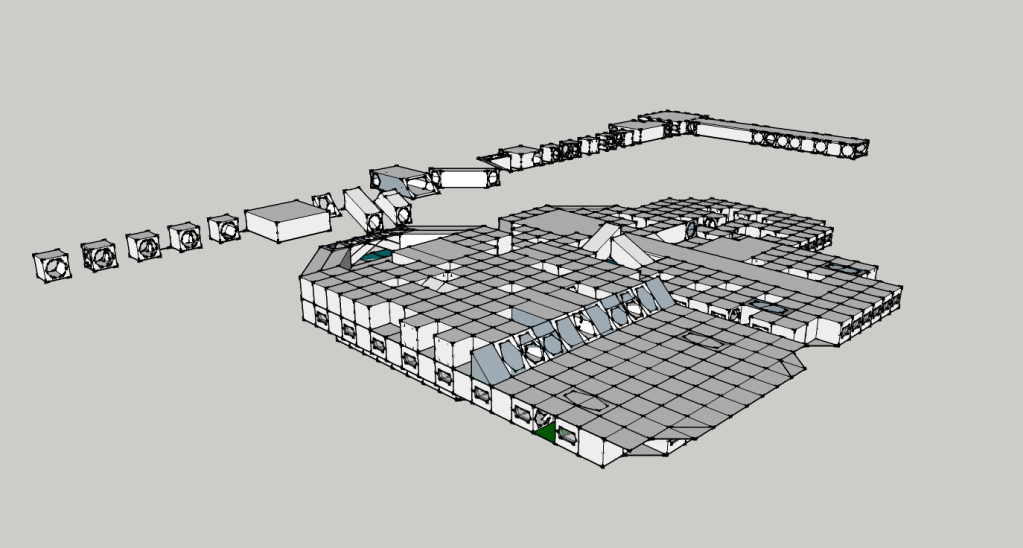
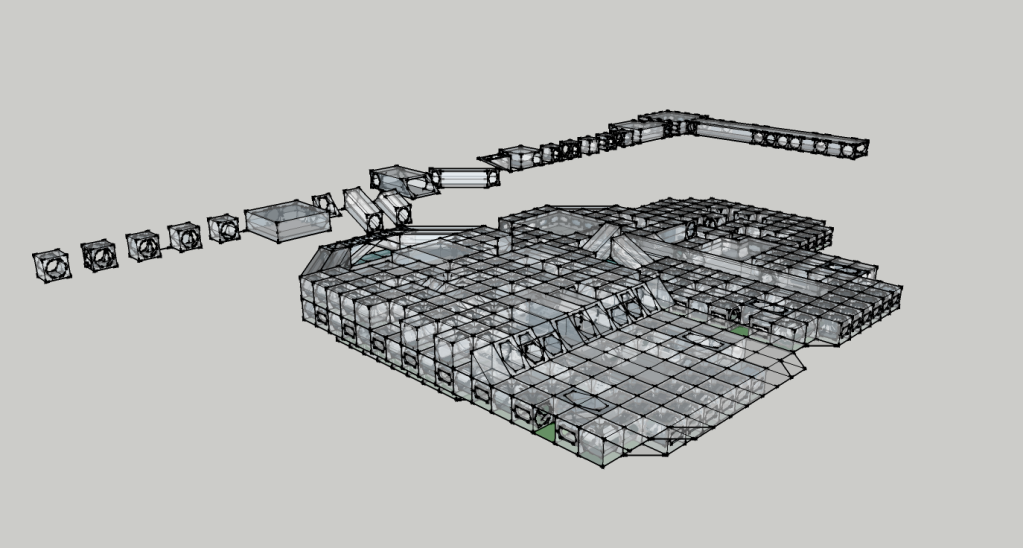
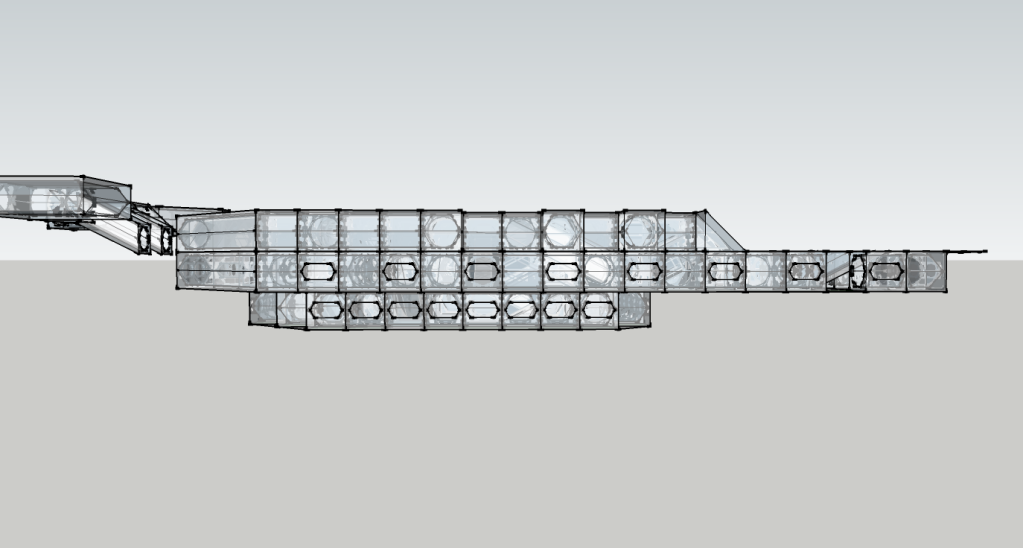
Here's some pics of a project I've been working on for a week or so. So far I have about half of the internal hallways and chambers done, exterior work next. I don't know why I'm putting so much effort into the bottom levels when I know in the end I'll just have to put boundaries so the AI don't get stuck... oh well.
Hidden/Spoiler:
ImageImageImage
In sketchup I have a complete model on one side, the individual floors in the middle, and all the different types of hallways on the top. Once all the hallways were created, it was like building with legos! Just snap together!
mswf
Master Bounty Hunter
Posts: 1674
Joined: Tue Mar 31, 2009 3:40 pm
Location: Twello, The Netherlands
Contact:

Re: SketchUp Models

Post by mswf »

ecko_66 wrote:Here's some pics of a project I've been working on for a week or so. So far I have about half of the internal hallways and chambers done, exterior work next. I don't know why I'm putting so much effort into the bottom levels when I know in the end I'll just have to put boundaries so the AI don't get stuck... oh well.
Hidden/Spoiler:
ImageImageImage
In sketchup I have a complete model on one side, the individual floors in the middle, and all the different types of hallways on the top. Once all the hallways were created, it was like building with legos! Just snap together!
Are you sure that doesn't exceed the poly count? It looks cool! Also you might want to soften the edges so the building looks like one piece.
User avatar
masterfaa
Lance Corporal
Posts: 98
Joined: Thu Mar 05, 2009 4:50 pm
Projects :: No Mod project currently.
Games I'm Playing :: I have not listed any games yet
xbox live or psn: No gamertag set
Location: On Gametoast

Re: SketchUp Models

Post by masterfaa »

Okay,i never posted in this forum but here i goes:
I just started to use sketchup and i wanted to make a star destroyer.
It didn't take very long and i made a star destroyer
(not-canon)Faa-class super star Dreadnought(gues were i got the name).
Hidden/Spoiler:
Image
Image
Image
Image
Image
Image
Here are some detailes:
Manufacturer-Faa drive yards
Product line-star dreadnought
model-Faa-class star dreadnought
Length-17 kilometers
Maximum acceleration-1170G
Hyperdrive rating

* Class 2.0
* Backup Class 10
Power output

* Peak (reactor): >7,73 × 1026 W
* Peak (shields): 3,8 × 1026 W
Shielding

FDY shield generator domes (2)

Armament- * Turbolaser cannons (2,000, fire-linked in groups of 8)
* Heavy turbolaser cannons (2,000, fire-linked in groups of 8)
* Assault concussion missile tubes (250)
o 30 missiles each
* Heavy ion cannons (250)
* Phylon Transport Q7 tractor beam projectors (40)
* Point-defense laser cannons (500)
Complement
# TIE series starfighters (144) (can number in their thousands if fully loaded)
# AT-ATs (30)
# AT-STs (40)
# Prefabricated garrison bases (2)
# Various other assault and support craft (total of 200)

* Y-85 Titan dropships[10
Crew

* Crew (279,144)
* Gunners (1,590)
Minimum crew

50,000
Passengers

38,000 (troops)
Cargo capacity

* 250,000 metric tons
* Supplies for 300,000 individuals

Cargo handling systems

Beltway system
Consumables

6 years
Communication systems

HoloNet transceiver
Hope you like it.
User avatar
Fiodis
Master of the Force
Master of the Force
Posts: 4145
Joined: Wed Nov 12, 2008 9:27 pm
Projects :: Rannoch + Tientia + Tools Programming

Re: SketchUp Models

Post by Fiodis »

ecko_66 wrote:Here's some pics of a project I've been working on for a week or so. So far I have about half of the internal hallways and chambers done, exterior work next. I don't know why I'm putting so much effort into the bottom levels when I know in the end I'll just have to put boundaries so the AI don't get stuck... oh well.
Hidden/Spoiler:
ImageImageImage
In sketchup I have a complete model on one side, the individual floors in the middle, and all the different types of hallways on the top. Once all the hallways were created, it was like building with legos! Just snap together!


I hope you're aware that AI can't comprehend multiple stories.
obiboba3po
2008 Most Technically Challenging Avatar
Posts: 2376
Joined: Tue Feb 12, 2008 7:46 pm
Projects :: No Mod project currently.
Games I'm Playing :: League of Legends
xbox live or psn: No gamertag set
Location: NJ, USA

Re: SketchUp Models

Post by obiboba3po »

mswf wrote:@Commander_Fett
Thanks for the advice :thumbs: , it worked. I think it's strange sketchup hasn't got a good tool for it though.
@Null_1138
I haven't got a lot of expierience, I've only had 2 "projects" before this; I tried to make a boat with a friend (not very succesfull) and I've tried to make a skyscraper, which also wasn't al that good. And I watched some 'how to' videos on youtube, like followme and freedraw. That's it.

Edit:
Hidden/Spoiler:
Image
I think this took me about 5 hours in total to come up with, build and texture.

Edit2:
Hidden/Spoiler:
Image
Final:
Hidden/Spoiler:
Image
(arch was made steeper, finished up)
This was a request from AQT, made it in 2+ hours.

Edit3(Am I the only one posting on this thread?)
Hidden/Spoiler:
Image
A landing pad that is common to tatooine. Made on scale.
I think they're very good! Especially the first.
User avatar
masterfaa
Lance Corporal
Posts: 98
Joined: Thu Mar 05, 2009 4:50 pm
Projects :: No Mod project currently.
Games I'm Playing :: I have not listed any games yet
xbox live or psn: No gamertag set
Location: On Gametoast

Re: SketchUp Models

Post by masterfaa »

Nobody commenting me? :cry:
Here's an update to the bridge
Hidden/Spoiler:
Image
User avatar
DarthD.U.C.K.
Master of the Force
Master of the Force
Posts: 6027
Joined: Wed Sep 27, 2006 11:05 am
Location: Duckburg, Germany

Re: SketchUp Models

Post by DarthD.U.C.K. »

the model itself looks pretty interesting but the texture doesnt fit... (maybe its just a placehoder)
in my opinion the brdge looks a bit...... un SWish, i would expect a SD-bridge on it
User avatar
masterfaa
Lance Corporal
Posts: 98
Joined: Thu Mar 05, 2009 4:50 pm
Projects :: No Mod project currently.
Games I'm Playing :: I have not listed any games yet
xbox live or psn: No gamertag set
Location: On Gametoast

Re: SketchUp Models

Post by masterfaa »

DarthD.U.C.K. wrote:the model itself looks pretty interesting but the texture doesnt fit... (maybe its just a placehoder)
in my opinion the brdge looks a bit...... un SWish, i would expect a SD-bridge on it
I tried to make the bridge diffrent.It didn't work did it.Got any tips for the texture?
User avatar
DarthD.U.C.K.
Master of the Force
Master of the Force
Posts: 6027
Joined: Wed Sep 27, 2006 11:05 am
Location: Duckburg, Germany

Re: SketchUp Models

Post by DarthD.U.C.K. »

yes, dont use blurry-extremely zoomed textures
i woukld search though the shipped textures and see if i find nicely tileable ones that fit the model
mswf
Master Bounty Hunter
Posts: 1674
Joined: Tue Mar 31, 2009 3:40 pm
Location: Twello, The Netherlands
Contact:

Re: SketchUp Models

Post by mswf »

masterfaa wrote:
DarthD.U.C.K. wrote:the model itself looks pretty interesting but the texture doesnt fit... (maybe its just a placehoder)
in my opinion the brdge looks a bit...... un SWish, i would expect a SD-bridge on it
I tried to make the bridge diffrent.It didn't work did it.Got any tips for the texture?
You can try changing these options:
Image

It´ll make the textures smaller-bigger, enabling you to sharpen them (is the model a bit on scale btw, otherwise you can use the scale tool'
Post Reply
