As well, you create a Squad Command ("Follow me", "Get in", "Get out", etc.) in your .snd file with the following code:
Hidden/Spoiler:
[code]SoundStreamProperties()
{
Name("your_sound_name");
Group("imp_vo"); // can be anything afaik
Inherit("player_command_template");
Stream("your_vo_stream");
SegmentList()
{
Segment("your_sound_file", 1.0, 1.0, 0.0);
}
}[/code]
And that works 100%. However, the code that's used for making chatter sounds ("Watch those wrist rockets!", "We've got droids!", etc.) doesn't seem to work, and I believe it's the "Inherit" line that does this:
I believe that changing it to "hero_battle_chatter_template" fixes this issue, but don't quote me on that.
EDIT:
Also, I'm aware I've said this before, but I really would appreciate a version of the Clone Pilot that has an enclosed helmet, like my avatar.
Looking to commission for a clonewars extended mod
Posted: Mon Jan 22, 2018 4:27 pm
by RevToast
I'm looking for experienced modders to commission for a side mod-esque project that is under the place holder name "Clonewars extended sigma". this mod is obviously goiung to be a reworking of clonewars extended (one of my favorite mods on top of being a good foundation to build off of.). People who do join will be paid via paypal, unless monetary compensation violates the EULA (note this mod will not be sold commercially I am just paying for the services any experienced modders provide) If it does violate the EULA compensation will be given in a non offending way (like a gift card or steam game). I do not have the skill or time to make this mod myself but I really want to test out these ideas and see how they balance out. If this mod interests you, feel free to join the discord and join the discussion.
_________________________________________________________________________________________________________________________________________________________________________
Goals of this mod:
Create well balanced classes with weapon variation to give each class a unique identity instead of having the secondary weapon be the same redundant carbine or pistol.
Create an objective based game mode similar to Dice's star-fighter assault.
Test several game play ideas (EG: giving jet jump troopers a jetpack dash in place of sprint)
Replace some of the very stiff 3rd person animations with more fluid movement (especially the sprint where it sort of looks like troops are running with a metal rod where the sun don't shine.)
Improvement on looks and aesthetics (EG: placement of 3rd person camera, placement of first person hands and weapons to be closer to face as if aiming the weapon
without aiming down sights)
Improvements on space battles (EG: swapping out stock space side with republic commando space, integrating fading atmospheres from BFIII legacy, integrating invading AI code from space carida)
Improvements on CIS (EG: Slight nerfing to keep them on an even playing field with clones, Improving dialogue to be more understandable and less dry, giving the B2-Battledroid a jetpack like in BFII 2017)
I just noticed that Syth's sandtrooper backpack is way too large; does anyone have a scaled-down version or one ripped straight from the model instead?
Re: All-Purpose Request Thread (Mk. IV)
Posted: Tue Jan 23, 2018 11:04 pm
by AQT
You can scale addon meshes with a .msh.option file.
Re: All-Purpose Request Thread (Mk. IV)
Posted: Fri Jan 26, 2018 5:59 pm
by mrcluster
Does anybody have a stun effect, like the one shown in this scene?
Anyone have any un-munged Republic Commando weapon sounds/configs? I'm trying to get all the weapons that I added to the Xbox mod back up and running, but can't find the source I got them from short of re-downloading SWRC from gog.com and extracting, which is a bit of a process if someone else has them.
I don't know if this has been released before, but since I haven't been able to find one, anyone got a normal Ep3 clone with the ARC kama/pauldron hexedited onto them? I've tried hexediting it myself and it's only resulted in failure.
Re: All-Purpose Request Thread (Mk. IV)
Posted: Sun Jan 28, 2018 12:25 pm
by angolandelegate
Does anyone happen to have or is willing to make some Neimoidian VOs?
Re: All-Purpose Request Thread (Mk. IV)
Posted: Sun Jan 28, 2018 3:23 pm
by MissingTexture
Hey everyone, I need help trying to get this ingame as a prop. currently sits at 10.3k polygons and is triangulated however it crashes my zero editor immediately. Any reasons as to why this may be?
Hidden/Spoiler:
Re: All-Purpose Request Thread (Mk. IV)
Posted: Sun Jan 28, 2018 5:33 pm
by giftheck
MissingTexture wrote:Hey everyone, I need help trying to get this ingame as a prop. currently sits at 10.3k polygons and is triangulated however it crashes my zero editor immediately. Any reasons as to why this may be?
Hidden/Spoiler:
Break it up into separate objects. That should do the trick.
Re: All-Purpose Request Thread (Mk. IV)
Posted: Sun Jan 28, 2018 7:13 pm
by SleepKiller
MissingTexture wrote:Hey everyone, I need help trying to get this ingame as a prop. currently sits at 10.3k polygons and is triangulated however it crashes my zero editor immediately. Any reasons as to why this may be?
ggctuk wrote:Break it up into separate objects. That should do the trick.
Or better yet (if it is the detail that's crashing the editor), keep it as one object causes and instead export a sperate editor .msh. Lowering the model's detail for the editor one. This will help make sure you stay at one draw call which'll give you the best possible performance both ingame and in the editor.
[GameObjectClass]
ClassLabel		=	"prop"

// This line above [Properties] controls the .msh the editor will use.
GeometryName	=	"foo_editor.msh"

[Properties]

// This line below [Properties] controls the .msh the game will use.
GeometryName	=	"foo"
Re: All-Purpose Request Thread (Mk. IV)
Posted: Sun Jan 28, 2018 8:40 pm
by Calrissian97
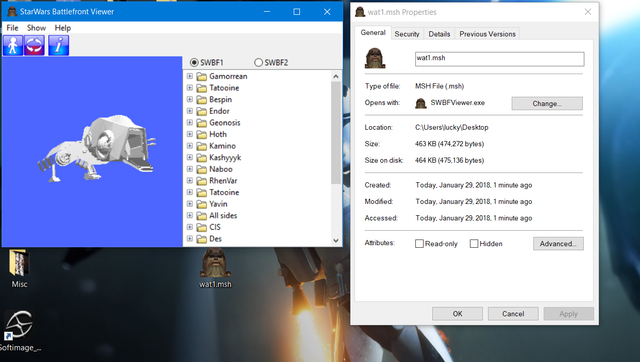
I think 400kb is the limit for a .msh, NOT counting the lowrez or shadow volume. If it's over that, it'll crash ZE.
Re: All-Purpose Request Thread (Mk. IV)
Posted: Mon Jan 29, 2018 5:57 pm
by MissingTexture
SleepKiller wrote:
Or better yet (if it is the detail that's crashing the editor), keep it as one object causes and instead export a sperate editor .msh. Lowering the model's detail for the editor one. This will help make sure you stay at one draw call which'll give you the best possible performance both ingame and in the editor.
[GameObjectClass]
ClassLabel		=	"prop"

// This line above [Properties] controls the .msh the editor will use.
GeometryName	=	"foo_editor.msh"

[Properties]

// This line below [Properties] controls the .msh the game will use.
GeometryName	=	"foo"
I tried this out and it still crashed even after editing the model slightly to have reduced amount of polygons. Crashed when it was placed on the ground.
Calrissian97 wrote:I think 400kb is the limit for a .msh, NOT counting the lowrez or shadow volume. If it's over that, it'll crash ZE.
Thanks. The file size was only 155 bytes.
ggctuk wrote:
Break it up into separate objects. That should do the trick.
I tried to do just this, and in doing so, found out that something was wrong with this part of the model.
Hidden/Spoiler:
Not too sure, but I have uploaded it here in hopes that somebody could figure it out as well as I try.
Just deleted the lowrez and collision, AND stripped the material and it came in at over 400kb:
Hidden/Spoiler:
My guess is it needs to be divided even more. I also looked at the material and texture, and it
looks fine. Once the base model alone without anything else is below 400kb it should load up fine.
From my experience dividing up a huge dreadnought model, it would seem that if any model over this
size will crash ZE no matter how polygon-dense it is. Good luck!
Re: All-Purpose Request Thread (Mk. IV)
Posted: Wed Jan 31, 2018 12:35 am
by MissingTexture
Calrissian97 wrote:Just deleted the lowrez and collision, AND stripped the material and it came in at over 400kb:
Hidden/Spoiler:
My guess is it needs to be divided even more. I also looked at the material and texture, and it
looks fine. Once the base model alone without anything else is below 400kb it should load up fine.
From my experience dividing up a huge dreadnought model, it would seem that if any model over this
size will crash ZE no matter how polygon-dense it is. Good luck!
Awesome, thanks! Worked out by breaking it into 5 different types of msh files!
Having an issue with how a model appears in ZE, it's all clear and transparent. There's no Alpha Channel on the textures though. Why is that happening?
 Now to track down KotOR music.