Page 1 of 1

Can't Get Skins In-Game, plz help! *SOLVED*

Posted: Fri Nov 10, 2006 1:27 pm
by Zaborack
ok, i do exactly what the Wiki says about getting skins In-Game, but it does not work....
here is my MungeLog:

Code: Select all

WARNING[PC_modelmunge msh\rep_inf_jettrooper.msh]:rep_inf_jettrooper has 2379 vertices and NO COLLISION GEOMETRY (WILL BE SLOW)!
WARNING[PC_modelmunge msh\rep_walk_atte.msh]:SplitSkinnedSegments: WARNING: out of space in splitting catalog!
WARNING[PC_modelmunge msh\rep_walk_atte.msh]:SplitSkinnedSegments: WARNING: resorting to brute force, this may take a while...
WARNING[PC_modelmunge msh\rep_walk_atte.msh]:SplitSkinnedSegments: WARNING: out of space in splitting catalog!
WARNING[PC_modelmunge msh\rep_walk_atte.msh]:SplitSkinnedSegments: WARNING: resorting to brute force, this may take a while...
WARNING[PC_modelmunge msh\rep_inf_clonecommander.msh]:rep_inf_clonecommander has 1560 vertices and NO COLLISION GEOMETRY (WILL BE SLOW)!
WARNING[PC_modelmunge msh\rep_inf_ep3anakin.msh]:rep_inf_ep3anakin has 2900 vertices and NO COLLISION GEOMETRY (WILL BE SLOW)!
WARNING[PC_modelmunge msh\rep_inf_ep3armoredpilot.msh]:rep_inf_ep3armoredpilot has 2193 vertices and NO COLLISION GEOMETRY (WILL BE SLOW)!
WARNING[PC_modelmunge msh\rep_inf_ep3heavytrooper.msh]:rep_inf_ep3heavytrooper has 2280 vertices and NO COLLISION GEOMETRY (WILL BE SLOW)!
WARNING[PC_modelmunge msh\rep_inf_ep3jettrooper.msh]:rep_inf_ep3jettrooper has 2368 vertices and NO COLLISION GEOMETRY (WILL BE SLOW)!
WARNING[PC_modelmunge msh\rep_inf_ep3obiwan.msh]:rep_inf_ep3obiwan has 2936 vertices and NO COLLISION GEOMETRY (WILL BE SLOW)!
WARNING[PC_modelmunge msh\rep_inf_ep3sniper.msh]:rep_inf_ep3sniper has 4737 vertices and NO COLLISION GEOMETRY (WILL BE SLOW)!
WARNING[PC_modelmunge msh\rep_inf_ep3trooper.msh]:rep_inf_ep3trooper has 1963 vertices and NO COLLISION GEOMETRY (WILL BE SLOW)!
WARNING[PC_modelmunge msh\rep_inf_feluciatrooper.msh]:rep_inf_feluciatrooper has 1364 vertices and NO COLLISION GEOMETRY (WILL BE SLOW)!
WARNING[PC_modelmunge msh\rep_inf_kiadimundi.msh]:rep_inf_kiadimundi has 1713 vertices and NO COLLISION GEOMETRY (WILL BE SLOW)!
WARNING[PC_modelmunge msh\rep_inf_luke.msh]:rep_inf_luke has 1171 vertices and NO COLLISION GEOMETRY (WILL BE SLOW)!
WARNING[PC_modelmunge msh\rep_inf_macewindu.msh]:rep_inf_macewindu has 2866 vertices and NO COLLISION GEOMETRY (WILL BE SLOW)!
WARNING[PC_modelmunge msh\rep_inf_pilot.msh]:rep_inf_pilot has 2418 vertices and NO COLLISION GEOMETRY (WILL BE SLOW)!
WARNING[PC_modelmunge msh\rep_inf_pilot_low1.msh]:rep_inf_pilot_low1 has 1060 vertices and NO COLLISION GEOMETRY (WILL BE SLOW)!
WARNING[PC_modelmunge msh\rep_inf_trooper.msh]:rep_inf_trooper has 1807 vertices and NO COLLISION GEOMETRY (WILL BE SLOW)!
WARNING[PC_modelmunge msh\rep_inf_yoda.msh]:rep_inf_yoda has 2283 vertices and NO COLLISION GEOMETRY (WILL BE SLOW)!
WARNING[PC_modelmunge msh\rep_weap_inf_chaingun.msh]:rep_weap_inf_chaingun has 1178 vertices and NO COLLISION GEOMETRY (WILL BE SLOW)!
   0 Errors   22 Warnings
if you know what i should do please help me!

-zaborack

RE: Can

Posted: Fri Nov 10, 2006 2:52 pm
by Zaborack
PLZ! i realy need the help! my map keeps crashing whenever it is done loading!!!
help me!

-zaborack(sorry for the double post...)

RE: Can

Posted: Fri Nov 10, 2006 2:59 pm
by SymbolS
ok, when u save ur skin uncheck the RLE compression

RE: Can

Posted: Fri Nov 10, 2006 3:15 pm
by Zaborack
riiiiight.
i have already done that, but it still keeps crashing.
i never have RLE compression on anyways....

-zaborack

RE: Can

Posted: Fri Nov 10, 2006 3:53 pm
by The_Emperor
Problem is I can't see any error on there that could explain it... You sure you didn't make a mistake? Not even a small one? Or a big one like putting dc: in the lua, or forgetting anything?

Wait.. Reading your last post... Does it crash, or do the skins simply not work?

RE: Can

Posted: Fri Nov 10, 2006 4:56 pm
by Zaborack
ok, i got the crashes worked out, it was just stupid me who had another rep.lvl and repshell.lvl installed, but the skins still do not show up in-game :S
i do as the wiki says:

1: i make my map named LOL(lolz)
2: i copy the "rep" folder from Modtools\assets\sides and paste it in my mods side folder.
3: i copy all the stuff execpt the two .req's from Modtools\assets\shell and
4: i go to Data_LOL\Common\Scripts\LOL and edit the LOLc_con.lua so it says ReadDataFile("dc:SIDE\\Rep.lvl"
5: i go to Data_LOL\_BUILD\sides\ALL and copy the Munge and Clean files.
6: before this i already had the textures edited and put in the Data_LOL\Sides\rep\MSH folder, RLE compression was not used. is it a problem that i edited them before starting?
7: i munge and get that log, when i enter the game and load my level the skins are just normal :S
hope that is detailed enough :|

-zaborack

RE: Can

Posted: Sat Nov 11, 2006 12:21 pm
by Zaborack
[Diet Dr. Pepper]! why are so few replying to this topic? this is my first modding question ever and nobody is up to help!?
this is rather.... shocking....

-zaborack

RE: Can

Posted: Sat Nov 11, 2006 12:30 pm
by Dohnutt
It distinctly says in the wiki:
"(Step #3 is not necessary to put skins in-game)"
;) Try it now.

RE: Can

Posted: Sat Nov 11, 2006 1:20 pm
by Zaborack
ok ill try that tomorrow maybe it helps...

-zaborack

Re: RE: Can

Posted: Sat Nov 11, 2006 3:10 pm
by Maveritchell
zaborack wrote:is it a problem that i edited them before starting?
Did you rename the skin? If you did, then that's your problem. The name of the [new skin] .tga has to be the same name as the .tga called in the .msh.

HOORAY! it worked! thanks Dohnutt!!!!

Posted: Sat Nov 11, 2006 3:38 pm
by Zaborack
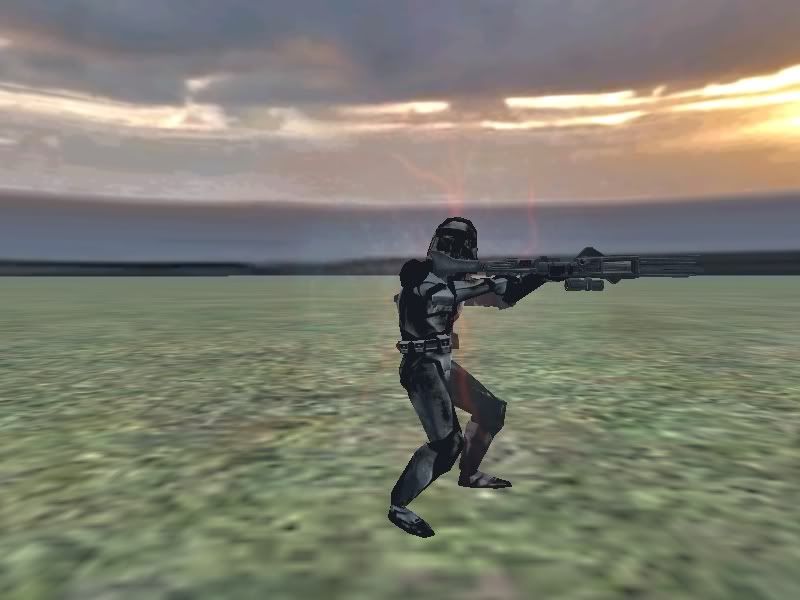
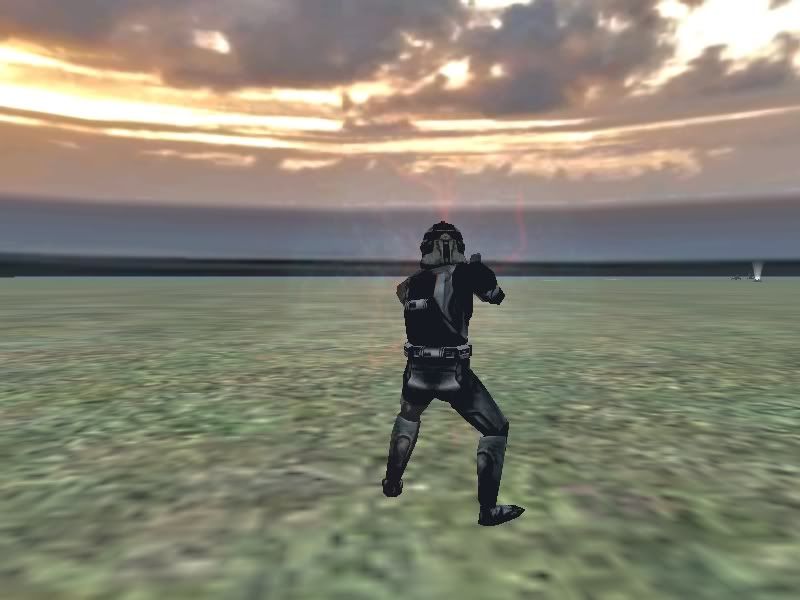
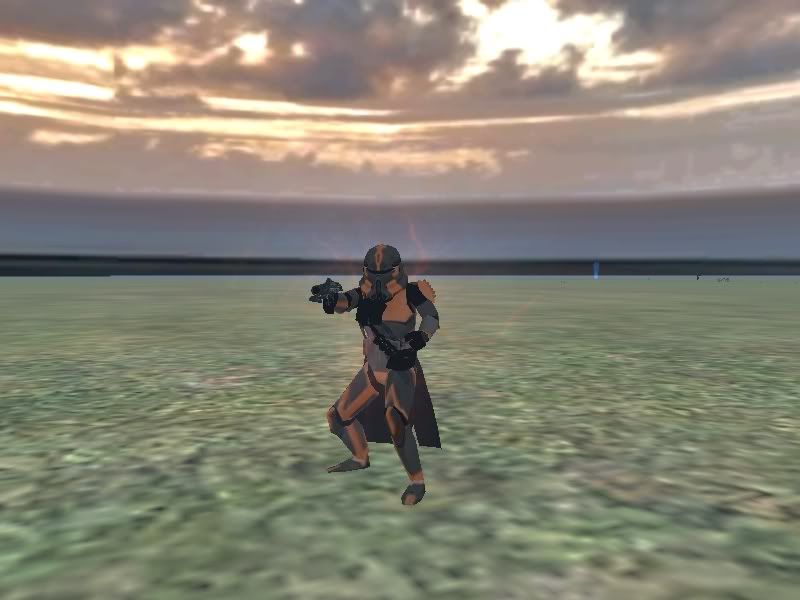
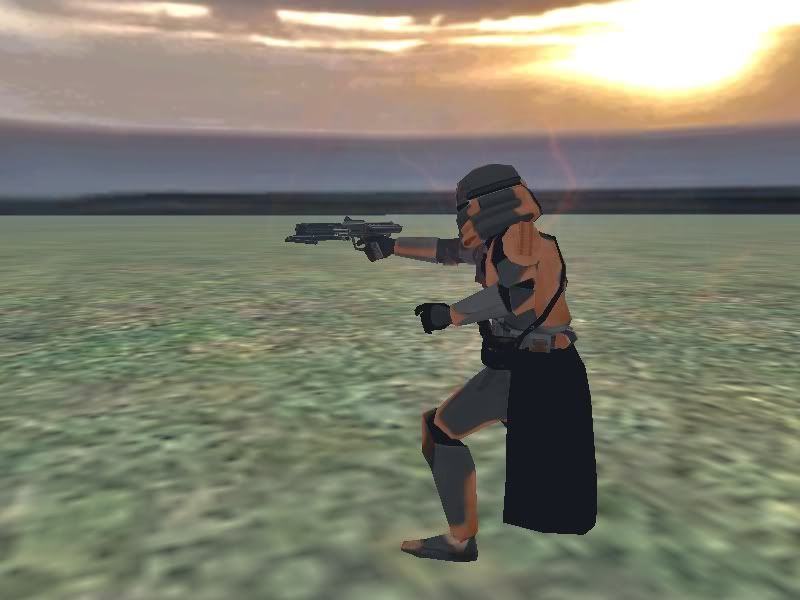
yes i know that Maveritchell but no need to help me anymore, cos heheheh, Dohnutt's post was the one that helped me!!
i got it working!!!!!
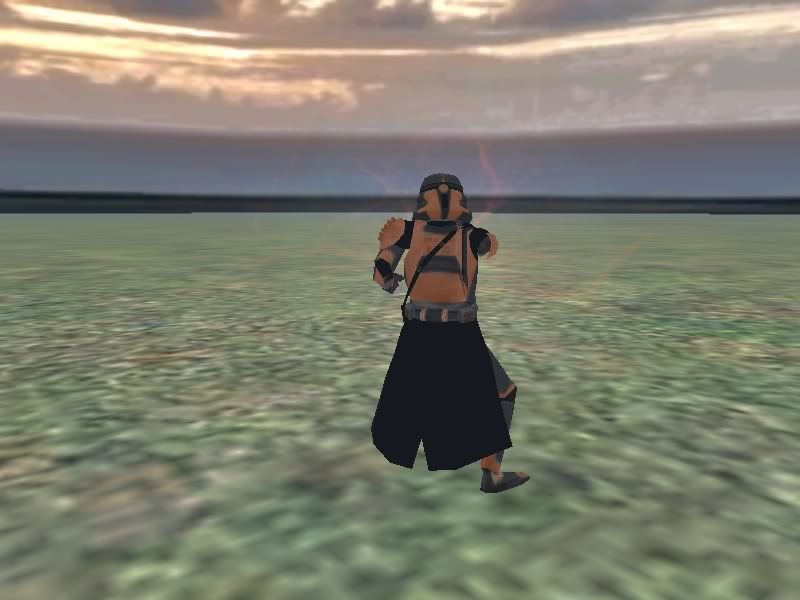
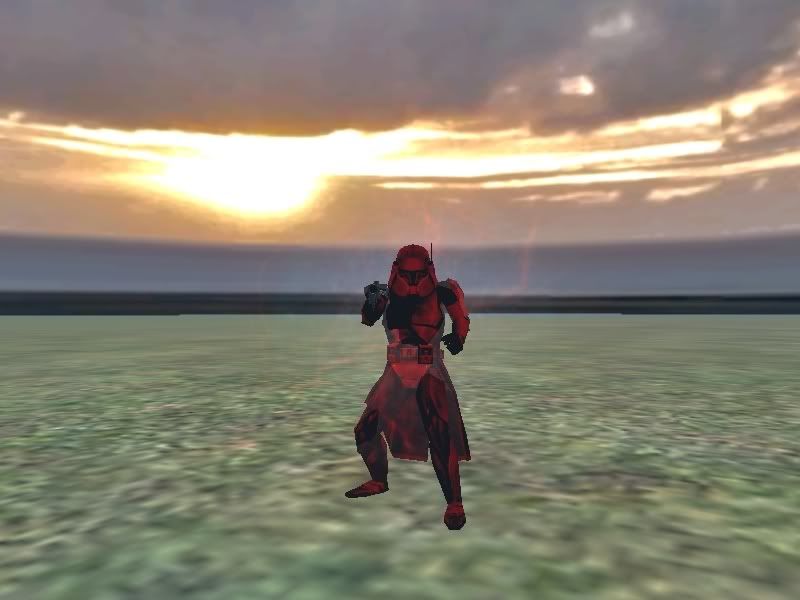
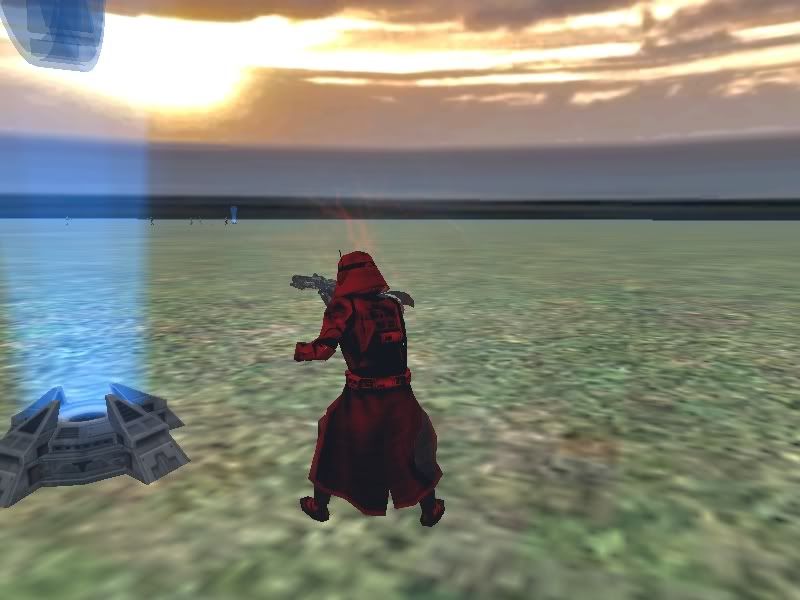
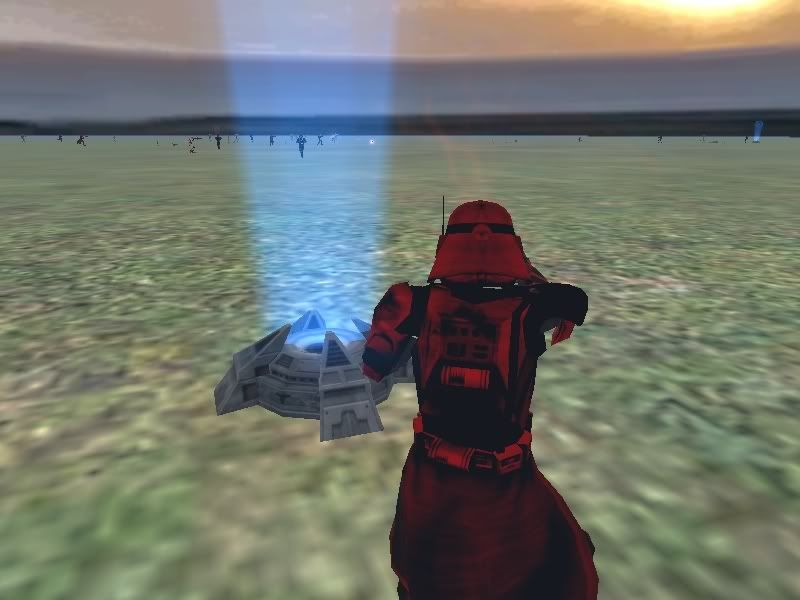
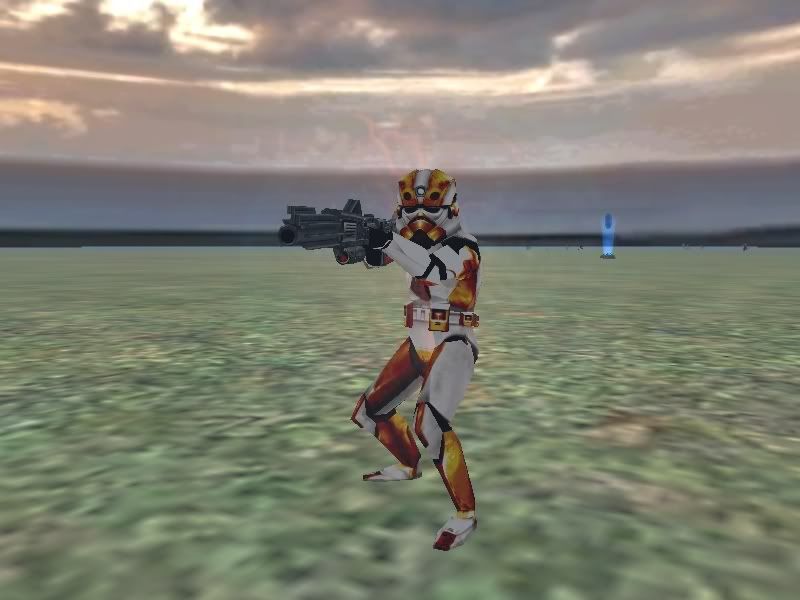
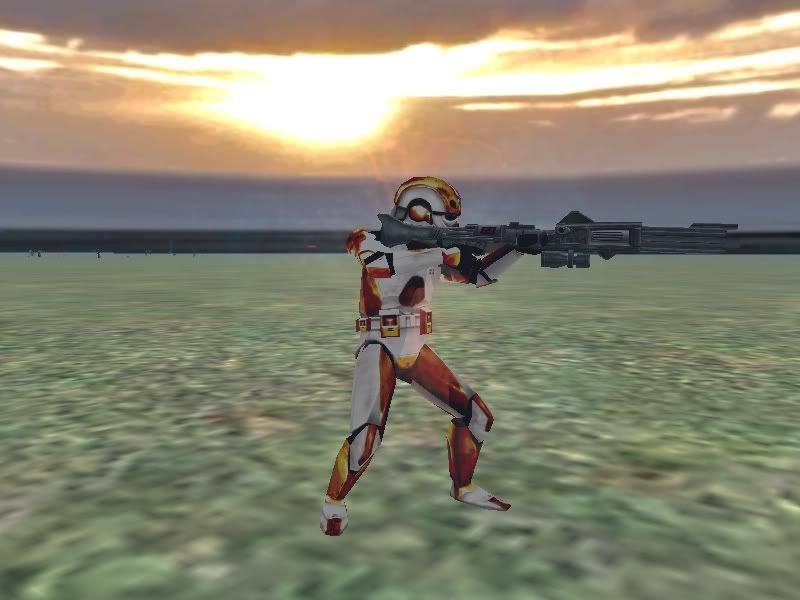
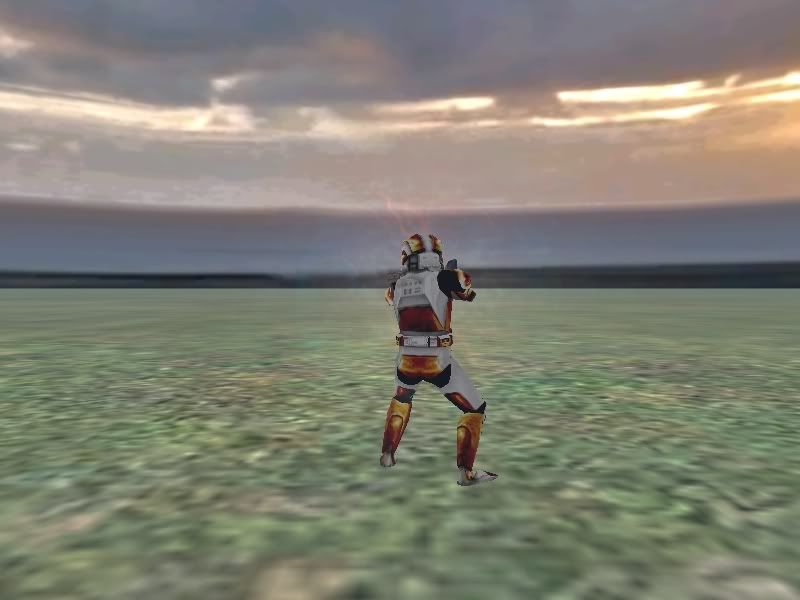
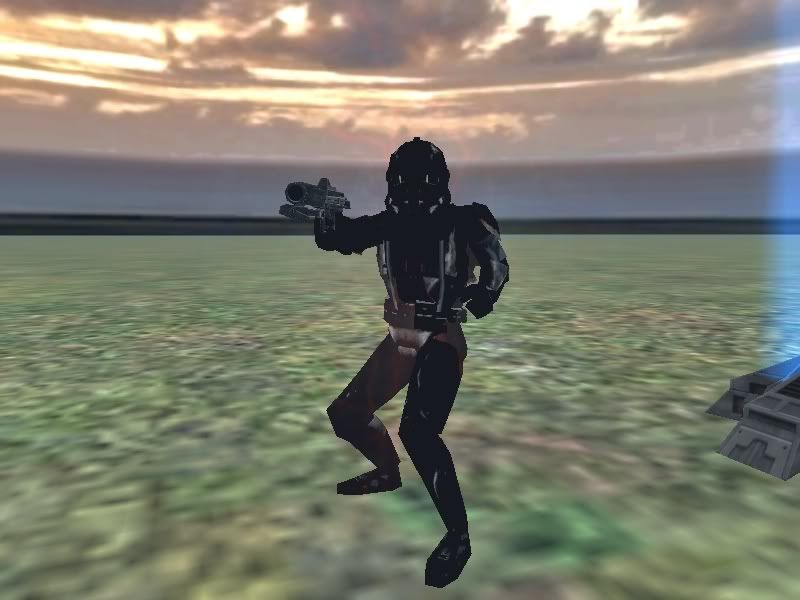
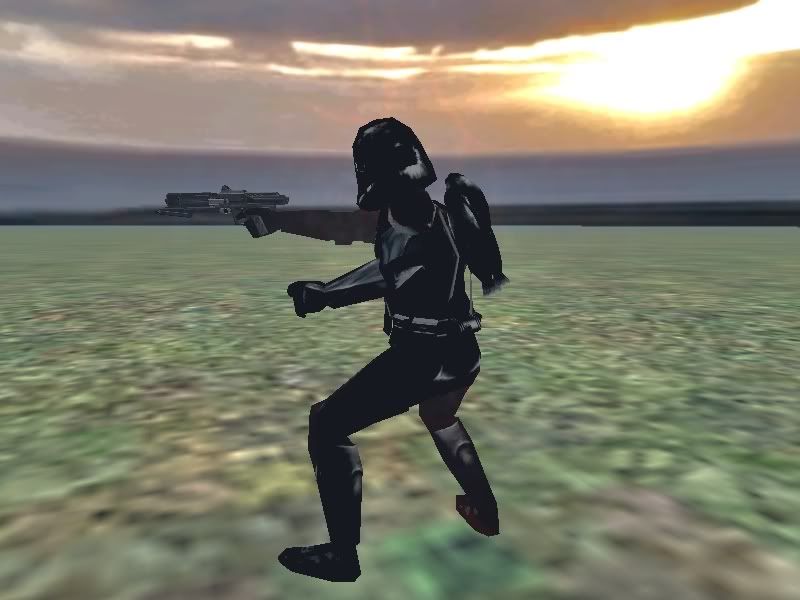
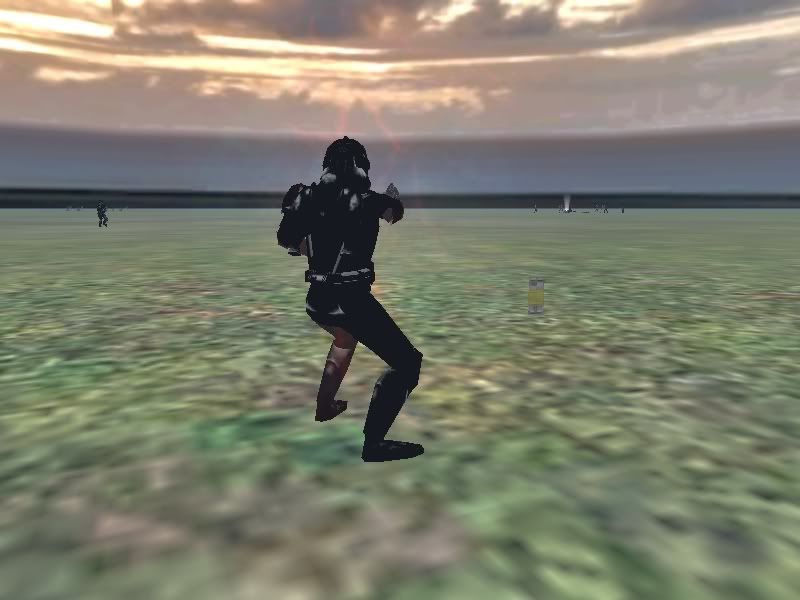
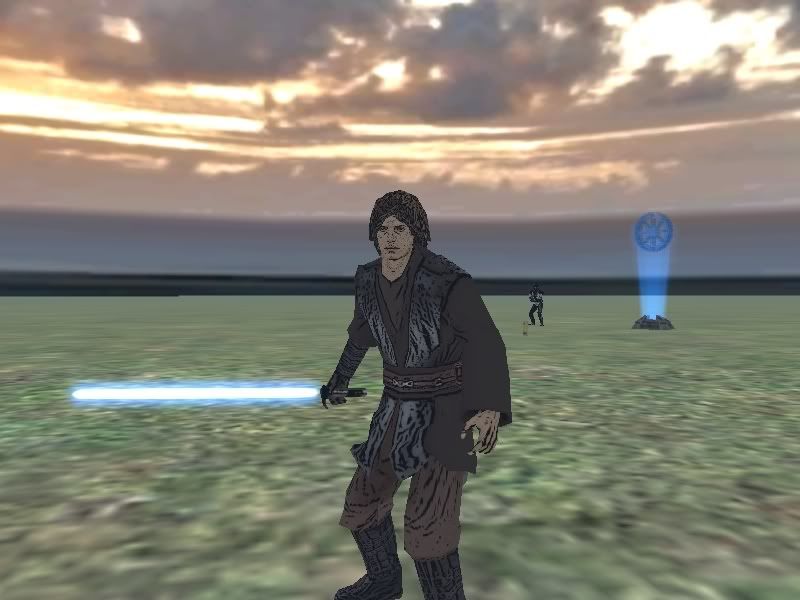
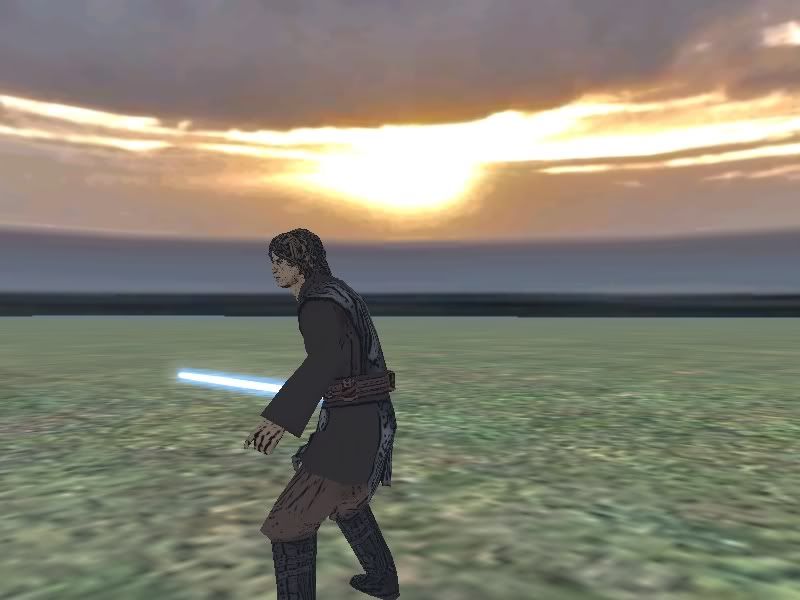
proof:
Trooper Front:
Image
Trooper Side:
Image
Trooper Back:
Image
Sniper Front:
Image
Sniper Side:
Image
Sniper Back:
Image
Heavy Front:
Image
Heavy Side:
Image
Heavy Back:
Image
Engineer Front:
Image
Engineer Side:
Image
Engineer Back:
Image
Jet Front:
Image
Jet Side:
Image
Jet Back:
Image
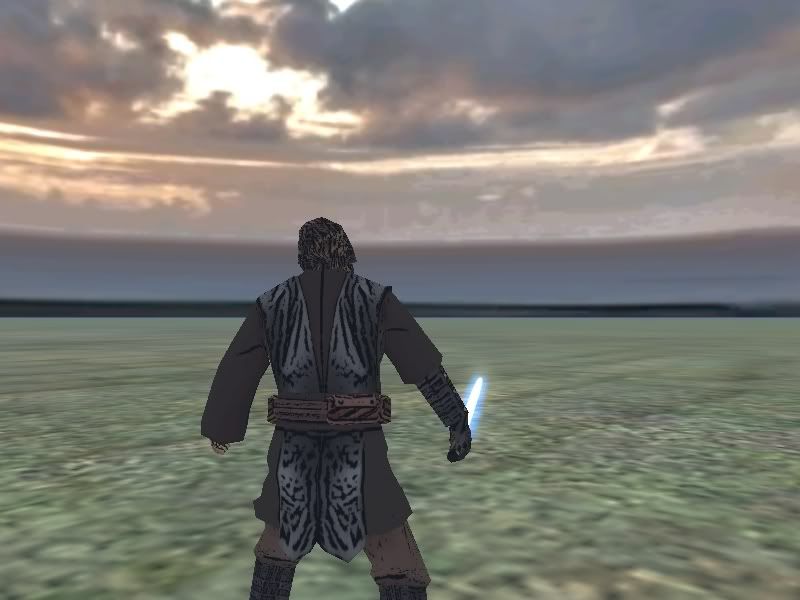
Anakin Front(:P):
Image
Anakin Side:
Image
Anakin Back:
Image
Comments?

-zaborack

RE: HOORAY! it worked! thanks Dohnutt!!!!

Posted: Sat Nov 11, 2006 10:12 pm
by Dohnutt
w00t! :) Love the skins, Zaborack!

RE: HOORAY! it worked! thanks Dohnutt!!!!

Posted: Sun Nov 12, 2006 6:10 pm
by Qdin
except for the Anakin skin... :?

he really looks worse than if he had the Plague! :o

I'd suggest that you reskin him from scratch instead :wink: and this time do NOT have all those... contrasts? so strong. IT's a good idea, but don't make it black. Maybe a 'natural' color aka Blending the nearby colors would be nice.

RE: HOORAY! it worked! thanks Dohnutt!!!!

Posted: Sun Nov 12, 2006 6:20 pm
by Dohnutt
I think the Anakin was kinda s'posed to look... "weird"... Well, not weird, but... INTERESTING. That's the word :)

RE: HOORAY! it worked! thanks Dohnutt!!!!

Posted: Mon Nov 13, 2006 10:33 am
by The_Emperor
The only thing he did on that Anakin was "cartoonize" (a gimp tool) :P

RE: HOORAY! it worked! thanks Dohnutt!!!!

Posted: Mon Nov 13, 2006 11:56 am
by Zaborack
uhm, i use Photoshop, and its just a simple filter i added, i mean, whats the point of taking skins ingame if you are only gonna have one skin ;P
but this topic is useless now, if any moderator/admin see's it please lock it.

-zaborack