Page 1 of 1
Crashing to desktop after saving .wld
Posted: Wed Oct 25, 2006 5:35 pm
by xwingguy
I got BOE working. Went back added a new layer with 1 region and 1 path node, saved, added some scripts, munged, and well whatdoyaknow, crash to desktop. This part is really weird: I opened Zeroeditor and got this:
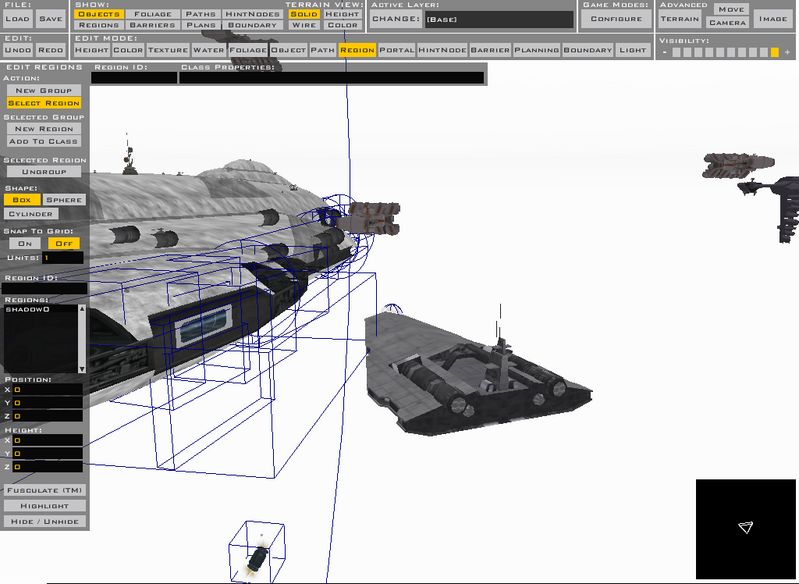
The bottom portion should be grey! What the [diet dr pepper] is going on?!
btw: I went back and undid everything listed at the top and the game still crashes. BF2_Modtools.exe doesn't help because the error occurs past the point that the debugger has always crashed at. No unusual munging errors.
RE: Crashing to desktop after saving .wld
Posted: Wed Oct 25, 2006 5:40 pm
by Moving_Target
OUch! Nice to see ya back Xwingguy! Anyways how many layers do you have? Is it possible to have too many layers? And what do you mean by... "BF2_Modtools.exe doesn't help because the error occurs past the point that the debugger has always crashed at."?
You mean it crashes before the debugger can work? I don't know the answer but hopefully this can help you towards the answer.
RE: Crashing to desktop after saving .wld
Posted: Wed Oct 25, 2006 8:15 pm
by xwingguy
My map has 6 layers, most shipped maps have over a dozen layers.
The modtools.exe has always crashed to desktop before it can load the Endor map completely.
Posted: Wed Oct 25, 2006 8:32 pm
by Moving_Target
O! When the little circles light up right? I get what you are saying now.
Maybe it's one of you scripts. Like one word is misspelled or something.
You've helped me alot so it's pay back time.
Posted: Wed Oct 25, 2006 8:38 pm
by xwingguy
It's not the scripts. I went back to the scripts when it didn't crash. (Good thing I backed 'em up this time.)
Posted: Wed Oct 25, 2006 8:43 pm
by Adreniline
Re-booted much lately? might work...
This may seem to be a "last resort" idea but....
Re-Install the Mod Tools? (after anything important has been backed up of course)