Softimage Mod Tool - Dual Monitors
Moderator: Moderators
-
Marth8880
- Resistance Leader
- Posts: 5042
- Joined: Tue Feb 09, 2010 8:43 pm
- Projects :: DI2 + Psychosis
- xbox live or psn: Marth8880
- Location: Edinburgh, UK
- Contact:
Softimage Mod Tool - Dual Monitors
I am new to modeling and I cannot figure out how to undock the displays (e.g., Front, Right, Top, Camera) to stick them on my second monitor; I only really want to view the Camera display on my second monitor. How would I do this? I have tried searching around Google and GT but have found no luck.
-
ANDEWEGET

- Ancient Force

- Posts: 1266
- Joined: Tue Apr 01, 2008 8:42 am
- Location: Germany
- Contact:
Re: Softimage Mod Tool - Dual Monitors
AFAIK its not possible to undock any of the viewports from the main window, but there's a workaround using the Object View(moving points and other transform stuff works, havent tested animation/anything except moving points, should worke though):
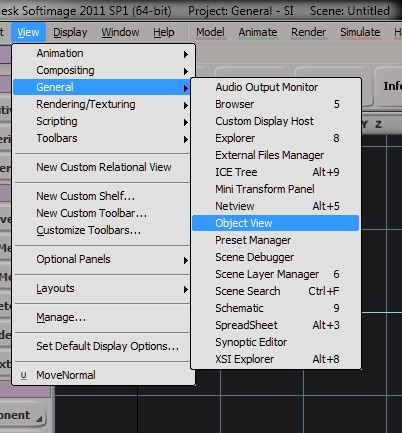
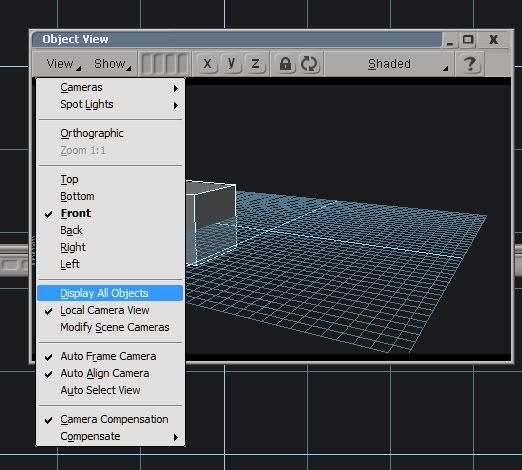
Open the Object View.
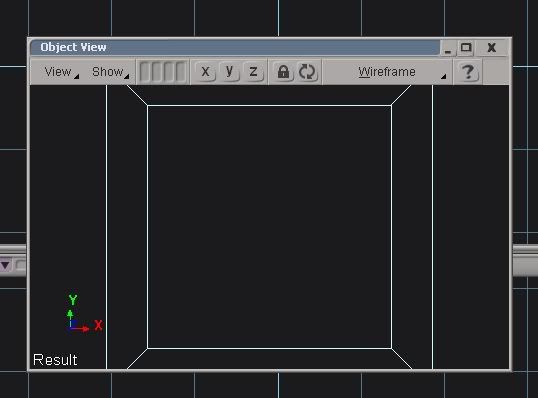
This will show you the currently selected object in an extra window.
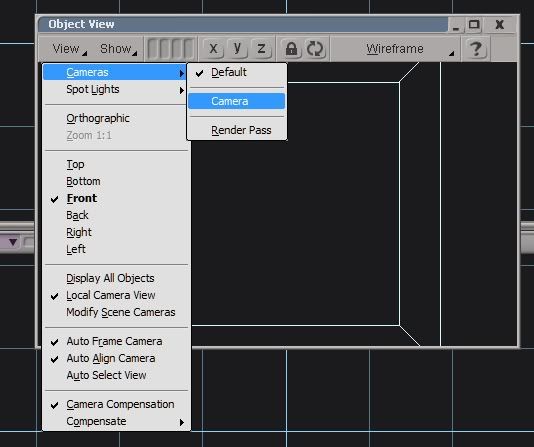
Switch to Camera view.
Enable the Display All Objects option.
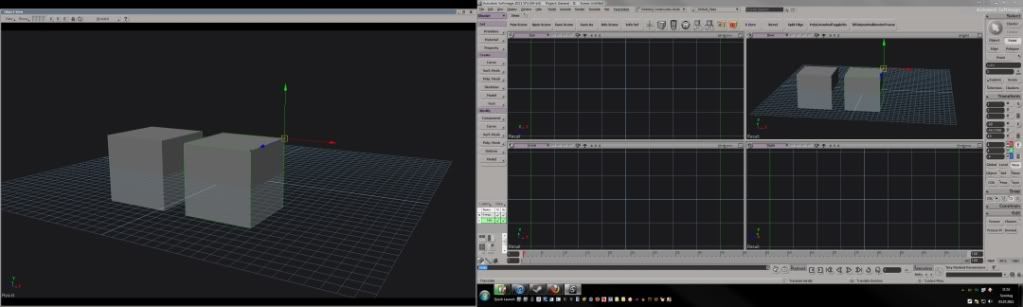
Then move it to your second monitor and maximize it.
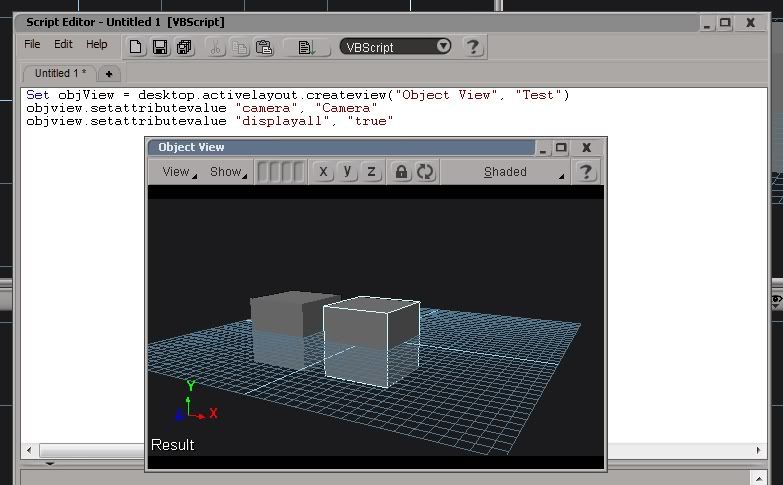
Or just use this script, you can open the Script Editor by clicking the Scroll icon in the middle of the bottom panel. Just copy it exactly from the screenshot, save it/put it into a scripted button(google this if you dont know what it is)and make sure that the scripting language box in the script editor is set to VB Script. You still have to maximize and move the window though.
if your camera isnt named "Camera" just change "Camera" to your cameras name or "User" for the User viewport etc etc.
Open the Object View.
Hidden/Spoiler:
Hidden/Spoiler:
Hidden/Spoiler:
Hidden/Spoiler:
Hidden/Spoiler:
Hidden/Spoiler: