Page 1 of 1
XSI display problem
Posted: Sat Sep 24, 2011 12:11 pm
by Fiodis
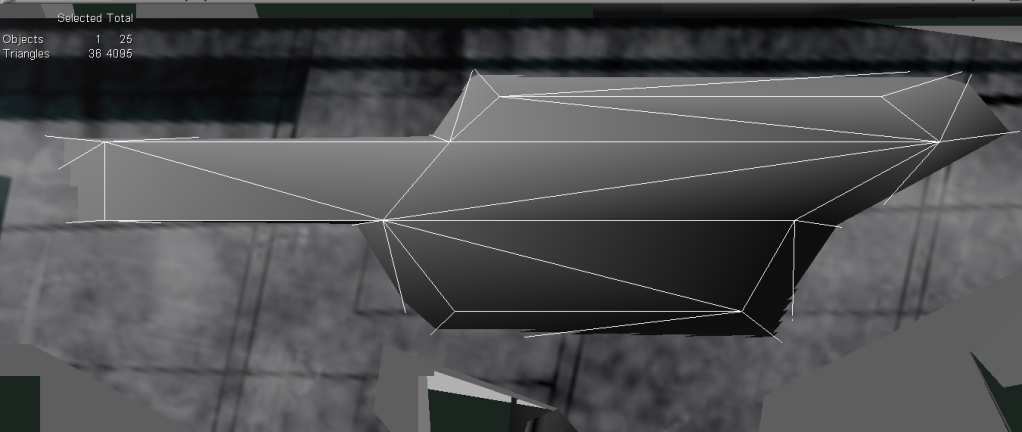
I'm not sure how to describe this - all of a sudden, in the right view pane, in textured decal mode, an object is doing something that looks almost like z-fighting:
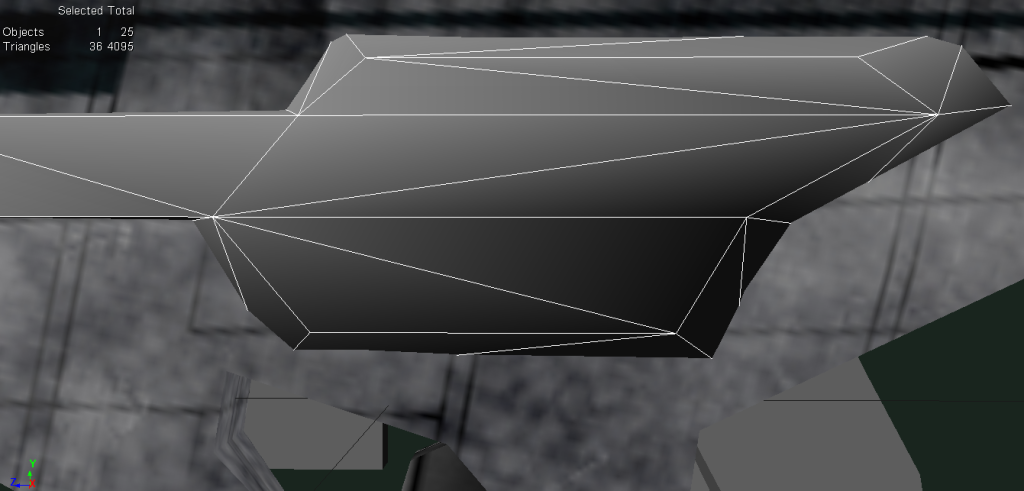
It's like the model is pulling away from its wireframe and shrinking somehow. By comparison, here's the same part in User textured decal mode:
This has happened before with some other models and I didn't find any way to fix it. It's very annoying, especially when I'm trying to texture. Is there any way to fix this?
Re: XSI display problem
Posted: Sat Sep 24, 2011 2:21 pm
by AceMastermind
Is this a large object? Is there any duplicate geometry present? Is this a "heavy" scene? Try resetting the camera in the problem viewport by hovering the mouse cursor over it and pressing the R key and be sure to navigate around your scene using the S key(Navigation tool) to prevent moving the camera.
Re: XSI display problem
Posted: Sat Sep 24, 2011 4:00 pm
by Fiodis
It's not a large object. There is a duplicate geometry present, but it's hidden. It's not a particularly heavy scene - the stats are in the screenshots. Resetting the camera didn't work. Thanks for the tip about the navigation tool, though.