Page 2 of 2
Re: lava...............lava!
Posted: Thu Sep 06, 2007 4:09 pm
by Taivyx
First of all, to set the nocollision, you set that in the .msh.option file of your msh. If you don't have that file, make one.
Well, for weapons, you have to put it in the designated area of the odf. Take a look at the shipped odf's.
The same is true for infantry, vehicles, common items (vehicle spawns, cp's, etc.), and doors. There might be some others I forgot about.
For the other types of odf's you can put it basically anywhere.
Re: How do you add lava?
Posted: Wed Apr 06, 2016 7:44 pm
by wagromph
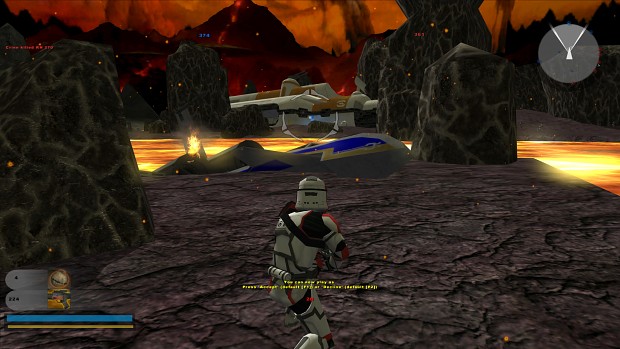
I do what is being done here, however I just get a slightly red looking water instead of it looking like the lava texture
Re: How do you add lava?
Posted: Thu Apr 07, 2016 12:03 pm
by Maveritchell
Turn your water settings to "low."
Re: How do you add lava?
Posted: Thu Apr 07, 2016 12:44 pm
by ZoomV
Maveritchell wrote:Turn your water settings to "low."
Given that almost nobody in 2016 is going to be running swbf2 on low anything or likely to even think about running it on low, using water for lava is a dead technique.
What I did for Oricon was to reskin the mygeeto sky mist objects with a lava texture. I then removed the transparency flag, added glow, and finally I edited the U and V velocities way down.
The result was pretty satisfying.
Re: How do you add lava?
Posted: Thu Apr 07, 2016 1:50 pm
by wagromph
right now I am just adding in odfs of the Mustafar map to get the lava effect, how does one add glow ? I am still super new to all this (Like only been toying with it for about a week)
Re: How do you add lava?
Posted: Thu Apr 07, 2016 7:15 pm
by ZoomV
wagromph wrote:right now I am just adding in odfs of the Mustafar map to get the lava effect, how does one add glow ? I am still super new to all this (Like only been toying with it for about a week)
http://www.gametoast.com/viewtopic.php?f=27&t=24851