Page 4 of 5
Re: BF2 ZE Terrain Tool
Posted: Wed Feb 20, 2013 1:17 pm
by tirpider
Fiodis wrote:What sort of stuff do people use the color mode for?
When planning the map, It's how I mark reigions for a quick, easy to edit guide.
Later, I revise the colors to represent the actual color I want for the ground, using greyscale tga's for texture.
It never occured to me to use lights as the primary ground color.
Re: BF2 ZE Terrain Tool
Posted: Wed Feb 20, 2013 2:11 pm
by THEWULFMAN
I use the color mode to make variations in the terrain so textures look less repetitive.
I've also used it in a similar manner to how Kinetos suggested, I darkened the terrain around bomb craters in Ryloth: Nabat.
However, if you don't want to waste time on the color mode to work on other things, I can understand and it's not *that* critical.
Re: BF2 ZE Terrain Tool
Posted: Sat Feb 23, 2013 4:25 pm
by yuke5
Sometimes, you need to adjust terrain color if its brightness is too much.
Re: BF2 ZE Terrain Tool
Posted: Sun Mar 10, 2013 12:47 pm
by noMatt
Are u able to make this editor heightmap compatible (Black to white images)
If then it would be pretty cool because sandbox is a better terrain modeler then ZeroEditor and youre editor is the converter

.
I know that ZE is a Heightmap exporter but there is no Import option

Re: BF2 ZE Terrain Tool
Posted: Mon Mar 11, 2013 2:40 pm
by Fiodis
Sure, that'd be pretty easy to implement.
Re: BF2 ZE Terrain Tool
Posted: Mon Mar 11, 2013 5:30 pm
by noMatt
Thanks thats nice.
Re: BF2 ZE Terrain Tool
Posted: Tue Mar 19, 2013 1:21 pm
by Fiodis
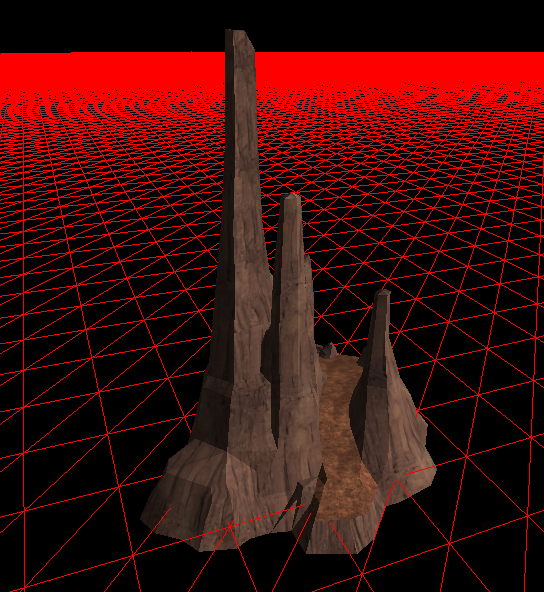
Small update, I got the msh loading code working for more complex mshs now, with multiple textures and geometry segments:
Next is to figure out how object positions and rotations and things are stored in layers. Or maybe I'll take a break from working with props and try to load terrain textures.
One thing that's confusing me now are ZE-painted terrain colors; I thought they were stored in the .ter file but the multicolored terrain file I got for testing just has solid "FF"s all through the color chunk.
Re: BF2 ZE Terrain Tool
Posted: Tue Mar 19, 2013 3:58 pm
by noMatt
Will this Update be released soon or are you going to release a "bigger" update
Re: BF2 ZE Terrain Tool
Posted: Tue Mar 19, 2013 7:44 pm
by AvalancheMaster
Regarding props - are you planning on implementing terrain cutters in the foreseeable future? Also, I recommend you to focus on things that ZE does not support.
Great work so far!
Re: BF2 ZE Terrain Tool
Posted: Tue Mar 19, 2013 7:59 pm
by Fiodis
noMatt wrote:Will this Update be released soon or are you going to release a "bigger" update
I'll release a new version once I finish an editing mode - so once either prop placement or terrain texture painting works. I'm jumping between the two, so I can't really say which will be finished first, or when.
AvalancheMaster wrote:Regarding props - are you planning on implementing terrain cutters in the foreseeable future?
Those don't have anything to do with the terrain, they're parts of the model. I don't believe I have the skill atm to write code that auto-generates a custom terrain cutter msh.
AvalancheMaster wrote:Also, I recommend you to focus on things that ZE does not support.
Such as? I'm already planning something to edit .sky files, and the heightmap import that noMatt suggested is pretty easy to implement, but beyond that I can't think of much ZE doesn't support that would be relevant to this application.
Re: BF2 ZE Terrain Tool
Posted: Tue Mar 19, 2013 11:47 pm
by AvalancheMaster
Well, I saw somebody suggested a higher-resolution terrain grid, something I would love to see if it's doable. Also, prop editing in ZE is rather tedious - I think it'd be nice if the editor allowed us to set rotate angle for objects before placing them.
Even random XY plane rotation on placement can be a huge relieve when making forest maps.
Re: BF2 ZE Terrain Tool
Posted: Wed Mar 20, 2013 12:11 am
by Marth8880
AvalancheMaster wrote:making forest maps.
That reminds me: what would be neat is like a "scattered" prop placement tool. It would basically place a cluster of any one prop with sliders to control cluster density and size - this would REALLY streamline map-building for maps with a lot of trees and rocks and whatnot.
Also what would come in handy is a "random rotation" toggle for prop placement. When toggled on, props are given a random rotation upon placement - there would be switches to toggle the axes that should receive the random rotation as well.
Another idea is a toggle switch for automatic barrier creation upon prop placement. This would simply create a barrier that fits snugly around a prop's bounding box - useful for placing rocks and crates. (I know that there is an ODF parameter for this, at least sort of, but only the radius of the barrier can be set.)
Re: BF2 ZE Terrain Tool
Posted: Wed Mar 20, 2013 8:38 am
by noMatt
Ah i have another suggestion (thats maybe difficult (sorry for suggestion spamming
))
Make some better terrain modeling tools, so it is easier to model a good terrain. The ZeroEditor are not so good.
EDIT: Yeah Fiods i know ZETools are model exporter (this was just a typo, because i was in a hurry so i didnt worryed to much about what i was writin
Re: BF2 ZE Terrain Tool
Posted: Wed Mar 20, 2013 9:50 am
by Fiodis
noMatt wrote:(sorry for suggestion spamming
)
No, this is great! I would never have thought of these ideas.
I'm not sure higher-res terrain grids are possible, I didn't look much into it. Marth mentioned space terrains seem to have lower-res grids, but in the actual terrain file those might be just normal-res terrain with less of the grid lines showing. Even if it
is lower-res, that just proves lower-res terrain is possible, something I'm not so sure many people are interested in.
Spaces to set rotation angle before placement, and a tick mark for random rotation, are quite possible, and good ideas - I remember myself being frustrated when trying to make a forest map.
A cluster placement tool might be neat, but it'd be really hard to avoid having some props intersect others. With high enough densities the modder would likely have to go in and seperate them by hand. Still doable, though.
Auto barrier generation, maybe - I'll look into that when I start playing with AI planning. I'm a bit confused - if the odf
can set the radius, what's left?
The ZETools are not intended for making terrain, they're model export tools. With them you can export a wide variety of props and guns and units and vehicles, but the makers of the Mod Tools themselves never intended people to make terrains in XSI.
Re: BF2 ZE Terrain Tool
Posted: Wed Mar 20, 2013 11:22 am
by AvalancheMaster
Well, if you don't mind throwing ideas around, here are some more:
ZE's user interface sucks, I think we all agree on that. That's especially true for objects. I'd love to have a simpler palette with all the ODF files, currently on the map, without duplicates. That means a palette that shows an ODF ONCE, even if you have it 10 times on the map.
This could also serve for quick multi-select of objects, selecting all ODF instances on the map. It's pretty annoying if you decide to replace all your trees or crates or other spam-props, you need to select them one by one. Also, it can serve for quick find of ODF, instead of scrolling through countless end_prop_tree.odf in the list.
Another thing that comes into my mind are object groups. A quick palette which loads an object group instantly, instead of having to go to multi-select, open object group, browse to the object group, and place it - that'd be nice as well.
One last thing for objects - ZE has the neat object to ground them, but I wish to be able to "superground" them. That's for when placing objects on hill. I think that would be harder to implement. What I basically ask for is for the Terrain Editor to make sure that no part of the bottom plane of an object stays overground. Now ZE basically places objects on slopes by having the object touch the highest terrain point beneath it, I want it to touch the lowest point beneath it. If I didn't describe it well enough, I'll upload examples later.
One thing that I think is pretty easily doable once terrain textures are able to be showed into your Terrain Tool is viewing height and textures simultaneously. Helps a lot with height-specific textures.
That's what I can think of for now. Hope that other people agree with those ideas; at least these are functionalities that ZE lacks and it annoys me.
Re: BF2 ZE Terrain Tool
Posted: Wed Mar 20, 2013 5:47 pm
by CressAlbane
All amazing ideas. One thing I think would be cool is a placing mode that automatically rotates the object so that the bottom face of the BB is flush with the terrain at the origin.
Re: BF2 ZE Terrain Tool
Posted: Fri Mar 22, 2013 9:47 am
by Fiodis
I'll be able to access my modding computer this next week, so I'll have all the test files I could wish for.

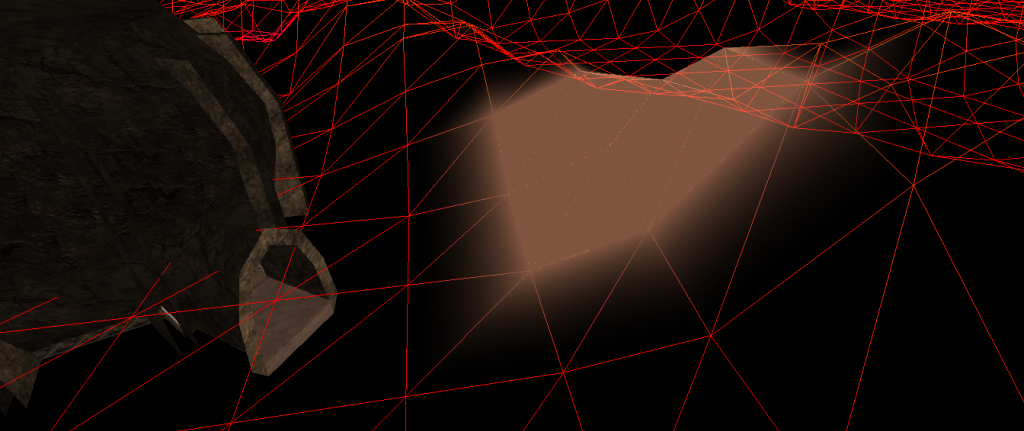
To kill time until then, I've been coding small aesthetic things - I fixed the camera so now it's more free-flying, and I added a little option to tinker with the brush color:
AvalancheMaster wrote:I'd love to have a simpler palette with all the ODF files, currently on the map, without duplicates. That means a palette that shows an ODF ONCE, even if you have it 10 times on the map.
ODF files aren't on the map;
objects are. ODF files are files ZE uses to find what MSH an object uses as well as what some of its properties are. You're probably referring to that object (not ODF) list that contains things like "geo_prop_stones1" to "geo_prop_stones23". The reason for that is this: every object has to have a unique name. You can set that name if you want. If you don't want 23 instances of "geo_prop_stones" in your object list than you can, if you really want, go in and rename all those objects. ZE, by default, names an object when you place it by taking the ODF it uses and appending a number depending on how many objects with the same ODF are on the map at the time. This seems a reasonable default to me; if you have a better suggestion for a default naming scheme, I'd certainly be open to it.
That said, an option to select all objects using the same ODF would be nice, and definitely doable.
Re: BF2 ZE Terrain Tool
Posted: Fri Mar 22, 2013 8:19 pm
by Cleb
What about a sort of drag to select objects, like when you are on the desktop and you select multiple icons. I don't think someone suggested it before, but I'm not sure.

Re: BF2 ZE Terrain Tool
Posted: Fri Mar 22, 2013 8:31 pm
by AvalancheMaster
I guess that'd be not only hard to implement, but hard to use.
Re: BF2 ZE Terrain Tool
Posted: Sat Mar 23, 2013 12:35 am
by Marth8880
Cleb wrote:What about a sort of drag to select objects, like when you are on the desktop and you select multiple icons. I don't think someone suggested it before, but I'm not sure.
That's already a thing.
Shift+left-click-drag.